What’s actually slowing this PC down?
Pick the symptom - the matching free tool is one click away.
If Elden Ring on Steam shows “Failed to initialize the game launcher,” first verify the game’s files in Steam. If that does not resolve it, use Easy Anti-Cheat’s official player-support resources and contact Elden Ring support with the exact error. Available reports do not confirm a single cause or a guaranteed fix for this message.
What the error means—and what is known
The wording “Failed to initialize the game launcher” appears in a February 2022 Elden Ring Steam community discussion. That is a historical player report, not an official diagnosis or evidence that every similar launch failure has the same cause. Read the Steam discussion.
| # | Preview | Product | Price | |
|---|---|---|---|---|
| 1 |

|
Elden Ring (PS5) (European Version) | $34.00 | Buy on Amazon |
| 2 |

|
Elden Ring, 1 PS5-Blu-ray Disc | $73.93 | Buy on Amazon |
| 3 |
|
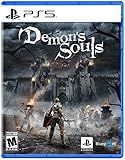
Demon's Souls - PlayStation 5 | $39.45 | Buy on Amazon |
For this exact message, the available official Easy Anti-Cheat (EAC) material does not give an Elden Ring-specific repair procedure. Treat file verification as a sensible first integrity check, not a guaranteed solution; if the problem persists, seek current guidance through EAC and the game’s support channel.
Try the low-risk check first: verify Elden Ring’s files
- Open Steam and go to your Library.
- Right-click Elden Ring and select Properties.
- Open Installed Files, then select Verify integrity of game files.
- Wait for Steam to finish, then try launching the game again.
Steam verification was tried in the historical community report and is also suggested by a secondary troubleshooting guide. Neither source establishes that it will fix this error for every player. See the secondary troubleshooting guide.
The Tool Desk
Outbyte PC Repair FREEClear out junk files and repair common Windows errorsFree Scan →Outbyte Driver Updater FREEScan for outdated or missing drivers - takes under a minuteDriver Scan →#1 Best Overall
- Collaborating with George R.R. Martin to create the ELDEN RING mythos has been a genuinely delightful experience and a source of wonderful inspiration. The team is working hard to ensure that the world of ELDEN RING will be a fascinating place for players to explore, filled with peril and wonder from its furthest reaches to its lowest depths. This is a FromSoftware title through and through, rich in fantasy and RPG action. We sincerely hope you look forward to it.
- Building the world of ELDEN RING with Miyazaki-san and his team was a treat! The graphics, mythos, and action-RPG gameplay will deliver an unforgettable experience. I can’t wait for people to see what ELDEN RING has in store for them.” Said George R.R. Martin.
If the error remains, use official support routes
Check EAC’s player-support resources
Consult EAC’s player support guide for general error guidance and its Windows service information. These resources cover broad EAC issues; they do not document a specific fix for this Elden Ring launcher message.
Contact Elden Ring support with useful details
EAC directs players with issues specific to other games to the relevant game’s support channel. When you contact Elden Ring support, include the complete error text and explain when it appears—for example, whether it shows before the game window opens. A secondary guide recommends including EAC logs, but the current publisher procedure for collecting or submitting logs is not established here. Follow the game support channel’s current instructions rather than guessing at a log location or submission method.
Rank #3
- Discover where the journey began - Experience the original brutal challenge, completely remade from the ground up. All presented in stunning visual quality with enhanced performance, this is the world of Boletaria as you have never seen it before.
- Become the Slayer of Demons - Venture to the northern kingdom of Boletaria – a once prosperous land of knights, now beset with unspeakable creatures and ravenous demons. Meet strange characters, unhinged and twisted by the world around them, and unravel the unsettling story of Demon’s Souls.
- Face the world’s greatest warriors in ferocious PVP combat - With online invasions adding to the danger of your quest. Or play cooperatively by summoning allies to aid in your fight against the demons. Active PS Plus subscription required for online multiplayer.
Why an EAC bypass is not the default fix
A player in the 2022 discussion reported being able to launch after bypassing EAC, but also reported that online play was unavailable. This is an anecdotal workaround, not official repair guidance; it changes the anti-cheat launch path and carries an online-play trade-off. Do not treat bypassing or renaming EAC files as a routine fix.
Which next step makes sense?
| Option | Evidence and risk | Best use |
|---|---|---|
| Steam file verification | A software integrity check mentioned in community and secondary guidance; no verified success rate or guarantee. Community report; secondary guide. | First check when game files may need validation. |
| Official EAC and Elden Ring support | Official support routing is the strongest route for current, game-specific instructions, but the EAC pages reviewed do not provide a repair for this exact message. EAC player support. | If verification does not help or the error keeps returning. |
| EAC bypass | One historical player report; not official guidance, with online play reportedly unavailable. Community report. | Not recommended as the normal troubleshooting route. |
What not to assume
An older video tutorial from February 2022 suggests steps such as updating Windows and changing a Steam account name, but current official material reviewed for this error does not confirm those as fixes. View the historical video tutorial. Avoid treating its suggestions as authoritative or as a substitute for current game support guidance.
Recommended Free Tools
Quick Recap
Product prices and availability are accurate as of the date/time indicated and are subject to change. Any price and availability information displayed on Amazon at the time of purchase will apply.



