Do these 3 things before closing this tab:
1Clear out junk files and repair common Windows errors2Scan for outdated or missing drivers - takes under a minute3Repair Windows errors before they cause bigger problemsencsplsh.dll is a Microsoft Encarta application file, not a Windows system DLL. If encsplsh.dll is missing or cannot be loaded, repair the exact Encarta or Microsoft Student installation that originally supplied it instead of copying a random DLL into System32.
encsplsh.dll versions at a glance
Public DLL inventories list these 32-bit samples. They are inventory records, not an official Microsoft release or compatibility table.
| # | Preview | Product | Price | |
|---|---|---|---|---|
| 1 |
|
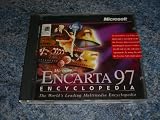
Encarta 97 Encyclopedia (Windows 95) | $99.00 | Buy on Amazon |
| 2 |
|
Microsoft Works Suite 99 Manual and Cd - Includes Media for Graphics Studio Greetings, Encarta... | $175.00 | Buy on Amazon |
| Reported version | Architecture | Approximate size |
|---|---|---|
| 16.0.4321.1117 | 32-bit | 1.5 MB |
| 12.0.1477.602 | 32-bit | 292 KB |
| 11.0.1013.809 | 32-bit | 4.0 MB |
The filename alone cannot identify which Encarta edition you need. Do not select the newest-looking entry or mix files from different Encarta releases.
What encsplsh.dll does
The name refers to Encarta’s splash or opening screen. It is associated with Microsoft Encarta, Encarta Premium or Collection editions, and Microsoft Student with Encarta. It is normally stored beside the Encarta executable in the product’s own program directory.
What’s actually slowing this PC down?
Pick the symptom - the matching free tool is one click away.
#1 Best Overall
- Used Book in Good Condition
It is not established as part of Windows, Visual C++ Redistributables, DirectX, .NET, or Windows Update. A 32-bit Encarta program on 64-bit Windows normally loads its application DLLs from its own folder.
Commonly reported wording includes:
- “The program can’t start because encsplsh.dll is missing from your computer.”
- “A required component is missing: encsplsh.dll.”
- “Error loading encsplsh.dll. The specified module could not be found.”
- “encsplsh.dll was not found.”
- “Cannot find encsplsh.dll.”
These messages can appear after an incomplete installation, failed repair, antivirus quarantine, damaged installation media, manual deletion, or a damaged dependency. “The specified module could not be found” can also mean that another DLL required by encsplsh.dll is missing.
Fix encsplsh.dll in the correct order
1. Identify the program that is failing
Before replacing anything, confirm that Encarta is the application showing the error.
Check the title bar, shortcut, or error dialog. If the failing program is Microsoft Encarta or Microsoft Student with Encarta, continue. If another application reports the filename, do not assume it uses the same file or the same version.
You can also inspect the shortcut:
- Right-click the Encarta shortcut.
- Select Properties.
- Open the Shortcut tab.
- Read the Target path and Start in folder.
- Note the Encarta edition or installation directory.
The matching encsplsh.dll should generally be in that product directory, not in C:WindowsSystem32 or C:WindowsSysWOW64.
2. Check antivirus quarantine
Security software may have removed or quarantined a legacy application file. This is especially worth checking if Encarta worked until a recent antivirus scan.
For Windows Security:
- Open Start and search for Windows Security.
- Select Virus & threat protection.
- Choose Protection history.
- Look for an event involving Encarta or
encsplsh.dll. - Expand the event and inspect the file path.
- Restore the file only if the path belongs to your trusted Encarta installation and the installation media or backup is legitimate.
Do not restore a file merely because its name matches. A malicious file can use a genuine filename. If the file was restored, start Encarta again. If the error returns, the file may be damaged, the wrong edition may be installed, or another dependency may be missing.
Do not permanently disable antivirus protection to make Encarta launch. Update the security software, scan the original media or backup, and investigate the installation path first.
Recommended Free Tools
3. Repair Encarta from its original media
The safest repair is the original Encarta CD or DVD, or a legitimate backup made from that installation.
- Insert the Encarta installation disc.
- If Setup starts automatically, choose the maintenance, repair, or reinstall option.
- If nothing appears, open File Explorer and select the optical drive.
- Right-click the setup program and choose Run as administrator.
- Select Repair if the installer offers it.
- Restart Windows when setup finishes.
- Launch Encarta from its original shortcut.
If the repair succeeds, the program should start without the missing-file message and the matching DLL should be back in Encarta’s own folder.
If there is no repair option, use a clean reinstall:
- Open Settings.
- Select Apps, then Installed apps or Apps & features.
- Find the affected Encarta or Microsoft Student entry.
- Select the three-dot menu and choose Uninstall.
- Restart Windows.
- Reinstall the same product from the original disc or a verified backup.
- Apply the installer’s own updates, if you have them.
- Test Encarta before adding files from another edition.
Archived Microsoft troubleshooting guidance also points to uninstalling and reinstalling Encarta when setup copied an incomplete or incorrect file. Do not combine encsplsh.dll files from Encarta 2002, 2007, 2009, regional editions, or unrelated backups.
4. Repeat setup from clean local media
A scratched disc, interrupted setup, or failed optical-drive read can leave the program present but incomplete.
If the installer allows it, copy the complete installation contents to a local folder:
- Create a folder such as
C:InstallEncarta. - Copy the contents of the original disc into it.
- Open the copied files.
- Right-click the setup program and select Run as administrator.
- Uninstall the damaged Encarta installation first if necessary.
- Restart Windows.
- Run setup again from the clean local copy.
Do not use this method to bypass licensing or copy files from a source you cannot verify. If Windows reports read errors while copying, replace or clean the disc rather than accepting a partial installation.
5. Check that the application folder is intact
If the DLL exists but Encarta still fails, inspect the folder named by the shortcut:
- Right-click the Encarta shortcut.
- Select Properties.
- Use Open File Location.
- Confirm that the executable,
encsplsh.dll, and the other Encarta files are present. - Right-click
encsplsh.dll, select Properties, and review the Digital Signatures tab if one is available. - Compare the file with the original media or verified backup.
A missing signature alone does not prove that a legacy file is malicious, but a DLL in an unexpected folder, a recently changed timestamp, or a file unrelated to the original media warrants a malware scan and clean reinstall.
Also check permissions:
- Right-click the Encarta folder.
- Select Properties.
- Open the Security tab.
- Confirm that your Windows account can read and execute files there.
- Start Encarta with Run as administrator once as a diagnostic test.
If administrator mode works but normal launch does not, the problem may involve permissions, a damaged user profile, or Encarta attempting to write into a protected directory.
6. Use compatibility settings only after restoring the files
Compatibility mode cannot recreate a missing encsplsh.dll, but it may help an intact Encarta installation run on Windows 10 or Windows 11.
- Right-click the Encarta executable or shortcut.
- Select Properties.
- Open the Compatibility tab.
- Select Run this program in compatibility mode for.
- Test an older Windows version from the list.
- Select Run this program as an administrator only if required.
- Click Apply, then OK.
- Start Encarta again.
Change one setting at a time. If Encarta still fails after a complete reinstall, the remaining problem may involve obsolete Internet Explorer, Windows Media, graphics, or other legacy dependencies. Microsoft discontinued Encarta, and there is no current official Encarta redistributable that can simply be downloaded for modern Windows.
7. Repair Windows components only for broader Windows symptoms
encsplsh.dll belongs to the Encarta installation, so Windows repair commands normally will not restore it. Use them when Windows itself has additional problems, such as broken built-in applications, update failures, or several unrelated system errors.
First install pending Windows updates, then open an elevated terminal:
- Open Start.
- Search for Command Prompt or Terminal.
- Right-click it and select Run as administrator.
- Run:
DISM.exe /Online /Cleanup-Image /RestoreHealth
- Wait for it to finish.
- Then run:
sfc /scannow
- Restart Windows and test Encarta.
Microsoft recommends running DISM before SFC when repairing Windows components. SFC is not a substitute for reinstalling Encarta and should not be expected to recover an application DLL.
Repeating SFC and DISM without knowing what changed can make troubleshooting tedious. Outbyte PC Repair can scan for broader Windows problems and show what needs attention, while its repair actions require the full version; reinstalling the affected Encarta product remains the definitive fix for this file.
The Tool Desk
Outbyte PC Repair FREERepair Windows errors before they cause bigger problemsFix Now →Outbyte Driver Updater FREEFix the driver behind crashes, sound loss and screen glitchesFind Drivers →8. Do not chase drivers unless another error identifies one
There is no evidence that a display, chipset, or audio driver owns encsplsh.dll. Do not update drivers as a substitute for repairing Encarta.
Driver troubleshooting is relevant only if Encarta starts but then fails with a separate graphics, video, audio, or hardware-related error:
- Right-click Start.
- Select Device Manager.
- Expand the device category named by the error.
- Right-click the device.
- Select Update driver.
- Choose Search automatically for drivers.
- Restart Windows if a driver is installed.
For a device that recently broke, open Properties, select the Driver tab, and use Roll Back Driver when available. Outbyte Driver Updater can scan for stale drivers and identify what needs updating, but the full version performs the driver installation; it will not replace a missing Encarta DLL.
Independent reader supportYour contribution helps us test, update, and keep practical guides available for everyone.What not to do
Do not copy encsplsh.dll into System32
Putting a 32-bit application DLL in C:WindowsSystem32 or SysWOW64 is not a general repair. Encarta normally looks in its own program folder, and a system-folder copy can create version conflicts or leave an unsafe file available to other programs.
Free tools Windows power users keep installed
One-click scans. No signup required.
Copy a file manually only from matching, trusted Encarta media or a verified backup, and copy it into the corresponding Encarta directory.
Do not use random DLL download sites
A downloaded DLL may contain malware, be the wrong architecture, belong to another Encarta edition, or omit the dependency that caused the error. Filename matching does not prove authenticity, compatibility, or safety.
The safe sources are the original Encarta installation disc, a legitimate backup, or a complete reinstall of the exact product you own.
Do not run regsvr32 routinely
regsvr32 is intended for DLLs that expose registration entry points such as DllRegisterServer. There is no evidence that encsplsh.dll is an ActiveX or COM component requiring registration. Running:
Quick wins for a faster PC:
Repair Windows errors before they cause bigger problemsFix Now →Fix the driver behind crashes, sound loss and screen glitchesFind Drivers →Clear out junk files and repair common Windows errorsFree Scan →regsvr32 encsplsh.dll
is therefore not a standard fix and may produce another error. Restore the complete Encarta installation instead.
Do not install Visual C++, DirectX, or .NET blindly
Those packages are not established owners of encsplsh.dll. Install a runtime only when a separate error explicitly names that runtime or another dependency, and always use Microsoft’s official distribution.
FAQ
Is encsplsh.dll a Windows file?
No evidence supports that. It is associated with Encarta and normally belongs in the Encarta or Microsoft Student program directory.
Is encsplsh.dll 32-bit or 64-bit?
The publicly listed samples are 32-bit. No trustworthy 64-bit build is established. A 32-bit application normally loads its matching files from its own directory even on 64-bit Windows.
PC Slower Than It Used to Be?
A free scan shows the junk files, broken settings and background clutter dragging Windows down - then fixes them in one click.Free scan · Windows 10 & 11Outdated Drivers Are Slowing You Down
One free scan finds every outdated or missing driver and matches the right update for your exact hardware.Free scan · exact hardware matchWhich Encarta version should I download?
Do not choose from a third-party version table. Match the file to the exact Encarta edition installed, using its original media or a verified backup. A filename alone cannot identify the correct release.
Why does Windows say the specified module cannot be found when the file exists?
Another dependency may be missing, the file may be damaged, the application folder may be inaccessible, or the DLL may be incompatible with the installed Encarta edition.
Will Windows 11 or Windows 10 run Encarta after reinstalling it?
Not necessarily. Reinstalling restores the application files, but obsolete dependencies and compatibility limitations may still prevent Encarta from running. If every clean reinstall fails, an older supported Windows environment may be required.
What if I no longer have the Encarta disc?
Avoid random DLL downloads. Check whether you have a complete, legitimate backup and its original license information. Without trusted installation media, restoring one DLL is unlikely to produce a complete or reliable Encarta installation.
Quick Recap
Product prices and availability are accurate as of the date/time indicated and are subject to change. Any price and availability information displayed on Amazon at the time of purchase will apply.



