Recommended Free Tools
Battlestate Games has acknowledged several Escape from Tarkov technical problems, including unsaved progress and account-profile errors. But the available evidence does not verify that a particular wipe caused players to lose raid gear. The distinction matters: a planned seasonal reset, an account-progress incident, and a raid that fails to save are different problems.
What Battlestate has confirmed
The studio has acknowledged separate service and progression incidents, but has not tied them all to one wipe or confirmed that they caused the reported loss of raid gear.
| Incident | What is established | What is not established |
|---|---|---|
| November 15, 2025, 1.0 release | Battlestate attributed access and authorization problems to high traffic and said its technical team was working to stabilize the game servers and authorization services. A follow-up said data-center load had generally stabilized while website and authorization-center issues remained. Battlestate’s server-status notice | This was a release-day service issue, not confirmation of a wipe-related raid-gear loss. |
| Download, trader, and PvE saving problems | Official release notices listed game-download problems, error 228 during trader interactions, and PvE raid progress not being saved; Battlestate said it planned technical updates to address them. Battlestate notice Battlestate notice | No affected-player count or link to a particular wipe was given. |
| June 3, 2026, PvE profile incident | Battlestate said a technical issue had reset progress on some PvE accounts or transferred profile progress from PvP to PvE. It said: “We are actively working to restore progress for all accounts affected by this issue.” Battlestate’s statement | The statement concerns account progress. It does not specifically confirm missing items from an extracted raid or promise recovery of particular gear. |
| Data-center outage | Battlestate reported an outage affecting Escape from Tarkov, Tarkov Arena, and official websites, then said services were restored. Battlestate’s outage notice | The notice did not connect the outage to a wipe or report gear loss. |
Is a seasonal wipe the same as lost gear?
No. Battlestate’s patch 1.1.0.0 announcement describes a seasonal character profile separate from PvP and PvE profiles. Seasonal character progression is automatically reset every four to six months alongside a major content update and new season. That is a planned game mechanic, not evidence that raid results failed to save or that an account was unexpectedly reset. Battlestate’s patch 1.1.0.0 announcement
The June 2026 PvE incident is a separate kind of problem: Battlestate described unexpected progress resets or transfers between profile types. Meanwhile, reports of “profile data could not be saved” after extraction describe another failure mode, where players say loot or progress was absent after a raid. These categories should not be treated as interchangeable.
#1 Best Overall
![TOP CUSTOMS Escape from Tarkov - Tagilla Figurine Replica [Updated Packaging]- Collectible Figurine Statue- FactoryBoss - Gift Idea - Gamers](https://m.media-amazon.com/images/I/41EZSWsEqsL._SL160_.jpg)
- Exclusive Top Customs design – crafted to closely resemble Tagilla’s in-game appearance with premium attention to detail
- Made from durable hard PVC, NOT 3D printed, using high-quality injection molding for a clean, professional finish
- Perfect for collection and display alongside your Tarkov gear or gaming setup!
- Ideal gift for your squadmates, friends, boyfriends/girlfriends
- A must-have for Tarkov fans. Whether you’re messing around in the hideout or building the ultimate 'Chad' loadout, this collectible hits hard.
What players report after extraction
A September 23, 2026 explainer from IsThisGameDown summarizes player reports of a post-raid “profile data could not be saved” error, followed in some accounts by missing loot or progress. Its account relies on discussion threads; it is not an official confirmation that a current wipe caused the problem. The explainer says there is no confirmed way to recover items from a specific lost raid. IsThisGameDown’s explainer
That evidence supports describing the issue as player-reported, not stating that Battlestate confirmed a current wipe has erased gear. No published figure was located for players affected or gear lost in the specific incident described by the headline.
Quick Recap
Rank #4
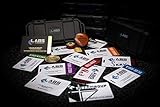
- The product is NOT an in-game items, 1:1 real keycards from escape from tarkov.
- All EFT Labs keycards,TerraGroup Labs access keycard,Black,Blue,Green,Red,Violet,Yellow Keycards. Object 21WSObject 11SR Keycards.
- Blank emfc Chips(no info was written) are integrated in all cards.
- All cards are in a protective plastic holder to prevent from scratches,the plastic holder was to protect the cards,but they might folded,sorry.
- Secure Container Outer Dimension:6.88'(L)x3.22'(W)x1.54'(H)
Rank #3

- Precision in Play: 1K Hz Polling Rate for Sharp Accuracy -Equipped with a 1K Hz polling rate and 26,000 DPI, the M2 captures every nuance of your movement, translating it into precise, in-game actions. Perfect for both competitive and casual gaming, it ensures your responses are always on point, thanks to the PAW3395.
- Experience the unique blend of style and practicality with the M2's hollowed-out design. This creative approach not only gives the mouse a distinctive look but also ensures optimal airflow, keeping your grip cool during intense gaming sessions.
- With the TUROSPEED Wireless technology, the M2 offers versatile connection options - from the ultra-fast 2.4G to the agile Bluetooth, down to the steadfast wired connection. Coupled with prolonged battery life, this mouse ensures you're always ready, always dominant.
- Elevate your gaming environment with the M2's customizable GLOWSYNC RGB lighting. Choose from five dynamic light modes and create your own lighting profiles using the intuitive software. Whether it's pulsing, steady, or reactive lighting, personalize your mouse to match your gaming setup and mood.
- The M2 is your canvas for customization. 5 programmable buttons, combined with user-friendly software, allow you to configure macros, adjust DPI settings, and tailor button functions to align with your gaming strategies.
Rank #2

- Exclusive Top Customs design - Inspired by the iconic Customs boss from Escape from Tarkov, this Reshala figurine is designed for fans who want a piece of Tarkov on their shelf.
- Made using durable PVC injection molding for consistent detail and a clean finish — not 3D printed.
- Stands approx. 9 cm (3.54 inches) tall, ideal for desks, shelves, gaming setups, or collector displays.
- A unique collectible for Tarkov players, streamer fans, or anyone building a Tarkov-themed collection.
What to do if your raid progress or profile looks wrong
- Check for a service incident. Review Battlestate’s current server-status and official update channels for an access, authorization, or data-center problem. A service outage can prevent access, but by itself does not establish that your raid result was lost.
- Record what happened. Note your account/profile type, approximate raid time, whether you extracted, the exact error text (such as “profile data could not be saved”), and what appears missing. Keep screenshots if available.
- Contact official support. Use the developer support route listed on Steam’s Escape from Tarkov support page. Steam’s Escape from Tarkov support page Include the details you recorded so support can identify the relevant account and incident.
- Wait for an official response before assuming recovery. Battlestate’s June 2026 statement promised work to restore affected account progress, but did not specify a recovery timeline or guarantee restoration of particular raid items.
Product prices and availability are accurate as of the date/time indicated and are subject to change. Any price and availability information displayed on Amazon at the time of purchase will apply.




