For a new player choosing Fallout 4, buy Fallout 4: Anniversary Edition. Bethesda says it combines the base game, all six official expansions and more than 150 Creation Club items. If you already own Fallout 4, the correct purchase depends on whether you have the standard edition or Game of the Year Edition.
Switch 2 has the same Anniversary bundle with one important difference: its included Creations are built into the game, there is no in-game Creations menu, and the physical release is code-in-box rather than a game cartridge. For older games on PC, Steam’s Fallout 3: Game of the Year Edition and Fallout: New Vegas Ultimate Edition are the simplest expansion-inclusive choices.
As an Amazon Associate I earn from qualifying purchases.
The quick decision
| Your situation | Edition to choose | Important check |
|---|---|---|
| New to Fallout 4 and want the complete published package | Fallout 4: Anniversary Edition | Confirm that your store lists the Anniversary Edition for your platform. |
| You own the standard edition of Fallout 4 | Anniversary Edition Upgrade | Bethesda says the upgrade adds the six expansions and Creation Club content. |
| You own Fallout 4: Game of the Year Edition and want Creations | Creations Bundle | Bethesda identifies this as the separate route for GOTY owners seeking that content. |
| Buying Fallout 4 on Switch 2 | Anniversary Edition | Creations are built in, there is no in-game Creations menu, and the physical package is code-in-box. |
| Buying Fallout 3 on PC | Game of the Year Edition on Steam | Steam lists all five add-on packs with the game. |
| Buying Fallout: New Vegas on PC | Ultimate Edition on Steam | Check the current Steam listing and regional availability before purchase. |
This is an edition decision, not a ranking of which Fallout game is best. Platform, existing ownership, included content and physical format determine the sensible buy.
What’s actually slowing this PC down?
Pick the symptom - the matching free tool is one click away.
Why Fallout 4: Anniversary Edition is the default new-buyer choice
It bundles the complete official Fallout 4 package
The Anniversary Edition includes the Fallout 4 base game, six official expansions and more than 150 Creation Club items. That makes it the least complicated way to obtain Bethesda’s published Fallout 4 content in one purchase. You do not need to identify and add each expansion individually.
#1 Best Overall

- Freedom and Liberty Do whatever you want in a massive open world with hundreds of locations, characters, and quests. Join multiple factions vying for power or go it alone, the choices are all yours
- Be whoever you want with the special character system. From a power Armored soldier to the charismatic smooth talker, you can choose from hundreds of perks and develop your own playstyle
- New next generation graphics and lighting engine brings to life the world of fallout. From the blasted forests of the common wealth to the ruins of Boston, every location is packed with dynamic detail
- Intense first or third person combat can also be slowed down with the new dynamic Vault Tec Assisted Targeting System (V.A.T.S) that lets you choose your attacks and enjoy cinematic carnage
“More than 150” refers to the included Creation Club selection, while the six expansions are a separate part of the bundle. The two categories should not be treated as interchangeable: the edition contains both the major expansion package and the additional Creations.
What the award figure does—and does not—tell you
Bethesda’s 2025 Anniversary Edition announcement mentions “over 200 ‘Best Of’ awards.” That is promotional history for Fallout 4, not a performance test or evidence that Anniversary Edition runs better than another edition. Use the included-content list and your ownership status to decide.
Where it is sold
Bethesda’s current Fallout 4 page lists purchase routes for Xbox, PC, Steam, PlayStation, Epic Games and Switch 2. Storefront names, regional availability and prices can differ, so verify the exact edition name on the platform where you intend to play. A listing that says only “Fallout 4” may not include the Anniversary bundle.
Recommended Free Tools
Choosing the right upgrade when you already own Fallout 4
Standard-edition owners
If your library contains the standard Fallout 4 release, look for Fallout 4: Anniversary Edition Upgrade. Bethesda says this upgrade adds the six official expansions and Creation Club content. It is the ownership-specific route intended to prevent you from purchasing another copy of the base game.
Rank #2

- Freedom and Liberty Do whatever you want in a massive open world with hundreds of locations, characters, and quests. Join multiple factions vying for power or go it alone, the choices are all yours
- Be whoever you want with the special character system. From a power Armored soldier to the charismatic smooth talker, you can choose from hundreds of perks and develop your own playstyle
- New next generation graphics and lighting engine brings to life the world of fallout. From the blasted forests of the common wealth to the ruins of Boston, every location is packed with dynamic detail
- Intense first or third person combat can also be slowed down with the new dynamic Vault Tec Assisted Targeting System (V.A.T.S) that lets you choose your attacks and enjoy cinematic carnage
Before paying, sign in to the same platform account that owns Fallout 4 and open the product page from that account’s store. If the page still displays the full game rather than an upgrade, check the edition selector and the account’s installed or owned products. Do not assume that a discounted full bundle will automatically recognize your existing copy.
Game of the Year Edition owners
Game of the Year Edition already covers Fallout 4’s expansion package. If you want the Creation Club content, Bethesda identifies the Creations Bundle as the separate option for GOTY owners. Buying Anniversary Edition as a second full package can duplicate content you already possess.
Ownership recognition is platform-specific. A Fallout 4 purchase on one storefront does not necessarily unlock an upgrade on another storefront, and console licenses do not automatically become PC licenses. Check the account and platform shown on the purchase screen before confirming.
Quick wins for a faster PC:
Repair Windows errors before they cause bigger problemsFix Now →Fix the driver behind crashes, sound loss and screen glitchesFind Drivers →Clear out junk files and repair common Windows errorsFree Scan →What changes on Nintendo Switch 2
The Anniversary content is included
Bethesda announced on February 24, 2026, that Fallout 4: Anniversary Edition was available on Nintendo Switch 2. The release includes the base game, six expansions and more than 150 Creations, matching the bundle’s defining content promise.
Rank #3

- Fallout 3 Game of the Year Edition PS3
- console-video-games
There is no in-game Creations menu
On Switch 2, the included Creations are built into the game, but the release does not have the in-game Creations menu. That is an edition-specific platform limitation, not an indication that the included items were removed. Buyers who specifically want to browse or manage Creations through an in-game menu should choose a platform whose listing supports that feature.
The physical copy is code-in-box
Bethesda describes the official physical Switch 2 release as code-in-box. The package does not provide a traditional game cartridge containing the complete game. You receive a box with a download code, so you need a Nintendo account, internet access and enough console storage to download the software. If having a cartridge is a requirement, read the packaging description carefully instead of relying on a retailer’s generic “physical” label.
How to decide whether Switch 2 is right for you
- Choose it when you want the complete Fallout 4 bundle on Nintendo’s current handheld-console platform and accept built-in Creations without an in-game Creations menu.
- Choose a different platform when menu-based Creations management or a traditional physical disc or cartridge matters more than portability.
- For any platform, verify the regional store listing, edition name and download requirements at checkout.
Fallout 3 and Fallout: New Vegas on PC
Fallout 3: Game of the Year Edition
Steam lists Fallout 3: Game of the Year Edition with the base game and all five add-on packs. For a PC buyer who wants Fallout 3’s published expansions together, this is the straightforward listing to look for instead of assembling separate add-ons.
The Tool Desk
Outbyte PC Repair FREEClear out junk files and repair common Windows errorsFree Scan →Outbyte Driver Updater FREEScan for outdated or missing drivers - takes under a minuteDriver Scan →Fallout: New Vegas Ultimate Edition
Steam lists Fallout: New Vegas Ultimate Edition with the base game and its downloadable content. Open the current product page for your region to confirm that the edition is available for purchase and that the displayed package matches your account and operating system.
Rank #4
![Fallout 4 | Anniversary Edition | Nintendo Switch 2 [Code in Box]](https://m.media-amazon.com/images/I/41nB7eUArSL._SL160_.jpg)
- ANNIVERSARY EDITION — Celebrate ten years of Fallout 4 with the complete post‑nuclear RPG experience, winner of over 200 Best Of awards including DICE and BAFTA Game of the Year.
- COMPLETE BASE GAME INCLUDED — Experience the full Fallout 4 main campaign as the Sole Survivor of Vault 111, shaping the fate of the Commonwealth through meaningful choices, factions, and exploration.
- ALL 6 OFFICIAL EXPANSIONS — Includes Automatron, Wasteland Workshop, Far Harbor, Contraptions Workshop, Vault‑Tec Workshop, and Nuka‑World for massive story, settlement, and gameplay additions.
- 150+ CREATION CLUB ITEMS — Expand your adventure with curated Creation Club content featuring unique weapons, power armor sets, building packs, paint jobs, player homes, and Dogmeat cosmetic variants.
- OPEN‑WORLD FREEDOM — Explore hundreds of locations, craft weapons and armor, build and manage settlements, and customize your playstyle using the S.P.E.C.I.A.L. system and perk progression.
What this PC evidence does not establish
These Steam listings do not provide a complete, current compatibility chart for every Fallout title on every console. Availability, backward compatibility, store support and downloadable content can vary by platform and territory. Do not use the PC listings as proof that Fallout 3, New Vegas, Fallout 76 or the original Fallout games have identical edition options on Xbox, PlayStation or other consoles.
A practical buying process
- Identify the game. Decide whether you want Fallout 4, Fallout 3, Fallout: New Vegas or another entry. “Fallout” is a series, not one universal edition.
- Identify the platform and storefront. Write down the exact device and account you will use. Cross-platform ownership should not be assumed.
- Check what you already own. Look for standard Fallout 4 or Game of the Year Edition in the library before buying a full bundle.
- Read the included-content line. For Fallout 4, look for the words Anniversary Edition, six expansions and more than 150 Creations. For Fallout 3, look for Game of the Year Edition and five add-on packs. For New Vegas, look for Ultimate Edition and its DLC.
- Check format. On Switch 2, confirm whether the package is code-in-box. On digital storefronts, confirm download size, account and region requirements shown by the store.
- Review the final product name. Make sure the cart contains an upgrade, bundle or full edition that matches your ownership situation; do not rely solely on the cover image or a sale headline.
Common mistakes and how to avoid them
Buying a duplicate Fallout 4 bundle
GOTY owners may already have the expansions that make up much of Anniversary Edition. Check the Creations Bundle option first if your goal is the additional Creation Club content. Standard-edition owners should compare the Anniversary Edition Upgrade with the full game listing.
Assuming every “physical” Switch 2 listing contains a cartridge
The announced physical Anniversary Edition is code-in-box. Treat “physical” as a packaging description, then look for the explicit cartridge or download-code wording.
Confusing expansions with Creations
Anniversary Edition’s six official expansions and its 150-plus Creations are separate content groups. A listing that mentions one does not automatically prove that it includes the other.
Best Value
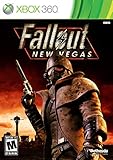
- Not even nuclear fallout could slow the hustle of Sin City. Explore the vast expanses of the desert wastelands
- Feuding Factions, Colorful Characters and a Host of Hostiles
- Enjoy new additions to Fallout: Special melee combat moves have been added to bring new meaning to the phrase "up close and personal"
- With double the amount of weapons found in Fallout 3
- In a huge, open world with unlimited options you can see the sights, choose sides, or go it alone
Assuming console availability from Steam
Steam’s Fallout 3 and New Vegas editions establish the PC purchase route only. For a console question, consult the current listing for that console and region rather than extrapolating from the PC catalog.
Using a promotional figure as a buying specification
The “over 200 ‘Best Of’ awards” statement describes Fallout 4’s recognition. It does not identify included DLC, platform support or technical performance.
Edition-specific checklist
- Fallout 4 new buyer: Anniversary Edition, after confirming platform and region.
- Standard Fallout 4 owner: Anniversary Edition Upgrade, with the same account selected.
- GOTY owner seeking Creations: Creations Bundle, rather than an automatic second full bundle.
- Switch 2 buyer: Anniversary Edition, with built-in Creations, no in-game Creations menu and code-in-box physical packaging.
- Fallout 3 PC buyer: Steam Game of the Year Edition with five add-on packs.
- New Vegas PC buyer: Steam Ultimate Edition, subject to the current regional listing.
What to buy
For someone starting Fallout 4, Anniversary Edition is the clear complete-package choice. Existing owners should not buy blindly: standard-edition players should investigate the Anniversary Edition Upgrade, while GOTY owners interested in Creations should look for the Creations Bundle. Switch 2 is the portable option, provided you accept built-in Creations without an in-game menu and a code-in-box physical release. On PC, Fallout 3 Game of the Year Edition and Fallout: New Vegas Ultimate Edition remain the simplest Steam choices when your priority is getting each game’s listed add-ons together.
Do these 3 things before closing this tab:
1Repair Windows errors before they cause bigger problems2Scan for outdated or missing drivers - takes under a minute3Clear out junk files and repair common Windows errorsQuick Recap
Product prices and availability are accurate as of the date/time indicated and are subject to change. Any price and availability information displayed on Amazon at the time of purchase will apply.




