Free tools Windows power users keep installed
One-click scans. No signup required.
For a Hogwarts Legacy launch failure, crash, freeze, or black screen, start by identifying your platform, storefront, and the exact point where the problem occurs. On Windows PC, check the game’s requirements, update drivers and Windows, remove unstable overclocks, lower graphics settings, then verify the installation. These are diagnostic steps, not guaranteed fixes; the official detailed troubleshooting guidance cited here is for Steam on PC, and the cause can differ by system and symptom.
First, identify where and how the failure happens
Note whether you play on Windows PC or console. On PC, record whether the game is installed through Steam or Epic, your graphics card and driver version, your Windows version, any exact error message, and the last screen or action reached. A failure before the launcher hands off, during shader compilation, at a warning screen, while loading a save, or during play can point to different causes.
The steps below that refer to Steam menus or PC drivers are not console instructions, and the Steam-specific guidance should not be assumed to match Epic’s interface. The sources reviewed do not establish one cause for every launch failure, crash, freeze, or black screen.
Check whether your PC meets the published requirements
The official Hogwarts Legacy PC specifications, accessed October 8, 2026, list the following tiers. The page did not show a revision date, so check it again if you are troubleshooting after a game or system update.
Recommended Free Tools
#1 Best Overall

- EXPLORE AN OPEN WORLD. The wizarding world awaits you. Freely roam Hogwarts, Hogsmeade, the Forbidden Forest, and the surrounding Overland area.
- BE THE WITCH OR WIZARD YOU WANT TO BE. Learn spells, brew potions, grow plants, and tend to magical beasts along your journey. Get sorted into your house, forge relationships, and master skills to become the witch or wizard you want to be.
- EXPERIENCE A NEW WIZARDING WORLD ADVENTURE. Experience the wizarding world in an unexplored era to uncover a hidden truth from its past. Battle against trolls, Dark Wizards, goblins, and more as you face a dangerous villain threatening the fate of the wizarding world.
- Import Region Free PEGI Version
| Published tier | Processor | Memory | Graphics | Storage and API |
|---|---|---|---|---|
| Minimum / Low | Intel Core i5-6600 or AMD Ryzen 5 1400 | 16 GB RAM | NVIDIA GTX 960 4GB or AMD Radeon RX 470 4GB | 85 GB; HDD supported, SSD preferred; DirectX 12 |
| Recommended / High | Intel Core i7-8700 or AMD Ryzen 5 3600 | 16 GB RAM | NVIDIA GTX 1080 Ti, AMD Radeon RX 5700 XT, or Intel Arc A770 | 85 GB; SSD specified; DirectX 12 |
| Ultra and Ultra 4K | not stated in the cited specifications summary | 32 GB RAM | Higher-end GPU tiers; see the official specifications for exact models | 85 GB; DirectX 12 |
Meeting the minimum tier is not a promise that high rendering settings will be stable. Portkey Games Support warns that higher settings increase hardware workload even on a PC that exceeds minimum specifications. If the computer struggles, reduce graphics options before assuming the installation is broken.
Update Windows and the relevant drivers
Portkey Games Support’s PC Troubleshooting (Steam) guidance recommends checking for current video and sound drivers through the computer maker or graphics/audio-card maker. If you know the graphics-card manufacturer but not the exact model, its guide names AMD and NVIDIA automatic driver installation options.
- Check the PC or graphics-card manufacturer’s support page for a current graphics driver for your exact model. For sound issues or related crashes, check the sound-card or PC manufacturer’s driver page as well.
- Install available Windows updates. Portkey notes that DirectX updates are delivered through Windows Update; use Windows Settings to check for updates.
- Restart Windows after updates, then try launching the game again and note whether the failure point changed.
Updates are a sensible early check, but the support guide does not say they resolve every failure.
Rank #2

- EXPLORE AN OPEN WORLD. The wizarding world awaits you. Freely roam Hogwarts, Hogsmeade, the Forbidden Forest, and the surrounding Overland area.
- BE THE WITCH OR WIZARD YOU WANT TO BE. Learn spells, brew potions, grow plants, and tend to magical beasts along your journey. Get sorted into your house, forge relationships, and master skills to become the witch or wizard you want to be.
- EXPERIENCE A NEW WIZARDING WORLD ADVENTURE. Experience the wizarding world in an unexplored era to uncover a hidden truth from its past. Battle against trolls, Dark Wizards, goblins, and more as you face a dangerous villain threatening the fate of the wizarding world.
- The Hogwarts Legacy Deluxe Edition includes Thestral Mount, Dark Arts Battle Arena, Dark Arts Cosmetic Set, and 72 Hours Early Access.
- Preorder Hogwarts Legacy Deluxe Edition and receive the Onyx Hippogriff Mount. Content will be delivered as a packed in code with game.
Return overclocked components to normal settings and lower graphics load
If the GPU, CPU, memory, or another component is overclocked or turbo-boosted beyond its manufacturer specifications, restore its standard settings and test again. Portkey says unstable tuning may prevent the game from launching or can contribute to crashes.
If the game opens but freezes, performs poorly, or fails during play, lower graphics-related options from the game’s Options menu. High settings increase the workload even on hardware above minimum specifications, so test with reduced settings before raising them again.
Repair a potentially damaged Steam installation
For a Steam copy, Portkey’s file-check path is Library → right-click Hogwarts Legacy → Properties → Local Files → Verify Integrity of Game Files. Run the check and let Steam finish before launching again. This checks whether expected game files are intact.
Rank #3

- Fight to save your world. Save your sister. Save your soul.
- Fight for everything. Legends are born from trials.
- Epic weaponry, collect a diverse array of melee weapons and define your playstyle with stylish, effective combat.
- Stunning worlds to explore. Prepare to adventure far and wide across dangerous dimensions, majestic lands and strange new worlds.
If verification does not resolve a suspected installation problem, Portkey also lists uninstalling and reinstalling the game as an option. This is a larger step; make sure any saves or other data you need are protected before removing the game. Menu labels can vary as Steam changes its interface.
Check security software only if it blocked a game file
If your antivirus or other security software quarantined a Hogwarts Legacy file, Portkey says adding the affected title to the software’s exceptions list may address that launch problem. Apply an exception only when there is a specific blocked or quarantined game file to investigate. The support guide does not recommend disabling protection entirely or identify one antivirus product as the cause.
Test background-app conflicts cautiously
Close unnecessary applications and try launching the game. If the issue remains and you have reason to suspect a startup utility or other non-Windows program, Portkey describes a Windows clean boot as a rare, temporary diagnostic—not a routine first step.
Rank #4

- Play as your favorite character to defend the wizarding world from evil forces: Harry Potter, Hermione Granger, Ron Weasley and Neville Longbottom
- Gain influence to master powerful spells, recruit allies, and uncover magical items
- Enhance your abilities with over 140 cards
- 7 successive game adventures offer increasing difficulty: as you advance through games 1-7 of Harry Potter Hogwarts Battle, you will reveal progressively more challenging adventures and unlock new secrets on your journey to save Hogwarts from the Dark Lord!
- Includes: 252 cards, 4 dice, 7 game boxes, 7 game rules, 4 player boards, 8 villain control tokens, and 70 chip pieces.Perfect for 2-4 players
Follow Microsoft’s clean-boot instructions carefully. Portkey warns that incorrect changes can affect startup. Once you have tested the game, reverse the clean-boot changes and restart Windows normally; do not leave the PC in the diagnostic state.
Independent reader supportYour contribution helps us test, update, and keep practical guides available for everyone.Use the Intel Arc shader fix only for its documented error
Intel’s support article, last reviewed December 17, 2024, covers a specific Windows 10 or Windows 11 case: Hogwarts Legacy crashes during launch on Intel Arc A-Series graphics with DXGI_ERROR_DRIVER_INTERNAL_ERROR. Intel says old shaders may be involved when a player returns after not playing for a while and has regularly updated graphics drivers.
For that matching case only, Intel advises removing files from C:ProgramDataHogwarts Legacy, then launching the game so it can compile shaders again. See Intel’s Hogwarts Legacy launch-crash guidance for the vendor’s instructions. This is an Intel Arc-specific, error-specific remedy; do not treat it as a general fix for other GPUs or every black screen.
Best Value
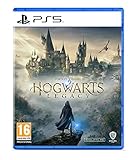
- EXPLORE AN OPEN WORLD. The wizarding world awaits you. Freely roam Hogwarts, Hogsmeade, the Forbidden Forest, and the surrounding Overland area.
- BE THE WITCH OR WIZARD YOU WANT TO BE. Learn spells, brew potions, grow plants, and tend to magical beasts along your journey. Get sorted into your house, forge relationships, and master skills to become the witch or wizard you want to be.
- EXPERIENCE A NEW WIZARDING WORLD ADVENTURE. Experience the wizarding world in an unexplored era to uncover a hidden truth from its past. Battle against trolls, Dark Wizards, goblins, and more as you face a dangerous villain threatening the fate of the wizarding world.
- Please note that although this game is Region Free or Region Unlocked and will work on all systems, this is the international version and may differ from the local version in age rating, labeling or instructions. DLC content may not work unless using an EU Playstation account as stated this is an EU Import Region Free Version
Report a repeatable problem that remains
If the steps do not resolve the issue, look for a matching entry on the Hogwarts Legacy bug-reporting site. Portkey suggests voting on an existing matching report and adding useful screenshots, video, or reproduction details. A report helps document a reproducible problem but is not an immediate repair.
When contacting support or submitting a report, include your platform and storefront, hardware and driver details, Windows version if applicable, exact error text, and the step where the failure occurs. This makes it easier to distinguish an installation issue from a driver, settings, or system-specific problem.
Quick Recap
Product prices and availability are accurate as of the date/time indicated and are subject to change. Any price and availability information displayed on Amazon at the time of purchase will apply.




