flashtoollib.dll is a MediaTek application component, so the safest fix is to restore the complete flashing-tool package that originally contained it. Do not download an isolated copy from a random DLL site or place a mismatched file in a Windows system folder.
What this file actually does
flashtoollib.dll is described internally as BootROM and FlashTool Communication DLL and is attributed to MediaTek Inc. It is associated with MediaTek BootROM and FlashTool communication software, commonly encountered with firmware-flashing utilities such as SP Flash Tool.
As an Amazon Associate I earn from qualifying purchases.
The DLL helps the flashing application communicate with a device during low-level firmware operations. It is an application-private component, not a normal Windows file. Windows does not ordinarily need flashtoollib.dll in C:WindowsSystem32 or C:WindowsSysWOW64.
Do these 3 things before closing this tab:
1Fix the driver behind crashes, sound loss and screen glitches2Clear out junk files and repair common Windows errors3Scan for outdated or missing drivers - takes under a minuteKnown copies are 32-bit:
| Known version | Architecture | Approximate size |
|---|---|---|
| 7.1352.4.0 | 32-bit | 1.9 MB |
| 7.1324.0.0 | 32-bit | 2.47 MB |
These details identify known copies, not a universal required version. Different MediaTek packages may contain different companion files or versions. The exact relationship between a particular SP Flash Tool release and this DLL should be confirmed from the package you received.
#1 Best Overall

- USB C ADAPTER INCLUDED Service cable comes with a Type C adapter for easier connection during phone repair work Lightweight PVC construction helps reduce and supports stable use
- 9008 DEEP FLASH MODE Designed to help enter 9008 deep flash mode on supported phones users can address system software faults A practical tool for repair shops technicians and advanced users
- BL LOCK BYPASS USE Main function is assisting deep flashing while ignoring BL lock restrictions on compatible devices Useful when software issues interrupt normal startup or flashing procedures
- PVC BUILD Made of PVC material for dependable flexibility and repeated handling during service tasks Built for frequent repair use while maintaining consistent cable performance over time
- EASY STEPS Use by connecting the powered off phone and holding the cable switch with the power key until the 9008 port appears on device manager then proceed with compatible flashing software
It is not established as a Windows component, Visual C++ file, DirectX file, or .NET file. Installing a runtime may help only if the application separately reports a missing runtime dependency. It does not replace the MediaTek DLL itself.
Causes and symptoms at a glance
| What you notice | Most likely cause | Correct first response |
|---|---|---|
| Error appears after downloading or extracting the tool | Incomplete extraction or damaged archive | Extract a complete trusted package into a new folder |
| The file disappeared after an antivirus alert | Quarantine or removal | Review Protection history before restoring anything |
| The DLL exists, but the program still will not start | Wrong version, blocked file, missing companion dependency, or wrong architecture | Restore the matching package rather than copying another DLL |
| The error began after moving the tool folder | Supporting files were separated or permissions changed | Restore the original folder structure |
| Flashing starts but the phone is not detected | Separate MediaTek USB driver or cable problem | Repair the application first, then check Device Manager |
| Several unrelated programs fail | Possible Windows component corruption | Run DISM and SFC after repairing the application |
regsvr32 reports a missing entry point |
The DLL is not a COM self-registering library | Close the message; registration is normally unnecessary |
Common messages include:
- “The program can’t start because flashtoollib.dll is missing from your computer.”
- “flashtoollib.dll was not found.”
- “Error loading flashtoollib.dll.”
- “The code execution cannot proceed because flashtoollib.dll was not found.”
- “flashtoollib.dll is either not designed to run on Windows or it contains an error.”
The exact wording varies by Windows version and by the executable that tried to load the file.
Fix 1: Restore the complete MediaTek tool package
This is the most likely solution, especially when the problem began after an extraction, update, reinstall, cleanup, or folder move.
A Windows application normally looks for private DLLs beside its executable or in the application’s configured search locations. It does not expect you to install every application DLL globally. If the executable and flashtoollib.dll came from different packages, the file may load but still fail because the application expects different exports, configuration files, or companion libraries.
1. Close the flashing utility
- Close SP Flash Tool or the other MediaTek utility.
- Open Task Manager with Ctrl + Shift + Esc.
- Select Processes.
- Look for the flashing utility or a related process.
- Select it and choose End task only if it is still running.
Do not disconnect a device during an active firmware operation merely to troubleshoot this DLL. Finish or safely stop the operation according to the tool’s own instructions first.
2. Find the actual application folder
- Press Windows + S.
- Search for the name of the MediaTek flashing utility.
- Right-click the result and choose Open file location.
- In File Explorer, right-click the shortcut if necessary and choose Open file location again.
- Identify the folder containing the program’s main executable.
Search that folder for flashtoollib.dll. If the file is present, do not assume it is correct. Check whether it belongs to the same extracted package as the executable and its other DLLs.
If the application is running directly from a ZIP archive, stop. Right-click the archive, choose Extract All, select a normal local folder, and run the executable from the extracted folder. Applications that depend on several private DLLs often fail when launched from an archive preview.
3. Rebuild the working copy
- Rename the damaged application folder, such as
FlashTool-old. - Obtain the complete package again from the device manufacturer, the tool’s authorized distribution source, or another source you trust.
- Scan the downloaded archive before opening it.
- Right-click the archive and choose Extract All.
- Extract it to a new local folder, such as
C:MediaTekToolsFlashTool. - Preserve the folder structure created by the archive.
- Start the included executable from that folder.
Do not copy only flashtoollib.dll from the new archive into the old installation. Restore the executable, DLLs, configuration files, and included support files as one matching set.
How to tell whether this worked
The utility should open without the missing-DLL message. If it opens but cannot communicate with the device, that is usually a separate USB-driver, cable, port, permission, or device-mode issue.
If the same loader error appears in the freshly extracted folder, record the full path of the executable and DLL. Continue with the antivirus and architecture checks below rather than trying another random DLL.
Fix 2: Check Windows Security quarantine
Security software may remove a flashing-tool component because these utilities communicate with USB devices, boot modes, or low-level drivers. A detection does not by itself prove that the file is malicious, and the absence of a detection does not prove that it is safe.
Outdated Drivers Are Slowing You Down
One free scan finds every outdated or missing driver and matches the right update for your exact hardware.Free scan · exact hardware matchWindows Errors? Fix Them Before They Spread
Repair common Windows errors and clear accumulated junk for a smoother, more stable PC - no reinstall needed.Free scan · no reinstallReview the event before restoring anything:
- Open Start.
- Search for Windows Security and open it.
- Select Virus & threat protection.
- Choose Protection history.
- Expand the detection involving the MediaTek tool.
- Note the detection name, affected path, action taken, and time.
- Compare the affected path with the package you intended to use.
Restore or allow the file only when all of the following are true:
Rank #2
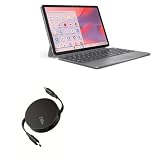
- 💡 [INNOVATIVE DESIGN] BoxWave Cable Compatible With Lenovo Chromebook Duet Gen 9 (11 in Mediatek). The innovative RETRACTION design will have your PD cable organized and ready; Not knotted, tangled, or twisted! Pull both ends of the PD miniSync to one of 5 PRE-SET LENGTHS for just the right length! When you are done, give a quick tug on both ends to fully retract to a miniature form factor! ⭐ *** PLEASE NOTE, LENOVO CHROMEBOOK DUET GEN 9 (11 IN MEDIATEK) DEVICE NOT INCLUDED ***
- ⚡ [HIGH POWER 240W] Designed to work with your power-hungry USB Type-C device, the PD miniSync is CAPABLE of shuttling up to 240 Watts of power. Capable of quickly charging your device to 100% in no time! If your power source and output it, the PD miniSync can handle it.
- 🌎 [UNIVERSAL] Utilizing the UNIVERSAL USB Type-C PD Protocol, the PD miniSync works with virtually any power source to rapidly charge your device.
- 🎖 [HIGH QUALITY] Made with DURABLE high-quality polycarbonate material and HEAVY DUTY ribbon-style cable that is built to last! Tough strain-relief mechanisms protect your connectors in any environment!
- 💼 [PORTABLE] The PD miniSync RETRACTS to a minuscule 3 inches for portability, and can EXTEND up to 2.5 feet in length for ample room to fully utilize your device!
- The complete package came from a trusted vendor, device manufacturer, or authorized distributor.
- The affected path is inside that package’s expected application folder.
- The package has been scanned and its publisher or signature can be verified.
- The detection is understood well enough for you to make an informed decision.
If the file was removed from an unknown archive, do not restore it merely because the filename contains “MediaTek.” Delete the package and obtain a clean copy instead. Do not disable antivirus protection just to make the program start.
After restoring a trusted file, extract or reinstall the complete package again if other files were also removed. A single restored DLL may not be enough.
Fix 3: Check whether the file is blocked or inaccessible
Windows may mark files downloaded from the internet as blocked. Folder permissions, cloud synchronization, removable media, or a moved executable can also prevent the loader from opening a DLL.
The Tool Desk
Outbyte PC Repair FREERepair Windows errors before they cause bigger problemsFix Now →Outbyte Driver Updater FREEFix the driver behind crashes, sound loss and screen glitchesFind Drivers →Check the file properties
- Open the MediaTek application folder.
- Right-click
flashtoollib.dll. - Select Properties.
- On the General tab, look near the bottom for a security message and an Unblock check box.
- If the package is trusted and Unblock is available, select it.
- Choose Apply, then OK.
If the option is absent, do not treat that as a problem. Do not unblock an unknown file.
Test from a simple local folder
Move or re-extract the complete trusted package to a local folder that you control, such as C:MediaTekToolsFlashTool. Avoid testing from:
- A ZIP archive
- A removable drive
- A cloud-synchronized folder
- A network share
- A folder whose permissions you recently changed
Run the included executable from that local folder. If it works there, the original location or its permissions were part of the problem.
Fix 4: Confirm 32-bit and 64-bit compatibility
The known flashtoollib.dll versions are 32-bit. A 32-bit DLL must be loaded by a compatible 32-bit process. Copying it into a 64-bit program directory does not convert it into a 64-bit library.
Quick wins for a faster PC:
Scan for outdated or missing drivers - takes under a minuteDriver Scan →Clear out junk files and repair common Windows errorsFree Scan →Fix the driver behind crashes, sound loss and screen glitchesFind Drivers →Do not place this application DLL in either of these Windows folders:
C:WindowsSystem32C:WindowsSysWOW64
Despite the naming, System32 is commonly used for 64-bit system components on 64-bit Windows, while SysWOW64 contains 32-bit compatibility components. Neither is the correct home for a private MediaTek DLL.
The practical fix is to use the MediaTek utility package built for the matching application architecture. The application executable and its DLLs should come from the same release. If you are unsure which architecture the executable uses, do not guess by swapping files. Obtain the complete package intended for your version of Windows and the tool.
A 64-bit edition of Windows can normally run a 32-bit application, but the application itself still needs its complete 32-bit dependencies. A 64-bit application cannot load a 32-bit DLL as though it were native.
Fix 5: Repair the application before repairing Windows
If only the MediaTek utility reports flashtoollib.dll, Windows system repair is not the first step. SFC repairs protected Windows system files; it does not normally recreate a third-party DLL that belongs to an application folder.
Rank #3

- OpenWrt One/AP-24.XY Router Board is designed based on MediaTek MT7981B (Filogic 820) SoC and MediaTek MT7976C Dual-Band WiFi 6 Chipset, it is the official first development board for OpenWrt open source community. Widely used for Creator DIY, OpenWrt software learning and development, IoT applications, wifi6 wireless routing applications, Nas, network communication applications and so on.
- The OpenWrt One router board is a MediaTek Filogic 820 SoC-based routing device with WiFi 6, dual-band, 3 x 3/2 x 2, 1 x 2.5G WAN network interface, 1 x Gigabit LAN network interface, on-board 1GB of DDR4 RAM , 256 MiB of NAND, 16 MiB of NOR, M.2 SSD interface and USB OpenWrt One also offers a USB 2.0 Type-A and a mikroBUS expansion port, providing additional interfaces for a wide range of technical possibilities.In addition, PWM is also supported in the application software.
- The MediaTek MT7981B is a compact Wi-Fi system-on-chip (SoC) for IoT devices that includes an embedded TCP/IP stack. Using the MT7981B CPU, IoT devices can connect to other smart devices or cloud applications and services.Connectivity on the MT7981B is achieved using Wi-Fi in Wi-Fi station or access point (AP) mode.The MT7981B also provides five GPIO pins and one UART port. PWM is also supported in the application software.
- The OpenWrt one router board is powered by MediaTek's MT7981B SoC featuring dual ARM Cortex-a53 cores running at 1.3 GHz with 1 GB of DDR4 RAM and 256 MB of SPI NAND storage, and integrates an additional 16 MB of protected memory for system backup. An integrated M.2. 2230/2242 NVMe PCIe 2 X1 port can be used to add external storage.
- [After-sales Service] Getting Started or SDK Document: "openwrt.org/inbox/toh/openwrt/one". All technical, after-sales and bulk orders questions, please leave the message to “WayPonDEV” store and ask the question.
Use the application repair path first:
- Remove the incomplete or damaged working copy.
- Re-download or retrieve the complete trusted package.
- Extract it fully into a new folder.
- Keep every file from that package together.
- Launch the included executable from the new folder.
- Reinstall the utility only if the package includes a real installer.
If Settings lists the tool as an installed application, you can check for a repair option:
- Open Settings.
- Select Apps.
- Select Installed apps.
- Find the MediaTek utility.
- Select the three-dot menu.
- Choose Advanced options, if available.
- Select Repair or Reset, if offered.
The exact options depend on how the vendor packaged the program. A portable archive may not appear in this list and may have no Windows repair button.
If repair is unavailable or fails, uninstall the application only if you have the original package and know how to reinstall it. Then extract a fresh copy rather than preserving questionable DLLs from the old folder.
Fix 6: Run DISM and SFC when Windows itself shows broader damage
Use these commands when several unrelated applications fail, Windows features behave abnormally, or the problem began with broader system corruption. They are less likely to fix an application-private flashtoollib.dll.
- Open Start.
- Search for Command Prompt.
- Right-click it.
- Choose Run as administrator.
- Approve the User Account Control prompt.
- Run:
DISM.exe /Online /Cleanup-Image /RestoreHealth
- Wait for it to finish.
- Then run:
sfc /scannow
- Wait until verification reaches 100 percent.
- Restart Windows.
- Test the freshly extracted MediaTek package again.
Microsoft’s instructions for these repairs are available in its System File Checker guidance.
If DISM reports that it cannot find source files, or SFC reports that it could not repair some files, copy the complete result text and investigate the Windows component problem separately. Do not copy flashtoollib.dll into a system folder as a response.
Running these commands repeatedly will not reconstruct a missing application package. The MediaTek utility still needs to be re-extracted or reinstalled.
What’s actually slowing this PC down?
Pick the symptom - the matching free tool is one click away.
If you are spending time hunting through Windows components and repeating SFC/DISM without knowing what changed, Outbyte PC Repair can scan for problems and show what it identifies; repairs are performed by the full version, but reinstalling the MediaTek program remains the definitive fix for this application DLL.
Fix 7: Install or repair Visual C++ only for a separate runtime error
flashtoollib.dll is not identified as a Visual C++ Redistributable file. Installing a redistributable package is not a substitute for restoring the MediaTek tool.
Consider the runtime only when the application also reports a specific missing Microsoft Visual C++ runtime DLL or runtime component. Use Microsoft’s latest supported Visual C++ Redistributable information and select the architecture required by the application.
After installing the appropriate Microsoft package:
Recommended Free Tools
- Restart Windows.
- Run the MediaTek utility from its complete extracted folder.
- Check whether the original
flashtoollib.dllmessage remains.
If it does, the runtime was not the repair. Do not install unrelated DirectX or .NET packages simply because the error mentions a DLL.
Windows Features is also not a normal repair location for this file. To inspect optional Windows components:
Rank #4

- ✧High-performance BPI-R3 mini wireless router board powered by MediaTek's quad-core MT7986A chip and Wi-Fi 6. As a travel router, it supports dual-band 2.4/5GHz Wi-Fi 6 for lightning-fast connections on the go.
- ✧Equipped with 2GB RAM and 8GB storage, the BPI-R3 mini delivers robust processing for wireless tasks. Enjoy gigabit speeds and low latency with 6GHz bandwidth support ideal for gaming and streaming.
- ✧Benefit from strong wireless coverage anywhere via 3 high-gain antennas. The Filogic 830 enables up to 6Gbps throughput for dependable signals at home, office, or on-the-go.
- ✧As an open-source board, the versatile BPI-R3 mini supports uses as a router, repeater, NAS device and more for diverse networking and communication needs now and in the future.
- OPENWRT Snapshot Image Support
- Press Windows + R.
- Type
optionalfeatures. - Press Enter.
- Review the listed Windows Features.
- Cancel unless a specific application requirement tells you to enable a feature.
Do not enable random features to replace an application-private DLL.
Fix 8: Repair MediaTek USB drivers separately
A missing application DLL and a missing MediaTek USB, Preloader, or VCOM driver are different problems. Reinstalling a driver will not normally recreate flashtoollib.dll.
Free tools Windows power users keep installed
One-click scans. No signup required.
If the utility opens but the device is not detected:
- Connect the device according to the tool or device manufacturer’s instructions.
- Press Windows + X.
- Select Device Manager.
- Expand Ports (COM & LPT), Universal Serial Bus controllers, and Other devices.
- Look for an unknown device, warning icon, or device that appears only when the phone is connected.
- Right-click the relevant entry.
- Choose Properties and inspect Device status.
- Use Driver to view the provider, date, and version.
- Install the correct driver package from the device or tool vendor.
- Restart Windows and test again.
Do not install a driver merely because its name contains “MediaTek.” Confirm that it is intended for the device and Windows version involved. Driver-signing warnings should be treated as a security decision, not bypassed casually.
If you are manually hunting through many driver versions, Outbyte Driver Updater can scan and identify driver problems; the free scan shows what it finds, while driver installation is handled by the full version, and the correct MediaTek application package is still required for flashtoollib.dll.
Why regsvr32 usually does not apply
Do not normally run:
regsvr32 flashtoollib.dll
regsvr32 is primarily used for DLLs that expose COM registration entry points. Application-support DLLs are generally loaded directly by the program that needs them. They do not need to be registered globally.
What’s actually slowing this PC down?
Pick the symptom - the matching free tool is one click away.
You may see an error such as:
The module was loaded but the entry-point DllRegisterServer was not found.
That message does not prove that flashtoollib.dll is missing or broken. It usually means the DLL is not designed for regsvr32.
Manual copying is appropriate only when restoring the exact file from the exact trusted package to its original application directory. Do not copy an isolated download into Windows folders or an unrelated program folder.
If the DLL exists but the error remains
A visible file can still fail to load. Check these possibilities in order:
The Tool Desk
Outbyte PC Repair FREEClear out junk files and repair common Windows errorsFree Scan →Outbyte Driver Updater FREEFix the driver behind crashes, sound loss and screen glitchesFind Drivers →- Wrong file: The DLL came from another MediaTek release.
- Wrong architecture: The executable and DLL are not both compatible.
- Missing companion dependency: Another library required by the DLL is absent.
- Blocked file: Windows or security software is preventing access.
- Moved folder: The executable no longer has the relative paths expected by the package.
- Damaged archive: The file exists but was extracted incorrectly.
- Profile or permission problem: The program works for another Windows account or from another folder.
- Disk corruption: Other files in the folder are also unreadable or changing unexpectedly.
Record the following before seeking vendor support:
- The exact error text
- The full path of the executable
- The full path of
flashtoollib.dll - The DLL’s Properties details
- Whether the executable is 32-bit or 64-bit
- The antivirus detection name and action
- Any additional missing filename
- The Device Manager status, if the application opens but cannot detect hardware
- Relevant Event Viewer entries
To test whether the problem is profile-specific, extract a fresh trusted copy into a new local folder and test it from a temporary local Windows account. Do this only after securing the firmware package and understanding the tool’s device-access requirements.
If the same error follows the application into a new folder and account, the package, architecture, or dependency chain is more likely than your original profile.
Best Value

- OpenWrt One/AP-24.XY router board is based on the MediaTek MT7981B (Filogic 820) SoC and MediaTek MT7976C dual-band WiFi 6 chipset. It is the first official development board from the OpenWrt open-source community, co-designed with Banana Pi.
- OpenWrt One utilizes MediaTek's MT7981B SoC, featuring dual ARM Cortex-A53 cores clocked at 1.3 GHz. It comes equipped with 1 GB DDR4 RAM and 256 MB SPI NAND storage, integrating an additional 16 MB protected storage for system backup. Dual storage hardware safeguards the onboard system.
- OpenWrt One integrates an M.2 SSD interface, with a 2230/2242 NVMe PCIe 2x1 port available for adding external storage. It provides one USB 2.0 Type-A port and one mikroBUS expansion port, offering additional interfaces for a wide range of technical possibilities.
- MediaTek MT7981B is a compact Wi-Fi system-on-chip (SoC) for IoT devices, incorporating an embedded TCP/IP stack. Using the MT7981B, IoT devices can connect to other smart devices or cloud applications and services. Connectivity on the MT7981B is achieved via Wi-Fi in either Wi-Fi station or access point (AP) mode. The MT7981B provides 5 GPIO pins and 1 UART port. Additionally, PWM is supported in the application software.
- OpenWrt One/AP-24.XY router features Wi-Fi 6, dual-band, 3×3/2×2 MIMO, 1 × 2.5 G WAN network interface, and 1 Gigabit LAN network interface. It is suitable for maker DIY projects, OpenWrt software learning and development, IoT applications, Wi-Fi 6 wireless routing applications, NAS, and network communication applications.
Is flashtoollib.dll safe?
The filename alone cannot establish that. A genuine copy should be evaluated in context:
Crashes, No Sound, or Screen Glitches?
Random freezes, missing sound and display glitches usually trace back to one bad driver. Find and replace yours safely.Free scan · under a minutePC Slower Than It Used to Be?
A free scan shows the junk files, broken settings and background clutter dragging Windows down - then fixes them in one click.Free scan · Windows 10 & 11- Is it inside the expected MediaTek application folder?
- Did it come from a trusted vendor or device-manufacturer package?
- Does its publisher information identify MediaTek Inc. where applicable?
- Does the file have a valid digital signature?
- Does its version match the rest of the package?
- Did antivirus identify the actual file, or merely the archive or a companion executable?
- Is the file located somewhere unexpected, such as a temporary folder or system directory?
Do not declare a detection a false positive without examining the actual sample. If the package is suspicious, quarantine or delete it and obtain a clean package from an official or authorized source.
Frequently asked questions
Is flashtoollib.dll part of Windows?
No evidence supports treating it as a Windows component. It is identified as a MediaTek BootROM and FlashTool communication component and should normally remain with the application that uses it.
Which program installs it?
It is associated with MediaTek BootROM and FlashTool communication software and may be encountered with MediaTek firmware utilities such as SP Flash Tool. Do not assume that every SP Flash Tool release uses the same DLL version or that every copy belongs to that product without checking the parent package.
Can I download the DLL by itself?
You should generally not. An isolated download may contain malware, the wrong version, the wrong architecture, or no compatible companion files. Restore the complete trusted MediaTek package instead.
Recommended Free Tools
Is it 32-bit or 64-bit?
The known versions listed here are 32-bit. The process loading the DLL must be compatible with that architecture. Do not use the known version details as permission to mix files between releases.
Will Visual C++, DirectX, or .NET repair it?
Not normally. Those packages may address separate dependencies, but they do not replace a missing application-private MediaTek DLL.
Should I register it with regsvr32?
Usually no. This type of application-support DLL is normally loaded directly by the flashing utility and is not normally registered as a COM component.
Should I run SFC first?
Only when Windows shows broader system-file symptoms. If one MediaTek utility is affected, reinstall or re-extract that utility first. SFC does not normally recreate third-party application files.
What if the file was quarantined?
Review Windows Security → Virus & threat protection → Protection history. Restore it only after verifying the package origin and the file’s authenticity. Otherwise, discard the package and obtain a trusted replacement.
What if the tool opens but the phone is not detected?
Treat that as a separate communication problem. Check the correct MediaTek USB driver, Device Manager, cable, port, device mode, and permissions after the application itself starts correctly.
Is System Restore the right fix?
Usually not as a first step. It is more appropriate when the failure follows a recent system change and a valid restore point exists. Rebuilding the damaged application folder is more targeted.
The reliable repair path is package-level: remove the incomplete copy, obtain the correct trusted MediaTek utility, extract every file together, confirm the application architecture, and investigate drivers only if the program opens but cannot communicate with the device.
Quick Recap
Product prices and availability are accurate as of the date/time indicated and are subject to change. Any price and availability information displayed on Amazon at the time of purchase will apply.




