
Free tools Windows power users keep installed
One-click scans. No signup required.
No—Wii games do not require a Nintendo GameCube memory card. The card is for saving GameCube game-disc data, and it works only with the original Wii model RVL-001. If you play only Wii titles, you can play and save them without a GameCube card. If you plan to play GameCube discs, first confirm that your Wii is an RVL-001; the later RVL-101 and Wii mini (RVL-201) have no GameCube memory-card slots and cannot run GameCube discs.
The short answer: it depends on the game, not the word “Wii”
A Wii console can run two different software libraries, depending on its hardware. Ordinary Wii game discs use the Wii’s own save system; they do not ask for a GameCube memory card. GameCube discs are a separate case. On a compatible original Wii, GameCube games save to a GameCube memory card.
As an Amazon Associate I earn from qualifying purchases.
Nintendo Support states the limitation plainly: “Nintendo GameCube Memory Cards can only be used to save game information for Nintendo GameCube Game Discs.” See Nintendo’s instructions for using GameCube memory cards. That means a card is not a general-purpose Wii storage upgrade and is not needed merely because you own a Wii.
Outdated Drivers Are Slowing You Down
One free scan finds every outdated or missing driver and matches the right update for your exact hardware.Free scan · exact hardware matchWindows Errors? Fix Them Before They Spread
Repair common Windows errors and clear accumulated junk for a smoother, more stable PC - no reinstall needed.Free scan · no reinstall- Playing Wii games: no GameCube card is needed for gameplay or ordinary Wii saves.
- Playing GameCube discs on an original Wii: a GameCube card is needed for games that use card saves.
- Using an RVL-101 or Wii mini: buying a card will not add GameCube support, because those consoles lack the required hardware.
First decide which games you want to play
Wii game discs
Wii games do not save to a GameCube memory card. A Wii-only player therefore has no reason to purchase one for a console’s normal Wii library. The presence of GameCube controller ports on some Wii models can make the storage question confusing, but the card’s function is tied to GameCube game discs, not to Wii discs.
#1 Best Overall

- Essential accessory for saving game data that you worked so hard to achieve.
- Real 16344 blocks non-compress. Eight 128MB parts, pressing the button on the card to switch.
- High speed and efficient product. Easy to use.
- Only Wii consoles with model number RVL-001 and Gamecube consoles are compatible.
GameCube game discs
GameCube games use their own memory-card format. Nintendo’s accessory information says a GameCube memory card is used to save progress in almost all GameCube games and can be inserted into a compatible Wii. “Almost all” matters: individual games can have different save requirements, so check the game’s packaging or manual before assuming a card is required or that a particular card arrangement will work. The accessory information is available from Nintendo UK’s GameCube accessories page.
If you intend to play a GameCube disc and keep your progress, the practical sequence is: confirm the Wii model, obtain a GameCube memory card, and then use the game’s own save menu. A card does not convert a Wii into a GameCube-compatible system; it only supplies the storage used by a console that already supports the discs.
Check the Wii model before buying anything
Compatibility is a hardware question. Nintendo identifies the original Wii as model RVL-001. That model has GameCube controller sockets and memory-card slots and supports GameCube game discs. The later RVL-101 revision removed those sockets and slots. Nintendo’s model comparison says RVL-101 is incompatible with GameCube game discs and accessories. The Wii mini, model RVL-201, also lacks the GameCube connections and is incompatible with GameCube discs and accessories. Read Nintendo’s full comparison at What Is the Difference between the Models of Wii Consoles?
| Wii model | GameCube memory-card slot | GameCube discs | What it means for you |
|---|---|---|---|
| RVL-001 | Yes | Supported | Use a GameCube memory card when a GameCube game needs save storage. |
| RVL-101 | No | Not supported | A GameCube card cannot work; this revision cannot run GameCube discs or use GameCube accessories. |
| RVL-201 (Wii mini) | No | Not supported | A card cannot add support; the Wii mini is incompatible with GameCube discs and accessories. |
Where to find the model information
Do not identify the console solely by color, decoration, or the shape of its stand. Use the model label or Nintendo’s model information. Nintendo lists serial-number prefixes as an additional way to distinguish revisions:
Rank #2

- CHECK YOUR CONSOLE MODEL: This memory card works only for Wii consoles with model number RVL-001 and for GameCube consoles. It is not supported on other models for Wii or on consoles for Wii U, so check the model number on your console before you order.
- FOUR 128MB AREAS: The 512MB memory card is split into four 128MB areas, and each area saves 2043 blocks. Press the area button on the card to move to the next area, and the matching light on the card shows which of the four areas is active.
- PLUG AND PLAY: The card needs no setup and is ready to save as soon as it is inserted. Insert or remove the memory card only while the console is turned off, and if a save seems to be missing, change areas first because the console reads one area at a time.
- ROOM FOR A BIG LIBRARY: The four areas add up to 8172 usable blocks of non-compressed save space, so one memory card can hold saves from a large collection of games without deleting older files.
- TRANSLUCENT BLUE WITH AREA LIGHTS: The memory card has a translucent blue shell with the 512MB label on the front, and four small lights on the card show which 128MB area is active, so you can see the current area before you start a game.
- RVL-001: serial prefixes LU or LB.
- RVL-101: serial prefixes KU or KB.
- RVL-201 (Wii mini): serial prefix HW.
If the label is missing or unreadable, compare the console with Nintendo’s model guide rather than guessing from its appearance. A card bought for an RVL-001 will not create a usable slot on an RVL-101 or RVL-201.
What a GameCube memory card stores—and what it cannot store
GameCube save data
The card stores information created by GameCube game discs: progress, settings, and other save data supported by the individual title. Nintendo describes the card as supporting saves for almost all GameCube games, but each game determines how much space it uses and whether it needs a card at all. Check the game’s packaging or manual for its stated save requirement. A game that does not save, or that handles saving in a special way, should not be used as evidence about every other GameCube title.
On an RVL-001, the card is therefore part of the GameCube setup, in the same way that the compatible controller and disc are. It is not required to boot every GameCube game, but it is the expected storage for a title that saves to a card. If you care about continuing a campaign, verify the requirement before starting.
Recommended Free Tools
Not Wii system storage
Nintendo explicitly says a GameCube memory card cannot be used in place of an SD card. It also cannot serve as a general backup device for Wii saves, channels, or downloaded Wii content. The Wii Operations Manual discusses memory-card use by system and software type; read it at Nintendo’s Wii Operations Manual.
Rank #3

- ★Universal GameCube & Wii Compatibility★This high-quality Gamecube memory card seamlessly works with Nintendo GameCube (NGC) and Wii consoles (RVL-001 model). Designed as a plug-and-play third-party accessory, it replaces bulky original cards while maintaining full compatibility with classic games
- ✔128MB Massive Storage (2043 Blocks)✔Never delete saves again! With a Memory card gamecube capacity of 128MB (2043 blocks), store hundreds of game files from Super Smash Bros. to Zelda. Perfect for collectors needing reliable Game cube memory cards to preserve hard-earned progress
- ⚡High-Speed & Crash-Proof Design⚡Engineered for durability, this Ngc memory card features rapid data transfer to prevent lag during saves. The shock-resistant build protects your files from accidental drops or power outages—essential for marathon gaming sessions
- ✨Third-Party Reliability, First-Party Performance✨A budget-friendly Gamecube memory card for Wii/GC that outperforms aging OEM cards. The streamlined profile fits snugly in any console slot, eliminating the "card wobble" issue common in generic alternatives
- ▲Wii RVL-001 Model Exclusive Support▲Note: This Gamecube memory card for wii is ONLY compatible with Wii RVL-001 (launch edition). Verify your console’s model before purchase to ensure flawless game data transfers between NGC and legacy Wii systems
GameCube cards and SD cards are separate systems
An SD card may be useful for certain Wii data, but it is not a substitute for GameCube storage. Nintendo lists eligible Wii game saves, channel data, downloaded Wii Shop content, and add-on content among SD-card uses. The exact behavior depends on the Wii system version, the card type, and the game; some game saves cannot be copied to an SD card. Nintendo’s compatibility guidance is at What SD Cards are Compatible with Wii?
| Storage type | Primary use | Works with GameCube saves? | Important qualification |
|---|---|---|---|
| GameCube memory card | Save information for GameCube game discs | Yes, on a compatible RVL-001 Wii | It cannot replace an SD card and has no role in ordinary Wii-game saves. |
| SD card | Some Wii saves, channel data, downloaded Wii content, and add-on content | No | Copying is game-dependent, and compatibility depends on the Wii system version and SD-card type. |
| Wii internal storage | Wii system and game data supported by the console | No, not as the GameCube save medium | GameCube save data uses the GameCube memory-card system on RVL-001 hardware. |
In practical terms, buying an SD card because a GameCube game asks for a memory card will not solve the problem. Conversely, buying a GameCube card will not provide extra space for Wii channels or Wii saves that support SD storage.
A decision guide for common Wii setups
- You play only Wii games. Do not buy a GameCube card for those games. Use the Wii’s normal save system and, where supported, the SD-card route described by Nintendo.
- You play GameCube discs on an RVL-001. Plan on a GameCube memory card for any title that saves to a card. Check the specific game’s packaging or manual because requirements differ.
- You own an RVL-101. A memory card is not a workaround. The console lacks the GameCube slots and does not support GameCube discs or accessories.
- You own a Wii mini (RVL-201). The same limitation applies: no GameCube slots and no GameCube-disc compatibility.
- You are unsure which revision you have. Find the model number or serial prefix first. Delay the purchase until it identifies an RVL-001.
How to use a card on a compatible Wii
Once the console is confirmed as RVL-001, use this checklist:
Quick wins for a faster PC:
Clear out junk files and repair common Windows errorsFree Scan →Fix the driver behind crashes, sound loss and screen glitchesFind Drivers →Repair Windows errors before they cause bigger problemsFix Now →- Confirm the game format. Make sure the title is a Nintendo GameCube game disc, not a Wii disc. The card’s supported data is limited to GameCube game-disc information.
- Check the game’s save instructions. Read the packaging or manual to see whether the title saves to a GameCube memory card and what the game says about its save requirement.
- Insert a compatible GameCube memory card into the RVL-001 slot. The slot exists only on that original Wii revision; inserting a card cannot make an RVL-101 or RVL-201 compatible.
- Start the GameCube game and use its save command. Follow the game’s on-screen prompts. The game, rather than the Wii’s ordinary Wii-save interface, controls the GameCube save process.
- Keep the card with the system and game library. If you move between compatible consoles, treat the card as the storage containing the GameCube saves you need for those titles.
This procedure does not apply to Wii games. Their saves remain separate from GameCube card data.
Rank #4
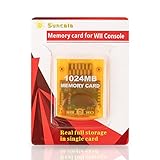
- High speed: Upgraded innovation chip that processes and saves the games 20% faster than older versions, game is smooth and steady without any interruptions.
- Compatibility: Fully compatible with Gamecube and Wii Consoles (Model number RVL-001)
- Storage System: 8 improved storage sections that can save up to 16344 blocks. To change storage sections, press the switch button.
- Newly designed package, fresh and elegant look. Sleek package allows you to easily insert and remove memory card.
- 60 months worry-free warranty. Friendly and supportive customer service is always there to answer all your questions within hours.
Buying advice: choose for compatibility, not appearance
The relevant product is a Nintendo GameCube memory card—also described as a GameCube memory card for Wii or a memory card for GameCube saves—only when the reader has an RVL-001 and plans to save GameCube progress. Nintendo’s accessory page confirms the card’s intended use, but current marketplace stock, authenticity, price, and condition vary and are not established by Nintendo’s support documentation. Check the seller’s details and return policy rather than assuming every listing is genuine or compatible.
Do not use the console’s color, a listing photograph, or the phrase “for Wii” as the sole compatibility test. “For Wii” can describe a GameCube card intended for the RVL-001, an SD card for Wii data, or an accessory that does not support the function you need. The model number and the card’s stated GameCube-save purpose are the decisive checks.
Common mistakes and how to avoid them
Buying a card for Wii-only play
If every game you play is a Wii title, a GameCube card adds no required storage. Confirm the disc format before spending money.
Assuming every Wii accepts GameCube accessories
Only RVL-001 has the relevant slots. RVL-101 and RVL-201 removed them and do not support GameCube discs. Check the model label or serial prefix first.
Best Value
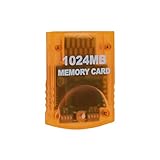
- Essential accessory for saving game data that you worked so hard to achieve.
- Real 16344 blocks non-compress. Eight 128MB parts, pressing the button on the card to switch.
- High speed and efficient product. Easy to use.
- Only Wii consoles with model number RVL001 and Gamecube consoles are compatible.
- Made by Third Party, NOT official item.
Using an SD card for a GameCube save
SD-card support covers selected Wii functions and is subject to game and system restrictions. It does not replace the GameCube memory-card system.
Assuming every GameCube game has identical save needs
Nintendo notes that requirements vary by game. Consult the individual packaging or manual instead of relying on another title’s behavior.
Expecting a card to add GameCube compatibility
A memory card supplies save storage; it does not add the missing disc hardware or software support to an RVL-101 or Wii mini. If the console is not RVL-001, the correct solution is a compatible console, not a different memory card.
The Tool Desk
Outbyte PC Repair FREEClear out junk files and repair common Windows errorsFree Scan →Outbyte Driver Updater FREEScan for outdated or missing drivers - takes under a minuteDriver Scan →The rule to remember
Match the storage to the software and the hardware: Wii games use Wii storage, GameCube games use a GameCube memory card, and only the RVL-001 Wii can read GameCube discs and their cards. Verify the model before buying, then follow the individual GameCube game’s save instructions.
Quick Recap
Product prices and availability are accurate as of the date/time indicated and are subject to change. Any price and availability information displayed on Amazon at the time of purchase will apply.

