Do these 3 things before closing this tab:
1Clear out junk files and repair common Windows errors2Scan for outdated or missing drivers - takes under a minute3Repair Windows errors before they cause bigger problemsDouble-click speed is the time window Windows allows between two button presses before treating them as one double-click. It is a desktop input setting—not the physical speed of a gaming-mouse switch, its click latency, polling rate, or clicks per second (CPS). A faster setting requires two clicks to be closer together; a slower setting gives you more time between them.
That distinction matters: if you want easier folder opening, adjust double-click speed. If one press produces two clicks, investigate switch bounce, debounce settings, button mappings, or the mouse connection.
What double-click speed actually controls
When you click twice, Windows compares the time between the first click (t1) and the second (t2). If the gap falls within its configured recognition window—and the other input conditions are met—it interprets the action as a double-click. Microsoft exposes this control in Mouse Properties and provides a test area for trying it: Microsoft’s mouse-settings guide.
The slider is not a direct measurement of mouse hardware speed, and Microsoft’s current support documentation does not specify one universal millisecond range for it.
#1 Best Overall

- 【14Lighting Modes】This gaming mouse pad features 14 lighting modes: including colorful, dynamic breathing lighting mode and monochrome static lighting mode, making your gaming atmosphere warmer and more atmospheric. It also has a power-off memory function, which can memorize the mode you selected last time.
- 【Gaming Mouse Pad Large】The 31.5 x 12x 0.3 inch mouse pad fits your desktop perfectly and provides a lot of space for movement. The large mouse pad is suitable for computers and keyboards and mice, bringing the greatest help to your work environment or games.
- 【Easy to use】 This extended mouse pad has a button to control the lighting. Press once to change the color you like, press twice quickly to change the brightness, press and hold for about 3 seconds to turn on/off. The mouse pad is powered by USB, plug and play, no driver required.
- 【Super soft, smooth and waterproof】 The RGB gaming mouse pad is made of smooth microfiber material, which makes the mouse move more precise. The soft and smooth surface is more perfect for waterproofing. Effectively prevent damage from spilled beverages or other liquids, and is easy to clean with water without fading. Ideal for games or work
- [Rubber material] It is made of rubber material, which is stable and not easy to move.
- Too fast: intentional double-clicks may be treated as two separate clicks, making folders, files, or text selection harder to use.
- Too slow: two separate clicks made close together may be interpreted as a double-click.
“Faster” and “slower” change Windows’ classification rule; they do not make the button actuate faster or slower.
How to change double-click speed in Windows 11
- Open Start > Settings.
- Select Bluetooth & devices > Mouse.
- Under Related settings, select Additional mouse settings.
- In Mouse Properties, open the Buttons tab.
- Under Double-click speed, move the Speed slider.
- Use the test area to double-click until the setting reliably recognizes your natural timing.
- Select OK.
Older Windows editions may place the control under Settings > Devices > Mouse. The exact path can vary by Windows version and interface.
Choose the setting that makes ordinary desktop double-clicking reliable. There is no gaming advantage to putting it at the fastest position.
Rank #2

- 【Large size】:Measuring 800 x 300 mm/ 31. 5×12 inches, which is wider and taller than others. Large mouse pad can perfectly fit your keyboard and mouse of any size, and there is also ample space for peripherals such as phones, tablets, etc.
- 【LED backlight mouse pad】:Blade Hawks RGB mouse pad provides 7 static modes and 7 dynamic modes will give you the options you are looking for. Power-off memory function remembers the last lighting mode you selected. The super glow fiber Chroma will give you a colorful gaming setup that you want.
- 【Anti-slip rubber base】:Made from Natural rubber, this gaming mousepad will firmly grip your desktop, allowing you to enjoy the ultimate precision in the games you are most passionate about. It also comes with a texture that enhances this ability even further.
- 【Smooth and waterproof surface】: Micro-textured cloth surface, for extremely precise mouse control and a smooth movement. When liquid splashes on the gaming mouse pad, it forms water droplets and slides down. Will not delay your work or gameplay.
- 【Plug and play】: This mouse and keyboard pad is powered by USB, plug and play, no driver required. One button control light modes. Press one time to change the lighting mode, press twice to change the brightness, press and hold about 3 seconds turn ON/OFF.
Does double-click speed make a gaming mouse faster?
Usually, no. Windows’ desktop double-click interpretation is separate from the time it takes a physical click to reach a game. Most games respond to button press or release events through their own input systems, and some implement their own double-click or rapid-click behavior.
The Tool Desk
Outbyte PC Repair FREEClear out junk files and repair common Windows errorsFree Scan →Outbyte Driver Updater FREEFix the driver behind crashes, sound loss and screen glitchesFind Drivers →Changing the Windows slider may have no effect inside a particular game. Test the game itself rather than assuming the desktop setting controls its input.
Double-click speed vs. other mouse terms
| Term | Meaning | What it affects |
|---|---|---|
| Double-click speed | The permitted interval between two clicks for Windows to classify them as one double-click. | Desktop actions such as opening folders and selecting words. |
| Click latency | The delay between physical actuation and the computer receiving the click signal. | Perceived responsiveness in games. |
| Debounce time | Firmware or hardware filtering that suppresses electrical or mechanical switch chatter. | Prevention of unintended duplicate clicks; it can also affect latency. |
| Polling rate | How frequently the mouse reports its state to the computer. | Input-report timing, not double-click recognition. |
| CPS | Clicks per second produced by a person or input device. | Rapid-clicking techniques and game-specific mechanics. |
Independent latency testing treats click latency as a separate measurement and identifies factors such as polling rate, debounce settings, and power-saving behavior as relevant: RTINGS’ mouse-latency methodology.
Rank #3

- 【12 Stunning RGB Light Modes】: Featuring 4 dynamic modes (Color Gradient, Breathing, Flicker Change, Cycle Color) and 8 static modes, this gaming mouse pad offers vivid RGB lighting to create an immersive gaming atmosphere - all while ensuring your eyes remain comfortable.
- 【Oversized for Full Coverage】: With dimensions of 31.5 x 11.8 inches, this mouse pad provides plenty of space for both your keyboard and mouse. The smooth surface allows for precise movements, offering an ideal experience for gaming or office work.
- 【Durable & High Quality】: Built with a durable touch button switch to easily turn the lights on and off, reducing unnecessary power consumption. The long-lasting LED bulbs are resistant to damage, ensuring consistent brightness over extended use.
- 【Anti-Slip Rubber Base】: The natural rubber base grips your desk firmly, preventing any movement during intense gaming sessions or work tasks, offering stability and a smooth experience.
- 【Edge Stitching】: Reinforced anti-fray stitching around the edges ensures the mouse pad’s durability, preventing wear and tear over time.
Why does a mouse double-click when you click once?
If one physical press consistently generates two click events, the Windows double-click slider is not usually the underlying repair. Possible causes include:
- worn or contaminated mechanical switch contacts;
- mechanical or electrical switch bounce;
- a debounce setting that is too low;
- a macro or button assignment configured as “Single Click is Double Click”;
- USB, receiver, wireless, or power-management problems;
- an application-specific input or binding issue.
Logitech’s troubleshooting guidance recommends checking button assignments, testing another computer, cleaning the button with compressed air, and connecting directly rather than through a USB hub: Logitech’s button troubleshooting guide. Its support documentation also specifically advises checking whether a button has been mapped to a double-click: Logitech button-assignment support.
Free tools Windows power users keep installed
One-click scans. No signup required.
How to troubleshoot accidental double-clicking
- Confirm the symptom. Check whether one press creates two actions, whether the problem affects one or several buttons, and whether it occurs only in one game or application.
- Test Windows’ setting. Open the Buttons tab in Mouse Properties and move the slider slightly toward slower. If desktop double-clicking improves but one press still creates two events, continue.
- Check mouse software. Inspect profiles, macros, button mappings, firmware options, and any debounce control. Do not reduce debounce further if duplicate clicks appear.
- Change the connection. Plug the mouse directly into the computer instead of a hub, switch, or extender. For wireless mice, check receiver placement and compare wired operation when possible.
- Test another computer. If the fault follows the mouse, hardware or onboard configuration is more likely. If it disappears, investigate the original computer’s software, drivers, USB behavior, or application.
- Clean carefully. Use compressed air as directed by the manufacturer. Avoid liquid cleaners or opening a new mouse if that could affect its warranty.
- Use the warranty or replace it. Persistent duplicate clicks across computers and applications usually justify service or replacement. Switch replacement is an advanced repair that may require soldering and can void the warranty.
Mechanical vs. optical mouse switches
Mechanical switches rely on physical contacts and can develop contact-related bounce or wear. Optical switches detect actuation with light rather than relying on the same traditional contact arrangement.
Rank #4
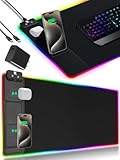
- 【Fast Charging Mouse Pad with Phone Holder】Gaming Mouse Pad has built-in 15W fast wireless charging function, which can conveniently charge your compatible devices without extra cables interfering with your desktop. Desk Mat compatible with iPhone 15/14/13/12/11/X/XR/XS/8 series; Samsung Galaxy S23/S22/S21/S20/S10/S9/S8/Note 9/8; Airpods 3rd/Airpods Pro 2nd/Airpods Pro and other Qi enabled devices. (Note: 15W need power adapter 9V 3A, and power adapter is not included with this Mousepad)
- 【Desk Mat with 11 RGB Lighting Modes】LED Mouse Pad designed with 11 different lighting modes - 2 dynamic modes and 11 static lighting modes; RGB Gaming Mouse Pad allows you to personalize your gaming setup. Choose your favorite color to create a visually stunning gaming experience. The power-off memory function can remember your last light mode choice. Awesome Cool Gaming Mousepad.
- 【XXL Oversized Desk Pad】Mouse Pad has large size 31.49x15.75 inch, the extended mousepad provides a larger usable area to cover your keyboard, mouse and other stuffs on your desktop. Desk Pad provides a comfortable experience while playing games or working. And protect your desktop from scratches, stains and water spills. Say goodbye to messy desktop and hello to a clean and organized workspace.
- 【4mm Thick High-Quality Mousepad】The mouse pad features a Nano-textured fabric surface and stitched edges to ensure durability. The ultra-smooth surface provides more precise mouse movement. Less resistance compared to other mouse pads. Waterproof surface is easy to clean and Non-Slip Rubber Base can firmly grip your desktop, taking your gaming experience to the higher level.
- 【Easy to Use】Extended mouse pad is powered by USB and no driver required. One button controls all light modes, press once to switch light color, long press to switch light modes. The wireless charging function and RGB lighting can work separately. Just Plug and Play. Awesome Gaming Mouse Pad for Gamer Esports Pros.
Razer describes its optical-switch design as intended to avoid traditional mechanical-contact problems and explains how debounce delay stabilizes a click signal: Razer’s optical-switch technology page. That is a manufacturer explanation, not proof that every optical mouse is immune to duplicate input. Button structure, firmware, implementation quality, feel, warranty, and other components can still matter.
When preventing accidental double-clicks is your priority, an optical design may be worth considering. Treat it as one buying factor—not an absolute reliability guarantee.
Independent reader supportYour contribution helps us test, update, and keep practical guides available for everyone.What to look for when buying a replacement gaming mouse
Do not use “double-click speed” as a buying specification. Instead, compare:
Best Value

- [Customizable RGB Lighting Modes] Featuring 14 lighting effects, including static solid colors and dynamic gradient modes. You can switch and adjust via the one-button controller to match your gaming setup, home office, or personal style. The soft non-glare lighting adds ambient style to your desktop, without harsh glare to distract from your work or gameplay
- [Extended Large Size for Full Desktop Coverage] Measuring 31.5'' × 11.8'' with a 0.16 inch thickness, providing enough space for your full-size keyboard, mouse, headset, and other small desktop accessories. The reinforced stitched edges reduce fraying, curling, and deformation, helping the mat stay flat on most desk surfaces for long-term daily use
- [Smooth Fabric Surface for Consistent Mouse Control] Crafted with high-density premium soft fabric, the mouse pad delivers a smooth, low-friction glide for consistent and accurate cursor tracking. It works well with most optical, laser, wired, and wireless mice, supporting stable performance for both gaming sessions and daily office work
- [Non-Slip Rubber Base & Waterproof Fabric] The high-density textured rubber base grips firmly to most smooth desk surfaces, reducing sliding and shifting during mouse movement or regular use. The waterproof fabric surface repels accidental spills and daily stains
- [Stylish RGB Design for Modern Desk Setups] The RGB edge lighting adds a sleek and visually appealing touch to your desktop, creating a more immersive and visually appealing gaming environment.
- Independently measured click latency, especially if competitive gaming responsiveness matters.
- Switch technology, including whether the design is mechanical or optical.
- Debounce controls, provided the implementation remains reliable at lower settings.
- Connection quality, including the mouse’s wired or wireless implementation and receiver behavior.
- Shape, weight, grip comfort, and button feel; low latency is not useful if the mouse is uncomfortable.
- Firmware support and warranty, which matter when a button develops a fault.
RTINGS recommends weighing latency alongside shape, build quality, and other characteristics rather than treating latency as the only buying criterion.
What CPS has to do with double-click speed
CPS means clicks per second. It describes how quickly a person or input device produces clicks, often in games with rapid-click mechanics. It is not controlled by Windows’ double-click-speed slider.
If you intentionally use rapid-clicking techniques, check the game or server rules. Macros, autoclickers, and other automated input may be prohibited by game rules or anti-cheat systems. Accidental duplicate clicks from a failing mouse are a fault, not a desirable high-CPS feature.
A simple way to remember the difference
If you are asking “How close together must two clicks be?”, you mean Windows double-click speed. If you are asking “How quickly does my click reach the game?”, you mean click latency. If you are asking “Why did one click become two?”, investigate debounce, switch condition, software mapping, and the connection.
Quick Recap
Product prices and availability are accurate as of the date/time indicated and are subject to change. Any price and availability information displayed on Amazon at the time of purchase will apply.



