
Recommended Free Tools
Yes—some GBA emulators run Game Boy Color (GBC) games, but “GBA emulator” is not a guarantee. The mGBA project explicitly supports Game Boy Advance, Game Boy and Game Boy Color software. The Libretro VBA-M core likewise documents support for Game Boy, Game Boy Color and Super Game Boy. Other programs may emulate only the GBA, so verify the systems listed by the specific emulator or core you installed.
What the answer means in practice
A Game Boy Advance emulator is software that imitates one or more Nintendo handheld systems. Some projects implement the older Game Boy and Game Boy Color hardware in addition to the Advance. Others use “GBA emulator” only to describe an Advance-only program. The name alone cannot tell you whether a GBC ROM will boot.
| # | Preview | Product | Price | |
|---|---|---|---|---|
| 1 |

|
Nintendo Game Boy Advance - Indigo (Renewed) | $118.04 | Buy on Amazon |
| 2 |
|
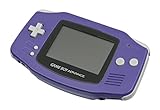
Nintendo Game Boy Advance - Indigo | $119.99 | Buy on Amazon |
| 3 |

|
Nintendo Game Boy Advance SP - Cobalt (Renewed) | $170.95 | Buy on Amazon |
| 4 |

|
Glacier Gameboy Advance Console (Renewed) | $129.95 | Buy on Amazon |
| 5 |
![Nintendo Game Boy Advance - White (Renewed) [video game]](https://m.media-amazon.com/images/I/316XrGUKBmL._SL160_.jpg)
|
Nintendo Game Boy Advance - White (Renewed) [video game] | $111.26 | Buy on Amazon |
As an Amazon Associate I earn from qualifying purchases.
Two documented examples make the distinction clear:
| Emulator or core | Systems explicitly listed by its documentation | What that establishes | Important qualification |
|---|---|---|---|
| mGBA | Game Boy Advance, Game Boy and Game Boy Color | GBC games are an intended supported platform, not an accidental feature. | The mGBA FAQ says most Game Boy and Game Boy Color games work, while bugs remain. |
| VBA-M through Libretro | Game Boy Advance, Game Boy, Game Boy Color and Super Game Boy | The core is designed to load GBC software as well as GBA software. | BIOS handling and other options depend on the Libretro frontend and your configuration. |
Those statements show platform support, not perfect compatibility with every cartridge dump, ROM hack, translation patch, frontend or device. A particular title can still have graphical, audio, timing, input or save-related problems.
#1 Best Overall
- It features a more powerful processor than any previous portable system, for faster, smoother gameplay
- The high-resolution, full color screen makes the game jump out at you -- 50% bigger than Game Boy Color
- Two new buttons, L & R, bring you more control & game options
- Extended battery life lets you play for up to 15 hours on a pair of AA batteries
- Compact Game Paks let you store your game progress & are smaller then Game Boy Color Paks
How to verify your emulator before loading a game
Use this checklist for any program marketed as a GBA emulator. Menu names differ between desktop applications, mobile ports and Libretro frontends, but the information you need is the same.
- Identify the actual emulator or core. Record the project name and version shown in its About, Information or Core Details screen. A frontend may call the installed component a “core,” while a standalone application may show the emulator name directly.
- Read the supported-systems list. Look specifically for “Game Boy Color” or “GBC,” not merely “Game Boy Advance.” If only GBA is listed, assume GBC is unsupported until the developer documents otherwise.
- Check title-specific compatibility notes. Search the project’s current compatibility page, issue tracker or FAQ for the game’s exact title. A broad “GBC supported” statement does not certify every game.
- Confirm the file type and dump. Select a genuine Game Boy Color ROM image that your emulator recognizes. A mislabeled file, a damaged dump or an incompatible patch can look like an emulator failure.
- Review system and BIOS options. Do not install a BIOS simply because a guide for another emulator mentions one. Requirements are emulator-specific; VBA-M documentation treats Game Boy Color BIOS support as optional.
- Run a short test. Start the game, reach an interactive screen, test controls and audio, then make and reload an in-game save. This catches problems that are not visible at the title screen.
mGBA: documented GBC support
mGBA’s project README describes it as a Game Boy Advance emulator that also supports Game Boy and Game Boy Color games. That makes it a straightforward choice when your goal is to use one application for both GBA and GBC libraries.
What the mGBA documentation promises
The README establishes that GBC is a supported system. The project FAQ adds an important boundary: “Game Boy/Game Boy Color emulation is good. Most games work but there are still plenty of bugs.” In other words, the emulator has broad practical coverage, but the developers do not claim flawless behavior for every title.
What’s actually slowing this PC down?
Pick the symptom - the matching free tool is one click away.
How to use that information
Install a current build from the mGBA project, then confirm that the version you are running is the one documented. Load the GBC game through the normal ROM-open command rather than forcing it through a GBA-specific filter. If the title starts but shows a known defect, consult the project’s current issue reports; an update may have fixed it, or the issue may still be open.
Rank #2
- It features a more powerful processor than any previous portable system, for faster, smoother gameplay
- The high-resolution, full color screen makes the game jump out at you -- 50% bigger than Game Boy Color
- Two new buttons, L & R, bring you more control & game options
- Extended battery life lets you play for up to 15 hours on a pair of AA batteries
- Compact Game Paks let you store your game progress & are smaller then Game Boy Color Paks
When reporting a problem, include the mGBA version, operating system, exact game region and revision, whether the file is patched, and a reproducible save or sequence of steps. “The game does not work” is not enough to distinguish a core bug from a bad dump or configuration error.
VBA-M in Libretro: GBC support and BIOS choices
Libretro’s VBA-M documentation says the core “also supports Game Boy, Game Boy Color and Super Game Boy.” If you use a frontend that loads Libretro cores, select VBA-M and verify that the core information page reports the expected version.
BIOS files are optional in the documented setup
The VBA-M documentation lists optional BIOS files for GBA, Game Boy and Game Boy Color. It says the core must be configured to use a BIOS file if one is present. This means a missing GBC BIOS is not automatically an error: the core can be configured without one, while a user who supplies a BIOS must enable the corresponding option.
Frontend terminology varies. Look in the selected core’s system or core-options area for BIOS usage, then check the frontend’s system-directory setting if it cannot find a file. Do not copy a BIOS intended for a different system or rename an arbitrary ROM to make it appear to be one. If a game works without a BIOS, adding one solely to “improve compatibility” may change startup behavior without solving the underlying problem.
Separate frontend problems from emulation problems
A Libretro frontend controls file associations, save locations, controller mapping and core selection. If the wrong core opens the file, the failure belongs to the frontend setup rather than to VBA-M’s GBC implementation. Confirm the active core in the on-screen information panel before changing emulator settings.
Why a supported game can still fail
“Supports GBC” describes an emulated platform. It does not promise that every software edge case is implemented. The mGBA FAQ explicitly acknowledges remaining bugs, and the same principle applies when evaluating any emulator.
Game-specific emulation defects
A game may boot but display incorrect colors, distort sprites, crackle during music, run at the wrong speed or freeze at a particular scene. These symptoms usually require a compatibility check for that title rather than a wholesale change of ROM files. Test the latest stable version and, if available, a development build only when the project’s notes identify a relevant fix.
Bad or mismatched ROM images
A corrupted dump can produce a black screen, checksum warning or crash that looks like an emulator limitation. Use a verified dump made from a cartridge you own and avoid mixing a patch designed for one region or revision with another. Keep an untouched backup so you can reproduce the issue with the original file.
Rank #4
- No Screen Cover on Renewed Items
Wrong system selection
Some frontends remember the last-used core. A GBC file opened with an Advance-only core may be rejected, while the same file works immediately with mGBA or VBA-M. Check the active core every time you switch systems, especially when file associations launch programs automatically.
Configuration and timing changes
Speed hacks, frame skipping, unusual video filters and experimental accuracy settings can introduce problems that do not occur with defaults. Return to the core’s default settings, disable enhancements, and retest before concluding that the game is incompatible. Change one option at a time so you know which setting affected the result.
Independent reader supportYour contribution helps us test, update, and keep practical guides available for everyone.GBA hardware is a separate compatibility question
Do not confuse an emulator’s software support with what an actual Game Boy Advance can do. The Open Game Boy Documentation Project describes Game Boy Advance models in the AGB family as having a Game Boy Color compatibility mode. That is a feature of Nintendo hardware, not evidence that every GBA emulator implements GBC.
An original Game Boy Advance or Game Boy Advance SP can therefore be an alternative for someone who specifically wants to play cartridges on GBA hardware. It is not required for emulator use, and it does not answer whether the emulator on your computer, phone or handheld supports GBC files. Treat the hardware mode and the software emulator as two independent checks.
Best Value
- Requires 2 AA Batteries
A practical decision guide
| Your situation | Best next step | Reason |
|---|---|---|
| You want one documented application for GBA and GBC | Use mGBA and confirm the installed version’s supported-systems information. | Its README explicitly lists both platforms. |
| You already use a Libretro frontend | Select the VBA-M core, verify the active core, and review its optional BIOS setting. | Libretro documents GBC support for VBA-M, but the frontend controls configuration. |
| Your emulator’s documentation mentions only GBA | Install a core or emulator that explicitly lists Game Boy Color. | “GBA emulator” by itself is not sufficient evidence. |
| The game boots but has a defect | Check the project’s current compatibility notes and issue reports for the exact title and version. | Platform support does not equal universal game compatibility. |
| The game will not start at all | Verify the ROM dump, selected core, file association and BIOS setting before changing emulators. | Setup errors can mimic emulation bugs. |
Troubleshooting sequence
- Close the game and note the symptom. Record whether you see an error, a black screen, a crash, missing audio or a freeze after startup.
- Confirm the file. Try an unmodified, verified GBC dump and make sure the extension and region match the compatibility notes you are reading.
- Confirm the emulator. Check that mGBA or VBA-M—not an Advance-only component—is active.
- Restore defaults. Disable speed improvements, frame skipping and experimental filters, then test again.
- Check BIOS configuration. For VBA-M, treat GBC BIOS as optional; if you use one, place it in the frontend’s configured system directory and enable BIOS use in the core options.
- Compare versions. Test the current stable release and read the project’s issue tracker for regressions or known fixes.
- Document a reproducible case. Include emulator version, frontend, platform, game revision, settings and the exact step where the failure occurs.
What “works” should mean for your library
For a casual player, successful boot and playable controls may be enough. For a long game, verify battery-backed saves or other in-game saving, because a title that launches can still fail when saving or loading. For a speedrun, music project or ROM-hack playthrough, test timing, audio and the patched build separately; compatibility of the original release does not automatically transfer to modified software.
Keep emulator updates and save files separate from your ROM archive. Before upgrading, back up saves and note the version that created them. If a new build changes behavior, you can return to the earlier version without losing the data needed to reproduce the comparison.
Bottom line
GBA emulators can run GBC games when their documentation explicitly includes Game Boy Color support. mGBA and the Libretro VBA-M core are documented examples. Check the exact emulator and version, verify compatibility for the specific game, and treat BIOS files as configuration-dependent rather than universally required. A real GBA’s built-in GBC mode is a separate hardware feature and should not be used as a proxy for emulator support.
Windows Errors? Fix Them Before They Spread
Repair common Windows errors and clear accumulated junk for a smoother, more stable PC - no reinstall needed.Free scan · no reinstallOutdated Drivers Are Slowing You Down
One free scan finds every outdated or missing driver and matches the right update for your exact hardware.Free scan · exact hardware matchQuick Recap
Product prices and availability are accurate as of the date/time indicated and are subject to change. Any price and availability information displayed on Amazon at the time of purchase will apply.

