Do these 3 things before closing this tab:
1Clear out junk files and repair common Windows errors2Fix the driver behind crashes, sound loss and screen glitches3Repair Windows errors before they cause bigger problemsUpdated September 2026: Google Daydream is discontinued and unsupported. Its original app may not work properly on some devices running Android 11 or later, and Daydream View is no longer sold. Some older phones, headsets and apps may still function, but availability is inconsistent.
Daydream is therefore best treated as a retro-VR platform. Use official Google Play listings where they still exist, treat famous older titles as historical recommendations unless availability is confirmed, and do not buy a used headset until you have checked the phone, Android version, controller and return policy.
As an Amazon Associate I earn from qualifying purchases.
Google’s current service notice confirms that Daydream is no longer supported. This guide separates potentially obtainable software from the platform’s most important historical experiences.
The Tool Desk
Outbyte PC Repair FREERepair Windows errors before they cause bigger problemsFix Now →Outbyte Driver Updater FREEFix the driver behind crashes, sound loss and screen glitchesFind Drivers →What Google Daydream was
Google Daydream was a mobile VR platform for compatible Android phones. A Daydream View or compatible third-party headset held the phone in place, while a small motion controller provided pointing, selection and limited spatial input.
#1 Best Overall

- Don't just see the world, experience it. With daydream view, you can teleport from virtually anywhere to Pretty much everywhere.;Handy Storage
- Browse from an ever-growing Collection of apps and games in the daydream app - a home for all of your virtual reality experiences.
- You can always get the best seat in the house with daydream view. Experience concerts, sports and more in full 360 degree panoramic view.
- The daydream view controller transforms with your imagination. Go from the sidelines to the center of action. Feel the adrenaline Rush as you speed down the racetrack.
- Daydream View’s lightweight, durable headset is made from soft, breathable fabric to help you stay comfortable longer. Compatibility: DAYDREAM-READY Phones
Unlike basic Google Cardboard viewers, Daydream required certified phone hardware and a dedicated VR launcher. Its catalog included games, 360-degree video, travel, education, virtual cinema, meditation and short-form storytelling.
The platform’s original strengths were comfort, simplicity and a curated experience. Its weakness was dependence on phone certification, an increasingly fragile software stack and a catalog that was never designed for long-term preservation.
Does Daydream still work in 2026?
Sometimes, but there is no supported setup to rely on. Google no longer supports the Daydream VR app and warns that it may not work properly on some Android 11-or-later devices. Daydream View is no longer available from Google, although compatible older hardware may continue to display VR content.
Quick wins for a faster PC:
Clear out junk files and repair common Windows errorsFree Scan →Scan for outdated or missing drivers - takes under a minuteDriver Scan →Whether a particular setup works depends on the exact phone model, Android version, installed Daydream components, Google account, controller and app. A modern phone that physically fits inside a Daydream View is not automatically compatible.
Some former Daydream applications may survive as ordinary Google Play apps, but a Play Store listing does not prove that the Daydream version, controller support or VR mode still works. There is also no guarantee that the original Daydream store or launcher will remain functional.
Read Google’s Daydream service update.
What you need
Phone-based Daydream View
- A Daydream-enabled Android phone.
- A compatible Daydream headset.
- The Daydream app, if it remains installable on the phone.
- A paired Daydream controller.
- Headphones, preferably connected directly to the phone. Google’s original setup guidance did not support Bluetooth headphones.
Google’s legacy setup instructions also describe adding a payment method and creating a PIN during initial configuration. Adding a payment method does not charge you unless you make a purchase.
Lenovo Mirage Solo
The Lenovo Mirage Solo is a standalone Daydream device, not a phone inserted into a headset. Google’s documented legacy procedure used Google Play on a desktop or laptop: find the application, select Install, choose the Mirage Solo from the device menu and confirm.
Google also states that applications incompatible with Daydream do not appear in Daydream Home. The old labels may not appear exactly as documented today, but the distinction remains important: installing an Android application does not guarantee that it will appear in the VR interface.
Rank #2
![Navitech Black Hard Carry Bag/Case/Cover with Shoulder Strap Compatible with VR/Virtual Reality 3D headsets Including The Google Daydream View Virtual Reality Headset [Video Game] [Video Game]](https://m.media-amazon.com/images/I/41teLHb2CNL._SL160_.jpg)
- Keeps your VR Headset and accessories safe, protected, and organized.
- Unique Polyfibre design allows for maximum protection while maintaining a slim uniformed design.
- Mesh pocket provides storage space for cables and other accessories.
- Interchangeable Storage parts for the headset, motion controls cables and other accessories.
- Includes a comfortable shoulder strap for easy use while on the go.
See Google’s Mirage Solo installation instructions.
How to judge a Daydream recommendation
For a discontinued platform, “best” has two meanings. A title may be excellent historically but impossible to download now. Conversely, a surviving Play Store listing may install as a normal Android app while lacking its former Daydream mode.
Use these labels:
- Officially obtainable: a current official listing exists, though device compatibility still needs checking.
- Previously official; availability uncertain: historically distributed through Daydream, but not confirmed as a current download.
- Existing installation recommended: most realistic if the application is already on a compatible device.
- Archive or sideload only: unofficial recovery may be possible, but security and compatibility are not assured.
Comfort matters as much as novelty. Google’s Daydream quality guidance emphasized legibility, recentering, usability and comfort. Its performance requirements targeted stable 60-frame-per-second operation on reference hardware. Old software may not meet those expectations on a different phone today.
Best Daydream games
The following are historical recommendations, not promises that every title remains downloadable in 2026.
| Game | Why it mattered | Best for | Current status |
|---|---|---|---|
| Keep Talking and Nobody Explodes | Made VR a social, pass-the-controller experience: one player defuses while others read the manual. | Multiplayer and parties | Check the current official listing and supported platforms; do not assume the Daydream edition remains available. |
| Eclipse: Edge of Light | A polished exploration adventure built around environmental discovery and controller interaction. | Atmospheric exploration | Historically important; current Daydream availability is uncertain. |
| Land’s End | A comfortable, minimalist puzzle adventure designed specifically for mobile VR. | Puzzle-solving and short sessions | Previously official; verify availability before buying hardware. |
| Hunters Gate | A wave-based action game that demonstrated how the Daydream controller could support aiming and movement. | Arcade combat | Previously official; availability and compatibility are uncertain. |
| Mekorama VR | Turned toy-like miniature puzzle scenes into interactive dioramas. | Relaxed puzzles | Historically notable; check the exact current listing. |
| Wonderglade | A family-friendly collection of carnival-style mini-games. | Short demonstrations and casual play | Best considered a historical Daydream title unless already installed. |
| Gunjack 2: End of Shift | A visually ambitious seated arcade shooter that suited limited mobile tracking. | Action and spectacle | Existing installation may be more realistic than a new download. |
| Need for Speed: No Limits VR | A notable attempt to bring a major racing series into mobile VR. | Seated racing | Do not assume the original VR release remains supported. |
| Blade Runner: Revelations | A licensed narrative adventure that showed Daydream could host story-driven experiences. | Short cinematic adventures | Availability uncertain; treat as archival. |
| Layers of Fear: Solitude | A horror experience that demonstrated the platform’s ability to create atmosphere with limited hardware. | Stationary horror | Compatibility and download status require individual verification. |
These titles should not be described as current downloads without checking the exact Google Play listing, country, phone and Android version. A game can remain one of Daydream’s best while no longer being distributed.
Best video, travel and non-game experiences
Video and virtual cinema
Daydream was particularly good at seated viewing. Google historically highlighted Google Photos, Google Play Movies and Street View among its Daydream experiences. YouTube VR and other 360-degree video applications were also central to the platform’s appeal.
Today, separate these historical experiences from current apps. A normal YouTube, Photos or video application may still exist without offering its former Daydream interface. Google Play Movies-era VR functionality should be treated as legacy rather than a guaranteed feature.
What’s actually slowing this PC down?
Pick the symptom - the matching free tool is one click away.
Travel and exploration
Street View was an obvious fit for Daydream: users could look around distant locations without navigating a conventional screen. It remains historically significant, but the Daydream-specific experience may no longer be supported.
Rank #3
![Navitech Black Heavy Duty Rugged Hard Case/Cover with Shoulder Strap Compatible with Google OEM Daydream View - VR Headset [Video Game] [Video Game]](https://m.media-amazon.com/images/I/51oF44KPsQL._SL160_.jpg)
- Keeps your VR Headset and accessories safe, protected, and organized.
- Unique Polyfibre design allows for maximum protection while maintaining a slim uniformed design.
- Mesh pocket provides storage space for cables and other accessories.
- Interchangeable Storage parts for the headset, motion controls cables and other accessories.
- Includes a comfortable shoulder strap.
Education, art and relaxation
Daydream’s catalog also included educational scenes, virtual museums, meditation, social VR and 360-degree photography. These categories are worth exploring only after checking whether the application is still a compatible VR title rather than a standard Android app or Cardboard viewer.
How to install surviving software
- Use Google Play or the Daydream app where the application is still officially distributed.
- Check that the listing identifies VR, Daydream or the relevant headset support. Do not confuse a standard 2D Android app with a Daydream application.
- Sign in with the Google account associated with the device, particularly for previously purchased software.
- Install the application and launch it through Daydream Home or the device’s VR interface.
- Pair and recenter the controller when prompted.
Previously purchased applications may not reinstall if their listings have disappeared. In-app purchases can also depend on old servers, licensing checks or account systems.
Sideloading: possible, but not a normal recommendation
Unofficial archives may occasionally preserve discontinued Daydream applications or older versions. Sideloading can help collectors and preservationists, but it is not equivalent to an official download.
Recommended Free Tools
Risks include malicious or modified APKs, missing expansion files, broken permissions, absent Google Play Services, licensing failures and applications that install but cannot find their VR assets. Installation also does not guarantee that Daydream Home will recognize the software.
If you experiment, prefer reputable preservation sources, verify file integrity, scan files for malware and avoid using a primary account or sensitive device when practical. Do not disable security protections casually. Official Google Play distribution is safer and easier to troubleshoot.
Independent reader supportYour contribution helps us test, update, and keep practical guides available for everyone.Common problems and fixes
The Daydream app will not install
Check the phone model and Android version first. Google specifically warns that the app may not work properly on some Android 11-or-later devices. A newer phone is not necessarily a compatible phone. If the device is not Daydream-certified, changing launchers or installing an APK may not solve the problem.
The headset is recognized, but an app will not launch
Confirm that the app is actually a Daydream-compatible VR release. A standard Android listing, Cardboard application and Gear VR application are not interchangeable. Also check whether the app requires an account, server or purchase system that no longer operates.
The application appears in Google Play but not in Daydream Home
It may be a normal Android application, incompatible with the device or no longer marked for Daydream. On Mirage Solo, Google’s legacy documentation says incompatible apps do not appear in Daydream Home.
Rank #4
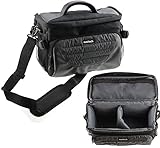
- Unique Polyfibre design allows for maximum protection while maintaining a slim uniformed design.
- Storage space for controllers, cables and other accessories.
- Interchangeable Storage parts for the headset, motion controls cables and other accessories.
- Includes a comfortable shoulder strap for easy use while on the go
The controller will not pair or drifts
Charge it, restart Bluetooth and repeat the pairing process. Recenter inside the VR interface. A faulty controller is a serious limitation because many Daydream games depend on its orientation and pointing input; video may work while interactive software remains unusable.
The phone overheats or tracking feels wrong
Stop the session, remove unnecessary background applications and let the phone cool. Heat, unstable frame rates and latency can make VR uncomfortable. Recenter the view and check that the phone is seated correctly. Do not treat poor performance as a minor issue in a platform designed around stable frame rates.
Audio does not work
Try wired headphones connected directly to the phone. Google’s original Daydream setup guidance did not support Bluetooth headphones.
Crashes, No Sound, or Screen Glitches?
Random freezes, missing sound and display glitches usually trace back to one bad driver. Find and replace yours safely.Free scan · under a minuteWindows Errors? Fix Them Before They Spread
Repair common Windows errors and clear accumulated junk for a smoother, more stable PC - no reinstall needed.Free scan · no reinstallShould you buy used Daydream hardware?
Buy used Daydream only for collecting, preservation, experimentation or a very cheap setup that you have already verified. It is a poor choice for dependable everyday VR.
Before buying a Daydream View, check:
- Is the exact phone model officially Daydream-enabled?
- What Android version is installed?
- Is the controller included, charged and able to pair?
- Can the seller demonstrate the headset and controller working?
- Are the lenses, fabric and phone connection clean and undamaged?
- Is there a return policy?
The Lenovo Mirage Solo avoids the need for a phone, but it is still discontinued and requires legacy troubleshooting. Its documented desktop installation path does not make it a currently supported consumer platform.
If you want current software, maintained multiplayer, modern tracking and an active app store, a supported standalone headset is the better choice. The Meta Quest 3S and Meta Quest 3 represent the kind of active standalone ecosystem Daydream no longer provides. They are not replacements for Daydream-exclusive preservation, but they are more sensible for a first VR system.
Final verdict
Google Daydream had several excellent games and some of the most approachable mobile-VR experiences of its era. In 2026, however, it is a discontinued platform rather than a living app ecosystem.
Try officially available software first. Keep historical standouts such as Keep Talking and Nobody Explodes, Land’s End, Eclipse: Edge of Light and Hunters Gate in the preservation category unless you can verify a current listing. Do not assume that a Play Store result, APK or used headset guarantees access to the original catalog.
Quick Recap
Product prices and availability are accurate as of the date/time indicated and are subject to change. Any price and availability information displayed on Amazon at the time of purchase will apply.




