Start with this quick diagnosis
Before replacing anything, note:
- Which program or device triggers the message: a USB device, Device Manager, Windows Update, or an ordinary application.
- When it appears: during driver installation, after an update, at startup, or when launching software.
- Your Windows architecture: open Settings > System > About and check System type. You may see 64-bit Windows, but that does not automatically mean every driver component should be replaced with an x64 file.
- Whether security software recently quarantined a file.
Free tools Windows power users keep installed
One-click scans. No signup required.
hcrstco.dll is a Microsoft Windows file described as USB HC Reset Coinstaller. If it is missing or cannot be loaded, the real problem is usually a damaged Windows component or USB driver installation, not a missing DLL belonging to a game or ordinary application.
What hcrstco.dll does
The file is a co-installer associated with the USB host-controller driver stack. A co-installer is a DLL that a device-driver package calls to perform additional installation or configuration work.
Microsoft documentation explains that co-installers are referenced by a driver’s INF package and are normally copied into the Windows system directory through that package. See Microsoft’s guidance for the INF DDInstall.CoInstallers section.
Microsoft servicing documentation lists hcrstco.dll with related USB files including hccoin.dll, usbccgp.sys, usbhub.sys, and usbport.sys. The clearest published references concern Windows Vista and Windows Server 2008 servicing branches, with historical x86, x64, and IA-64 entries. Do not assume that a file listed on a DLL download page is appropriate for Windows 10 or Windows 11.
#1 Best Overall
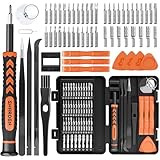
- MULTI-BIT: The small screwdriver set has 44 common used bits like phillips, torx, torx security, pentalobe, hex, triwing, slot, mid etc, with 14 accessories that can maximize your repair capabilities
- ERGONOMIC DESIGN: The precision screwdriver features a anti-slip handle for comfortable operation, the magnetic tip holds bits stablely and the 360° rotating cap provides smoothly spin for time saving
- DURABILITY: The mini screwdriver set bits are crafted from premium quality CRV steel with strong hardness, excellent precise and good toughness, extendeding service life without damaging the devices
- PORTABLE: The tiny screwdriver set is designed for easy transport and storage, the compact size makes it convenient to carry wherever you go and the case with latch prevents bits from getting lost
- WIDE APPLICATION:The micro screwdriver set is a useful repair tool kit for iPhone, macbook, computer, tablet, jewelers etc, Whether you're a professional or a amateur, it can meet most of your needs
This is not a Visual C++ runtime, DirectX component, .NET assembly, or normal application dependency.
What the error messages mean
You may see wording such as:
- “The program can’t start because hcrstco.dll is missing from your computer.”
- “The specified module could not be found.”
- “Error loading hcrstco.dll.”
- “The code execution cannot proceed because hcrstco.dll was not found.”
- “hcrstco.dll is either not designed to run on Windows or it contains an error.”
These are generic Windows loader messages. They do not prove that the program displaying the message owns the file.
A more useful clue may appear in the SetupAPI log:
SourceFile - [hcrstco.dll]
Error 2: The system cannot find the file specified
When this occurs during device installation, Windows is usually failing to copy or load part of a driver package. The problem may involve the INF file, DriverStore, Windows component storage, a deleted file, or a damaged installation source.
Fix 1: Install Windows updates and restart
Start with the least invasive repair.
- Open Start > Settings.
- Select Windows Update.
- Select Check for updates.
- Install all applicable updates.
- Restart the computer, even if Windows does not insist on a restart.
- Reconnect the affected USB device and repeat the installation.
If the error began immediately after an interrupted update or restart, this step may restore the missing component through normal servicing.
What’s actually slowing this PC down?
Pick the symptom - the matching free tool is one click away.
If the message continues, do not download hcrstco.dll from a random DLL website. An external copy can contain malware, belong to a different Windows release, use the wrong architecture, or hide the damaged driver package that caused the failure.
Fix 2: Repair Windows with DISM and SFC
This is the main repair for a missing or corrupted Windows component.
Run DISM
- Open Start.
- Type
Command Prompt. - Right-click Command Prompt and select Run as administrator.
- Select Yes at the User Account Control prompt.
- Run:
DISM.exe /Online /Cleanup-Image /RestoreHealth
- Wait for the operation to finish.
- Restart Windows.
DISM normally obtains replacement files through Windows Update. It may appear to pause for a while, so do not close the window prematurely.
Rank #2

- Cute Pink Cordless Electric Screwdriver: Designed for everyday screwdriving tasks including furniture assembly, installations and small household repairs. Compact, convenient and easy to use — this is a screwdriver, not a drill.
- Compact & Lightweight: At just 0.7lb, it's easy to maneuver, reducing hand fatigue; an electric screwdriver that is simple to control and store; ideal for quick, portable use around the home or office.
- USB-C Rechargeable Screwdriver: Powered by a 1300mAh battery for everyday screwdriving tasks. Recharge easily with the included USB-C cable and keep it ready for home repairs and assembly projects.
- Everyday Screwdriving Set: Includes interchangeable bits and 180rpm single-speed control for furniture assembly, fittings, brackets, covers and other light household projects.
- Beginner-Friendly Household Tool Kit: Includes essential hand tools such as hammer, pliers and screwdrivers for light DIY tasks. A practical gift for new homeowners, students and everyday home maintenance.
Run System File Checker
After DISM completes:
- Open Command Prompt as administrator again.
- Run:
sfc /scannow
- Wait until verification reaches 100 percent.
- Restart the computer.
- Retry the USB or driver installation.
A message stating that Windows Resource Protection found corrupt files and successfully repaired them is a good indication that the system files were restored. If SFC reports that it could not repair some files, continue to the SetupAPI and driver steps below rather than repeatedly running the same command.
Quick wins for a faster PC:
Fix the driver behind crashes, sound loss and screen glitchesFind Drivers →Repair Windows errors before they cause bigger problemsFix Now →Scan for outdated or missing drivers - takes under a minuteDriver Scan →If manually hunting through Windows folders and repeating SFC or DISM leaves you unsure what changed, Outbyte PC Repair can scan for the damaged entries and show what needs attention; its repair functions require the full version, and it is not required when DISM and SFC resolve the problem.
Microsoft’s System File Checker guidance covers DISM, SFC, alternate repair sources, Safe Mode, and escalation when system-file repair fails.
Fix 3: Reinstall the affected USB or device driver
If the error occurs while connecting one particular device, repair that device’s driver installation.
- Press Windows key + X.
- Select Device Manager.
- Expand the relevant category, such as:
- Universal Serial Bus controllers
- Other devices
- Human Interface Devices
- Disk drives
- Look for a yellow warning icon or an entry that appeared when the device was connected.
- Right-click the affected device and select Uninstall device.
- If Windows offers a checkbox to remove the driver software, select it only when you have a known-good replacement from Windows Update or the hardware manufacturer.
- Select Uninstall.
- Disconnect the device, restart Windows, and reconnect it.
- In Device Manager, right-click the computer name at the top and choose Scan for hardware changes.
For a manufacturer-provided driver, use the support page for the computer or device model. Match the driver to the Windows release and architecture. Do not copy a DLL from another machine simply because the filenames match.
Microsoft’s device and driver installation troubleshooting guide explains how Device Manager and SetupAPI logs help identify failed installations.
When identifying stale drivers across several devices is tedious, Outbyte Driver Updater can scan and identify driver issues, while the full version performs driver installation; use the hardware manufacturer’s package when available, and remember that reinstalling the affected device remains the definitive fix for a broken package.
Fix 4: Read SetupAPI.dev.log
The SetupAPI log can identify the exact INF and source path that failed.
- Press Windows key + R.
- Enter:
%windir%inf
- Press Enter.
- Open
setupapi.dev.login Notepad. - Press Ctrl + F.
- Search for:
hcrstco.dll
Look around each result for:
- The name of the INF file.
- The device or hardware identifier.
Error 2.- A missing source path.
- References to
C:WindowsINF. - References to
DriverStoreFileRepository. - Architecture or copy errors.
If the log shows that a driver package references hcrstco.dll but cannot find it, reinstall that complete driver package. Copying a single file into C:WindowsINF may allow one copy operation to proceed, but it does not repair the package’s catalog, INF references, permissions, or component-store state.
Outdated Drivers Are Slowing You Down
One free scan finds every outdated or missing driver and matches the right update for your exact hardware.Free scan · exact hardware matchWindows Errors? Fix Them Before They Spread
Repair common Windows errors and clear accumulated junk for a smoother, more stable PC - no reinstall needed.Free scan · no reinstallRank #3
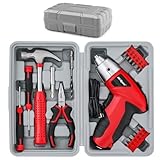
- Power Screwdriver: Start your home DIY screwdriving tasks, whether it's assembly, installation or repairs, with this fast and convenient cordless automatic screwdriver. NB. This is NOT a drill
- Compact & Lightweight: At just 0.7lb, it's easy to maneuver, reducing hand fatigue; an electric screwdriver that is simple to control and store; ideal for quick, portable use around the home or office
- USB Rechargeable Screwdriver: Its 1300 mAh battery lasts for over 480+ screws; recharge in 3-5 hours with the included USB-C lead; partially pre-charged but recommend charging before first use
- Home Repair Set: With a fast 180rpm single-speed and a variety of interchangeable screw bits, it's perfect for assembling furniture, installing fixtures, fittings, brackets, panels, covers and more
- Household Tool Set Gift Ready: Whether for new homeowners or DIY beginners, the hand tool kit set of hammer, pliers and screwdrivers tackles everyday fixes with ease; complete in a portable toolbox.
Fix 5: Check antivirus quarantine
A security product may have removed or quarantined a file after a detection or failed update.
- Open Windows Security.
- Select Virus & threat protection.
- Select Protection history.
- Look for an entry involving
hcrstco.dll. - Do not restore it automatically.
- First check whether the file was in a legitimate Windows system or driver path and whether its signature identifies Microsoft.
- Run a full scan.
- If the detection is confirmed as a false positive, restore it through the security product and then run DISM and SFC.
Do not disable antivirus to install a DLL from an untrusted source.
Verify a file before trusting it
If a copy of hcrstco.dll already exists, inspect it instead of replacing it.
- Open File Explorer and browse to the file.
- Right-click it and select Properties.
- Check the General tab for its location.
- Open Digital Signatures.
- Select the signature and choose Details.
- Confirm that Windows reports a valid signature and Microsoft as the signer.
- Open Details and compare the file description with USB HC Reset Coinstaller.
- Check the Details tab for version information.
A matching filename is not proof of authenticity. Be suspicious if the file is beside an unrelated game executable, inside a temporary download folder, or in an unusual user-writable directory. Run a full malware scan if the signature is missing, invalid, or belongs to an unexpected publisher.
Recommended Free Tools
Historical Microsoft tables show multiple versions and sizes for different Windows branches, service packs, languages, and architectures. There is no single universal “latest hcrstco.dll” that should be copied to every computer.
Should you run regsvr32?
Usually, no.
hcrstco.dll is a driver-installation co-installer, not an ordinary COM or ActiveX library. Windows normally invokes it through the driver’s INF package and SetupAPI. That is different from manually registering a DLL with regsvr32.
Running commands such as these is therefore not a standard repair:
Rank #4

- Versatile Torque Settings: Our mini electric screwdriver features three gear torque settings of 0.15/0.35/0.5N.m and a manual torque of 5 N.m for precise control. With a powerful motor delivering a no-load speed of 200 RPM, this electric mini screwdriver ensures quick and efficient screwing. The planetary gear design reduces wear and noise, providing smoother operation and a longer tool lifespan
- Extended Battery Life: This mini power screwdriver set comes with a durable 650mAh lithium battery, capable of driving over 1000 screws on a single charge. The powered screwdriver charges in just 1 hour via a Type-C port, compatible with most electronic devices, makes charging your electric precision screwdriver more convenient. Plus, four built-in LED lights illuminate your workspace, even in dim conditions
- Complete Electric Screwdriver Kit: The STREBITO 155-piece small electric screwdriver set includes an electric screw driver, a manual screwdriver, 4 long bits, 136 common bits, and 13 additional repair tools. This comprehensive precision screwdriver set electric is ideal for repairing computer, laptop, cell phone, MacBook, RC car, drone, switch, PS4 PS5 console and controller, watches, and other IT tech devices
- User-Friendly Design: This lightweight, pen-style cordless screwdriver features a non-slip grip and responsive touch buttons for comfortable use. Easily adjust the torque with a simple push-button. The rechargeable screwdriver comes with a robust, magnetic case where each accessory is securely stored and labeled for quick access, allowing you to store, protect, and carry the electric screwdriver like a professional technician
- Lifetime Warranty: Built with high-quality S2 steel bits, this power screwdriver is designed for durability and long-term use. It includes STREBITO's lifetime warranty and a 30-day money-back. If you have any issues with your battery screwdriver, simply contact customer service for support, parts, replacements, or refunds. Get this screwdriver set electric as the ultimate gift for anyone on your list
regsvr32 hcrstco.dll
regsvr32 C:WindowsSystem32hcrstco.dll
They may produce an entry-point error or give the impression that registration succeeded without fixing the driver package. Microsoft describes the correct co-installer registration model.
Should you copy hcrstco.dll manually?
Do not copy it into System32, SysWOW64, a game folder, or an application directory as a first step.
Manual replacement is justified only in a controlled recovery situation when you have:
- A verified Microsoft file.
- The matching Windows release and architecture.
- A documented source and recovery procedure.
- A reason DISM and SFC cannot restore it.
Even then, restoring the complete driver package or repairing Windows is safer than replacing one DLL. A 64-bit installation can still use 32-bit device software, so choose based on the driver package and Windows installation rather than the computer’s label alone.
If DISM and SFC cannot repair the file
Escalate according to when the problem began.
Use System Restore
- Press Windows key + R.
- Enter:
rstrui.exe
- Press Enter.
- Choose a restore point from before the failed driver installation or update.
- Review the affected programs and drivers.
- Select Finish.
Back up important files first. System Restore does not replace personal documents, but it can remove recently installed drivers or applications.
Retry SFC in Safe Mode
If SFC will not complete:
- Open Settings > System > Recovery.
- Beside Advanced startup, select Restart now.
- Choose Troubleshoot > Advanced options > Startup Settings > Restart.
- Press the key for Safe Mode.
- Open an elevated Command Prompt.
- Run:
sfc /scannow
- Restart normally.
Repair Windows
If the failure affects multiple devices, DISM repeatedly reports source errors, or other Windows components are damaged, use Windows recovery or an in-place repair installation where supported. Back up your files before major recovery work. Microsoft’s SFC guidance explains the available escalation paths and the use of a matching installation source.
FAQ
Is hcrstco.dll genuine Windows software?
Yes. Microsoft servicing documentation identifies it as USB HC Reset Coinstaller, associated with the Windows USB host-controller driver stack. The strongest published references concern Vista and Server 2008-era servicing.
Best Value

- 【Extend USB Up to 60m Over Ethernet】Transmit USB 2.0 signals over CAT5e/CAT6/CAT7 cable up to 60m (196ft), ideal for long-distance device connections in offices and AV setups.
- 【4-Port USB Hub for Multiple Devices】Connect up to four USB devices simultaneously, including webcams, keyboards, printers, storage drives, and more.
- 【Stable Power Supply for Reliable Performance】Includes a lockable 12V power adapter for the receiver, ensuring consistent performance for connected USB devices.
- 【High-Speed USB 2.0 (Up to 480Mbps)】Supports fast data transfer for USB peripherals such as flash drives, cameras, and other high-speed devices.
- 【Plug & Play – No Drivers Required】True hardware solution with no software installation—simply connect and start using instantly.
Is it safe to download hcrstco.dll?
Do not download it from a random DLL site. The file may be malicious, mismatched, unsigned, or from the wrong Windows branch. Use Windows Update, DISM, SFC, the original Windows installation source, or the official hardware driver package.
Where should the file be?
A co-installer is normally installed through its driver INF package and commonly copied to the Windows system directory. The exact path involved in a failure may also appear in SetupAPI logs or DriverStore records. Do not assume that copying it into System32 is the correct repair.
Do these 3 things before closing this tab:
1Fix the driver behind crashes, sound loss and screen glitches2Repair Windows errors before they cause bigger problems3Scan for outdated or missing drivers - takes under a minuteWhy does it appear in setupapi.dev.log?
A driver INF referenced the file during device installation or update. A missing-file entry usually points to a failed or incomplete driver package, damaged component storage, deletion, or quarantine.
Does regsvr32 fix it?
No, not as a general repair. SetupAPI invokes this co-installer through the driver package. Repair the package or Windows component store instead.
What if the message appears when starting a game?
That is unusual for this file. Check whether the error began after a USB, chipset, or Windows driver change. Repair Windows, inspect SetupAPI, and identify the process that displayed the message before treating it as a game dependency.
When should Windows be reinstalled?
Use recovery or an in-place repair when DISM and SFC cannot restore components, multiple driver installations fail, or the component store is broadly damaged. Reinstalling the affected device driver remains the right fix when only one package is broken.
The Tool Desk
Outbyte Driver Updater FREEFix the driver behind crashes, sound loss and screen glitchesFind Drivers →Outbyte PC Repair FREEClear out junk files and repair common Windows errorsFree Scan →Quick Recap
Product prices and availability are accurate as of the date/time indicated and are subject to change. Any price and availability information displayed on Amazon at the time of purchase will apply.




