Free tools Windows power users keep installed
One-click scans. No signup required.
Disquieting Dream is a Version 3.0 Adventure Mission in Amphoreus. Its route takes you through an investigation in Okhema, a memory sequence with Mem, and a conversation with Pasithea. For the recommended dialogue route, warn Pasithea about the risks of reincarnation, then choose “(Tell the truth).”
How to unlock Disquieting Dream
The mission takes place in the Eternal Holy City of Okhema, in Amphoreus. Secondary walkthroughs give different entry requirements: the Honkai: Star Rail Wiki lists completion of the Trailblaze Mission “Hero, Bear Thy Coreflame,” while Game8 lists a required level of 34. Treat those as guide-reported conditions rather than a definitive current-client requirement; check the mission list in your game if it does not appear.

Honkai: Star Rail Wiki mission entry · Game8 Disquieting Dream guide
Disquieting Dream walkthrough
- Wait for Pasithea in the plaza. Go to the plaza in Okhema and wait for her to appear.
- Question nearby citizens. Speak to the people close to Pasithea, then continue by questioning citizens farther away.
- Ask the Holy City Guard for clues. Find the guard and speak with them as part of the investigation.
- Investigate around the fountain. Continue to the fountain area and interact with the memory prompt.
- Follow Mem through the memory sequence. Summon Mem, follow her, and interact with the memory objectives as they appear, including concentrated memories and memories of the past.
- Find Pasithea in the market area. Continue to the Okhema market and speak with her to advance the mission.
The available objective listing does not provide a complete sequence of every intermediate memory interaction, so follow the prompts shown by the game if your route differs slightly. A full-quest video listing is also available from Streetwise Rhapsody.
The Tool Desk
Outbyte Driver Updater FREEFix the driver behind crashes, sound loss and screen glitchesFind Drivers →Outbyte PC Repair FREERepair Windows errors before they cause bigger problemsFix Now →#1 Best Overall

- 【Perfect Artistic Canvas】The Honkai: Star Rail Poster merch size is (27.5 inch x 10 inch) and is made from high quality canvas, light weight, soft, non-wrinkled, easy to wash, long-lasting durability, and looks brighter and shiny.
- 【Premium Quality Printing】The posters are provided with an exquisite graphic feel, HD printing makes the Honkai: Star Rail figures clear and more vivid as in the game.
- 【Unique Gift】We provide great variety of character posters, you can choose your favorite Honkai: Star Rail characters, and it can be a surprising gift for Honkai: Star Rail game enthusiasts on Christmas, Thanksgiving, birthdays, and other celebratory holidays.
- 【Great Indoor Decor】The Honkai: Star Rail poster is a great indoor decor, perfect as a decorative addition to bedrooms, living room, dormitory, gaming rooms, anime theme hotel, clubs.
- 【user friendly】A pole and a rope are installed at the top, and you can easily hang the poster on the wall by hooks.
Which dialogue choices should you pick for Pasithea?
Beebom’s walkthrough recommends selecting “Reincarnation comes with risk. Please consider carefully before resetting,” then choosing “(Tell the truth).” This is the recommended route to save Pasithea.
The available walkthrough evidence does not establish all outcomes for alternate choices or whether choosing another path changes mission rewards. For a guide to this recommended dialogue route, see Beebom’s Disquieting Dream guide.
Rank #2
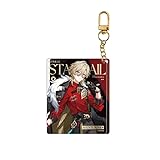
- Honkai: Star Rail Express Travelogue Series Merchandise - Aventurine
What rewards does the mission give?
The community mission entry shows several reward quantities, but its available listing does not retain the labels needed to identify the items reliably. Check the mission record in your current game for the reward names and amounts rather than relying on an inferred item list.
Disquieting Dream is a Version 3.0 Adventure Mission; it is included among missions added after the update in DearPlayers’ Version 3.0 mission listing.
Recommended Free Tools
Quick Recap
Rank #4

- Honkai: Star Rail GSC Nendoroid Figure - Phainon
Product prices and availability are accurate as of the date/time indicated and are subject to change. Any price and availability information displayed on Amazon at the time of purchase will apply.




