Quick wins for a faster PC:
Fix the driver behind crashes, sound loss and screen glitchesFind Drivers →Clear out junk files and repair common Windows errorsFree Scan →Scan for outdated or missing drivers - takes under a minuteDriver Scan →For most GameCube players, a 251-block memory card is the practical middle ground: it offers substantially more room than the 59-block card without requiring the highest-capacity option. Choose 59 blocks for a small library or a dedicated game card; consider 1019 blocks if you keep many saves. No capacity guarantees that every game will support a card, so check the save instructions for the titles you play.
GameCube memory card sizes at a glance
The number in a card’s name is its usable block count. Nintendo’s original 4-Mbit card provides 59 usable blocks; the 251- and 1019-block options provide more headroom. The approximate capacities below are reported by iFixit, while Nintendo’s technical guide independently documents the original card’s capacity and usable blocks.
| Card | Approximate capacity | Best fit | What to keep in mind |
|---|---|---|---|
| 59 blocks | 512 KB | A small game library or a dedicated card for one game | It offers the least room, and a game save can use a meaningful share of it. |
| 251 blocks | 2 MB | A general-purpose balance for many players | Check the requirements and compatibility of the games you play. |
| 1019 blocks | 8 MB | A large library or substantial storage headroom | More capacity does not establish compatibility with every game. |
iFixit identifies these as the gray DOL-008 (59 blocks), black DOL-014 (251 blocks), and white DOL-020 (1019 blocks) cards. The approximate MB and KB figures are conversions reported by iFixit, not additional usable-block counts. iFixit’s GameCube Memory Card reference
Which capacity should you choose?
Choose 59 blocks for a small or dedicated setup
The 59-block card can suit someone who plays only a few games or prefers to keep one game’s save separate. Nintendo’s 2002 Memory Card Guidelines explain that the original 512-Kbyte card has 64 sectors, with five used by the file system, leaving 59 usable 8-Kbyte blocks for application files. Nintendo of America’s Memory Card Guidelines
#1 Best Overall

- Essential accessory for saving game data that you worked so hard to achieve.
- Real 16344 blocks non-compress. Eight 128MB parts, pressing the button on the card to switch.
- High speed and efficient product. Easy to use.
- Only Wii consoles with model number RVL-001 and Gamecube consoles are compatible.
Choose 251 blocks for a balanced general-purpose card
For a typical player choosing one capacity, 251 blocks is a sensible balance: it gives considerably more room than 59 blocks, while stopping short of the 1019-block option. This is a recommendation based on the capacity differences, not a compatibility test or a claim that every game uses the same amount of space.
Choose 1019 blocks if you want more headroom
The 1019-block card is the higher-capacity option among these three. It makes sense if you maintain many saves or want fewer capacity constraints, but the larger number alone does not prove that a particular game supports it.
Rank #2

- ★Universal GameCube & Wii Compatibility★This high-quality Gamecube memory card seamlessly works with Nintendo GameCube (NGC) and Wii consoles (RVL-001 model). Designed as a plug-and-play third-party accessory, it replaces bulky original cards while maintaining full compatibility with classic games
- ✔16MB Massive Storage (251 Blocks)✔Never delete saves again! With a Memory card gamecube capacity of 16MB (251 blocks), store hundreds of game files from Super Smash Bros. to Zelda. Perfect for collectors needing reliable Game cube memory cards to preserve hard-earned progress
- ⚡High-Speed & Crash-Proof Design⚡Engineered for durability, this Ngc memory card features rapid data transfer to prevent lag during saves. The shock-resistant build protects your files from accidental drops or power outages—essential for marathon gaming sessions
- ✨Third-Party Reliability, First-Party Performance✨A budget-friendly Gamecube memory card for Wii/GC that outperforms aging OEM cards. The streamlined profile fits snugly in any console slot, eliminating the "card wobble" issue common in generic alternatives
- ▲Wii RVL-001 Model Exclusive Support▲Note: This Gamecube memory card for wii is ONLY compatible with Wii RVL-001 (launch edition). Verify your console’s model before purchase to ensure flawless game data transfers between NGC and legacy Wii systems
What to check before buying
- Game support: A game must support the memory card, and its instructions determine where the card should be inserted. Nintendo’s Memory Card 59 support page specifically says the game must support that card and advises following the game’s slot instructions. Nintendo UK Support: Memory Card 59
- Region and formatting: Nintendo’s technical guidelines warn that a card formatted for one market may not be readable in a GameCube from another market. Check that the card and console are suitable for your region. Nintendo of America’s Memory Card Guidelines
- Card details: Confirm the exact model and stated block count before purchasing. Current listings and the reliability of surviving used cards are not established by the cited sources.
- One shared card or separate cards: A shared card keeps saves together, while separate cards can help organize saves by game. Either way, the game’s support and instructions remain the deciding factors.
Nintendo’s support instructions say the Memory Card 59 can go in Slot A or B, generally recommend Slot A, and tell players to follow each game’s instructions. Nintendo UK Support: Memory Card 59
Two limits that block saves even when space seems available
A card can run out of file slots
Blocks are not the only limit. Nintendo’s 2002 guidelines set a maximum of 127 files on large-capacity cards. Once that ceiling is reached, a game cannot create another file even if some blocks remain free. Nintendo of America’s Memory Card Guidelines
Recommended Free Tools
Rank #3
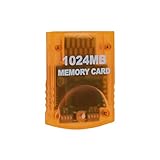
- Essential accessory for saving game data that you worked so hard to achieve.
- Real 16344 blocks non-compress. Eight 128MB parts, pressing the button on the card to switch.
- High speed and efficient product. Easy to use.
- Only Wii consoles with model number RVL001 and Gamecube consoles are compatible.
- Made by Third Party, NOT official item.
Removing the card or power during a save risks data
Do not remove the card while a game is accessing it. Nintendo warns that removing the card during gameplay can cause stored data to be lost; its technical guidelines also warn that removing the card or cutting power during a write can damage save data. Nintendo UK Support: Memory Card 59 · Nintendo of America’s Memory Card Guidelines
Independent reader supportYour contribution helps us test, update, and keep practical guides available for everyone.Make the choice against your game library
There is no established per-game save-size table or exhaustive title-by-title compatibility list in these sources. Use the game manual or on-screen instructions for the specific titles you play rather than assuming that a larger card will work universally. If you have no special compatibility or regional concern and want one general-purpose capacity, 251 blocks is the straightforward choice; choose 59 or 1019 blocks when your library or storage preference points clearly toward less or more room.
Quick Recap
Best Value

- CHECK YOUR CONSOLE MODEL: This memory card works only for Wii consoles with model number RVL-001 and for GameCube consoles. It is not supported on other models for Wii or on consoles for Wii U, so check the model number on your console before you order.
- FOUR 128MB AREAS: The 512MB memory card is split into four 128MB areas, and each area saves 2043 blocks. Press the area button on the card to move to the next area, and the matching light on the card shows which of the four areas is active.
- PLUG AND PLAY: The card needs no setup and is ready to save as soon as it is inserted. Insert or remove the memory card only while the console is turned off, and if a save seems to be missing, change areas first because the console reads one area at a time.
- ROOM FOR A BIG LIBRARY: The four areas add up to 8172 usable blocks of non-compressed save space, so one memory card can hold saves from a large collection of games without deleting older files.
- TRANSLUCENT BLUE WITH AREA LIGHTS: The memory card has a translucent blue shell with the 512MB label on the front, and four small lights on the card show which 128MB area is active, so you can see the current area before you start a game.
Rank #4

- 100% Brand New & High Quality,Third party product
- This memory card is fully compatible for Wii games and save options.
- Can independent save different kind of games
- Has a large storage capacity of 128MB
- Package Includes: 1 x 128MB Memory Card
Product prices and availability are accurate as of the date/time indicated and are subject to change. Any price and availability information displayed on Amazon at the time of purchase will apply.



