The Tool Desk
Outbyte Driver Updater FREEScan for outdated or missing drivers - takes under a minuteDriver Scan →Outbyte PC Repair FREERepair Windows errors before they cause bigger problemsFix Now →Short answer: you generally cannot officially download current Nintendo console Mario games directly to a Windows PC or Mac. Nintendo’s digital Mario games are sold for Nintendo Switch and Nintendo Switch 2, and a purchase made on Nintendo’s website downloads to the linked Nintendo console—not to the computer used to buy it.
If you only have a computer, avoid “free Mario PC download” installers, ROM websites, and unofficial emulator bundles. If you mean a Mario mobile app, use the official Apple App Store or Google Play listing instead.
First, which Mario game do you mean?
“Mario” is not one computer program. You may be looking for a current console game such as Super Mario Odyssey, Super Mario Bros. Wonder, or a Mario Kart or Mario Party title; a classic game in a Nintendo Switch Online library; or a Nintendo mobile application.
Nintendo’s official Mario catalog currently presents its console games for Nintendo Switch and Nintendo Switch 2. For example, Nintendo lists Super Mario Galaxy as Nintendo Switch software, while Super Mario Odyssey has Nintendo Switch 2 compatibility information on its product page.
#1 Best Overall

- Retro game stick Pro – Plug & Play Fun: Enjoy endless gaming with 40,000+ pre-installed games and 23 emulators on a 64GB system—no downloads or setup required. Relive retro gaming nostalgia instantly with a simple plug-and-play experience
- Stable 2.4GHz Wireless Controllers – Zero Lag, Up to 40ft Range: Experience smooth, uninterrupted gameplay with advanced 2.4GHz wireless technology. The ergonomic controllers provide a comfortable grip, ultra-responsive buttons, and a stable connection up to 40 feet—perfect for solo or multiplayer gaming
- Stunning 1080P & 4K HDMI Output – Extended Cable Included: Immerse yourself in crystal-clear visuals with 1080P and 4K output support. The HDMI interface ensures seamless connection to TVs, projectors, PCs, and set-top boxes—bringing your favorite classics to the big screen
- Save & Load Game Progress – Play Without Limits: Never lose your progress! Our retro gaming console supports game saving and loading, allowing you to pick up right where you left off. Say goodbye to frustrating restarts and enjoy a smooth gaming experience
- The Perfect Gift for All Ages – Fun for Family & Friends: A great holiday or birthday gift for parents, kids, couples, and gaming enthusiasts! Whether for weekend fun, family bonding, or travel, this console delivers endless entertainment. Plus, we offer reliable customer support to ensure a worry-free experience
Can I download Mario directly to Windows or Mac?
Not through an official general-purpose Nintendo PC release for current console Mario games. Nintendo says it does not currently offer or authorize a product that allows its game files to be downloaded or played on personal computers. See Nintendo’s intellectual-property and piracy FAQ.
This distinction matters:
- Download Mario to a computer: there is no official Windows or macOS route for current Nintendo console releases.
- Buy Mario on a computer: you can purchase a supported digital game through Nintendo’s website, but the game is delivered to the linked primary Nintendo console.
- Play through an emulator: this is a separate technical and legal issue, not Nintendo’s supported download method.
How to buy and download a Mario game legally
If you own a compatible Nintendo Switch or Nintendo Switch 2, use this process:
Rank #2

- Massive Game Library with 128GB Storage - Enjoy thousands of classic retro games, including 3D titles, pre-installed on a 64GB memory card. No downloads or internet needed—just plug in and play instantly.
- 25 Emulators in One System - Compatible with 25 popular emulators that cover a wide range of vintage gaming systems. Explore titles from arcade classics to handheld hits, all in one sleek device.
- Smooth 4K HD Output via HDMI - Plug directly into your TV or monitor using the included HDMI cable. Experience enhanced visuals with crisp 1080P resolution for a modern take on retro fun.
- Dual 2.4GHz Wireless Controllers - Includes two ergonomic 2.4GHz wireless controllers with responsive buttons and stable connectivity. Enjoy smooth multiplayer sessions from up to 10 meters away.
- Save & Load Anytime - Pick up right where you left off using the save/load feature. Ideal for longer play sessions and preserving your progress in challenging games.
- Create or sign in to the Nintendo Account you intend to use.
- Link that account to the intended console.
- Open Nintendo’s Mario games catalog, or open Nintendo eShop on the console.
- Select the exact game and check whether it is listed for Nintendo Switch, Nintendo Switch 2, or both.
- Choose the digital edition, if available, and complete the purchase.
- Keep the console connected to the internet while the download begins and finishes.
- Launch the installed game from the console’s HOME menu.
Nintendo says digital purchases made through Nintendo.com automatically download to the primary console associated with the Nintendo Account. “Digital” here means digitally delivered to the supported Nintendo console; it does not mean a copy that can be installed on any computer.
What you need before buying
- Compatible hardware: a Nintendo Switch or Nintendo Switch 2, depending on the title and edition.
- The correct account: use the Nintendo Account linked to the console that should receive the game.
- Internet access: required for a digital purchase and download.
- Storage space: check the product page’s file-size information and make room on the console or compatible expandable storage. For example, Nintendo lists Super Mario Galaxy at 3.6 GB on Nintendo Switch.
- Correct region and edition: prices, availability, language options, age restrictions, and Switch 2 enhancements can vary by country and account region.
As U.S. price examples checked August 16, 2026, Nintendo’s store listed Super Mario Galaxy + Super Mario Galaxy 2 at $69.99 and Super Mario Bros. Wonder – Nintendo Switch 2 Edition + Meetup in Bellabel Park at $79.99. Prices, sales, editions, and regional availability can change, so check the current product page before paying.
Do these 3 things before closing this tab:
1Repair Windows errors before they cause bigger problems2Fix the driver behind crashes, sound loss and screen glitches3Clear out junk files and repair common Windows errorsRank #3
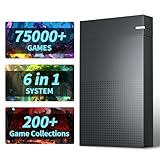
- 【6 Game Systems In 1】:Kinhank 4TB Retro Gaming Hard Drive Includes 6 Game Front Ends built-in 75000+ Games, 200+ game collections. Allow you to play your favorite Arcade, home-console, and classic PC games etc. And you can relive the arcade experience and recreate memorable funny moments
- 【Powerful Performance】:3.5-inch kinhank Game Drive, rotating speed 7200 rpm, cache 256MB, speed 6GB/s, equipped with SATA 3.0 to USB 3.0 interface, ensuring a smooth gaming experience with stable and faster transfer speeds
- 【Widely Compatible】: Retro Hard Drive is compatible with Win7 and above systems, turning your old computer into a game console in an instant. Note: If you want to run large games smoothly, it is recommended to have a processor above i5 and a graphics card above 1050ti
- 【Easy Operation】: This retro hard drive game console does not require complicated settings, you only need to install some simple plug-ins, and you can add or delete games according to your preferences
- 【Adaptive Screen】: Kinhank 6-in-1 gaming hard drive can automatically adapt to screens of different sizes to give you a better gaming experience.
What if I only have a computer?
| Your situation | Correct answer |
|---|---|
| Windows PC or Mac only | There is no official current Nintendo console-Mario download for the computer. |
| Computer plus Nintendo Switch or Switch 2 | Buy through Nintendo; the game downloads to the console. |
| Android phone or tablet | Use Google Play for an official Nintendo app, if a current listing exists. |
| iPhone or iPad | Use the Apple App Store for an official Nintendo app, if a current listing exists. |
| Classic Mario games | Check the current Nintendo Switch Online catalog; access is through compatible Nintendo hardware. |
| A “free Mario PC” installer | Treat it as unofficial and potentially unsafe. Do not install it. |
Nintendo identifies Nintendo eShop and its website as legitimate sources for console games, and Google Play and Apple’s App Store as legitimate sources for smart-device applications. Do not assume that a search result using Mario’s name is an official Nintendo release; it could be a fan-made game, browser game, old unofficial port, ROM, or fake installer.
Are ROMs and emulator downloads safe?
Nintendo says that Nintendo game downloads offered through peer-to-peer networks or third-party file-hosting links are unauthorized copies, commonly called ROMs, and that uploading or downloading them is illegal. Unofficial installers can also carry malware, bundled software, scams, credential theft, or corrupted files.
Rank #4

- MASSIVE 20,000 CLASSIC GAMES: Built-in 20,000 classic video retro stick with 4k hdmi, games and 23 emulators console for retro gaming, game emulators support arcade, tv game, video gaming nostalgia.
- ULTRA 4K HD EXPERIENCE: Retro gaming console 4k hdmi video game, hdmi tv game console, retro gaming console for tv in classic white, 4k hd hdmi tv retro stick design for gaming and console nostalgia.
- DUAL 2.4G WIRELESS CONTROLLERS: Wireless controllers for game console, 2.4g wireless tv game console with low-latency response, play video game console for tv with family, no tangled cables.
- EASY PLUG & PLAY SETUP: Plug and play video games for tv via hdmi tv gaming console with 4k hdmi game experience, connect the retro game console to hd hdmi tv in seconds, ideal for all ages.
- WHAT YOU GET: Retro wireless gaming console stick video retro stick built-in, console stick with 23 emulators, dual 2.4g controllers, hdmi cable, user guide, compact white retro stick for travel.
Nintendo also discusses unauthorized emulators in its piracy FAQ. An emulator is software designed to run programs on hardware they were not originally designed for, but the legal treatment of emulators, personally dumped game copies, circumvention, and game files varies by jurisdiction. Do not assume that owning a cartridge automatically makes every download or security bypass lawful. This article does not provide ROM sources, encryption keys, firmware files, or circumvention instructions.
Leave immediately if a supposedly free Mario download asks you to disable antivirus protection, install a browser extension, enter payment-card details, or download a large bundle of unrelated software.
Free tools Windows power users keep installed
One-click scans. No signup required.
Best Value

- 【Built-in Classic Games】This wireless TV game console
Can Nintendo Switch Online provide Mario games?
Nintendo Switch Online is not a Windows or Mac game-download service. It provides selected classic-game libraries and other benefits through compatible Nintendo Switch and Nintendo Switch 2 systems. The exact games depend on the catalog, region, system, and membership.
Nintendo’s U.S. individual plans were listed at $19.99 per year for Nintendo Switch Online and $49.99 per year for Nintendo Switch Online + Expansion Pack when checked August 16, 2026. The Expansion Pack adds selected Nintendo 64, Game Boy Advance, Sega Genesis, Virtual Boy, and Nintendo GameCube libraries, with some benefits limited to Nintendo Switch 2. Check Nintendo’s current membership information for the applicable catalog.
A membership is access to supported content while eligible; it is not a universal Mario-game pass or a permanent PC copy. Check whether the specific classic Mario game you want is included before subscribing.
If a computer purchase does not appear on the console
- Confirm that the purchase used the Nintendo Account linked to the console.
- Check whether the console is the account’s primary console where applicable.
- Open the console’s HOME menu and look for a queued or paused download.
- Check internal and expandable storage.
- Confirm that the console is connected to the internet.
- Restart the console and check for system or game updates.
- Review the receipt to confirm the selected title, platform, and edition.
- If the purchase is visible in the account but still unavailable, contact Nintendo Support.
Bottom line
For current Nintendo console Mario games, a Windows PC or Mac is not the destination. Buy the exact game from Nintendo and download it to a compatible Switch or Switch 2. For mobile Mario software, use the official app store. For classic games, check Nintendo Switch Online. Any site offering a generic “free Mario PC download” is outside Nintendo’s official distribution route and may create both legal and security problems.
PC Slower Than It Used to Be?
A free scan shows the junk files, broken settings and background clutter dragging Windows down - then fixes them in one click.Free scan · Windows 10 & 11Crashes, No Sound, or Screen Glitches?
Random freezes, missing sound and display glitches usually trace back to one bad driver. Find and replace yours safely.Free scan · under a minuteQuick Recap
Product prices and availability are accurate as of the date/time indicated and are subject to change. Any price and availability information displayed on Amazon at the time of purchase will apply.




