A strong party in Xenoblade Chronicles 2 is one whose Drivers and Blades can work together: cover the combat functions an encounter allows, build Blade Specials into useful elemental routes, manage aggro, and turn a full Party Gauge into a Chain Attack. There is no single best lineup established for every player or enemy. Your available Blades, timing, and the target’s resistances all affect what works.
Build around jobs your party can perform, not a single “best” lineup
Party strength is less about equipping the Blade with the biggest apparent numbers and more about whether the group can complete its combat loop. The core systems reward coordination: Arts help charge Blade powers, Specials can create elemental combo opportunities, Driver Combos can control an enemy, and a full Party Gauge opens the way to a Chain Attack.
![Xenoblade Chronicles 2 - Nintendo Switch [Digital Code]](https://m.media-amazon.com/images/I/51qjFyeyUOL._SL160_.jpg)
As an Amazon Associate I earn from qualifying purchases.
Think in terms of coverage. Before a fight, ask whether your lineup has access to the Driver Combo reactions you want, whether its Blade elements can form a route, who can withstand or redirect enemy attention, and whether you can switch to a ready Blade or Special at the right time. The answers vary with your unlocked Blades and the opponent.
Quick wins for a faster PC:
Clear out junk files and repair common Windows errorsFree Scan →Scan for outdated or missing drivers - takes under a minuteDriver Scan →This is also why a party should be judged by more than raw damage. A high-damage option can help build pressure, but it may also draw attention; an element may look useful but fail to complete a route with the Specials you can actually bring in; and a reaction may be present in your lineup but unavailable at the moment you need it. A workable party connects these pieces instead of maximizing one in isolation.
#1 Best Overall

- Lead Rex, Pyra, and the world to refuge in an adventure that has been enhanced for the Nintendo Switch 2 system
- Experience a journey across Titans in 4K resolution in TV mode, and full HD in handheld mode, at 60 frames per second
- Discover a new rare Blade, MOMO, with two modes to swap between and a quest for you to take on
- Directly control the Blades you send on mercenary missions in the Merc Assault action battle mode
- Unlock new outfit designs for Pyra and Mythra that appear both while adventuring and in cutscenes
Understand the Driver and Blade limits
Each Driver can be supported by up to four Blades, but only one Blade per Driver is active in battle at a time. That means a Driver’s other Blades are options to switch to, not simultaneous sources of attacks. Choose a set that gives the Driver useful weapons, skills, and attributes, then make deliberate switches when the relevant Arts or Special are available.
A Blade assignment should therefore serve a purpose. One option may supply a reaction needed for a Driver Combo; another may contribute an element that fits your intended Blade Combo route; a third may suit a different encounter or give you another choice when a Special is ready. You do not need every Blade to do every job, but the party as a whole needs enough coverage to respond to the fight.
- Check the whole party: a reaction or element supplied by one Driver can complement what another Driver lacks.
- Keep switching practical: a theoretically useful Blade does not help if you cannot bring it in at the relevant point of the battle.
- Match choices to the encounter: a target’s resistance can affect whether a combo reaction or elemental plan succeeds.
Think of the four-Blade limit as a menu of options for each Driver, not a reason to equip four similar choices. The active Blade is the one contributing in battle at that moment, so the timing and purpose of a switch matter. If you are trying to cover a missing reaction and an elemental route at once, consider which alternatives genuinely add a new option and which simply duplicate a job already covered elsewhere in the party.
Cover the Driver Combo sequence where the enemy permits it
The recognized Driver Combo sequence is Break → Topple → Launch → Smash. These reactions are meant to be coordinated across the party. When the encounter allows them and the party can apply the needed stages in sequence, the combo gives you a way to control the enemy and continue your offense.
Do not treat the sequence as guaranteed on every target. An enemy can resist a reaction, and some interactions can depend on story conditions. If a stage does not land, first check whether the relevant reaction is available in your current lineup and whether the enemy can be affected. Repeating an action against a resistant target is not the same as having a missing party role.
How to assess reaction coverage
- List the stages you can currently contribute. Identify which of Break, Topple, Launch, and Smash your active party can provide with its available Arts.
- Find the gap. If you cannot continue after a successful stage, the next reaction may be missing from the party you brought or unavailable at that moment.
- Plan a switch before the opportunity. Keep in mind that a Driver has only one Blade active at once; switch to the Blade that supplies the next useful action when its Arts or Special are available.
- Reassess against the target. If the planned reaction fails despite being available, consider resistance or a story condition before rebuilding the entire party.
This is a coverage check, not a promise that every opponent can be taken through all four stages.
It is useful to distinguish having access to a reaction from being able to use it at the right time. The first is a roster question: does a Blade in the party provide the needed action? The second is an execution question: is that Blade active, and is the relevant Art available when the sequence reaches that point? If the roster contains the next step but the opportunity passes before you can act, changing the whole lineup may not solve the problem; planning the switch and charge timing may be the better adjustment.
Rank #2
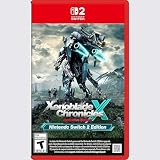
- Rebuild humanity on the mysterious planet Mira in this action RPG that’s been enhanced for the Nintendo Switch 2 system
Plan Blade Combo routes and elemental orbs
Blade Specials use elements in particular routes. A successful Blade Combo can progress through its stages and attach elemental orbs to the enemy. Those orbs matter later: during a Chain Attack, attacking them can contribute to burst damage. This makes elemental coverage a way to prepare a payoff, not simply a matter of choosing varied elements for appearance’s sake.
Your route depends on which Blades you have and what the target resists. Before committing to a plan, consider whether your available Specials can continue the route and whether the enemy is a suitable target for it. The party does not need to follow one universal route; choose one your actual lineup can execute.
Set up a route you can finish
- Choose a plausible opening element. Start with an element supplied by a Blade you can actually use in the encounter.
- Check the follow-up options. Look at the elements available from your other Blades and Drivers and whether you can switch to them as the Special becomes ready.
- Watch for successful stages. A route only helps if its stages apply; an enemy’s resistance can disrupt the plan.
- Track the orbs you create. Elemental orbs are part of the setup for a later Chain Attack, so note what your combo has attached rather than treating each Special as an isolated hit.
If a Blade Combo does not apply an orb, distinguish a failed or incomplete stage from an elemental mismatch or target resistance. The available material establishes resistance as a factor, but not a universal list of enemy-specific immunity rules; verify what is happening in the encounter rather than assuming every failure has the same cause.
There are two related but distinct kinds of coverage to evaluate: Driver Combo reactions and Blade Combo elements. One concerns the Break-to-Smash sequence; the other concerns routes through elemental Specials and the orbs they can attach. A party may be prepared for one system but not the other. When a fight is difficult, check both rather than assuming that success in one automatically supplies what the other needs.
Recommended Free Tools
Build charge through the battle instead of expecting instant power
The combat loop takes time to assemble. Auto-attacks charge Arts; using Arts helps build Blade powers and Specials. The timing of those actions and the coordination of party combos matter, so a strong party is not simply a set of equipped Blades that produces its full payoff immediately.
Use the wait for charge to make purposeful decisions: consider which reaction should come next, whether a switch would help complete an elemental route, and which Driver needs to manage enemy attention. When a useful Art or Special is ready, switch or act with the next stage in mind rather than changing Blades without a plan.
Nintendo’s combat overview describes customization around play style and a rhythm of charging and using combat abilities. That flexibility is a reason to adapt your lineup and timing—not evidence that one arrangement will outperform all others.
Rank #3
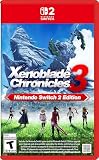
- Live to fight. Fight to live. Now with enhancements for the Nintendo Switch 2 system.
In practice, review the order of your actions when a route feels slow. Auto-attacks contribute to charging Arts, and Arts contribute to building Blade powers and Specials; each part of that loop supports the next. A switch can give you a different useful action, but it should be part of the plan rather than a substitute for letting your combat options charge. Coordinating a sequence may take patience, especially if the next action belongs to a Blade that is not currently active.
The Tool Desk
Outbyte Driver Updater FREEScan for outdated or missing drivers - takes under a minuteDriver Scan →Outbyte PC Repair FREEClear out junk files and repair common Windows errorsFree Scan →Manage aggro so damage dealers can keep working
Damage can generate aggro, and some Arts can increase or decrease it. That creates a practical tension: a Driver dealing heavy damage may draw enemy attention, while a more durable front line may be better placed to take it. The examples in a secondary combat guide include Tora and Rex, but the useful principle is broader than any one named pairing: consider who is attracting attacks and whether that Driver can survive them.
- If a vulnerable damage dealer is being targeted: consider whether an available Art can reduce or redirect aggro, or whether a sturdier Driver should be better positioned to hold it.
- If your front line is taking too much pressure: watch its survivability and avoid assuming that damage output alone makes the current assignment sustainable.
- If combos keep stalling under pressure: check whether the Driver meant to provide the next stage can stay active long enough to contribute.
Aggro is one part of the build, not a reason to abandon combo coverage. A party that draws attention predictably can still work if its Drivers can handle that pressure and execute their roles.
When comparing two possible assignments, consider both who can contribute damage and who can withstand the attention that damage attracts. Some Arts can affect aggro, so there may be a way to alter the balance without changing every Blade. If a vulnerable damage dealer is repeatedly interrupted by enemy focus, first assess whether an aggro-related Art or a sturdier recipient of pressure can help; if the more durable Driver is already struggling to survive, the problem is not solved merely by asking that Driver to hold more attention.
Turn a full Party Gauge into a Chain Attack
A full Party Gauge lets you start a Chain Attack. Its connection to the earlier systems is important: Blade Combos can attach elemental orbs, and attacking those orbs during the Chain Attack can add burst damage. In other words, combo coverage and elemental setup help create the conditions for a stronger payoff.
Free tools Windows power users keep installed
One-click scans. No signup required.
Do not read that as a guarantee of a one-shot. The available combat guidance supports the role of orbs in adding damage, not a claim that a particular lineup will defeat every enemy in one Chain Attack. Treat the attack as a chance to convert the gauge and prior setup into a burst, with the result depending on the encounter and your execution.
When deciding whether your party is ready to capitalize, consider whether it can build the Party Gauge through coordinated combat, whether it has had a chance to establish useful elemental orbs, and whether the enemy is still a suitable target for the planned attack.
Rank #4

- Nintendo Switch 2 Edition features Includes: Nintendo Switch game: Xenoblade Chronicles X: Definitive Edition Supports enhanced resolutions up to 4K* in TV mode Improved performance at up to 60 fps Explore beyond limits. Fight for humanity. Fight for survival while exploring the vast expanses of an alien world in this epic sci-fi RPG!
- The year is 2054. Earth has been destroyed by an intergalactic war between two alien races, and humanity is on the brink of annihilation. A small number of survivors, aboard the USS White Whale, crash land on the vast and untamed planet Mira – and now it falls to you, as a member of BLADE, to help bring humanity back from the edge of extinction. Enhanced on Nintendo Switch 2 With smoother frame rates and up to 4K resolution in TV mode*, the sprawling alien landscapes of planet Mira have never looked better. *Enhanced graphics require a TV that supports 4K resolution.
- Xenoblade Chronicles X: Definitive Edition – Nintendo Switch 2 Edition is playable only on Nintendo Switch 2. If the physical or virtual game card is inserted into a Nintendo Switch console, you can play the Nintendo Switch version of the game, without any of the additional features exclusive to the Nintendo Switch 2 Edition. If you already own Xenoblade Chronicles X: Definitive Edition for Nintendo Switch, you can purchase the upgrade pack to play the Nintendo Switch 2 Edition.
It helps to think of the Chain Attack as the payoff stage of a longer loop, not a separate solution to a party that lacks coverage. You need to build toward the full gauge, and elemental orbs from successful Blade Combos can give you an additional damage opportunity once the attack begins. If you enter without useful orbs, the Chain Attack is still an option, but it will not have that same setup. Conversely, an orb does not guarantee a decisive finish; the point is to create a better opportunity, not to promise a result.
Use role-based party plans, not unsupported universal builds
There is no established tested composition or complete Blade-by-Blade roster in the evidence available for this guide. Naming a definitive three-Driver build would imply specific access, story progress, difficulty, and enemy conditions that are not established. Instead, use these role-based plans to evaluate the Blades and Drivers you actually have.
| Party plan | What to cover | Best fit | Trade-off to watch |
|---|---|---|---|
| Reaction coverage | Provide the next available stage in Break → Topple → Launch → Smash across the party. | Encounters where the target permits the reactions and you want to coordinate a Driver Combo. | A reaction can be resisted or depend on story conditions; coverage cannot override that. |
| Elemental setup | Choose Blade elements and ready Specials that can follow a route and attach orbs. | Fights where you can progress Blade Combos and prepare a Chain Attack payoff. | It depends on your available Blades, switching, timing, and target resistance. |
| Durable front line | Keep a Driver able to handle the enemy attention generated as the party deals damage. | Situations where a damage dealer is drawing pressure or combo execution is disrupted by survivability. | Some Arts can affect aggro, but the lineup still needs its reaction and elemental coverage. |
| Flexible switching | Give Drivers useful alternatives and switch when the relevant Arts or Special are available. | Players who need to adjust to the next combo stage or element during a fight. | Only one Blade per Driver is active at a time, so options require timely switches. |
These are complementary priorities, not mutually exclusive teams or ranked builds. Start with the gap that most often stops your battles, then adjust the assigned Blades while preserving the other functions your party needs.
For a direct comparison, reaction coverage is most useful when a target can be affected and your sequence is stopping at a particular stage. Elemental setup is the better focus when you can use Specials to progress a route and want orbs for a later Chain Attack. A durable front line matters when aggro is preventing a Driver from doing their job, while flexible switching is valuable when the next reaction or element depends on an alternate Blade. None is a complete plan alone: compare them by combo access, elemental route, survivability, timing, and ability to make use of the Party Gauge.
These plans are not tied to a specific story chapter, difficulty, or fixed roster. Choose based on what you have unlocked and what the encounter is showing you. If you have several options, favor the combination that supplies a missing function without making the rest of the loop harder to execute. A more elaborate set of options is only useful when you can switch to them at the right time and keep the party alive long enough to use them.
Independent reader supportYour contribution helps us test, update, and keep practical guides available for everyone.Edition and update context
This guide addresses the standard Nintendo Switch version’s party and combat systems. Nintendo’s support history says version 3.0.0 was released on July 22, 2026; Nintendo lists no changes for the Nintendo Switch version in that update, while the Nintendo Switch 2 Edition became compatible with it. Nintendo describes the Switch 2 Edition as an upgraded version with smoother frame rates, 4K resolution in TV mode, and a new action battle mode. Those edition features are not needed for the basic party-building guidance here, and this article does not assume that the action battle mode uses identical combat details.
What’s actually slowing this PC down?
Pick the symptom - the matching free tool is one click away.
The game is developed by MONOLITHSOFT and published by Nintendo. Nintendo identifies a Nintendo Switch Game Card version. The Expansion Pass adds content, and Torna – The Golden Country was also offered as standalone retail content; neither is required for the party-building principles in this guide.
If you are deciding whether to buy the game for these systems, the Switch Game Card is the relevant physical version Nintendo identifies. The Expansion Pass and Torna – The Golden Country are additional content options, not prerequisites for using the basic Driver, Blade, combo, and Chain Attack systems discussed here. The mechanics advice is about the standard Switch game; the Switch 2 Edition’s listed presentation upgrades should not be confused with evidence of a different party-building rule set.
Diagnose a party that is not working
When a fight stalls, change the part of the plan that is failing rather than immediately grinding for stronger equipment. Use this order to narrow down the cause:
- A Driver Combo stops progressing: check which reaction is missing from the next stage and whether the relevant Blade and Art are available.
- A reaction does not land: consider enemy resistance or a story condition before deciding that the whole party needs replacing.
- A Blade Combo produces no orb: confirm that the route advanced successfully, that you could use the needed element, and that resistance is not interfering.
- Specials arrive too slowly: revisit the auto-attack-to-Arts-to-Special charge rhythm and make switches with ready actions in mind.
- A damage dealer cannot keep attacking: check who is drawing aggro, which Arts affect it, and whether a more durable Driver can take pressure.
- The Chain Attack payoff disappoints: consider whether you had a full Party Gauge and useful elemental orbs to attack; do not assume a Chain Attack guarantees a defeat.
The sequence is a practical diagnostic based on the game’s described mechanics, not an official in-game checklist. It helps separate a coverage problem from a timing, survival, or target-specific problem.
Do these 3 things before closing this tab:
1Scan for outdated or missing drivers - takes under a minute2Clear out junk files and repair common Windows errors3Fix the driver behind crashes, sound loss and screen glitchesA sensible adjustment is usually narrow. If the next Driver Combo reaction is missing, address that gap; if the action is available but not ready, rethink switching and charge timing; if the enemy resists it, consider another route or target rather than repeating the same sequence. If Specials connect but no orb appears, check whether the Blade Combo progressed and whether resistance may be involved. And if the party reaches its Chain Attack without having established useful orbs, focus on creating a more complete elemental setup in a later attempt.
These checks also help distinguish a roster issue from an execution issue. An option that is absent from the party calls for a different Blade assignment; an option that is present but not active calls for a planned switch; and an option that fails against a resistant enemy calls for adapting to the encounter. That distinction can save time and keeps the build focused on the actual obstacle.
Frequently Asked Questions
What is the correct Driver Combo order in Xenoblade Chronicles 2?
The recognized sequence is Break → Topple → Launch → Smash. It requires coordination across the party, and an enemy may resist a reaction or a story condition may affect whether it works, so the full sequence is not guaranteed on every target.
How do I start a Chain Attack?
Build the Party Gauge through combat; when it is full, you can start a Chain Attack. Blade Combo routes can attach elemental orbs that you can attack during the Chain Attack for additional burst damage, but they do not guarantee a one-shot.
PC Slower Than It Used to Be?
A free scan shows the junk files, broken settings and background clutter dragging Windows down - then fixes them in one click.Free scan · Windows 10 & 11Outdated Drivers Are Slowing You Down
One free scan finds every outdated or missing driver and matches the right update for your exact hardware.Free scan · exact hardware matchWhy are my Blade Combos not applying orbs?
Check whether the Blade Combo advanced through a successful route, whether you could use the needed elemental Special, and whether the target’s resistance is interfering. Not every stalled route has the same cause, so distinguish an incomplete stage from an unavailable element or a resistant target.
The Bottom Line
Build for a connected combat loop, not a supposed universal best party: cover the Driver Combo reactions and an elemental route your Blades can execute, switch deliberately as Arts and Specials become available, and make sure the Driver drawing aggro can survive it. A full Party Gauge and elemental orbs can turn that setup into a stronger Chain Attack opportunity, while resistance and story conditions still matter.
Quick Recap
Product prices and availability are accurate as of the date/time indicated and are subject to change. Any price and availability information displayed on Amazon at the time of purchase will apply.




