Outdated Drivers Are Slowing You Down
One free scan finds every outdated or missing driver and matches the right update for your exact hardware.Free scan · exact hardware matchWindows Errors? Fix Them Before They Spread
Repair common Windows errors and clear accumulated junk for a smoother, more stable PC - no reinstall needed.Free scan · no reinstallTo change a control in Genshin Impact, open Paimon Menu > Settings > Controls, select the action you want to change, then press the key or button you want to assign. Because the available evidence does not establish a complete current key map, check the Controls screen in your own client rather than relying on an old default-key chart.
How do I change key bindings in Genshin Impact?
- Open the Paimon Menu.
- Select Settings, then open Controls.
- Select the function you want to reassign.
- Press the key or button you want to use for that function.
HoYoverse documented this path and assignment method in its Version 1.1 notice. Menu labels or available inputs may differ by platform or client version, so follow the options shown in your game.

Where are controller vibration settings?
HoYoverse’s Version 1.2 update details document a vibration option at Paimon Menu > Settings > Controls > Vibration. The notice confirms that the customization entry exists, but does not describe its individual settings.
Is there a current Genshin Impact key-binding chart?
The official notices cited here do not provide a complete, current default-key chart. Bindings can depend on input method and client version, so check the live Controls menu for your setup before using any key list found elsewhere.
Recommended Free Tools
One concrete example is dated: HoYoverse’s Version 4.8 update details, published July 17, 2024, say that the Cooking interface gained a spacebar interaction when using keyboard and mouse. That is a version-specific example, not evidence of a complete keyboard layout or a guaranteed current default. See the Version 4.8 update details.
Can I use a controller, and do controls vary by platform?
HoYoverse’s Version 7.1 notice, dated September 23, 2026, gives update instructions for PC, iOS, Android, PlayStation, and Xbox Series X|S. Those update instructions do not establish a full controls matrix or confirm every input-device combination. Check your platform’s current client for the available control options and bindings. The notice is available in HoYoverse’s Version 7.1 update information.
PS4 should be treated separately from those actively updated platforms. HoYoverse’s PS4 notice says update patches will stop and gives February 25, 2026 as the date in-game purchases are removed; it recommends moving to PS5 or another supported platform to continue playing. The cited notice does not establish PS4 support as equivalent to current platforms.
Quick Recap
Best Value

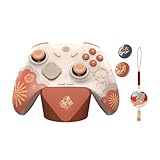
- Wide Compatibility: Get one Megadream iPhone controller to meet your different need on multiple devices; This game controller connect to iOS 13.0+ iPhone, iPhone 17 series, iPhone 16 series, iPhone 15 series, iPad, Android 6.0+ phone, Galaxy S24/S23/S22 series, tablet, PC, NS-Switch 2 (No ‘C’ key function), NS-Switch device by wireless connection directly
- Play Any Game That Supports Controllers: The wireless Android controller can directly play hundreds of controller-enabled games on iPhone/Android/PC/NS-Switch, such as Call of Duty, Roblox, Minecraft, Genshin Impact, Diablo Immortal and more; Supports virtually all cloud-based gaming services including GeForce Now, Netflix, Xbox Cloud Gaming, Luna, MFi A-pple Arcade and Delta Emulator
- Hall Effect Joysticks/Hall Trigger: Megadream PC controller with Hall Effect Sensor joystick, providing seamless 360° precision control, delivering the accuracy and durability mobile gamers demand; Hall-effect analog triggers provide unrivaled smoothness and responsiveness, giving you a competitive edge in any game
- Dual Vibration & 6-Axis Gyro: This Switch game controller features dual haptic feedback with 3 adjustable vibration intensity levels (100% - 70% - 0%), plus a highly responsive 6-axis gyro sensor for an immersive gaming experience
Rank #4

- WIDE SCREEN COMPATIBILITY — PHONE TO TABLET: X5 Lite is a versatile phone controller that stretches up to 213mm to fit iPhone 15/16, most Android phones, iPad mini 6/7, and compatible Android tablets. Secure Type-C connection keeps gameplay stable and responsive.
- MOBILE, CLOUD & REMOTE GAMING: Play supported mobile games like Zenless Zone Zero, or stream console and PC games through Xbox Game Pass, Steam Link, Moonlight, and remote play. Enjoy physical controls wherever you play.
- HALL EFFECT STICKS — PRECISE CONTROL: GameSir Hall Effect sensing sticks deliver smooth 360° control for accurate aiming, movement, and camera adjustments. Built for fast-paced mobile games and streamed console or PC titles.
- LIGHTWEIGHT & ERGONOMIC — 135.4G: At just 135.4g, X5 Lite stays lightweight during extended gaming. Ergonomic, laser-engraved textured grips provide a secure, comfortable hold at home or on the go.
- CUSHIONED MEMBRANE CONTROLS — COMFORTABLE & QUIETER: Cushioned membrane buttons and triggers provide comfortable feedback for repeated inputs while keeping operation quieter. Ideal for extended sessions or gaming in shared spaces.
Rank #3
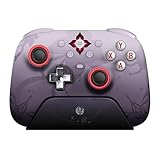
- Officially licensed by Honkai: Star Rail
- Compatible with Windows PC, Apple, Steam, and Android devices – 2.4G and wired connection for Windows, and Bluetooth for SteamOS, Apple and Android.
- TMR Joysticks - Delivers higher sensitivity, precision, and durability, featuring an RGB Fire Ring and wear-resistant joystick rings.
- Integrated charging dock keeps your controller always charged and ready, with auto-reconnection. Features customizable 6-Axis motion control, turbo, and rumble. Supports 8BitDo Ultimate Software V2.
- 1000Hz polling rate (for 2.4G and wired connection) & 8Speed Wireless Technology.
Product prices and availability are accurate as of the date/time indicated and are subject to change. Any price and availability information displayed on Amazon at the time of purchase will apply.
Do these 3 things before closing this tab:
1Scan for outdated or missing drivers - takes under a minute2Repair Windows errors before they cause bigger problems3Fix the driver behind crashes, sound loss and screen glitches



