Open Steam > Settings > Storage in the Steam desktop client to view installed games and their Steam library locations. To check one game’s installation details, go to Library > select the game > Properties > Installed Files. For a drive’s overall free space, use your operating system’s storage or disk view; Steam’s list is not a complete inventory of everything on the drive.
See Steam game installations and their library locations
- Open the Steam desktop client.
- Select Steam > Settings > Storage to open Storage Manager.
- Review the installed games and the library location shown in the manager. Steam describes the library folder as containing installed games on disk in its Update & Installation Issues guidance.
Storage Manager is Steam’s place to manage game installations and their library locations, according to Steam Support’s instructions for games appearing as uninstalled. Menu labels can vary between client versions or operating systems; if the path differs, look for Storage in Steam’s current Settings. Steam’s instructions do not establish identical navigation on every platform.
Check one game’s installation details
- Open Library and select the game.
- Open the game’s Properties, then choose Installed Files.
- Use the information and actions on that page to inspect or manage the installation. Steam Support documents Move Install Folder… there for moving the game to another Steam library.
This is the per-game route when you want to inspect a particular installation rather than browse the games associated with your Steam libraries.
Check total free space on a drive
Steam’s Storage Manager shows Steam-managed installations, not every file using space on the drive. Check the operating system’s storage or disk view for total available space. Other files and game-related data can affect that total: Steam lists updates, saved games, and custom content among possible reasons free space may decrease in Available disk space decreases every time a game is run.
#1 Best Overall

- Customize your drive’s RGB lighting with the downloadable WD_BLACK Dashboard (Windows only) to show off your style and make every play personal.
- Kick loading into overdrive with a USB 3.2 Gen2x2 interface and speeds up to 2,000MB/s. (Based on read speed. 1 MB/s = 1 million bytes per second. Based on internal testing; performance may vary depending upon host device, usage conditions, drive capacity, and other factors.)
- Compatible with PlayStation 5 and Xbox Series X|S consoles. {Compatible with PlayStation 4 Pro or PS4 with system software version 4.50 or higher, PlayStation 5 (Play and store PS4 games; archive PS5 games), Xbox One, and Xbox Series X|S (Play and store Xbox One games; archive Xbox Series X|S games).}
- Keep more of the latest and largest titles installed and ready to launch with capacities of up to 2TB. (1TB = 1 trillion bytes. Actual user capacity may be less depending on operating environment.)
- Built with WD_BLACK toughness thanks to a shock-resistant structure, this durable drive can survive a drop of up to two-meters.
That Steam Support page gives 50–100 MB as an example of space that may be used when a game is started in a particular System Restore scenario. It is a conditional troubleshooting example, not a typical game size or a general estimate of storage use.
If a game appears uninstalled but its files remain
- Check whether the game’s folder is still present in a Steam library location.
- In Steam, open Settings > Storage and use Storage Manager to add the existing library folder. Steam’s support instructions describe adding another folder with the plus button.
- Check whether the game is recognized in the library after reconnecting the folder.
A missing entry in Steam does not by itself prove that the installation files were deleted. Reconnecting the library folder may let Steam recognize files that are still there.
Rank #2
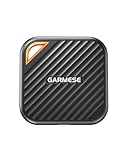
- 2000MB/s Read & 1800MB/s Write: This USB 3.2 Gen 2x2 external SSD lets you load, transfer, or manage large files, 4K videos, and massive game assets in seconds. Load games faster, edit RAW footage instantly, and manage massive creative assets without waiting
- Plug-and-Play: No drivers, no software needed. Our portable SSD works instantly with Windows, macOS, iPadOS, Android, Chrome OS, and Linux. Just plug in and expand your storage in seconds. Perfect for users who want a simple, hassle-free setup
- Ultraportable with Keychain Hole: The USB‑C external SSD weighs just 33g and fits in your palm. Attach it to your keychain, backpack, or lanyard—your photos, projects, and game libraries always travel with you
- Ready for Your Devices: Includes a USB-C cable and a USB-C-to-USB-A adapter. Works with USB-C iPhones (15/16), iPad Pro, MacBooks, Android phones, Windows PCs, PS5, Xbox, and laptops. A true universal external hard drive alternative
- Shock‑Resistant & Travel‑Ready: Built to withstand drops and bumps. Perfect for gamers moving libraries, students backing up assignments, and professionals editing on location. A reliable external solid state drive for daily use
Check DLC separately from the game installation
If your question is whether downloadable content is installed, rather than how much space the game takes up, Steam Support directs players to the game’s Properties > DLC page to view DLC installation status: Find Downloadable Content (DLC) for My Games. That status is separate from the overall free-space figure for the drive.
Independent reader supportYour contribution helps us test, update, and keep practical guides available for everyone.When a Steam library is on an external drive
Steam warns that external drives can cause performance or connection issues. If an external drive is causing problems, Steam Support recommends using an internal drive; see Installed games are appearing as uninstalled for its troubleshooting guidance.
Do these 3 things before closing this tab:
1Repair Windows errors before they cause bigger problems2Scan for outdated or missing drivers - takes under a minute3Clear out junk files and repair common Windows errorsQuick Recap
Best Value

- Blazing-fast Speed:With an incredible transfer speed of up to 2000MB/s, this USB 3.2 Gen 2x2 external SSD 512G makes moving 4K movies, high-res photos, music libraries, video editing projects, and game collections a breeze
- Wide Compatibility: Included with a USB-C cable with a USB-C to USB-A adapter, this 512GB USB C portable SSD makes it effortless to move contents among your USB-C smartphones, tablets, iPhone 15, iPad Pro, MacBook, USB-A computers and game consoles
- Ample Storage Capacity. This 512GB portable SSD provides plenty of storage room to store all your important files, photos, videos, games, music, and movies. No more worrying about running out of space on your devices
- Compact and Ultra-Portable: The mini external solid state with a large keyring hole lets you easily attach it to your keychain or fit it into your pocket, ensuring you have your important data with you wherever you go
- Durable and Reliable:Utilizing world’s top flash memory chips, this portable solid state drive enhances data security and performance reliability to protect your files from loss or corruption. Perfect for students, creatives, gamers, or travelers use
Rank #4

- SMALL DRIVE. POWERHOUSE PERFORMANCE: The Verbatim Pocket SSD delivers high-speed storage in an ultracompact design built for creators, gamers, travelers, and everyday backup
- COMPACT AND CONVENIENT: Ultra-lightweight and small enough to slip into your back pocket, with a convenient keyring and cable holder to keep your cable neat and tangle-free
- HIGH-SPEED READ AND WRITE PERFORMANCE: Read speeds up to 1000MB/s and write speeds up to 1000MB/s help you transfer files, back up content, and access media faster
- RELIABLE SSD PERFORMANCE: Durable solid-state storage with no moving parts for dependable everyday use and improved energy efficiency
- USB-C COMPATIBILITY: Connects easily to USB-C PCs, Macs, tablets, smartphones, gaming consoles, and more
Rank #3

- Built for Creators: Capture, edit, and transfer with ease. NVMe SSD with premium NAND Flash delivers up to 2100MB/s—perfect for 4K video, RAW photos, and gaming assets
- Record Without Limits: Direct 4K 120fps HDR recording from compatible USB-C iOS/Android phones, cameras, and tablets with supported pro apps. Ideal for high-bitrate shooting on the go
- Rugged, Reliable, Ready: Durable aluminum shell with water- and drop-proof protection. SMART monitoring and advanced error correction keep your data safe in any environment
- Works Where You Do: True plug-and-play with laptops, desktops, cameras, projectors, and more. Fully compatible with Windows, Mac, iPad Pro, Chromebooks, Android, Linux, PS4, PS5, and Xbox devices
- Pocket-Sized Power & Capacity Notice: Ultra-slim 2.85 × 1.52 × 0.40 in, 0.03 lb SSD fits any pocket or gear bag. Actual usable storage may be ~7–10% less than labeled due to system calculation differences. Supports up to 2100MB/s under ideal USB 3.2 Gen 2x2/Thunderbolt 4/5 conditions; older interfaces may reduce speeds
Product prices and availability are accurate as of the date/time indicated and are subject to change. Any price and availability information displayed on Amazon at the time of purchase will apply.



