Recommended Free Tools
You usually cannot convert an EBOOT.PBP straight to an ISO or CSO: an EBOOT is a container that can hold a PS1 game, PSP homebrew, or an official digital PSP title. Identify what yours contains first. For a PS1 EBOOT, extract a PS1 disc image; for a PSP game, start with a legitimate PSP ISO and compress it to CSO if you want; for many digital PSP titles and homebrew apps, keep the original folder and use it directly. Back up the complete original folder before changing anything.
Choose the right path for your EBOOT
- It is a PS1 game: Extract it to BIN/CUE with PSXPackager. This is a PS1 disc image, not a PSP UMD ISO.
- It is an official digital PSP title: Keep the complete folder containing
EBOOT.PBPand use it directly in a supported setup. - It is PSP homebrew: The legacy PBP2ISO and UMDGen packaging method may work for some apps, but is experimental and can break file access or saving.
- You already have a PSP ISO: Use maxcso to make a CSO, or keep the ISO for compatibility.
- You cannot identify it: Do not rename it or feed it to a random converter. Test the original folder in PPSSPP or identify the title and source first.
PPSSPP documents direct use of digital PSP downloads by copying the folder containing EBOOT.PBP: PPSSPP game setup and dumping guide.
What EBOOT, ISO, and CSO mean
EBOOT.PBP is a PSP package/container, not a single disc-image format. Depending on its origin, it can contain a program, metadata and artwork, PS1 disc data, or official digital PSP content. The filename alone does not reveal which one it is.
| Format | Typical use | What to know |
|---|---|---|
EBOOT.PBP |
PSP homebrew, PS1 games for PSP, official digital PSP titles | A container; it is not necessarily a PSP disc image. |
ISO |
PSP UMD disc image | Uncompressed and generally the straightforward compatibility choice. |
CSO |
Compressed PSP ISO | Saves storage space, but support depends on the device, firmware, or emulator. |
BIN + CUE |
PS1 disc image | Can preserve track layout and CD audio information; keep the files together. |
CHD or ZSO |
Some emulator or hardware workflows | Use only when the specific target supports the format. |
Changing .PBP to .ISO in the filename does not unpack or convert the contents. A CSO compressor expects a compatible disc image, not an arbitrary EBOOT.
#1 Best Overall

- Compatible with MagicGate copyright protection technology
- Can be used to perfect on the PSP adn digital camera
- Memory Stick PRO-HG Duo is ideal for high-speed data transfer and for continuous shooting
- 16GB capacity Flash memory Ideal for burst shooting with DSLR Up to 30MB/s read/write speed
- Can be used to perfect on the PSP(PSP1000/2000/3000/3000) and digital camera.
Use the EBOOT folder directly when that is all you need
For an official digital PSP title, PPSSPP documents copying the folder that contains EBOOT.PBP and launching the title from the game list. Preserve the whole folder, including any supporting files. The destination varies by platform and installation, so use the PSP game directory configured for your PPSSPP setup rather than assuming one universal path.
Direct use is also the safer choice for homebrew that expects to read or write files beside its executable. An ISO or CSO is effectively read-only from the application’s perspective, so packaging can prevent settings or saves from being written where the program expects.
Extract a PS1 EBOOT to BIN/CUE
Use this route only when the PBP represents a PS1 game converted for PSP. PSXPackager supports extracting PBP files to BIN/CUE, including multi-disc PBPs. Its command-line application requires the .NET 8.0 Runtime; its Windows GUI requires the .NET Desktop Runtime. Get the tool from its project page: PSXPackager on GitHub.
Rank #2
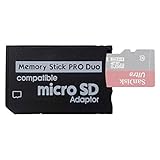
- 2026 Latest Version - Funturbo Micro SD to MS Pro Duo Adapter
- Replace your Memory Stick PRO Duo with any microSD card (MicroSD Card NOT included)
- Up to 128GB Micro SD/SDHC/SDXC Card Compatible
- Compatibility Tested – Fully compatible with MagicGate Memory Stick DUO and Memory Stick PRO Duo, all known issues fixed
- Works perfectly on PSP 1000/2000/3000, Sony camera and handycam, format your card in your device for first time use
- Install the appropriate .NET runtime and download PSXPackager from its official repository or release page.
- Put
EBOOT.PBPin a working folder. Keep an untouched backup. - Run
psxpackager -i "EBOOT.PBP" -o "output-folder"from the command line. - For a multi-disc PBP, select discs with
psxpackager -i "EBOOT.PBP" -o "output-folder" -d 1,2. The-doption selects the discs to extract. - Keep the resulting BIN file or files and CUE sheet together. Open the CUE in your PS1 emulator when it supports CUE files.
For preservation and accurate PS1 emulation, retain BIN/CUE rather than converting blindly to a plain ISO. Mixed-mode discs and games with CD audio can rely on track layout that a simple ISO may not preserve. CSO is principally a compressed PSP disc-image format; it is not the usual next step for a PS1 EBOOT.
What’s actually slowing this PC down?
Pick the symptom - the matching free tool is one click away.
A PS1 image extracted this way is not thereby a PSP UMD image. PS1 games on PSP normally use the PS1/POPS route, typically remaining in an appropriate PSP/GAME/<title>/EBOOT.PBP folder, rather than being placed in the PSP’s ISO directory.
Convert a PSP ISO to CSO with maxcso
Use maxcso when the source is already a legitimate PSP ISO, such as a disc image you made from a UMD you own. Its documented basic command is maxcso game.iso; to control the destination, specify it explicitly:
Rank #3

- 64GB Memory Stick Pro Duo
- This consists of a 64GB memory card and a memory stick ADAPTER.Can be used the PSP(PSP1000/2000/3000/3001)and digital camera.
- Compatible with MagicGate copyright protection technology
- 64GB capacity Flash memory Ideal for burst shooting with DSLR Up to 30MB/s read/write speed
- Compact Design:The memory stick duo pro has small and compact design does not affect storage, and the sufficient capacity allows you to capture every wonderful moment easily and happily.
maxcso "game.iso" -o "game.cso"
To restore an ISO from a CSO, use maxcso --decompress "game.cso" -o "game.iso". The output-name behavior can vary by build, so check the generated file or use an explicit output path. Project documentation and releases are at maxcso on GitHub.
- Download a current maxcso build from the project’s official GitHub releases.
- On Windows, extract
maxcso.exeand either drag the ISO onto it or run the command above. The project documents drag-and-drop use. - Check that the expected CSO file was created successfully.
- Copy it to the PSP memory card’s
ISOdirectory if that is the intended device and its firmware supports ISO loading. - Test the game before deleting or moving the source ISO.
For older PSP readers or maximum compatibility, use 2048-byte blocks: maxcso --block=2048 "game.iso" -o "game.cso". The project warns that larger blocks may not work with some software. CSO can save memory-card space, but it may introduce decompression overhead or loading differences; support also varies, and some PSP firmware versions have CSO-related bugs.
The Tool Desk
Outbyte Driver Updater FREEFix the driver behind crashes, sound loss and screen glitchesFind Drivers →Outbyte PC Repair FREEClear out junk files and repair common Windows errorsFree Scan →| Choose ISO when… | Choose CSO when… |
|---|---|
| Compatibility matters more than size, loading problems occur in CSO form, or the reader/firmware is old or unknown. | The source is a valid PSP ISO, storage space matters, and the target supports CSO. |
Package PSP homebrew as ISO or CSO only as an experiment
Some legacy guides describe using PBP2ISO to create an ISO-style project and UMDGen to package it as a UMD ISO. This is a title-dependent workaround, not a general conversion standard or a way to recover a commercial PSP disc from an arbitrary executable. A historical description of the method is available at Brewology’s PBP2ISO guide.
Rank #4

- Featuring extensive compatibility design, the system enables seamless interconnection between your rare PSP (full series 1000/2000/3000 models), everyday Cyber-Shot cameras, professional DSLRs, and Handycam recorders. As a multifunctional content nexus, it systematically manages diverse digital content including game storage, photographic works, and video documentation.
- High-Speed Large Capacity Storage: Utilizes a 128GB Memory Stick PRO Duo flash memory card, providing reliable storage support for DSLR high-speed continuous shooting. With read/write speeds up to 30MB/s, it rapidly completes the writing of high-resolution footage, effectively improving shooting efficiency and workflow smoothness.
- Benefit from blazing-fast transfers with remarkable performance. When working with huge high-resolution photo sets or transferring large video and game data, it enables instant access and seamless sharing, maintaining your creative workflow without interruption.
- Compact Design: Engineered with a miniature footprint, this memory card maintains exceptional capacity within an ultra-compact form, offering ample space to effortlessly and joyfully preserve every special moment.
- Featuring MagicGate copyright protection compatibility, it provides a secure and protected download environment.
- Back up the entire homebrew folder, including
EBOOT.PBPand all assets, configuration files, and other supporting data. - Use PBP2ISO to create its ISO project. Follow the tool’s own directions for any additional files and their locations.
- Open the generated project in UMDGen and save or build it as an ISO.
- Test the ISO on the intended PSP firmware or emulator. If it works and storage space matters, compress it with maxcso.
- Keep the original folder even if the repackaged version appears to work.
Homebrew may expect writable files beside EBOOT.PBP, rely on firmware-specific behavior, or load plugins, saves, and assets from its original location. An app can start successfully and still fail later when it tries to access those files. If you do make a working ISO, the CSO command is maxcso "homebrew.iso" -o "homebrew.cso".
Troubleshoot conversion and loading problems
The extractor says the file is not a valid PBP
- The file may be an official PSP digital title, homebrew, encrypted or nonstandard content, or an incomplete/corrupt file—not an extractable PS1 PBP.
- Test the original folder in PPSSPP. If it launches, conversion may be unnecessary.
- For a PS1 PBP, try PSXPackager rather than an old PSX2PSP extraction function. PSX2PSP is a legacy Windows utility; its documented version is 1.4.2. See GameBrew’s PSX2PSP entry and PSXPackager.
- Re-copy or re-dump the file if possible. If you have a known-good source, compare file size or checksum. Do not overwrite the original.
The extracted PS1 game has no music
This can happen if CD audio tracks or track information were lost, or if only a data ISO was kept. Preserve the CUE sheet and every BIN file it references, then load the CUE in an emulator that supports it. PSXPackager documents handling CUE/BIN track information; see its project documentation.
The CSO boots but crashes or loads poorly
- Test the original ISO to determine whether the issue is specific to CSO.
- Recompress with the default CSO1 output and 2048-byte blocks:
maxcso --block=2048 "game.iso" -o "game.cso". - Avoid experimental ZSO or CSO2 output on older PSP hardware.
- Use the ISO if the problem persists.
maxcso documents CSO1 as its default and cautions that block sizes and newer formats may not be supported by every reader: maxcso documentation.
Best Value

- Perfect Compatibility: This PSP memory stick adapter is fully compatible with MagicGate Memory Stick DUO and Memory Stick PRO Duo, ensuring reliable and high-speed data transfer
- Latest Upgraded Adapter: Convert your Memory Stick PRO Duo to any Micro SD/SDHC/SDXC card up to 128GB, allowing you to expand your storage based on your needs. (32GB Micro SD card included. Note: The 128GB memory card is only supported on PSP systems 6.60 and above. The maximum capacity supported by the adapter may vary depending on the device model.)
- Wide Device Compatibility: Works seamlessly with PSP 1000, 2000, 3000 and PSP E1000 models, as well as Sony Cybershot cameras and Handycam, offering excellent versatility for various devices
- Cost-Effective Storage Expansion: The included 32GB Micro SD card provides ample space for games, media, and more. It’s compatible with smartphones, tablets, cameras, GoPro/action cameras, laptops, desktop PCs, DSLR cameras, drones, Nintendo Switch, PlayStation Vita, and other portable gaming consoles. Say goodbye to expensive Memory Stick PRO Duo cards. Use affordable Micro SD cards for an efficient and budget-friendly storage solution
- Easy Setup: Simply insert a Micro SD/SDHC/SDXC card into the adapter, then insert it into your device. First-time use? Format your card directly in your PSP or camera for optimal performance
Repackaged homebrew cannot save settings
The app may be trying to write beside its executable in the read-only ISO/CSO. Return it to its original PSP/GAME/<folder> form, or configure it to use another writable location if the app supports one. Keep the original folder rather than relying on the repackaged copy.
The PSP does not show the ISO or CSO
- Confirm the file is in the memory card’s
ISOdirectory, is not still inside an archive, and has the exact.isoor.csoextension. - Confirm that the PSP firmware or custom firmware supports ISO loading.
- Check that the image is actually a PSP disc image—not a PS1 image or a malformed homebrew package.
- If the filename or memory-card filesystem may have caused an issue, copy the file again with a simple filename.
PPSSPP or the PSP does not show the EBOOT
- Confirm the filename is exactly
EBOOT.PBP. - Place it in the correct game directory inside a title folder, without an extra nested folder level.
- Copy the complete folder, not just the EBOOT, and check compatibility with the target setup.
Use files you are entitled to use
Only convert or run game files and firmware materials that you own or are otherwise legally permitted to use. Download utilities from their official project pages where possible; be particularly cautious with old binaries, and scan downloads before running them. Keep a clean backup of the source files.
For PSX2PSP specifically, newer PS1 conversion guidance points readers toward pop-fe rather than the classic utility; see ARK-4’s PS1 playback guide.
Quick Recap
Product prices and availability are accurate as of the date/time indicated and are subject to change. Any price and availability information displayed on Amazon at the time of purchase will apply.
Do these 3 things before closing this tab:
1Repair Windows errors before they cause bigger problems2Fix the driver behind crashes, sound loss and screen glitches3Clear out junk files and repair common Windows errors



