Do these 3 things before closing this tab:
1Clear out junk files and repair common Windows errors2Fix the driver behind crashes, sound loss and screen glitches3Repair Windows errors before they cause bigger problemsWhat you can do depends on who owns the base. To remove your own, use Base Computer → Delete Base. To remove another player’s base from your game, report it through its Base Computer or the Quick Menu; the report flow requires a screenshot.
How to delete your own base
- Go to the base and interact with its Base Computer.
- Select Delete Base and read the in-game confirmation before accepting.
The community-maintained No Man’s Sky Wiki says this removes components in the base-building area and puts them in the Base Salvage Capsule. Because this is secondary-source guidance rather than an official current deletion guide, rely on the confirmation shown in your game before you proceed.

How to remove another player’s base from your game
You cannot use the own-base deletion option to destroy someone else’s construction. Hello Games’ support instructions are to report the base, which removes it from your game; they do not say that reporting deletes it from every player’s save.
- Interact with the other player’s Base Computer.
- Choose “Report this Base as Offensive or Inappropriate.”
- Submit a screenshot when the game prompts you, then wait for the confirmation that your report has been registered.
Hello Games says the base should immediately disappear from your game after that confirmation. See Hello Games Support’s reporting instructions, updated November 13, 2024.
What’s actually slowing this PC down?
Pick the symptom - the matching free tool is one click away.
#1 Best Overall

- Embark on an epic voyage, find your own destiny in this epic space adventure
- Includes 6 years of updates
- An entire universe to explore on the go in the palm of your hands
- For the first time ever, PlayStation 5 physical edition as well as Nintendo Switch (physical & digital)
If you cannot access the Base Computer
When you are within 50u of any object belonging to the other player’s base, open the rightmost end of the Quick Menu and select Report Base. Continue through the prompted report flow, including the screenshot submission. This distance condition and route are specified by Hello Games Support.
Quick Recap
Rank #4
![No Man's Sky Standard - PC Steam [Online Game Code]](https://m.media-amazon.com/images/I/619dfBaaLhL._SL160_.jpg)
- Play with all major updates since launch
- And now with added Cross-Save! No Man’s Sky now supports Cross-Play and Cross-Save between a huge number of platforms including PC, PlayStation 4, PlayStation 5, PlayStation 5 Pro, Xbox One and Series X/S, Game Pass, GOG, Nintendo Switch, Steam Deck, PlayStation VR 1 & 2 and PCVR.
Rank #3

- Embark on an epic voyage, find your own destiny in this epic space adventure
- Includes 6 years of updates*
- An entire universe to explore on the go in the palm of your hands
- For the first time ever, PlayStation 5 physical edition as well as Nintendo Switch (physical & digital)
- Please note that although this game is Region Free or Region Unlocked and will work on all systems, this is the international version and may differ from the local version in age rating, labeling or instructions.
Rank #2
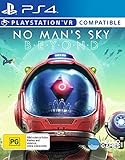
- Region Free Australia
- 100% Compatible With USA Playstation 4 Console
- Region 2 (AUS) or 4 (EUR) Required for DLC Redemption or Purchases
- Playstation VR Compatible (optional)
Product prices and availability are accurate as of the date/time indicated and are subject to change. Any price and availability information displayed on Amazon at the time of purchase will apply.
Independent reader supportYour contribution helps us test, update, and keep practical guides available for everyone.



