Free tools Windows power users keep installed
One-click scans. No signup required.
In EA SPORTS FC 25, score and enter a celebration input right away. The exact controls depend on your platform and controller configuration, and not every move is available in every situation. For the authoritative controls on your setup, pause the match and open Settings > Celebrations; EA says celebration inputs can vary between games and some moves must be unlocked (EA Help).
Check your controls in FC 25 first
EA’s official guidance is: “The controls depend on your platform and control configuration. To find your controls in-game:” Pause the match, open Settings, then select Celebrations. Use that screen to confirm the inputs for your platform and any customized controls. EA’s support page does not provide one complete FC 25 button catalogue for every platform and configuration (EA Help).
| # | Preview | Product | Price | |
|---|---|---|---|---|
| 1 |

|
EA SPORTS FC 25 Standard Edition PS5 | EU Version Region Free | $26.29 | Buy on Amazon |
| 2 |

|
Ps5 Ea Sports Fc 25 | $32.51 | Buy on Amazon |
| 3 |
|
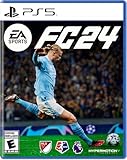
EA SPORTS FC 24 - PlayStation 5 | $24.00 | Buy on Amazon |
| 4 |

|
EA SPORTS College Football 25 - PlayStation 5 | $9.90 | Buy on Amazon |
The quick-reference inputs below are commonly published for standard PlayStation controls. They are secondary-source references, not a substitute for the in-game screen; Xbox mappings generally use the corresponding face buttons and the same directional-stick patterns. PC inputs depend on whether you use a controller or keyboard and on your configuration (FIFAUTeam; FIFPlay).
Basic celebration choices
These inputs select a signature celebration or let the game choose one at random. The commonly listed PlayStation and Xbox buttons are:
Do these 3 things before closing this tab:
1Scan for outdated or missing drivers - takes under a minute2Repair Windows errors before they cause bigger problems3Fix the driver behind crashes, sound loss and screen glitches#1 Best Overall
- This video game is the world's leading football game; The Standard Edition contains the FC 25 full game
- EA SPORTS FC 25 has the best players from the biggest clubs and competitions around the globe, with match data from the world’s top leagues powering how 19,000+ players from 700+ authentic clubs move, play, and win in every match
- No matter how you choose to win in EA SPORTS FC 25, do it for the club
- EA SPORTS FC 25 gives you more ways to win for the club; Team up with friends in your favorite modes with the new 5v5 Rush, and manage your club to victory as FC IQ delivers more tactical control than ever before
- Please note that although this game is Region Free or Region Unlocked and will work on all systems, this is the international version and may differ from the local version in age rating, labeling or instructions. DLC content may not work unless using an EU Playstation account as stated this is an EU Import Region Free Version
| Action | PlayStation | Xbox |
|---|---|---|
| Signature celebration | X | A |
| Random celebration | Circle | B |
| Cancel celebration | L1 + R1 | LB + RB |
These are common reference mappings; confirm the version shown under Settings > Celebrations if your controls are customized (FIFAUTeam; FIFPlay).
Running celebrations
Use these while the scorer is moving after the goal. The following commonly published PlayStation inputs are grouped by the button or stick action to make them easier to scan.
Rank #2
Face-button inputs
| Celebration | PlayStation input |
|---|---|
| Thumb Suck | Hold Square |
| Arms Out | Tap Square, then hold Square |
| Wrist Flick | Tap Triangle, then hold Triangle |
| One Arm Raised | Hold Circle |
| Finger Points | Tap Circle, then hold Circle |
Right-stick directions and combinations
| Celebration | PlayStation input |
|---|---|
| Aeroplane | Hold R3 |
| Point to the Sky | Hold right stick up |
| Telephone | Hold right stick down |
| Can You Hear Me? | Hold right stick left |
| Hands Out | Flick right stick right, then hold left |
| Come On! | Flick right stick left, then hold right |
| Blow Kisses | Flick right stick down, then hold up |
| Double Arm Swing | Flick right stick up, then hold down |
| Flying Bird | Flick right stick right, then hold right |
| Head on Head | Flick right stick left, then hold left |
| Heart Symbol | Flick right stick down, then hold down |
| Arms Pointing Up | Flick right stick up, then hold up |
| Windmill | Spin right stick clockwise |
Names and coverage can differ across reference lists, so verify the control and move name in your game before relying on a table (FIFAUTeam; FIFPlay).
Finishing moves, new celebrations, and unlocks
Finishing moves use their own combinations after scoring; they are not the same as running inputs. FC 25 reference guides include button-and-stick combinations as well as player-associated signature moves, but a single complete table cannot safely cover every platform, custom layout, availability condition, and unlock state. Check the game’s Celebrations screen for the move you want. EA notes that some celebrations require unlocking and that controls can change between EA SPORTS FC titles (EA Help).
Quick wins for a faster PC:
Scan for outdated or missing drivers - takes under a minuteDriver Scan →Repair Windows errors before they cause bigger problemsFix Now →Rank #3
- EA SPORTS FC 24 is the next chapter in a more innovative future of football.
- The revolutionized Frostbite Engine delivers The World’s Game in lifelike detail, bringing a new level of immersion to each match.
- 19,000+ fully licensed players, 700+ teams, and 30+ leagues playing together in the most authentic football experience ever created.
- Feel closer to the game with three cutting-edge technologies powering unparalleled realism in every match.
- Some features may require an internet connection and an online subscription.
GamesRadar lists Arms to Crowd, Driving, Tea, One Eye, Boxing, Swagger, and Chicken Dance among FC 25’s new celebration inputs, and identifies some moves as Pro or FC unlockables. Treat those as guide-reported examples rather than a complete or universal roster: confirm each move’s availability and controls in-game (GamesRadar).
Independent reader supportYour contribution helps us test, update, and keep practical guides available for everyone.Contextual mascot celebrations
Some celebrations are triggered by the match setting rather than a button combination. GamesRadar reports that at a club’s home stadium, a scorer can run toward the mascot to trigger the corresponding mascot celebration. This is a venue-dependent interaction, not a control that works for every club or stadium (GamesRadar).
Rank #4
- CampusIQ – Immerse yourself in authentic, fast-paced, college football gameplay with CampusIQ.
- Homefield Advantage – Game-altering homefield advantages rattle your rivals in college football’s toughest places to play. Test your squad’s road game composure and confidence levels as you play through distractions like screen shaking, missing pre-play icons, and moving play art.
- Iconic Atmospheres – From The Big House to the Swamp. From Tuscaloosa to College Station. Experience the decibel-shaking soundscape of college football putting you inside the stadium, alongside all the iconic rituals and traditions that make you feel right at home.
- Wear & Tear – With the new Wear & Tear system as the hits add up, players wear down. Manage your players’ health, limit fatigue, assess risk of injury, and avoid on field mistakes by using strategic substitutions to ensure your players are at their best when it counts the most.
If a celebration input does not work
Try these checks in order; each addresses a reason EA identifies for a celebration being unavailable or failing:
- Enter it immediately after scoring. EA recommends using the combination right after the goal.
- Confirm the move exists in FC 25. Celebration sets can differ between games.
- Check unlock and situation requirements. Some moves require unlocking or a specific player or match context.
- Verify your platform and configured controls. Recheck Settings > Celebrations, particularly if you changed controller mappings.
These checks follow EA’s general celebration guidance; secondary control tables can be incomplete or may not reflect a customized setup (EA Help).
Recommended Free Tools
Quick Recap
Product prices and availability are accurate as of the date/time indicated and are subject to change. Any price and availability information displayed on Amazon at the time of purchase will apply.



