What’s actually slowing this PC down?
Pick the symptom - the matching free tool is one click away.
To erase an Xbox 360 hard drive or other storage device, format the selected device from the dashboard: open System > Memory/Storage Devices, select the device, press Y, choose Format, then confirm. This deletes all content on that device; Microsoft warns that the data cannot be recovered. The documented procedure formats storage—it does not establish that every console setting is reset or that the console operating system is reinstalled.
Before formatting: back up anything you want to keep
Formatting deletes content on the selected storage device. Before proceeding, move or copy any wanted items to another suitable destination, and verify that the items you need are there. Microsoft’s legacy format instructions warn that erased data cannot be recovered. Microsoft’s Xbox 360 format instructions were last reviewed July 13, 2006.
Microsoft’s Xbox 360 hard-drive manual describes moving items to a USB mass-storage device configured for Xbox 360 storage. It specifies a minimum capacity of 1 GB and an Xbox-compatible speed; it does not mean that any USB stick of that size will work. The console’s system software also uses some hard-drive space, so usable capacity is lower than the advertised total. A compatible USB device is optional for preserving data, not a requirement for formatting. Microsoft’s Xbox 360 320GB Media Hard Drive manual explains the storage requirements.
How to format an Xbox 360 storage device
- Turn on the Xbox 360 with no disc in the tray.
- From the dashboard, open System, then select Memory/Storage Devices. Wording and placement can vary by dashboard version.
- Select the hard drive or other storage device you intend to erase. Check the selected device carefully.
- Press Y on the controller to open Device Options.
- Choose Format. Read the console’s warning that all content on the device will be deleted.
- Confirm only if you have selected the intended device and preserved anything you want to keep.
Microsoft’s documented procedure is specifically a format of the selected storage device. The cited instructions do not say that it reinstalls the operating system or resets every setting on the console.
Free tools Windows power users keep installed
One-click scans. No signup required.
#1 Best Overall

- This Xbox 360 Slim 500GB Hard Drive is the best option for media enthusiasts on Xbox 360. With this, you will have more room to store your entertainment.
- It is the largest storage option for Xbox 360 Slim,you could expand your Xbox 360 Slim experience with download content.
- Expand your player for Xbox 360 Slim experience with download.
- Store multiple game saves and play top-selling products for Xbox.
- Save music and create custom playlists.
Should you clear the cache instead?
If you are troubleshooting a game and want to retain personal content, clearing the system cache is a narrower option than formatting. Rockstar Games Support says cache clearing removes temporary game files and updates while leaving saved games, profiles, and downloadable content in place. Its Xbox 360 route is Settings > System > Storage: highlight the hard drive, press Y, choose Clear System Cache, and confirm. Rockstar’s instructions were last updated April 2, 2024.
Use cache clearing for temporary-file troubleshooting when you want to keep your content. Use Format only when you intend to erase all content on the selected storage device; it is not a routine first troubleshooting step.
Rank #2
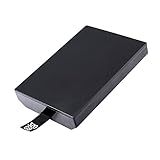
- This Xbox 360 Slim 320GB Hard Drive is the best option for media enthusiasts on Xbox 360. With this, you will have more room to store your entertainment.
- Expand your player for Xbox 360 Slim experience with download.
- Store multiple game saves and play top-selling products for Xbox.
- Save music and create custom playlists.
Does formatting restore all Xbox 360 factory settings?
The documented Microsoft procedure establishes how to format a selected storage device, not how to return every part of the console to its original out-of-box state. The available Microsoft material does not establish a separate, complete all-console settings reset path or define its full scope across dashboard versions.
A Microsoft Q&A forum response dated September 8, 2025 discusses a broader factory-style reset and parental-control steps, but it is community guidance rather than a verified current Xbox Support procedure. Do not rely on its button sequence as confirmed instructions. If you need to reset parental controls or settings without formatting storage, consult Xbox Support for guidance specific to your console and dashboard.
Recommended Free Tools
Quick Recap
Best Value
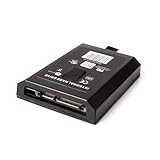
- This Xbox 360 Slim 120GB Hard Drive is the best option for media enthusiasts on Xbox 360. With this, you will have more room to store your entertainment.
- Expand your player for Xbox 360 Slim experience with download.
- Store multiple game saves and play top-selling products for Xbox.
- Save music and create custom playlists.
Rank #4

- Hard Drive Disk Compatible with XBOX360 E and xbox360 S Slim Console
- Install game discs directly to the hard drive to enjoy faster game loading
- Download games, demos, and extra content from Xbox LIVE.
- Attach an Xbox 360 slim Hard Drive to increase the capacity of your console
- Expand your entertainment collection with a generous 500GB of additional space to save games, demos, high-definition movies, music and more
Rank #3
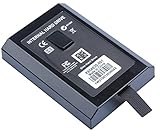
- This Xbox 360 Slim Hard Drive is the best option for media enthusiasts on Xbox 360. With this, you will have more room to store your entertainment.
- Expand your player for Xbox 360 Slim experience with download.
- It is the largest storage option for Xbox 360 Slim,you could expand your Xbox 360 Slim experience with download content.
- Store multiple game saves and play top-selling products for Xbox.
- Save music and create custom playlists.
Product prices and availability are accurate as of the date/time indicated and are subject to change. Any price and availability information displayed on Amazon at the time of purchase will apply.




