Delta Force error code 126 involving TDataMaster.dll is usually an installation or dependency-loading problem. Verify the game files first, run the bundled Unreal Engine prerequisite installer, and check whether antivirus removed a game file. If the DLL is present but the error remains, repair the official Microsoft Visual C++ x64 runtime and follow the full error message to any named DirectX dependency.
The safest way to fix Delta Force error code 126 involving TDataMaster.dll is to repair the official game installation—not to download the DLL from a random website. Start by verifying Delta Force’s files, then run the bundled Unreal Engine prerequisite installer. After that, check antivirus quarantine and repair the official Microsoft Visual C++ runtime. If the full error names a legacy DirectX file, install Microsoft’s DirectX End-User Runtime. Windows 10 and Windows 11 N users may also need the Media Feature Pack.
As an Amazon Associate I earn from qualifying purchases.
Error 126 means Windows could not load a required module. That does not necessarily mean that TDataMaster.dll itself is missing: one of its dependent DLLs may be absent, incompatible, blocked, or damaged.
What’s actually slowing this PC down?
Pick the symptom - the matching free tool is one click away.
What Delta Force error 126 means
Windows defines error 126 as ERROR_MOD_NOT_FOUND, commonly displayed as “The specified module could not be found.” In this situation, the named TDataMaster.dll file may be missing, but it may also be present while one of the files it needs cannot be loaded.
#1 Best Overall

- VERSATILE SCREEN TOOL SET FOR EASY REPAIRS: This 2-piece screen roller tool set combines a dual-head window screen roller tool and a spline removal hook, designed to make screen installation and repair effortless. Whether you're working with aluminum alloy or plastic steel frames, these screen replacement tools handle a variety of window types, making them an essential addition to your toolkit.
- PRECISION ENGINEERING FOR SMOOTH SCREEN INSTALLATION: Featuring thickened nylon double wheels with carbon steel bearings, the screen tool roller glides seamlessly along frame grooves to press the screen and spline firmly into place. The combination of convex and concave rollers ensures even pressure and a secure fit, delivering professional results every time you use this window screen roller.
- ERGONOMIC DESIGN FOR COMFORTABLE USE: Both the screen spline tool and spline roller are equipped with ergonomically designed handles, offering solid plastic grip and excellent control, which reduces hand fatigue and make your work easier. This thoughtful design makes the screen repair tool kit ideal for extended projects, allowing precise and comfortable handling.
- EFFECTIVE SPLINE REMOVAL MADE SIMPLE: The included spline removal tool features a sharp stainless steel hook perfect for lifting old screen layers, stubborn spline, and dirt from frame grooves. Its ergonomic handle enhances grip and control, ensuring you can remove aging materials quickly and prepare your frames for new screen installation without hassle.
- RELIABLE TOOLS FOR ALL SCREEN REPLACEMENT NEEDS: Whether you’re tackling a small window repair or a large screen installation, this window screen repair tool set is designed to help you complete your project efficiently. The screen roller tool and spline hook work in tandem to secure the screen tightly, providing a neat finish and extending the life of your screens with ease.
This distinction matters. Downloading a replacement TDataMaster.dll may not solve the problem and can introduce a mismatched or unsafe file. The full error message is useful: if it identifies another file such as DSOUND.DLL or x3daudio1_7.dll, repair that dependency rather than replacing TDataMaster.dll.
Some community reports also describe error 193 alongside TDataMaster.dll. Those reports can point to useful troubleshooting steps, but they are player reports rather than a guarantee that one workaround fixes every Delta Force installation.
Fix Delta Force error 126 in the recommended order
1. Verify Delta Force’s game files
File verification is the best first step when a game DLL is missing or corrupted. It replaces damaged or absent files with the official versions supplied by the launcher.
Steam
- Restart Windows.
- Open Steam and select Library.
- Right-click Delta Force and choose Properties.
- Open Installed Files.
- Select Verify integrity of game files.
- Wait for the process to finish, then restart Steam and launch the game.
Steam may report that some files failed verification even after a successful repair. Local configuration files can legitimately differ from the files Steam expects, so that message does not always indicate another problem. If Steam reacquires files, launch Delta Force again before trying more invasive fixes.
Other launchers
If you installed Delta Force through a launcher other than Steam, use that launcher’s built-in Repair, Verify, or equivalent file-checking option. Menu names vary, so do not assume that another launcher uses Steam’s exact path. Avoid downloading individual DLLs instead of repairing the installation.
Rank #2

- 【PERFECT SCREEN REPAIR TOOL】King&Charles upgraded screen door mesh repair kit more comprehensively and professionally. A combination of Steel Roller + Hook + 0.14in x 32ft Screen Spline, can help you replace the screen window more easily and efficiently. To meet a wider range of needs.
- 【BEARING ROLLER 】 Most of the screen rollers on the market are simple, but ours are made of a bearing structure, which is stronger, smoother, and has a longer service life.Steel roller has a double side, convex wheel, and concave wheel. CONVEX WHEEL - Press Screen into groove. CONCAVE WHEEL-Press Spline into groove. ERGONOMIC Solid Wood Handle it's easy to hold.
- 【SUFFICIENT 32FT SPLINE】The 0.14 in hollow vinyl spline provides 32 ft of length for multiple screen repair projects and fits most 0.12~0.16 in wide window and door screen frame grooves. Flexible, tear-resistant, and easy to press securely into the groove. Please measure your original spline and groove before ordering.
- 【REMOVAL HOOK】The hooks are sharp and the aged battens can be hooked out. Stainless steel material won't rust and can be reused. Rubber handle is ergonomic, which is more labor-saving and easy to use.
- 【WIDELY&REPEATEDLY USED】3 in 1 screen repair kit widely used in the replacement of various screens at home. Suitable for window screens, sliding screen doors, terrace screens, RV screens, and even aquarium parachute stands, etc, and apply to patio screens, garden screens, pool screens, porch screen, sliding door, entry door, storm door, patio door, etc. All the screen window tools are of high quality, and reusable.
2. Run the bundled Unreal Engine prerequisite installer
Delta Force community discussions repeatedly identify the bundled Unreal prerequisite package as a successful workaround for this launch error, although it does not work for every player. It is a worthwhile, low-risk step after file verification.
Use your launcher’s Browse local files command to find the installation folder. Then open:
Free tools Windows power users keep installed
One-click scans. No signup required.
<Delta Force install folder>GameEngineExtrasRedisten-usUE4PrereqSetup_x64.exe- Close Delta Force and its launcher if necessary.
- Open the Delta Force installation folder.
- Navigate to
GameEngineExtrasRedisten-us. - Run
UE4PrereqSetup_x64.exe. - Allow the installer to complete.
- Restart Windows and test Delta Force.
The exact drive and parent folder depend on where you installed the game. If the file is not present, do not download it from a third-party site; verify the game files again or use the launcher’s repair function.
3. Check antivirus and Windows Security quarantine
Security software can sometimes quarantine a game executable or DLL, including a legitimate file detected as a false positive. Check this before reinstalling the game.
- Open Windows Security or your installed antivirus application.
- Go to its Protection history, Quarantine, or detection-history area.
- Look for a recently removed or blocked Delta Force executable or DLL.
- Review the detection details and confirm that the file came from the official game installation.
- If you have verified that the detection is a false positive, restore the official file only when appropriate.
- Create the narrowest possible exclusion for the game executable or folder, following the security vendor’s instructions.
- Run the launcher’s file verification again.
Do not restore a file merely because its name is TDataMaster.dll. A DLL name alone does not prove that a quarantined file is safe. Do not permanently disable antivirus protection, and remove any temporary exclusion if it is no longer needed.
Rank #3

- 🌟 All-in-One Screen Solution: Essential for seamless window screen replacement & repairs. This versatile screen repair kit Perfect for DIY screen spline insertion, frame rolling, and mesh tightening – your go-to tool for screen for windows projects.
- 🔷 Dual Roller Innovation: Features convex (round) & concave (grooved) steel rollers. The concave roller prevents delicate screen tearing during spline rolling, while the convex wheel ensures tight sealing. Ultimate precision for window screen tool tasks.
- ❖ Ergonomic Wooden Handle: Solid hardwood handle delivers superior comfort during prolonged screen roll installation. Non-slip grip reduces hand fatigue when replacing window screens. Durable steel bearings ensure smooth roller rotation – ideal for screen door repair marathons.
- 🔧Spline Tool + Screen Roller Tool: Offers three roller diameter options for selection. When replacing window screens, choose the corresponding roller based on the Spline specifications to completely eliminate tool size mismatch issues.
- 💎 Pro-Grade Durability: Carbon-steel rollers withstand aggressive spline rolling without deformation. your lifetime screen repair tool investment.
4. Install or repair the Microsoft Visual C++ x64 Redistributable
Delta Force is a 64-bit Windows game, so the Microsoft Visual C++ x64 Redistributable is the appropriate first runtime to install or repair. Applications built with Microsoft Visual C++ depend on compatible runtime libraries, and the package architecture must match the application.
Do these 3 things before closing this tab:
1Repair Windows errors before they cause bigger problems2Scan for outdated or missing drivers - takes under a minute3Clear out junk files and repair common Windows errors- Download the current Microsoft Visual C++ v14 x64 Redistributable from Microsoft’s official download page.
- Run the installer.
- Choose Repair if that option is offered; otherwise install it.
- Restart Windows.
- Launch Delta Force.
Installing the x86 package can also be sensible when a launcher or helper component is 32-bit, but it does not replace the x64 package required by the 64-bit game. Avoid “all-in-one DLL” packs and third-party runtime mirrors.
5. Install legacy DirectX components only when the error names one
Installing DirectX is not automatically the answer to every error 126 message. Windows includes the modern DirectX components, but some games still require optional, older side-by-side libraries.
Use Microsoft’s DirectX End-User Runtime when the displayed error specifically names a legacy component such as:
DSOUND.DLLx3daudio1_7.dllXINPUT1_3.dll- another older D3DX, XAudio, or XInput library
Microsoft’s legacy DirectX installer supplies older components such as D3DX, XInput 1.3, and XAudio 2.7. It does not replace the version of DirectX built into Windows. Download it only from Microsoft, and never replace a named system DLL by copying one from a random website.
Windows Errors? Fix Them Before They Spread
Repair common Windows errors and clear accumulated junk for a smoother, more stable PC - no reinstall needed.Free scan · no reinstallCrashes, No Sound, or Screen Glitches?
Random freezes, missing sound and display glitches usually trace back to one bad driver. Find and replace yours safely.Free scan · under a minuteRank #4

- 【Multifunctional Repair Tool】Designed specifically for disassembling car window handles, it can easily be inserted and removed from the car interior handles, avoiding excessive force that may damage parts and reducing secondary damage during the repair process. It is an ideal choice for auto mechanics and DIY enthusiasts.
- 【Super Value Accessories Set】 Includes the 76951 window handle removal tool and 10 window handle crank fixing clips,. Made of high-quality materials, it has excellent elasticity and anti-aging properties, perfectly replacing old or broken clasps that can firmly fix the car window handle and prevent operational failure or abnormal noise caused by loosening.
- 【Simple and effortless operation】The ergonomic handle design conforms to the mechanical structure, providing a comfortable grip and uniform force application. It can be operated with one hand. The tool can precisely match the handle structure, allowing for quick disassembly without the need for any additional auxiliary tools.
- 【High-strength and durable material】It is made with meticulous craftsmanship, featuring high hardness and excellent wear resistance. It is durable and unlikely to deform, with strong toughness. The surface has been treated for rust prevention, effectively resisting the erosion of humid environments and oil stains, thereby extending the service life of the tool. It is suitable for repeated use in maintenance workshops or outdoor conditions over a long period.
- 【Wide Compatibility】It is compatible with most mainstream car brands. The universal design can meet the maintenance needs of various vehicle types such as sedans. This tool can be used for the quick disassembly of window handles in campers and other vehicles. It has a wide range of applications and high practicality.
6. Install the Media Feature Pack on Windows N editions
Windows 10 N and Windows 11 N omit Windows Media Player and related media technologies. If your edition ends in N, install the matching Media Feature Pack as an Optional Feature.
- Open Settings > System > About.
- Check Windows specifications and look at the edition name.
- If it is Windows 10 N or Windows 11 N, open Windows Optional Features.
- Find and install the Media Feature Pack for your Windows version.
- Restart Windows and test Delta Force.
This is a conditional fix. Users of standard Windows editions do not normally need to install it.
7. Repair Windows system components with DISM and SFC
Use Windows’ built-in repair tools if Microsoft runtime installers fail, several unrelated applications report missing DLLs, or Windows itself appears to have corrupted system files. These commands repair Windows components; they do not create a valid Delta Force TDataMaster.dll.
- Open the Start menu and search for Command Prompt.
- Right-click it and choose Run as administrator.
- Run the following command and wait for it to finish:
DISM.exe /Online /Cleanup-Image /RestoreHealthThen run System File Checker:
sfc /scannowMicrosoft recommends running DISM before SFC. Restart Windows after both commands finish, verify Delta Force’s files again, and retest the game. If the game DLL is still absent, return to the launcher repair process rather than expecting SFC to restore a game file.
Quick wins for a faster PC:
Clear out junk files and repair common Windows errorsFree Scan →Scan for outdated or missing drivers - takes under a minuteDriver Scan →Repair Windows errors before they cause bigger problemsFix Now →8. Reinstall Delta Force as a last game-specific step
If verification, the bundled prerequisite installer, antivirus review, Microsoft runtimes, and Windows repair do not help, reinstall Delta Force from the official launcher.
Best Value
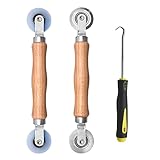
- Upgraded version: Well-fitted Nylon wheels are more safe than steel screen door repair rollers, you will never cut your fibreglass screen for windows or screen doors.
- New Combination: Well-fitted bearing wheels avoid wobble while working. The Screen Retainer Spline Removal Hook is used to remove the old Screen Retainer Spline, and the Screen Rolling is used to install the new screen mesh and Screen Rolling
- 2 IN 1: The Screen rolling tool has two different wheels, convex and concave rollers, it can help you get the job done better and faster. A must have tool for installing window screens and door screens
- Easy to Use: This essential tool is comfortable in the hand and the wheels turn smoothly to roll the screen and spline into the frame.the steel wheels of our screen rolling tool is smooth The hooks are sharp and the aged battens can be hooked out
- Product Material and Details: The core component adopts carbon steel bearing, which rotates concentrically and is silky smooth; The shiny electroplating is rust-proof and corrosion-proof; First-grade wood + surface varnish treatment
Before uninstalling:
- Record the current installation path.
- Save any settings, screenshots, crash details, or logs that support may request.
- Check that the destination drive has enough free space.
- Confirm that the launcher itself is up to date.
A clean Windows reinstall should not be the first response to this error. Public player reports are inconsistent and do not establish that reinstalling Windows is necessary or reliably effective. Escalate to Delta Force or launcher support with the exact error code, named DLL, launcher, Windows edition, and relevant logs before taking that step.
Independent reader supportYour contribution helps us test, update, and keep practical guides available for everyone.Quick decision guide
| What you see | What to do next |
|---|---|
TDataMaster.dll is absent from the game folder |
Verify the game files, then run UE4PrereqSetup_x64.exe. |
TDataMaster.dll exists but error 126 remains |
Treat it as a dependency-loading problem; repair Visual C++ and inspect the exact module named by the full message. |
The message names DSOUND.DLL, x3daudio1_7.dll, or another legacy DirectX file |
Install Microsoft’s DirectX End-User Runtime. |
| Antivirus history shows a removed game file | Confirm the detection, restore only a trusted official file when appropriate, add a narrow exclusion, and verify files again. |
| Your edition is Windows 10 N or Windows 11 N | Install the matching Media Feature Pack and restart. |
| Several unrelated programs have missing-system-file errors | Run DISM, then SFC, restart, and retry game-file verification. |
| All targeted fixes fail | Reinstall the official game client and contact support with the exact error and system details. |
What not to do
- Do not download
TDataMaster.dllfrom a DLL-library site. The file may be modified, incompatible with your game build, or bundled with unwanted software. - Do not copy the DLL from another player’s PC. Different game builds, launchers, and dependency versions can make the copied file unusable.
- Do not run
regsvr32 TDataMaster.dllas a routine fix. Game DLLs are not necessarily COM self-registering libraries. Registration does not repair a missing dependency and may produce a different, misleading error. - Do not permanently disable antivirus. Investigate quarantine and use only a narrow exclusion for a confirmed false positive.
- Do not replace system DLLs manually. Repair the relevant Microsoft runtime or Windows component through its official installer.
When to contact support
Contact Delta Force or your launcher’s support team when the error continues after the targeted repairs. Include:
- the complete error text and every DLL named in it;
- whether you use Steam or another launcher;
- your Windows version and whether it is an N edition;
- whether
TDataMaster.dllis present in the game directory; - the result of file verification;
- whether antivirus quarantined a file;
- the results of the prerequisite installer, Visual C++ repair, and any DISM/SFC repairs;
- relevant launcher or crash logs.
This information helps support distinguish a missing game file from a dependency, security-software, or Windows-component failure.
The Tool Desk
Outbyte PC Repair FREEClear out junk files and repair common Windows errorsFree Scan →Outbyte Driver Updater FREEFix the driver behind crashes, sound loss and screen glitchesFind Drivers →Frequently Asked Questions
Does error 126 prove that TDataMaster.dll is missing?
No. Error 126 means Windows could not load a required module. TDataMaster.dll may be missing, but a dependent DLL can also be absent, blocked, incompatible, or corrupted.
Should I download TDataMaster.dll from the internet?
No. Downloading DLLs from unofficial sites can provide a modified or mismatched file and may expose your PC to unwanted software. Repair the official game installation instead.
How do I verify Delta Force files?
Use Steam’s Library > right-click Delta Force > Properties > Installed Files > Verify integrity of game files. Other launchers have their own repair or verification tools.
Should I reinstall DirectX for Delta Force error 126?
Only when the full error names an older DirectX component such as DSOUND.DLL, x3daudio1_7.dll, or XINPUT1_3.dll. Do not install legacy DirectX merely because the error code is 126.
The Bottom Line
In short: verify Delta Force’s files, run GameEngineExtrasRedisten-usUE4PrereqSetup_x64.exe, and check antivirus quarantine. Then repair the official Visual C++ x64 runtime. Install legacy DirectX components only when the error names one, and install the Media Feature Pack only on Windows N. Error 126 can identify a missing dependency rather than a missing TDataMaster.dll, so downloading a replacement DLL is neither a safe nor a reliable fix.
Quick Recap
Product prices and availability are accurate as of the date/time indicated and are subject to change. Any price and availability information displayed on Amazon at the time of purchase will apply.




