
0x0086A850 is not established as a Windows 10 or Windows 11 system-error code. In the technical references that identify the value, it is the hexadecimal address of WinMain—the executable entry point—in Fallout: New Vegas. NVSE and xNVSE loader logs print it as old winmain = 0086A850 while starting FalloutNV.exe. If you saw that line in a mod-loader log, treat it as diagnostic context and find the separate line that reports the actual failure. If Windows Settings, Windows Update, activation, or another installer displayed a different complete message, troubleshoot that product and its actual code instead.
What 0x0086A850 means
The value is an address, not proof that Windows is damaged. A reverse-engineering reference for New New Vegas lists 0x0086A850 as WinMain for the Fallout: New Vegas executable. Separate NVSE Steam-loader and xNVSE issue logs show the same value in the form old winmain = 0086A850 when launching FalloutNV.exe. The leading 0x indicates hexadecimal notation; the number identifies a location in the program’s address space.
| # | Preview | Product | Price | |
|---|---|---|---|---|
| 1 |
|
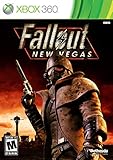
Fallout: New Vegas - Xbox 360 (Renewed) | $24.67 | Buy on Amazon |
| 2 |

|
Fallout: New Vegas - Playstation 3 (Renewed) | $25.71 | Buy on Amazon |
| 3 |

|
Fallout: New Vegas - Xbox 360 Ultimate Edition | $141.66 | Buy on Amazon |
As an Amazon Associate I earn from qualifying purchases.
That distinction changes the fix. There is no evidence that deleting a registry value, replacing a Windows DLL, or running a generic “error-code cleaner” will repair this line. First identify which program produced it, then troubleshoot that program. The same-looking hexadecimal text can be copied into a search or support post without the surrounding log, but the surrounding text is what tells you whether the game, a loader, a mod, or Windows itself failed.
Identify where the message came from
Use the window title, file path, and the lines immediately before and after the value to classify the incident.
#1 Best Overall
- Not even nuclear fallout could slow the hustle of Sin City. Explore the vast expanses of the desert wastelands
- Feuding Factions, Colorful Characters and a Host of Hostiles
- Enjoy new additions to Fallout: Special melee combat moves have been added to bring new meaning to the phrase "up close and personal"
- With double the amount of weapons found in Fallout 3
- In a huge, open world with unlimited options you can see the sights, choose sides, or go it alone
| Where you saw it | What the value most likely represents | First action |
|---|---|---|
| NVSE/xNVSE console or log while launching Fallout: New Vegas | The old WinMain address read from FalloutNV.exe |
Check the game executable, loader version, and the rest of the log for the first failure. |
| FalloutNV.exe or a mod manager crash message | Game or mod-loader startup context; the address alone does not identify the failing mod | Reproduce with the intended executable and a controlled mod set. |
| Windows Update, Setup, or Settings | Not identified by the available Windows documentation as a Windows error code | Write down the complete message and its actual code, then use the matching Microsoft workflow. |
| Activation page | Not an identified activation code in the available Microsoft list | Run Activation Troubleshooter and escalate an unlisted code to Microsoft support. |
Do not act on the hexadecimal value alone. Record the exact application name, whether the game was started through Steam or a mod manager, the full path to FalloutNV.exe, and the complete log section. A screenshot that includes only 0x0086A850 removes the information needed to choose a fix.
Manual fixes when NVSE or xNVSE produced the line
1. Confirm the executable and its location
- Open the launcher or mod manager you normally use for Fallout: New Vegas and locate its configured game directory.
- Verify that the directory contains the intended
FalloutNV.exe, rather than a shortcut, a copied executable from another installation, or a file from a different game edition. - Check that NVSE/xNVSE is pointed at that same directory. A loader aimed at one installation while the mod manager edits another can produce misleading startup diagnostics.
- Start the game once using the same launch method that generated the log. Keep the resulting log; do not compare a log from a different executable or profile.
The address shown in the loader evidence is tied to the executable that was read at launch. If you replaced, patched, or switched that executable, an older log can describe a different file than the one now failing.
2. Check loader and game compatibility
- Note the installed Fallout: New Vegas version and the exact NVSE or xNVSE build reported by the loader.
- Read the loader’s compatibility notes for that game executable and build. Do not assume that a loader working with one installation, language, or executable revision will work with another.
- Update or roll back only when the loader documentation says the combination is supported. Keep a copy of the currently working files before changing them.
- Launch with the same executable after each change and compare the new log with the previous one.
The WinMain address is not a version number and cannot, by itself, tell you which NVSE/xNVSE build to install. The compatibility decision requires the executable and loader versions shown by your installation.
3. Read past the address to find the actual failure
Open the NVSE or xNVSE log in a text editor and search from the beginning of the launch attempt. Look for lines containing words such as error, failed, cannot load, missing, or exception, then note the first failure and the file or plugin named beside it. A line that records the old WinMain address can be normal loader bookkeeping; it is not a repair instruction.
Rank #2
- Feel the Heat in New Vegas: Not even nuclear fallout could slow the hustle of Sin City. Explore the vast expanses of the desert wastelands from the small towns dotting the Mojave Wasteland to the bright lights of the New Vegas strip
- Feuding Factions, Colorful Characters and a Host of Hostiles : A war is brewing between rival factions with consequences that will change the lives of all the inhabitants of New Vegas
- New Systems : Enjoy new additions to Fallout: Special melee combat moves have been added to bring new meaning to the phrase "up close and personal"
- An Arsenal of Shiny New Guns : With double the amount of weapons found in Fallout 3, you'll have more than enough new and exciting ways to deal with the threats of the wasteland and the locals
- Let it Ride : In a huge, open world with unlimited options you can see the sights, choose sides, or go it alone. Peacemaker or Hard Case, House Rules, or the Wild Card, it's all in how you play the game
- If the log names a missing file, restore that file from the mod or loader package that supplied it, using the package’s documented location.
- If it names a plugin, disable that plugin temporarily and test again. Re-enable plugins one at a time so the change that brings the failure back is identifiable.
- If the log stops immediately after the address with no explanatory line, reproduce the launch with nonessential mods disabled and preserve the new log for comparison.
4. Test the mod set in a controlled order
- Back up your saves, mod profiles, and configuration files before changing load order or removing files.
- Disable recently added or updated mods first, especially those that install executable plugins or alter the loader.
- Launch the unmodified game, or the smallest supported NVSE/xNVSE setup, using the same
FalloutNV.exe. - If that starts, re-enable the remaining mods in small groups. Test after each group and record which change reintroduces the failure.
- Restore the working profile, then replace or reconfigure only the identified component according to its documentation.
This process separates a loader/executable mismatch from a plugin conflict. Removing every mod at once may make the game start, but it does not identify which component caused the failure and can make a saved profile harder to restore.
5. Verify game files without treating the address as corruption
Use the file-verification or repair option provided by the store or launcher that installed Fallout: New Vegas when you suspect that the executable or original game files are incomplete. Verification can replace altered original files, so back up modded files and note which files your mod setup owns before running it. After verification, reinstall or reconfigure NVSE/xNVSE and test the loader again; a verified game file does not automatically restore a compatible mod-loader setup.
When the message really came from Windows
If the complete text came from Windows Update, Windows Setup, or another Windows component, do not force the Fallout interpretation. The available Microsoft documentation does not identify 0x0086A850 as a Windows 10/11 system code. Capture the exact text, the component that displayed it, and any second code shown on the same screen.
Quick wins for a faster PC:
Repair Windows errors before they cause bigger problemsFix Now →Scan for outdated or missing drivers - takes under a minuteDriver Scan →Windows Update or upgrade failure with another code
For a genuine Windows Update or upgrade error, Microsoft’s documented workflow includes these checks:
Rank #3
- Beyond the Wasteland: The world of New Vegas is more expansive than ever. Each new distinct area presents a fresh set of branching-quests, remarkable personalities and more chances to play the Savior or the Pariah to the natives of New Vegas.
- Dead Money: Lured into a trap masquerading as the Sierra Madre Casino, you are thrown into a high stakes game where you'll have to work with three other lost souls if you want to survive.
- Honest Hearts: An expedition into Utah's Zion National Park goes horribly wrong and you become embroiled in a war between tribes and put into a conflict between a New Canaanite missionary and the mysterious Burning Man.
- Old World Blues: Transported to the Big MT research crater, you are enlisted by the Think Tank to save them from their own science experiments that have gone horribly out of control.
- Lonesome Road: Ulysses, the original Courier Six, contacts you and promises to answer why he refused to deliver the Platinum Chip at the start of Fallout: New Vegas, but only if you make one last journey into the treacherous canyons of the Divide.
- Run the Windows Update troubleshooter from Windows Settings and apply the result it reports.
- Restart the PC, then check for updates again.
- Disconnect nonessential external hardware during an upgrade attempt.
- Install current device drivers appropriate for the installed Windows version.
- Temporarily remove non-Microsoft antivirus software during the upgrade if Microsoft’s guidance for your error calls for it; reinstall or re-enable protection after the test.
- Free enough storage for the update or upgrade to complete.
- Open an elevated Command Prompt and run
sfc /scannow. Wait for verification to finish and follow the result it reports. - If the failure persists, try a clean boot to determine whether a third-party startup service is interfering, then repeat the update test.
These are remedies for a Windows Update or setup problem identified by its own message. They are not a reason to modify Windows merely because an NVSE log contains 0086A850.
Activation-related message
If the value appeared on an activation screen, run the Activation Troubleshooter and record the complete result. Microsoft states: “If you’re getting an error code that isn’t listed on this page, contact customer support.” An unlisted code should therefore be escalated with the edition of Windows, the device’s activation history, and the full text shown by Settings.
Independent reader supportYour contribution helps us test, update, and keep practical guides available for everyone.What not to do
- Do not delete registry entries solely because they contain
0x0086A850. The available technical references identify the value as a game executable address. - Do not replace Windows system DLLs based on this number. The NVSE/xNVSE evidence does not establish a missing or damaged Windows component.
- Do not call the address a virus indicator. A hexadecimal entry-point address in a loader log is not evidence of malware.
- Do not copy a loader fix from a different executable revision without checking compatibility. The executable, loader build, and mod profile must be considered together.
- Do not erase logs before troubleshooting. The first failure line, not the familiar address line, is usually the useful clue.
A practical decision path
| Observed evidence | Interpretation | Next move |
|---|---|---|
old winmain = 0086A850 appears during NVSE/xNVSE startup |
Diagnostic address associated with FalloutNV.exe |
Verify executable path, loader compatibility, and the first subsequent error. |
| The game starts after disabling a recent plugin | Likely plugin or mod interaction | Keep the plugin disabled, check its requirements, and test a supported replacement or configuration. |
| The game fails before the loader starts and file verification reports changes | Original game files may be inconsistent | Restore official files, then reinstall or reconfigure the loader and mods. |
| Windows Update or Setup shows a different code | Separate Windows servicing problem | Use the troubleshooter and upgrade-remediation steps for that actual code. |
| Only an activation screen shows an unlisted value | Unresolved activation issue | Run Activation Troubleshooter and contact Microsoft support with the full message. |
Information to include when asking for help
A useful support report is reproducible and distinguishes the address from the failure. Include:
Free tools Windows power users keep installed
One-click scans. No signup required.
- Windows edition and whether the game is running on Windows 10 or Windows 11.
- The store or launcher installation and the complete path to
FalloutNV.exe. - NVSE or xNVSE version, mod-manager version, and game executable version.
- The full log section around
old winmain = 0086A850, including the first line that says a file, plugin, or process failed. - Recent changes: game updates, loader updates, newly installed mods, altered load order, or a restored backup.
- Whether an unmodified or minimal profile launches successfully.
Do not post product keys, account credentials, or unrelated personal files. The hexadecimal value is useful only when paired with the program and log that produced it.
As an optional general Windows-maintenance shortcut after you have identified the source, Outbyte PC Repair can address more than 100 common Windows issues where possible, including broken system elements, invalid redirects and shared DLL problems, and it includes cleanup and diagnostic features. It complements an antivirus rather than replacing one; results vary and no tool repairs every game crash. It runs on Windows 11, 10, 8 and 7, with a free trial of at least two days before a paid subscription.
The Bottom Line
Bottom line: In Fallout: New Vegas support logs, 0x0086A850 is the WinMain address reported for FalloutNV.exe, not an identified Windows 10/11 error. Verify the executable and NVSE/xNVSE compatibility, inspect the first real failure in the log, and isolate mods before attempting Windows repair. If Windows itself shows another complete code, follow the Microsoft workflow for that code.
Quick Recap
Product prices and availability are accurate as of the date/time indicated and are subject to change. Any price and availability information displayed on Amazon at the time of purchase will apply.
Do these 3 things before closing this tab:
1Clear out junk files and repair common Windows errors2Scan for outdated or missing drivers - takes under a minute3Repair Windows errors before they cause bigger problems
