HoYoverse says Global Distribution Error often indicates a network connection issue. Try the documented checks in order: restart your router and device, test a different connection, disable any VPN or proxy, and set DNS to automatic. If the error remains, contact HoYoverse Customer Support with your platform and connection details.
What Global Distribution Error means
HoYoverse groups “Global Distribution Error” with errors 1001 and 400_0 and cases where Honkai: Star Rail gets stuck on the loading screen. Its official troubleshooting article, updated October 23, 2025, says these errors “often indicate a network connection issue.” That wording points to a useful place to start, but it does not prove that your home router is at fault or rule out a service-side problem.
Try these fixes in order
- Close the game, then restart your device and router. Reopen Honkai: Star Rail after both have restarted and check whether the error clears.
- Compare another connection. If you are on Wi-Fi, try mobile data; if you are on mobile data, try Wi-Fi. If the game works on one but not the other, note that for support. It is a useful diagnostic clue, not proof of the underlying cause.
- Temporarily disable VPNs, proxies, or other third-party network software. Retry the game without them active. HoYoverse specifically recommends disabling these tools for this issue.
- Set DNS to automatic. If you previously changed DNS settings manually, return them to automatic, then try connecting again.
- Contact HoYoverse Customer Support if the error persists. Provide your game server, platform (PC, iOS, Android, or PlayStation), region or country, network provider, whether you are using Wi-Fi or mobile data, and a screenshot or video of the error.
How to interpret the results
- If switching connections changes the result, tell support which connection fails and which one works, if any.
- If the error continues across connections and after the configuration checks, the steps do not identify a definite cause. Support can investigate with the details above.
- Player reports of intermittent problems, including reports affecting multiple devices or HoYoverse games, are anecdotal. They do not confirm a current outage or establish how long one might last. The available guidance does not establish live service status.
What not to try first
HoYoverse’s article does not list reinstalling the game, clearing all app data, changing region restrictions, running command-line DNS flushes, or installing a network app as recommended fixes for this error. Some HoYoLAB users have suggested clearing cache or trying Cloudflare 1.1.1.1, but those are community suggestions rather than confirmed solutions. Since HoYoverse advises disabling VPNs, proxies, and third-party network software, do not treat another network app as the default fix.
These checks use your existing device and connection; the official guidance does not identify a purchase as a remedy.
The Tool Desk
Outbyte PC Repair FREERepair Windows errors before they cause bigger problemsFix Now →Outbyte Driver Updater FREEScan for outdated or missing drivers - takes under a minuteDriver Scan →Quick Recap
Rank #4
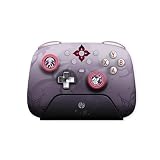
- Honkai: Star Rail Evernight Wireless Game Controller
Rank #3

- Honkai: Star Rail Amphoreus' Saga of Heroes Super Stacker - Anaxa
Rank #2

- Honkai: Star Rail Amphoreus' Saga of Heroes Super Stacker - Mydei
#1 Best Overall

- Brand new. UK Import PAL version. Game in English. UK PSN account may be required for any online features.
Product prices and availability are accurate as of the date/time indicated and are subject to change. Any price and availability information displayed on Amazon at the time of purchase will apply.
Independent reader supportYour contribution helps us test, update, and keep practical guides available for everyone.



