
Free tools Windows power users keep installed
One-click scans. No signup required.
If Resident Evil 6 Anthology closes or fails before you can play on PC, start with the reversible checks: compare your PC with the current requirements for your edition, verify the Steam installation if you own it there, then update Windows and your graphics driver. These are general Capcom troubleshooting steps, not a confirmed fix for every Resident Evil 6 startup crash; the right next step depends on when the failure occurs and any error message shown.
First, identify when the crash happens
Note whether the game fails before a window appears, during a logo or opening sequence, or only after you select a campaign or menu option. Record the exact error text, if present, along with your Windows version, graphics card and driver version, storefront, and whether the game or Windows was recently updated. These details help distinguish a launch problem from a later in-game failure and are useful if you need support.

As an Amazon Associate I earn from qualifying purchases.
Check requirements for your installed edition
Resident Evil 6’s listed baseline is modest by current PC standards, but the operating-system requirement differs between Capcom’s older manual and Steam’s current technical listing. Capcom’s manual lists Windows XP, Vista, 7, or 8, while Steam currently lists Windows 10 as the minimum for its listing. Use the current store or support listing for the edition you installed rather than relying on the older OS list.
Windows Errors? Fix Them Before They Spread
Repair common Windows errors and clear accumulated junk for a smoother, more stable PC - no reinstall needed.Free scan · no reinstallCrashes, No Sound, or Screen Glitches?
Random freezes, missing sound and display glitches usually trace back to one bad driver. Find and replace yours safely.Free scan · under a minute| Requirement | Capcom PC manual | Steam technical listing |
|---|---|---|
| Operating system | Windows XP, Vista, 7, or 8 | Windows 10 |
| Processor | Intel Core 2 Duo 2.4 GHz or AMD Athlon X2 2.8 GHz | Intel Core 2 Duo 2.4 GHz or AMD Athlon X2 2.8 GHz |
| Memory | 2 GB RAM | 2 GB RAM |
| Graphics | NVIDIA GeForce 8800GTS or better; Capcom recommends an NVIDIA GeForce card | NVIDIA GeForce 8800GTS or better |
| DirectX | DirectX 9.0c or better | DirectX 9.0c |
| Storage | 16 GB hard-drive space | 16 GB |
Sources: Capcom’s Resident Evil 6 PC manual and Steam’s technical support listing. Check that you have enough free disk space as well as hardware that meets the relevant listing.
#1 Best Overall

- Expansion for Resident Evil: The Board Game; requires the base game to play
- Adds six new scenarios in the Third Floor and underground cave system
- Introduces rotating tiles, boulder traps, poison, and giant Yawn & Black Tiger bosses
- Includes 2 boss miniatures, 11 double-sided game tiles, a rulebook, and 100+ cards
- Expands campaigns with 8+ hours of new board game content or standalone scenarios
Verify the game files in Steam
If you installed the game through Steam, use Steam’s built-in file verification before trying more disruptive changes. Capcom includes cache verification in its general Steam-game troubleshooting guidance; the check can find missing or damaged files, including after a fresh installation.
- Open your Steam Library.
- Right-click Resident Evil 6 and choose Properties.
- Open Installed Files and select Verify integrity of game files.
- Wait for the check to finish, then launch the game again.
Menu wording can vary as Steam updates its client. If you use a different storefront, use that platform’s own repair or verify option rather than applying Steam steps to it.
Update Windows and the graphics driver, then retry
Install available Windows updates and the latest graphics driver appropriate for your GPU, restart the PC, and try launching the game with other applications closed. Capcom lists Windows and graphics-driver updates and closing other applications among its general PC troubleshooting measures. If an ordinary graphics-driver update does not help, Capcom’s broader PC FAQ suggests trying a clean driver installation.
Recommended Free Tools
Review security and compatibility settings carefully
Security software or firewall rules can sometimes interfere with a game executable. If you investigate this possibility, check the security product’s alerts and use only a narrowly scoped game exception if appropriate. Do not turn off protection globally.
Rank #3

- As consciousness returns and you blink shadows from your eyes, all you can hear is the ringing in your ears. At first, you think it might be from the bells, as you recall racing through the Clock Tower in search of gears to sound the great bell.
- Then the blood drains from your face as the memories begin to surface. You thought you’d escaped Raccoon City. But it isn’t over yet.
- Continue your desperate escape with 11 hours of new gameplay, nine gripping new scenarios, three terrifying new enemy types, and two large-and-lethal bosses.
- This expansion will drastically change the course of your Resident Evil 3: The Board Game campaign, taking you beyond the built-up city streets to brand new locations plagued by new enemies.
- But new enemies aren’t your only threat. To move forward, you must adapt to new gameplay mechanics introduced by the changed environment. Creep silently through the City Hospital. Wade through flood water in the City Park.
Also check whether compatibility mode is enabled for the game executable or Steam. Capcom’s general Steam-game guidance says to disable compatibility mode if it is on. Avoid changing several unrelated settings at once; make one change, retry, and note whether the result changes.
Independent reader supportYour contribution helps us test, update, and keep practical guides available for everyone.If it still crashes
Capcom’s troubleshooting page is a general guide for Steam games, not an announcement of a Resident Evil 6 Anthology-specific startup-crash fix. If the checks above do not resolve the problem, send Capcom support or Steam support the exact error, the failure point, Windows version, GPU and driver version, storefront, and recent update history. Capcom asks users to provide detailed information for persistent crash or other technical issues.
Rank #4
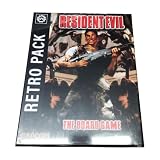
- A favourite from previous Kickstarter campaigns!
- The Retro Pack is a cosmetic expansion that includes a themed upgrade for every card in a linen finish, inspired by the original 1996 video game!
Do not treat unverified DLL downloads or community-supplied replacement files as an official fix; Capcom’s cited guidance does not recommend them. See Capcom support, Steam support for Resident Evil 6, and Capcom’s general PC troubleshooting FAQ.
Do these 3 things before closing this tab:
1Clear out junk files and repair common Windows errors2Scan for outdated or missing drivers - takes under a minute3Repair Windows errors before they cause bigger problemsQuick Recap
Best Value

- Supplies - Dice Sets Misc Shapes
Product prices and availability are accurate as of the date/time indicated and are subject to change. Any price and availability information displayed on Amazon at the time of purchase will apply.

