
0x800700 is not a complete Xbox error code. It is the beginning of an eight-digit hexadecimal code, and the final two characters determine what failed. Copy the entire value shown on your Xbox One or Windows Xbox app—such as 0x80070005—along with the exact message and the action that failed. Then use the troubleshooting branch for that device and symptom. Applying a fix for one 0x800700 variant to another can waste time or make the problem harder to diagnose.
What the 0x800700 prefix tells you
Xbox and Windows errors commonly display hexadecimal values beginning with 0x. In this case, 0x800700 is only a prefix. The code is incomplete until two more hexadecimal characters appear after it. Those characters are not cosmetic: they identify a different condition, so there is no single universal “0x800700 fix.”
As an Amazon Associate I earn from qualifying purchases.
Why the final two characters matter
Microsoft’s documentation gives nearby variants different meanings. For example, Microsoft Learn labels 0x80070005 as E_ACCESSDENIED, a general access-denied error. That description belongs to the complete code 0x80070005; it does not establish that every code beginning with 0x800700 means an access problem. Another suffix may point to a different update, path, storage, sign-in, or installation condition.
Hexadecimal letters are case-insensitive, so 0X80070005 and 0x80070005 identify the same value. The important information is the complete string and where it appeared.
#1 Best Overall

- 【Latest version Power Supply for Xbox One】The cooling fan and the internal design of the xbox one power brick have seen significant upgrades by our engineers. It is quieter and more durable with no noise.Xbox 360 Adapter
- 【Global Power Supply Adapter for Xbox One】The output voltage is DC 220W 12V--17.9A; 5Vsb--1A, with an input AC voltage range of 100-240V 4.91A 50-60Hz. The auto voltage allows the xbox 1 power supply can be used in any country in the globe.
- 【Safe Build】Ponkor's Xbox One power supply brick is made of ABS fireproof material and has a smart chip put in to protect against overheating, overcurrent, overvoltage, and shortcircuiting.
- 【Power supply Compatible with Xbox One】This power brick replacement only works with the Xbox One and cannot be used by others. When you're not using it, please unplug this power supply.
- 【What You Get】The package comes with 1x Xbox One power supply brick, 1x ac power cord and after sales service.
What to record before changing anything
- The complete code, including the final two characters.
- The exact wording beside the code. “Can’t download,” “installation stopped,” “sign-in failed,” and “launch failed” lead to different checks.
- Where it appeared: Xbox One console, Xbox app for Windows, or Microsoft Store on Windows.
- The action that failed: signing in, downloading, installing, updating, or launching a game or app.
- The affected title and whether another game or app produces the same result.
- Your console model or Windows edition/build where relevant, plus any troubleshooting already attempted.
A photograph of the screen is useful if the code disappears after a restart. Do not report only the prefix; support cannot reliably match an incomplete value to a diagnostic article.
Choose the correct troubleshooting surface
An Xbox One console and the Xbox app or Microsoft Store on Windows do not share the same repair steps. A Windows command cannot repair the console’s operating system, and console storage or network menus do not fix a Windows Store permission problem.
| Where the error appears | Use first | Do not apply as a console fix |
|---|---|---|
| Xbox One console | Xbox service status, restart or standard power cycle, internal-storage check, network test, queue retry, and a second-title test. | Windows SFC, DISM, Store reset, or Windows permission repairs. |
| Xbox app or Microsoft Store on Windows | Windows app/store checks, the complete code’s Microsoft guidance, and Windows-only repair steps when that guidance calls for them. | Assuming a console storage menu or console reset will repair Windows. |
If you are unsure, look at the screen that produced the message. A television connected to the Xbox One shows the console branch; an error window inside Windows shows the PC branch.
Free tools Windows power users keep installed
One-click scans. No signup required.
Xbox One: a safe manual sequence
Work through these checks in order. They are diagnostic branches, not proof that every 0x800700 variant has the same cause. Stop when the full-code guidance identifies a more specific remedy.
Rank #2

- High-tech LED display light indication: Power source connected Red light turns on,Green light shows the ac adapter start working
- Updated Advanced technology chip allow the power supply working longer time than previous version.
- Fast charging speed-High efficiency working and powerful motor which make this power supply brick durable and sustainable.
- Overheat protection and it will automatically cut off if met high heat caused by long time working.Notice: Pls unplug this power supply when you stop playing xbox console games.
- TROUBLESHOOT STEPS: If you find the power supply stopped working,pls unplug it for seconds and then plug in power source again. This power supply will work normally as before.Voltage ranges from 100 to 240V.You can take it and use wherever you go.It support all countries power source.
1. Check Xbox service status
Open the Xbox status page from a phone or computer and look for incidents affecting sign-in, downloads, purchases, multiplayer, or content services. An outage can make a healthy console display an installation or download error. If the affected service is disrupted, wait for Microsoft to restore it before repeatedly cancelling downloads or changing local settings.
If no incident is listed, continue. A clear status page does not rule out a local network, storage, account, or title-specific problem.
2. Restart the console, then use a standard power cycle if necessary
- Save or close any game that is still responsive.
- Open the console power menu and choose Restart. Let the Xbox One complete the reboot before starting the download or sign-in again.
- If the console is frozen or the same message returns immediately, follow Microsoft’s current Xbox standard power-cycle instructions. The sequence shuts the console down completely, removes power briefly, reconnects it, and starts it again. Use Microsoft’s instructions for the current Xbox software rather than improvising a factory reset.
A restart clears a temporary process or queue state without removing installed games. A power cycle is also different from a factory reset: do not choose a reset that removes games, apps, or accounts merely because the prefix is 0x800700.
3. Confirm internal free space
For an install or update failure, open the Xbox storage-management screen—normally Profile & system > Settings > System > Storage devices, although labels can vary slightly by system update. Check the available space on the internal drive and compare it with the game or update size shown in the queue.
Rank #3

- 【Advanced No Noise Design】An latest updated radiator fan system that makes for little fan noise.The quietest high quality power supply in the market at moment,it adopts optimized motherboard to make sure it does a great job.Prevent overheating when charging and provide a longer life time.And it has longer lasting life,you can enjoy the fun of games longer.
- 【Buit-in Smart Chip】Against Over-Heated/Over-Current/Over-Voltage/Short-Circuit.A new generation of Synchronous Rectifier (SR) controller ICs is used to obtain under-voltage protection and internal over-temperature protection.Its high level of integration allows the design of a cost-effective power supply with a very low number of external components.
- 【Worldwide Compatible】It is Global Universal Adapter,Input:AC 100-240V ~ 4.91A 47-63Hz, Output:DC 220W 12V—17.9A;5Vsb—1.0A(Standby), auto voltage (100-240V) allows the ac adapter power supply to be used worldwide.Let the happy game time follow you anywhere in the world.
- 【Dual LED Light Indicaters】The power supply has different LED indicators to show its status.When the connection is secure,LED lights up: Green-Power On,Orange-Standby.When the connection is error,state of LED Light is off or blinking.
- 【What You Get】One AC Adapter Charger, One Charging Cable,One Package Box. And Brand Warranty provides 12 months Warranty,30-Day money-back guarantee for any reason and 24H x 7 email support.
- Leave additional room for updates, temporary installation data, and reserved space; matching the advertised download size exactly may not be enough.
- If space is low, remove an unneeded game or app from the storage-management screen, or use the console’s “free up space” suggestions.
- Do not delete saved games blindly. Cloud saves and local saves have different status, so verify what will be removed before confirming.
Retry the same item after freeing space. If another small title installs successfully, the problem may be specific to the original title, its update, or the available space required by that package rather than a general Xbox failure.
4. Test the network connection
- On the Xbox One, open Profile & system > Settings > General > Network settings.
- Run Test network connection and note whether the console reports a connection, DNS, sign-in, or service error.
- Retry over the same connection only after the test completes. If possible, compare wired and wireless behavior without changing several router settings at once.
A network test can reveal a local connectivity problem, but it cannot prove that network access is the cause. A title that fails while other downloads work points to a different branch than a console that cannot connect to Xbox services at all.
5. Cancel one stalled queue item and retry it
Open My games & apps, then the queue or manage screen. Record the title and its status before cancelling a single stalled download or installation. Restart the console if prompted, then start that item again from your library or disc.
Recommended Free Tools
Do not cancel every queue entry at once. Keeping one test item makes it easier to see whether the retry changes the error and preserves evidence for support. If the same item fails repeatedly while another title succeeds, record that contrast.
Rank #4
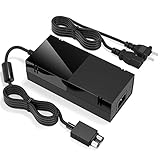
- Designed for Xbox One - This Power Brick (Non-OEM) is specifically designed for Xbox One Console, but not Xbox One S or Xbox One X. It's really a great replacement for your official power cord.
- Heat Dissipation - This Power Supply brick for Xbox One Brick Maintain great heat dissipation even at max performance. Thanks to the enhanced mute fan design which ensures the better air flow inside the brick.
- LED Lights Indicate the Status- It's very easy to use the Xbox One power supply cord, when plug it in, the orange LED shows the adapter on stand by mode while the green LED shows that the adapter is ON. This power cable is auto-voltage 100-240V, you may use it worldwide.
- Usage Tips - If the power brick supply is still on while the console is off, you'd better turn it on energy saving mode instead of instant-on. To increase the lifespan of the accessory, unplug your Power Supply cord from the outlet whenever it's not in use.
6. Test another title or app
Try a different game or a free app that uses the same connection. Interpret the result as follows:
| Test result | What it suggests | Next action |
|---|---|---|
| Several titles fail in the same way | A broader service, account, network, storage, or console-state issue is more likely. | Recheck service status, storage, network results, and the complete code before contacting support. |
| Only one title fails | The game package, update, license, or title-specific service may be involved. | Use the title’s Microsoft/Xbox support guidance with the complete code. |
| Download works but launch fails | The failure is not a simple download-capacity problem. | Capture the launch wording and use the full-code article for that action. |
| Nothing changes after a restart and power cycle | The prefix alone is insufficient to choose a safe further repair. | Escalate with the complete evidence rather than performing a factory reset. |
7. Apply the article for the complete code
Search Microsoft or Xbox Support for the entire hexadecimal string, not just 0x800700. Include the action that failed in the search terms. A result for 0x80070005 should not be substituted for guidance covering 0x80070002 or another suffix.
Microsoft’s support page states: “If you’re getting an error code that isn’t listed on this page, contact customer support.” Treat that as the escalation rule for an unlisted value. It is also the appropriate next step when the listed procedure does not resolve the error.
The Tool Desk
Outbyte PC Repair FREERepair Windows errors before they cause bigger problemsFix Now →Outbyte Driver Updater FREEScan for outdated or missing drivers - takes under a minuteDriver Scan →Windows Xbox app or Microsoft Store: a separate branch
Use this section only when the message is displayed by the Xbox app or Microsoft Store on a Windows PC. The same prefix can appear in Windows, but the operating system, app registration, permissions, and system files are different from those on an Xbox One.
Best Value
- Fast charging with wonderful LED light indication: Power source connected Red light turns on,Green light shows the ac adapter start working
- High efficiency working and powerful motor which make this power supply supply durable and sustainable.
- Upgraded Advanced technology chip allow the power supply working longer time than previous version.Overheat protection and it will automatically cut off if met high heat caused by long time working.
- No more power troubles, low loud noise. Charge and Use your Xbox one console conveniently. Compatible with Xbox One console only. Voltage ranges from 100 to 240V.You can take it and use wherever you go.It support all countries power source.
- TROUBLESHOOT STEPS: If you find this power supply stopped working,pls unplug it for seconds and then plug into power source again. This power supply will work normally as before.
Start with the same evidence
Copy the full code, exact wording, affected game or app, and the action that failed. Note whether the failure occurs in the Xbox app, Microsoft Store, or both. Restart Windows and check Xbox service status before changing system files; a service outage can affect the PC client as well.
Use Windows-only repairs only when the code-specific guidance calls for them
Windows support procedures may include the following, but they are not generic console instructions and are not a guaranteed answer for every 0x800700 variant:
- System file checks: An administrator Command Prompt can run
sfc /scannowwhen Microsoft’s guidance identifies damaged protected system files. - Component repair: Microsoft may direct you to run
DISM /Online /Cleanup-Image /RestoreHealthfor a Windows component-store problem. Allow it to finish, then restart and test again. - Store reset: The Windows Store reset utility, commonly started with
wsreset.exe, applies to the Microsoft Store surface—not to an Xbox One console. - Permissions or app registration: Follow Microsoft’s exact instructions if the complete code is identified as an access or registration problem. Do not change ownership or broad folder permissions from an internet snippet; an incorrect ACL can create new Windows problems.
After each repair, test the original action once and record the result. Running several repairs together removes the information that would show which condition was present.
Outdated Drivers Are Slowing You Down
One free scan finds every outdated or missing driver and matches the right update for your exact hardware.Free scan · exact hardware matchPC Slower Than It Used to Be?
A free scan shows the junk files, broken settings and background clutter dragging Windows down - then fixes them in one click.Free scan · Windows 10 & 11Diagnose by the action that failed
The final suffix must be read alongside the failed action. Use this matrix to organize evidence before selecting a Microsoft article.
| Failed action | Checks that matter most | Evidence to report |
|---|---|---|
| Sign-in | Xbox service status, account prompts, network test, and whether another account can reproduce the message. | Complete code, sign-in wording, console or Windows surface, and service-status result. |
| Download | Service status, free internal space, network test, queue state, and another-title test. | Title, download size if shown, queue status, storage available, and whether another download succeeds. |
| Install | Internal space, queue retry, disc or digital source, title-specific behavior, and whether installation fails at the same stage. | Complete code, percentage or stage, source type, and comparison with another title. |
| Update | Service status, storage headroom, network stability, and whether the base game launches without the update. | Game version if displayed, update size, available space, and exact update wording. |
| Launch | Whether download and installation completed, whether other apps launch, and whether the failure follows one title. | Launch message, title, installed status, and result of another-game test. |
What not to do
- Do not diagnose from the prefix alone. There is no responsible way to choose a code-specific repair without the suffix.
- Do not apply an access-denied fix to every variant.
0x80070005has a documented access-denied label, but that label does not describe all neighboring codes. - Do not factory-reset first. A reset can remove installed content and settings while leaving an outage, title-specific problem, or incomplete diagnosis unresolved.
- Do not run Windows commands on the Xbox One. SFC, DISM, Store reset, and permission changes belong to the Windows branch only.
- Do not buy hardware based on this prefix. The information does not establish that a replacement drive, power supply, Ethernet cable, or repair kit is needed. Hardware becomes a question only after the complete code and tests point to a storage, power, network, or physical fault.
- Do not assume Xbox Live is the cause. Service status is one check among several; a clear status page does not eliminate local storage, network, account, or title-specific causes.
When to contact Microsoft or Xbox Support
Escalate when the full code is not listed, when the documented procedure fails, or when several titles reproduce the problem after the restart, power-cycle, storage, network, and queue checks. Give support a compact evidence package:
- The complete hexadecimal code and exact on-screen wording.
- Whether the error appeared on Xbox One, the Xbox app for Windows, or Microsoft Store.
- Console model or Windows edition/build where relevant.
- The affected game or app and the failed action.
- Service-status result, free internal storage, network-test result, queue behavior, and the outcome of testing another title.
- Every step already attempted, including any Windows command or Store reset used on a PC.
This information lets support distinguish an unlisted code from a known code occurring in an unusual context. Keep the error screenshot until the case is resolved.
Quick Recap
For the Windows Xbox-app branch only, Outbyte PC Repair is an optional shortcut that can address more than 100 common Windows issues where possible, including broken system elements, invalid redirects, and shared DLL files, while offering settings tweaks, temporary/cache cleanup, vulnerability checks, a real-time boost, file shredder, and app-crash log. It runs on Windows 11, 10, 8, and 7; its category-based free trial lasts at least two days before a paid subscription. It complements antivirus software rather than replacing it, results vary, and no tool repairs every crash.
Do these 3 things before closing this tab:
1Repair Windows errors before they cause bigger problems2Fix the driver behind crashes, sound loss and screen glitches3Clear out junk files and repair common Windows errorsProduct prices and availability are accurate as of the date/time indicated and are subject to change. Any price and availability information displayed on Amazon at the time of purchase will apply.

