
Free tools Windows power users keep installed
One-click scans. No signup required.
The message “Unable to unload media” is not a single, universal fault. In Windows, ERROR_UNABLE_TO_UNLOAD_MEDIA is error 1109, but the same wording can be produced by a backup application, a physical tape drive, a virtual tape library, Oracle’s media-management layer, or another removable-media device. The safe fix is to identify which layer refused the unload, stop active I/O, and then follow that product’s documented unload procedure.
Do not pull a tape, cartridge, disc, or removable device while it is writing, rewinding, or servicing a pending command. Capture the exact error and device context first; otherwise, a forced removal can turn a recoverable software-state problem into damaged media or a hardware fault that is harder to diagnose.
As an Amazon Associate I earn from qualifying purchases.
What “Unable to Unload Media” means
Windows maps ERROR_UNABLE_TO_UNLOAD_MEDIA to numeric error 1109. That number identifies a symptom class rather than a particular failed part. Microsoft’s NTSTATUS documentation describes nearby media conditions including media changes, bus resets, end-of-media states, and open handles held by a redirector or server. Any of those conditions can prevent an unload request from completing.
What’s actually slowing this PC down?
Pick the symptom - the matching free tool is one click away.
The phrase can therefore appear in several places:
- A backup or restore program that is still using a tape or virtual cartridge.
- A physical tape drive or robotic library that has not finished writing, rewinding, or positioning.
- A virtual tape library (VTL) whose command names an invalid location, missing cartridge, unavailable slot, or unreadable barcode.
- Oracle RMAN’s media-management library (the SBT layer).
- A generic Windows device or an application that still has an open handle to removable media.
The first diagnostic question is not “Which cleaner or replacement drive should I buy?” It is “Which application, drive, library, or media-management layer generated the message, and what exact code accompanied it?”
#1 Best Overall

- ❤Console cable❤ :6FT-USB-RS232-RJ45 console cable .It's used for debugging and configuring network equipment ❤!!Please NOTE❤ this is USB to RJ45 CONSOLE CABLE ,Not ETHERNET !!!It is 8p8c!! Look carefully of the Pin is match with your device. Before ordering , please confirm it is you need. After receiving ,please read user manual /instruction at first . Customer service always online.
- ❤Works for console port❤this USB to rj45 console cable Replaces COM port RS232 (DB-25/DB-9) serial port perfectly, connects to any laptop/PC's USB port directly to a console port like a charm. No more RS232 Female and male adapters。32 and 64 bit operating systems are both support.except Chrome OS
- ❤Essential tools for network engineers❤The Cisoc Console Cable It's designed for that a PC or laptop‘s USB port connect to the console port with their Cisco modem, router, firewall, switch or other Serial based Cisco device. Cisco,Juniper,NETGEAR,Ubiquity,LINKSYS,TP-Link ,huawei, H3C, HP, 3com compatibly.
- ❤The pinout names❤Cisco usb console cable USB2.0 (1.1 compatible); CONSOLE's DTE Pinouts: RTS(1), DTR(2), TXD (3), GND(4), GND(5), RXD (6), DSR(7), CTS(8); the RJ45 pinout names is 1-CTS, 2-DSR, 3-RXD, 4-GND, 5-GND, 6-TXD, 7-DTR, 8-RTS. Cable length 1.8m/6ft, Maximum RS232 speed 500kbaud
- ❤LIFETIME CUSTOMER SUPPORT❤beside get 1pack *6ft cisco usb to console,you also back with 180-day no reason free return and refund and 24-hour online service.
Capture the context before changing hardware
Write down the following while the error is visible. This information determines which instructions are safe and prevents you from applying a tape-drive fix to a virtual library or an Oracle software error.
- Application and version: for example, a backup console, NetVault release, Oracle RMAN, or no identifiable application.
- Operating system and edition: include the Windows version and whether the operation runs on a server or workstation.
- Device and library model: record the tape-drive, robotic library, VTL, optical drive, or removable-storage model.
- Drive, slot, or cartridge identifier: include a drive number, I/E slot, library slot, cartridge label, barcode, or virtual cartridge name.
- Complete wording and code: preserve error 1109, any vendor code, and the full log line rather than paraphrasing it.
- Media type and operation: state whether it is physical tape, a virtual tape cartridge, an optical disc, or removable storage, and whether the action was backup, restore, inventory, copy, or eject.
- Timing: note whether the drive was writing, rewinding, reading, idle, or showing a hardware/transport warning.
If the application log contains a more specific number than 1109, use that number for the vendor branch below. The Windows phrase alone cannot distinguish an open handle from a bus reset, end-of-media condition, tape fault, or VTL slot problem.
Safe first-response procedure
- Stop new work gracefully. In the backup or restore console, stop backup, restore, inventory, copy, and media-management jobs that reference the affected device. Allow the application to finish cancellation and pending I/O.
- Check for an active operation. Confirm that the drive is not writing, reading, rewinding, calibrating, or moving a cartridge in a robotic library. An “idle” application screen does not always mean the device has finished its command; check the device status and event log.
- Close competing applications. Exit consoles and utilities that may have opened the device. A server or redirector can retain an open handle even after a visible job has stopped.
- Wait for the state to settle. Give the drive or library time to complete rewind, unload, robotic movement, or error recovery. Do not repeatedly issue eject commands while the mechanism is busy.
- Use the product’s own unload/eject command. Prefer the backup application, library management interface, or manufacturer-documented procedure over a force-eject button or physical removal.
- Record the result. If the command succeeds, note the elapsed time and any warning. If it fails again, preserve the new timestamp and complete log because repeated failures narrow the diagnosis.
- Escalate before forcing removal. If the device reports a transport, hardware, slot, or media error, stop and contact the device or software vendor with the captured logs.
These steps are deliberately conservative: an unload is a state transition, not merely a door-opening action. A command issued during writing or rewinding can damage the cartridge, leave a library inventory inconsistent, or interrupt a backup that has not safely closed its files.
Rank #2

- USB C cisco console cable is to help those who have a PC or laptop and want to use a USB-C connection to connect the console port with their Cisco modem,router,firewall,switch or other serial based Cisco device. This is the exact cable to solve such problem.
- USB Type C to RJ45 for Cisco Router Console Cable, Works great for tables Type-C USB port directly to a console port like a charm.
- FTDI FT232R chip + RS232 Level Shifter, Compatible with any laptop/PC with a USB-C Port.
- Brand : OIKWAN ; Cable length:3m (10 feet); Color: light blue ;Warranty : 3-years
Quantum DXi and other VTL systems
Quantum’s DXi-Series CLI Guide, revision A from October 2011, lists several distinct unload failures. Match the exact code rather than treating all DXi messages as one problem.
| Code | Meaning | Manual check |
|---|---|---|
E2011664 |
Location type is invalid | Verify that the command names a supported location, not an arbitrary library object. |
E2011665 |
No specified media found to unload | Confirm that the cartridge exists in the named drive or location and that its identifier is correct. |
E2011666 |
Error unloading media within VTL | Check VTL status, pending jobs, and the cartridge’s current virtual location before retrying. |
E2011667 |
Unable to find first available slot | Verify that the destination library slot is available and not reserved, occupied, or offline. |
E2011668 |
Unable to retrieve any media barcode | Check the virtual cartridge barcode or metadata and correct any inventory inconsistency. |
E2011669 |
Unable to unload media; only a drive or I/E Slot location can be unloaded | Retarget the command to a drive or import/export (I/E) slot. A different location type is invalid. |
E2011681 |
UnloadMedia failed! | The guide supplies no generic consumer fix; collect the exact command, appliance logs, and state for Quantum support. |
DXi checklist
- Identify the cartridge barcode or virtual cartridge name and its current location.
- Confirm that the unload target is a drive or I/E slot, as required by the DXi command.
- Check that the cartridge is actually present in that target.
- Check for an available destination slot and a functioning VTL inventory.
- Retry only after active backup or restore work has ended.
- If barcode retrieval, slot allocation, or VTL unload still fails, export the exact code and appliance logs for Quantum support instead of repeatedly forcing the operation.
Quest NetVault
Quest NetVault 13.0.2 release notes, published in 2021, document a drive-specific case in which unloading can take up to eight minutes. A long pause is therefore not proof that the drive is permanently stuck.
- Open Manage Devices in the NetVault WebUI.
- Select the affected tape drive.
- Open Tape Drive Management.
- Click Unload and allow the command time to complete.
- If the drive is idle but the log says
Unload media in drive failed — Device unavailable
, repeat the Unload step as Quest’s documented workaround.
This workflow is specific to NetVault. Do not assume that another backup product uses the same menu, timeout, or retry behavior. If repeated WebUI unload attempts fail, preserve the device status and logs and escalate through the NetVault or drive vendor rather than pulling the media.
Rank #3

- Supports Multiple Operating Systems: The cable is designed to be compatible with Windows, Mac, and Linux operating systems, covering most of the laptops and desktops in the market to meet diverse user needs.
- Fits Various Brand Devices: Specially designed for mainstream networking device brands such as Cisco, NETGEAR, Ubiquiti, LINKSYS, TP-Link, etc., ensuring high compatibility with these brands' routers and switches.
- Plug and Play: Most operating systems support the plug-and-play feature of the USB to RJ45 console cable, eliminating the need to install special drivers and simplifying the process of connecting and configuring devices.
- Portable Design: The lightweight design and portable size make this cable an ideal choice for field network technicians and IT professionals, convenient for carrying and usage.
- Application Scenarios:Network Device Configuration,Troubleshooting,Firmware Updates
Oracle RMAN and ORA-27213
When the message accompanies Oracle RMAN error ORA-27213, Oracle defines the condition as failed to unload Media Management Library
. Oracle attributes it to a dlclose failure, meaning RMAN could not unload the media-management library from the process. This is a software-library loading problem, not proof that a tape mechanism is defective.
Do these 3 things before closing this tab:
1Clear out junk files and repair common Windows errors2Scan for outdated or missing drivers - takes under a minute3Repair Windows errors before they cause bigger problems- Save the complete RMAN output and the related Oracle alert-log stack.
- Record the SBT media-management vendor and library version.
- Note the exact backup or restore command that preceded the error.
- Contact Oracle Support, following Oracle’s stated action for ORA-27213, before replacing tape hardware or media.
Changing cartridges or cleaning the drive cannot repair a failed dlclose operation. The relevant evidence is the RMAN and alert-log stack plus the SBT vendor details.
Generic Windows or an unknown application
If no identifiable backup product is shown, search the complete event, application, and device logs for a numeric error. Error 1109 by itself does not tell you whether a process still owns the device, the media state changed, a bus reset occurred, the medium reached its end, or a physical drive has a fault.
Rank #4
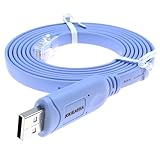
- It's a console cable used for debugging and configuring network equipment
- Compatible with Cisco, NETGEAR, Arista, Opengear, TP-Link routers/switches, and other network devices with RJ45 console ports for Windows, Mac, and Linux systems
- With this RJ45 console cable, your laptop/PC can quickly set up a console with the Routers/Switches, No longer need a DB9 to serial port adapter
- Plug and play, simply connect the USB end to your laptop and the RJ45 end to the console port for instant access and configuration
- Utilizes the FTDI chipset for stable and efficient serial communication
When a process may still hold the device
- Close backup consoles, file-copy tools, media catalogues, and device utilities.
- Stop the associated service gracefully if the application documents a service stop procedure.
- Wait for pending I/O to finish and verify that the drive is idle.
- Use the application’s documented eject or unload command.
Avoid terminating a process or rebooting while it is writing unless the vendor’s recovery procedure specifically directs it. An abrupt termination can leave a backup set incomplete and the library inventory out of sync.
When media state or transport state changed
Look for log entries mentioning media changed, bus reset, end of media, transport, or device unavailable. Reseat connections only when the device is idle and the manufacturer permits it. For a robotic library, compare the software inventory with the physical slot and drive status. For removable storage, use the operating system’s safe-eject function after all handles close.
Outdated Drivers Are Slowing You Down
One free scan finds every outdated or missing driver and matches the right update for your exact hardware.Free scan · exact hardware matchPC Slower Than It Used to Be?
A free scan shows the junk files, broken settings and background clutter dragging Windows down - then fixes them in one click.Free scan · Windows 10 & 11When the device reports a hardware or slot fault
Stop repeated unload attempts. A transport warning, slot error, barcode failure, or persistent device-unavailable state requires the manufacturer’s diagnostic procedure and usually vendor support. Provide the model, firmware or software version if shown by the console, drive/slot identifier, timestamps, and complete logs.
Best Value
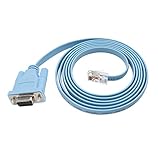
- 🌹🌹 Connect the computer's serial port to the router, switch, and RJ45 console port on the firewall
- 🌹🌹 RS232 9-pin serial to RJ45 Cat5 Ethernet, compatible with Cisco routers, including 600, 800, 1600 and 1700 series
- 🌹🌹 Easy to set up: Plug and play, just plug the device into the adapter and plug the adapter into your PC or Mac
- 🌹🌹 Made of high-quality raw material PVC, wear-resistant, acid and alkali resistant, long service life, oxygen-free copper conductor, anti-UV anti-tarnish, durable, is your best choice
- 🌹🌹 Length: 6FT from head to tail (approx. 1.8m) Color: blue (1 pack)
How to decide which branch applies
| Where the failure appears | Evidence to prioritize | Safest next action |
|---|---|---|
| Windows device or unknown program | Error 1109, event-log text, open-handle and device-state messages | Close holders, wait for I/O, then use the manufacturer’s documented eject/unload procedure. |
| Physical tape drive or robotic library | Drive number, slot, transport status, media and barcode information | Stop jobs and use the backup/library unload command; escalate hardware or transport errors. |
| Quantum DXi VTL | DXi code, virtual location, barcode, slot availability, appliance logs | Correct the target to a drive or I/E slot and verify cartridge and destination-slot state. |
| Quest NetVault | NetVault version, selected drive, WebUI log text, elapsed unload time | Use Manage Devices → Tape Drive Management → Unload; repeat if idle with “Device unavailable.” |
| Oracle RMAN | ORA-27213, RMAN/alert-log stack, SBT vendor and version | Contact Oracle Support; do not substitute a tape-hardware fix for a library unload failure. |
What not to do
- Do not yank a tape, cartridge, disc, or USB device during writing, reading, rewinding, or robotic movement.
- Do not repeatedly retry an unload while the drive reports a transport or hardware fault.
- Do not replace the drive, media, or cleaner before identifying the application and exact error code.
- Do not treat a VTL cartridge like a physical tape; its location, barcode, and slot metadata must be valid.
- Do not assume that a long unload delay means failure when the application’s documentation allows several minutes.
- Do not use a generic Windows eject command to bypass a backup product’s media-management state.
When to escalate
Escalate when the error returns after the documented unload procedure, when a drive or library reports hardware/transport/slot errors, when barcode or inventory data cannot be reconciled, or when the message is ORA-27213. Include the application and version, operating system, device/library model, drive or slot, cartridge or barcode, exact code, timestamps, current device state, and complete logs. This evidence lets support distinguish a held handle, media-state transition, VTL location problem, software-library failure, and physical fault without destructive trial and error.
There is no reliable universal failure-rate statistic for this message. The useful published evidence is product documentation: Quantum’s DXi-Series CLI Guide revision A (2011) and Quest NetVault 13.0.2 release notes (2021), plus Microsoft’s Windows and NTSTATUS error references and Oracle’s ORA-27213 reference. Their procedures apply to the named products and versions; they should not be generalized to every tape or removable-media system.
As an optional shortcut after the manual checks, Outbyte PC Repair can address more than 100 common Windows issues, including broken system elements, invalid redirects, shared DLL files, settings that contribute to CPU, RAM, or disk load, temporary and cache files, privacy warnings, vulnerability checks, a real-time boost, file shredding, and an app-crash log. It runs on Windows 11, 10, 8, and 7 and offers a free trial by category for at least two days before a paid subscription. It complements an antivirus rather than replacing one; results vary, and no tool repairs every crash.
Frequently Asked Questions
Is “Unable to unload media” always Windows error 1109?
Windows maps ERROR_UNABLE_TO_UNLOAD_MEDIA to 1109, but backup products and media-management layers may add their own codes and causes. The full log and originating application are required for a diagnosis.
Can I force-eject the tape or cartridge?
Do not force removal while the device may be writing, reading, rewinding, or moving media. Stop jobs gracefully and use the application or manufacturer’s documented unload procedure first.
Why does NetVault take several minutes to unload?
Quest’s NetVault 13.0.2 release notes document cases where unloading can take up to eight minutes. Use Manage Devices → Tape Drive Management → Unload and repeat the command if the idle drive reports “Device unavailable.”
What should I do with Oracle RMAN ORA-27213?
Save the RMAN and alert-log stack, identify the SBT media-management vendor, and contact Oracle Support. Oracle attributes ORA-27213 to a failed dlclose operation in the media-management library.
Recommended Free Tools
Quick Recap
Product prices and availability are accurate as of the date/time indicated and are subject to change. Any price and availability information displayed on Amazon at the time of purchase will apply.

