Free tools Windows power users keep installed
One-click scans. No signup required.
First identify what “crashing” means: the game may close to the HOME Menu, freeze the whole Switch, or lock up in one of the collection’s games. Try a restart, install available Switch and game updates, then check the title for corrupt data. Konami also documents a specific lock in Dungeon Dice Monsters Online; its trigger and recovery are different from a general system crash.
Start with the symptom
Yu-Gi-Oh! EARLY DAYS COLLECTION includes 14 games from the Game Boy, Game Boy Color, and Game Boy Advance eras. A problem limited to one included game or mode may have a different cause from a failure at the collection’s opening screen. Konami’s collection details are on its launch announcement.
- Software closes and returns to HOME: follow the update and corrupt-data checks below.
- The entire Switch stops responding: force the console off, then restart it.
- A game or menu stops responding, but the HOME Menu still works: treat it as an in-game lock and check the game-specific case below.
- Black screen or failure to launch: update the system and game, check data, and use the digital or physical-copy branch as applicable.
- Only online play fails: test the same game offline if possible and distinguish an application closure from a matchmaking or connection failure.
- Only one save or loading sequence fails: avoid deleting save data; use Nintendo’s guidance for missing or unreadable save data.
There is no evidence in the official sources cited here of one universal Switch crash affecting every copy. Konami lists particular locks and gameplay issues, which should not all be described as full crashes. Its EARLY DAYS COLLECTION support area covers game-specific behavior, controls, online play, and enhancements.
Try the reversible fixes first
- Close the game if it still responds. Press HOME, highlight the game, press X, and choose Close.
- Restart the Switch. Hold POWER to open the power menu, then select Power Options > Restart. If the console is completely unresponsive, hold POWER until it shuts down and turn it back on. Nintendo support pages cited here give different emergency-hold timings—12 seconds on one page and 20 on another—so there is no single duration to present as universal. See Nintendo’s downloaded-software troubleshooting.
- Update the system. From HOME, open System Settings > System > System Update and install any available update.
- Update the game. Connect to the internet, highlight EARLY DAYS COLLECTION on HOME without opening it, press + or −, then choose Software Update > Via the Internet. Check the displayed software version afterward; do not rely on an assumed version number.
- Check for corrupt data. Go to System Settings > Data Management > Manage Software > Yu-Gi-Oh! EARLY DAYS COLLECTION > Check for Corrupt Data, then follow the prompts. This check is not the same as deleting save data.
Konami’s August 4, 2025 patch notes describe a specific Dungeon Dice Monsters Online lock, but do not establish that every kind of collection crash was fixed. The cited official material does not provide a dependable current Switch build number.
The Tool Desk
Outbyte PC Repair FREERepair Windows errors before they cause bigger problemsFix Now →Outbyte Driver Updater FREEFix the driver behind crashes, sound loss and screen glitchesFind Drivers →#1 Best Overall
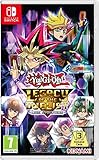
- The Yu-Gi-Oh! TRADING CARD GAME arrives for the first time on Nintendo Switch, enabling players to play the card game on the go!
- Build and customize your Deck from over 9, 000 cards, the most in any Yu-Gi-Oh! TRADING CARD GAME video game, and challenge other Duelists with local-play or Nintendo Online!
- Faithful to the TV show, relive moments and Duels from every version of the animated series!
- New Duelists can learn the Yu-Gi-Oh! TRADING CARD GAME with the beginner's tutorial!
- New Link Monster cards, not only changing the way how seasoned Duelists play their cards, but where they play them!Take on the roles of the animated series villains with Reverse Duels!Compete in Battle Pack Sealed Pack and Draft play!Includes all previously released Yu-Gi-Oh! Legacy of the Duelist content!
If Dungeon Dice Monsters Online locks up
Konami documents a lock in this mode associated with either of these situations:
- Both players repeatedly press A during play.
- During the Move Phase, the player cancels while the cursor is on the tile next to the selected character.
Avoid unnecessary repeated button presses and do not press B while the cursor is on that adjacent tile during the Move Phase. If the lock occurs and the pause menu still opens, choose the option to exit the match with ZR on Switch. Konami lists Esc as the corresponding Steam control.
Rank #2
- The Yu-Gi-Oh! TRADING CARD GAME arrives for the first time on Nintendo Switch, enabling players to play the card game on the go!
- Build and customize your Deck from over 9, 000 cards, the most in any Yu-Gi-Oh! TRADING CARD GAME video game, and challenge other Duelists with local-play or Nintendo Online!
- Faithful to the TV show, relive moments and Duels from every version of the animated series!
- New Duelists can learn the Yu-Gi-Oh! TRADING CARD GAME with the beginner's tutorial!
- New Link Monster cards, not only changing the way how seasoned Duelists play their cards, but where they play them!Take on the roles of the animated series villains with Reverse Duels!Compete in Battle Pack Sealed Pack and Draft play!Includes all previously released Yu-Gi-Oh! Legacy of the Duelist content!
If the password menu seems to be missing
In Yu-Gi-Oh! Duel Monsters, the password mode may not appear as expected. Konami’s workaround is to press SELECT; the default Switch mapping is the − button. A missing menu or control-mapping issue is not, by itself, evidence that the collection has crashed.
If the game closes with an error or will not launch
After restarting and installing updates, use the corrupt-data check above. If it finds a problem, or the failure continues, redownload a digital copy. Nintendo’s unexpected-closure steps also put redownloading ahead of more disruptive maintenance. If the title is installed on microSD, try redownloading it to system memory as a diagnostic test; this does not prove that microSD caused the problem.
What’s actually slowing this PC down?
Pick the symptom - the matching free tool is one click away.
Rank #3

- Yu-Gi-Oh! TCG: 2 Player Starter Set
On Switch, use System Settings > Data Management > Manage Software to delete the software, then redownload it from the Nintendo eShop using the account that owns it. Removing software is different from deleting save data; do not select an option to erase the save as a routine troubleshooting step. Redownloading uses storage and time, but can replace damaged installation files.
Nintendo also describes initializing the console without deleting save data as a later option for persistent unexpected closures. It leaves save data, screenshots, and user information intact, but software stored on a microSD card will not be usable until downloaded again. Because this is more disruptive than updating or redownloading, consult Nintendo’s unexpected-closure troubleshooting before proceeding.
Rank #4
- Premium Gold Rare Cards Are Back!
- Expand your collection, start a new yugioh structure deck, or get back in the game with our premium Yugioh TCG 100 count card set. Each bundle is filled with variety and value. May contain yugioh exodia, dark magician, red eyes black dragon, black luster soldier, gwent cards, or exodia yugioh cards. No two packs are the same!
- These special Yugioh booster deck cards pack a punch! Each lot is equipped with 80 Common, 10 Non-Holo Rare, and 10 mix-rarity Holo Cards! Rare and holo cards will be unique with absolutely NO duplication.
- Are you or someone you love on the quest to collect the best Yugioh cards deck in the world? Level-up with the addition of 10 Holo Foil cards from across various sets and Yugioh card lots. Become one of the Yugioh legendary duelists!
If the problem is limited to one included game or online mode
One retro game, action, or animation
Note the included game’s name, what you were doing when it stopped, whether the problem repeats, and whether other games in the collection work. Also record whether it happens at startup, while loading, during a duel or animation, and whether it occurs in handheld, docked, or both. If it began after enabling an enhancement, note which one and whether the issue changes when it is disabled. Konami’s support area includes enhancement-related questions.
Because the collection packages 14 games, a failure isolated to one of them is more suggestive of a game-specific behavior than a failure of the entire installation, but that is a diagnostic inference—not a confirmed cause. Konami also identifies a dice-animation lock in Yu-Gi-Oh! Duel Monsters 5 Expert 1; consult its support material if your symptoms match.
Best Value
- Celebrate another year of incredible Dueling stories with the Yu-Gi-Oh! TRADING CARD GAME Limited Pack World Championship 2026 booster set
- This set includes 21 cards
- 20 are available as Ultra Rares and Secret Rares, and the 21st card is available as Secret Rare and Starlight Rare
- Some cards will also feature the World Championship 2026 logo emblazoned on their text box
Online play only
Try the same included game offline, if available, and another online-supported title. Check that the Switch connection is stable, then note whether the software actually closes or whether only matchmaking fails. Konami announced online multiplayer for Yu-Gi-Oh! World Championship Tournament 2004 in a June 2, 2025 update announcement. The cited support material does not establish whether Nintendo Switch Online is required, so do not assume a subscription requirement from an online connection problem.
If you use the physical game card
If the game fails to launch with a card-read message, remove and reinsert the card, then fully power off the console before trying again. Check whether other game cards are recognized. Follow Nintendo’s current instructions for cleaning a card; do not use liquids, abrasives, or solvents. If multiple cards are not read, or the console reports that no card is inserted, use Nintendo’s game-card troubleshooting. A physical-card problem is different from a software lock during play.
Know when to contact support
- Contact Konami for a repeatable problem tied to a particular included game, mode, input, animation, or enhancement after updating and checking the installation. Use its EARLY DAYS COLLECTION support area.
- Contact Nintendo if several unrelated games crash, the console has broader stability or hardware symptoms, save data cannot be read, or multiple game cards fail. Nintendo’s unexpected-closure and save-data guidance explains its support escalation options.
When reporting the issue, provide the included game and mode, exact action before the failure, whether it is reproducible, Switch model, docked or handheld use, physical or digital copy, software version shown on the console, and whether other games work. This helps separate a title-specific issue from an installation, storage, card-reader, or console problem.
Quick Recap
Product prices and availability are accurate as of the date/time indicated and are subject to change. Any price and availability information displayed on Amazon at the time of purchase will apply.
Recommended Free Tools




