Recommended Free Tools
Your PSP already includes Sony’s Internet Browser, so you do not need homebrew to browse at all. If you want a newer homebrew option, Tilefinch is the documented route: it requires custom firmware with 64 MB memory mode, a compatible PSP, a saved Wi-Fi connection and the complete extracted TILEFINCH folder in PSP/GAME/. The tested model is PSP-3000; PSP-2000 and PSP Go are expected but not qualified, while PSP-1000 is unsupported.
Choose the browser you actually need
There are three different ways to browse on a PSP, and they are not interchangeable.
As an Amazon Associate I earn from qualifying purchases.
Sony’s built-in Internet Browser
Every PSP software experience includes Sony’s Internet Browser. It can enter URLs, open tabs and change browser settings without installing a separate application. On the XMB, open the Network category and choose Internet Browser. This is the simplest and safest option if your goal is merely to open a web page.
Sony introduced the browser through firmware 2.0. In Sony Computer Entertainment America’s August 24, 2005 announcement, executive vice president Andrew House said: “The Internet browser and other added functionality of the firmware 2.0 upgrade will further enhance the user experience beyond the unprecedented portable to entertainment already provided by PSP.” The browser is now legacy software, however, and its memory, certificate and TLS support can prevent modern sites from working.
#1 Best Overall

- Compatible with MagicGate copyright protection technology
- Can be used to perfect on the PSP adn digital camera
- Memory Stick PRO-HG Duo is ideal for high-speed data transfer and for continuous shooting
- 16GB capacity Flash memory Ideal for burst shooting with DSLR Up to 30MB/s read/write speed
- Can be used to perfect on the PSP(PSP1000/2000/3000/3000) and digital camera.
Tilefinch, the current homebrew route covered here
Tilefinch is a standalone homebrew browser intended for PSP systems that can run custom firmware with 64 MB memory mode. It is installed as a normal application and started from Game → Memory Stick. It does not install custom firmware for you. If your PSP is still running unmodified official firmware, solve that separate, model- and firmware-specific prerequisite first; the installation procedure below assumes that homebrew-capable custom firmware is already working.
PSPKVM with Opera Mini
PSP Developer documentation also describes PSPKVM, a Java ME virtual machine that can run Opera Mini. It is a historical alternative rather than the dependable recommendation: Opera Mini 4 relies on Opera’s old proxy service, which may no longer connect. The setup is included later so you can understand the trade-off before choosing it.
Check your PSP model and memory mode
Tilefinch’s compatibility statements are narrower than a generic “PSP homebrew works” claim. Confirm the model printed on the system or packaging, then verify that your custom firmware provides 64 MB memory mode.
| PSP model | Tilefinch status | What that means |
|---|---|---|
| PSP-3000 | Tested | The project’s documented test model. |
| PSP-2000 | Expected to work, not qualified | It may work, but the project does not present it as a tested guarantee. |
| PSP Go | Expected to work, not qualified | It may work, but the project does not present it as a tested guarantee. |
| PSP-1000 | Unsupported | It has 32 MB of RAM, so it cannot provide the required 64 MB memory mode. |
| PSP-E1000 | Not a sensible online target | The model has no Wi-Fi hardware, so it cannot use Tilefinch for network browsing without an external, unsupported workaround. |
Do not treat “expected” as “verified.” If you use a PSP-2000 or PSP Go, keep a way to remove the application and restore your normal setup, and expect that behavior can differ from the PSP-3000 documentation.
Prepare the PSP before copying files
Required prerequisites
- A PSP with custom firmware that supports 64 MB memory mode.
- A Memory Stick with enough free space for the browser and any optional assets.
- A saved Wi-Fi connection in Network Settings.
- A computer or phone that can download and extract a ZIP archive, plus a USB connection or Memory Stick reader.
Tilefinch uses connection profile 1 by default. If your working network is stored in another slot, you can change the selection later under Settings → Device & storage.
Rank #2
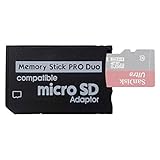
- 2026 Latest Version - Funturbo Micro SD to MS Pro Duo Adapter
- Replace your Memory Stick PRO Duo with any microSD card (MicroSD Card NOT included)
- Up to 128GB Micro SD/SDHC/SDXC Card Compatible
- Compatibility Tested – Fully compatible with MagicGate Memory Stick DUO and Memory Stick PRO Duo, all known issues fixed
- Works perfectly on PSP 1000/2000/3000, Sony camera and handycam, format your card in your device for first time use
Reserve storage deliberately
The project recommends about 20 MB free for ordinary browsing and updates. These are the project’s operational figures, not an independent measurement. Optional assets add to that requirement:
| Item | Space stated by the project | Planning note |
|---|---|---|
| Everyday browsing and updates | About 20 MB free | Keep this available even if you do not install add-ons. |
| Each optional language pack | About 1 MB | Multiply by the number of languages you install. |
| Color emoji pack | About 5 MB | Optional. |
| Voice model | About 19 MB additional while the verified download and new copy coexist | Allow about 40 MB free for voice recognition, as the project advises. |
A larger Memory Stick can be useful when your existing card is nearly full, but no particular card, adapter or capacity is mandatory in the installation instructions. Check the specific hardware’s compatibility with your PSP before buying it.
Check wireless security
The project says the latest ARK-4 supports WPA2. Without that current ARK-4 support, PSP-era wireless hardware generally joins WPA using TKIP or an open network. This is a project-specific compatibility statement, not a guarantee that every router configuration will work. A modern router may need a dedicated legacy-compatible network, and an open network is not appropriate for private browsing.
Install Tilefinch from its PSP release ZIP
Use the project’s latest PSP release archive. Do not copy individual files from inside the archive unless the project’s release instructions explicitly change.
- Confirm the prerequisite. On the PSP, verify that custom firmware is active and that its configuration exposes 64 MB memory mode. Tilefinch cannot supply this prerequisite itself.
- Check free space. Leave about 20 MB free for normal operation. Add the optional language, emoji or voice requirements before copying anything.
- Save a network profile. Open Network Settings, create or select a working Wi-Fi connection, and note which profile number it uses. Tilefinch starts with profile 1 unless you change it in Settings → Device & storage.
- Download the PSP install ZIP. Get the current PSP install archive from the Tilefinch project’s latest releases and extract it on your computer.
- Open the Memory Stick. Connect the PSP by USB or use a compatible card reader. At the root of the Memory Stick, open the existing
PSP/GAME/directory. Create the directories only if they are missing; preserve the PSP’s normal capitalization. - Copy the complete folder. Copy the entire extracted
TILEFINCHfolder intoPSP/GAME/. The final executable path must bePSP/GAME/TILEFINCH/EBOOT.PBP. - Verify the supporting files. Alongside
EBOOT.PBP, the installed folder should containslot-a,slot-b,dataandNOTICES. A common mistake is creating an extra level such asPSP/GAME/TILEFINCH/TILEFINCH/EBOOT.PBP; that layout will not match the documented path. - Disconnect safely. Close the USB connection or use the operating system’s safe-eject function before unplugging the PSP or removing the Memory Stick.
- Launch the browser. On the PSP, open Game → Memory Stick, select Tilefinch and press the confirm button. The application should start from the folder you copied.
Files ending in .tfum or .tfup are not an alternative manual installation format. The project identifies them as files used by its signed in-app updater. For a fresh installation, use the extracted PSP ZIP and the complete TILEFINCH directory.
Rank #3

- Featuring extensive compatibility design, the system enables seamless interconnection between your rare PSP (full series 1000/2000/3000 models), everyday Cyber-Shot cameras, professional DSLRs, and Handycam recorders. As a multifunctional content nexus, it systematically manages diverse digital content including game storage, photographic works, and video documentation.
- Features a 32GB Memory Stick PRO Duo memory card, providing consistent storage capacity for DSLR continuous high-speed capture. With 30MB/s read/write performance, it expedites the recording of high-resolution footage, optimizing shooting efficiency and ensuring smoother workflow operation.
- Experience remarkable speed with accelerated transfers. When handling extensive high-resolution photo collections or moving large video and game files, it delivers instant accessibility and smooth sharing, keeping your creative workflow consistently uninterrupted.
- Compact Design: The Memory Stick PRO Duo card features a space-saving, compact form that maintains full storage capability, with ample capacity to effortlessly and joyfully capture every wonderful moment.
- Delivers consistent performance alongside copyright protection technology support.
Configure Tilefinch after the first launch
Select the correct network profile
If Tilefinch opens but cannot reach a page, check the connection profile before changing browser settings. The default is profile 1. In Tilefinch, open Settings → Device & storage and select the profile where you saved your working Wi-Fi connection.
Add optional language, emoji or voice files only when needed
Install optional packs after the base browser works. This makes it easier to distinguish a storage problem from a network problem. Keep the project’s stated free-space margins, especially for voice recognition: its documentation calls for about 40 MB free even though the voice model itself is described as about 19 MB during the download-and-copy process.
Keep updates inside the signed updater
When Tilefinch offers an update, follow its signed in-app updater process. Do not drop .tfum or .tfup files into PSP/GAME/ as though they were launchable programs.
Optional: make the XMB Internet Browser icon open Tilefinch
ARK-4 provides an optional XMB redirect configuration through a VSH plugin. With that configuration, selecting the Internet Browser icon can start Tilefinch instead of Sony’s browser. This is a convenience feature, not part of the basic installation.
The redirect also provides a way back to Sony’s browser: hold L while opening the Internet Browser icon. If you do not need that shortcut, leave the plugin unconfigured and start Tilefinch normally from Game → Memory Stick. The direct launch has fewer moving parts and is the easier setup to troubleshoot.
Crashes, No Sound, or Screen Glitches?
Random freezes, missing sound and display glitches usually trace back to one bad driver. Find and replace yours safely.Free scan · under a minuteWindows Errors? Fix Them Before They Spread
Repair common Windows errors and clear accumulated junk for a smoother, more stable PC - no reinstall needed.Free scan · no reinstallRank #4

- Massive Storage Capacity: Features a 64GB Memory Stick PRO Duo flash memory card, engineered to support continuous high-speed shooting on DSLR cameras. With read/write speeds up to 30MB/s, it ensures rapid saving of high-resolution images and videos, preventing workflow interruptions and enhancing professional productivity.
- Designed for broad compatibility, the system easily connects your cherished PSP (all models: 1000, 2000, 3000), everyday Cyber-Shot digital cameras, professional DSLRs, and life-recording Handycam camcorders. It serves as a hub for managing your diverse content, from game saves and photos to video footage.
- Swift Data Transfer: Experience superior transfer performance with this Memory Stick PRO Duo when handling vast libraries of high-resolution images or moving large-scale video and gaming data.
- Compact Design: The Memory Stick PRO Duo card features a highly compact form factor that minimizes physical space usage without compromising storage performance. Its generous capacity allows you to effortlessly capture vast amounts of high-definition footage and precious moments, perfectly blending portability with substantial storage.
- With MagicGate copyright protection compatibility, it ensures a safe and secure download environment.
Troubleshoot the common installation failures
Tilefinch does not appear under Game → Memory Stick
- Confirm that the folder is exactly
PSP/GAME/TILEFINCH/, not a nested duplicate folder. - Confirm that
EBOOT.PBPis directly insideTILEFINCH. - Reconnect the Memory Stick and refresh the Game list.
- Check that custom firmware is active and configured for homebrew. Official firmware alone is not the documented environment.
The application appears but will not start
Recheck the 64 MB memory-mode requirement and the PSP model. PSP-1000 is explicitly unsupported because it has 32 MB of RAM. On PSP-2000 and PSP Go, remember that compatibility is expected rather than qualified by the project.
Tilefinch starts but cannot connect
- Verify that the PSP has a saved Wi-Fi connection and that Tilefinch is using the correct profile under Settings → Device & storage.
- Test the router with the security mode supported by your PSP setup. The project describes WPA2 support with the latest ARK-4 and WPA (TKIP) or open networking otherwise.
- On a PSP-E1000, there is no built-in Wi-Fi, so network browsing is not a practical target.
A page is blank, incomplete or unusually slow
Tilefinch’s own limitations list several causes: some sites render imperfectly, very heavy pages may not load, YouTube playback can stop working after YouTube changes its service, and sites protected by Cloudflare managed challenges do not work. Updating Tilefinch may restore compatibility after a site change, but an update cannot make every protected or oversized page work on PSP hardware.
The Memory Stick fills during setup
Remove optional language or emoji packs first, then check that at least about 20 MB remains for everyday browsing and updates. For voice recognition, use the project’s larger 40 MB free-space allowance rather than the model’s approximate 19 MB file size.
Independent reader supportYour contribution helps us test, update, and keep practical guides available for everyone.What Sony’s browser can still do, and where it falls short
The built-in browser remains useful for simple pages and requires no custom firmware. Sony’s settings include a Conserve Memory mode that reduces memory use and can allow larger pages to open, although image quality decreases. Cache choices range from 512 KB through 2048 KB. The settings also expose controls for JavaScript, proxy use, cookies and connection selection.
The Tool Desk
Outbyte PC Repair FREEClear out junk files and repair common Windows errorsFree Scan →Outbyte Driver Updater FREEFix the driver behind crashes, sound loss and screen glitchesFind Drivers →Those controls cannot solve every modern compatibility problem. The PSP Developer wiki describes the built-in browser as memory-limited and affected by old TLS and certificate support. A page that requires current encryption, modern JavaScript or a large amount of memory may fail even when the PSP has a working Wi-Fi connection.
Best Value

- Featuring extensive compatibility design, the system enables seamless interconnection between your rare PSP (full series 1000/2000/3000 models), everyday Cyber-Shot cameras, professional DSLRs, and Handycam recorders. As a multifunctional content nexus, it systematically manages diverse digital content including game storage, photographic works, and video documentation.
- High-Speed Large Capacity Storage: Utilizes a 128GB Memory Stick PRO Duo flash memory card, providing reliable storage support for DSLR high-speed continuous shooting. With read/write speeds up to 30MB/s, it rapidly completes the writing of high-resolution footage, effectively improving shooting efficiency and workflow smoothness.
- Benefit from blazing-fast transfers with remarkable performance. When working with huge high-resolution photo sets or transferring large video and game data, it enables instant access and seamless sharing, maintaining your creative workflow without interruption.
- Compact Design: Engineered with a miniature footprint, this memory card maintains exceptional capacity within an ultra-compact form, offering ample space to effortlessly and joyfully preserve every special moment.
- Featuring MagicGate copyright protection compatibility, it provides a secure and protected download environment.
Historical alternative: PSPKVM and Opera Mini
PSPKVM runs Java ME applications on the PSP and can launch an Opera Mini JAR. If you are experimenting with this route, the documented file layout is:
- Copy PSPKVM into
ms0:/PSP/GAME/. - Place the Opera Mini JAR in
ms0:/PSP/GAME/PSPKVM/Apps/. - Launch PSPKVM from the PSP’s Game menu.
- Select the Opera Mini JAR.
- Choose the J2ME Standard (480×272) device profile.
Opera Mini’s design sends page requests through a remote proxy and returns a compressed result, rather than rendering every page locally. That can reduce the PSP’s workload, but Opera Mini 4 depends on Opera’s legacy proxy service. The PSP Developer wiki warns that the service may no longer connect, so this is a conditional, historical experiment rather than a reliable replacement for Tilefinch or Sony’s browser.
Browser comparison for PSP owners
| Characteristic | Sony Internet Browser | Tilefinch | PSPKVM with Opera Mini |
|---|---|---|---|
| Custom firmware | Not required | Required, including 64 MB memory mode | Homebrew-capable PSP environment required |
| Model coverage | Part of the PSP software experience | PSP-3000 tested; PSP-2000 and Go expected but unqualified; PSP-1000 unsupported; E1000 has no Wi-Fi | Depends on PSPKVM and the Java application; no current universal guarantee stated |
| Rendering approach | On-device legacy browser | On-device homebrew browser | Proxy/server-side processing through Opera Mini |
| Modern site compatibility | Limited by memory, old TLS and certificate support | Improved feature set, but heavy pages, some layouts, YouTube changes and Cloudflare managed challenges remain problems | Dependent on the legacy Opera proxy service |
| Maintenance | Bound to Sony’s legacy firmware and browser behavior | Project updates use a signed in-app updater | Service availability is outside your PSP and may have ended |
| Security posture | Old encryption and certificates can prevent secure connections | No process sandbox; the project advises against sensitive accounts and transactions | Traffic depends on a third-party proxy service and legacy software |
Security and privacy precautions
Tilefinch’s project explicitly says it has no process sandbox and advises against using it for sensitive accounts or transactions. Follow that warning. A browser that displays a page is not automatically suitable for banking, email, password managers or purchases.
Do these 3 things before closing this tab:
1Repair Windows errors before they cause bigger problems2Scan for outdated or missing drivers - takes under a minute3Clear out junk files and repair common Windows errors- Prefer a secured Wi-Fi network you control. Do not assume that a successful connection means modern encryption is available end to end.
- Do not enter passwords, payment details or recovery codes into Tilefinch.
- Expect HTTPS behavior to vary by site and certificate. Older PSP browsers may reject current certificates; Tilefinch can still encounter site-side requirements it does not implement.
- Keep the browser updated through its signed updater when an update is available, but do not manually treat updater packages as applications.
- Use the built-in Sony browser for low-risk legacy pages if you do not want to maintain custom firmware.
Which installation path should you choose?
Choose Sony’s browser when you want the least risk
It is already installed, needs no custom firmware and exposes Sony’s cache, JavaScript, proxy, cookie and memory controls. It is the right choice for simple, non-sensitive pages when compatibility is acceptable.
Choose Tilefinch when you have a supported homebrew setup
Tilefinch is the practical current option in this guide if you own a PSP-3000 or another model that meets the project’s requirements, can run 64 MB memory mode and accept the documented site limitations. The essential installation is the full extracted folder at PSP/GAME/TILEFINCH/, followed by Game → Memory Stick.
Try PSPKVM only for historical experimentation
PSPKVM and Opera Mini demonstrate an interesting proxy-based approach and may be useful for enthusiasts studying older PSP software. The legacy Opera service dependency makes it unsuitable as a dependable everyday plan.
Final checklist
- Your PSP model is identified and is not the unsupported PSP-1000.
- Custom firmware with 64 MB memory mode is already installed and working.
- At least about 20 MB of Memory Stick space remains, with extra room for optional assets.
- A Wi-Fi connection is saved, and Tilefinch is pointed at the correct profile.
- The extracted path is
PSP/GAME/TILEFINCH/EBOOT.PBP, withslot-a,slot-b,dataandNOTICESalongside it. - You launch it from Game → Memory Stick rather than copying
.tfumor.tfupfiles manually. - You avoid sensitive accounts and transactions because the project reports no process sandbox.
For most owners who specifically want a homebrew browser, that checklist points to Tilefinch. Everyone else can continue using Sony’s built-in browser without installing anything.
Free tools Windows power users keep installed
One-click scans. No signup required.
Quick Recap
Product prices and availability are accurate as of the date/time indicated and are subject to change. Any price and availability information displayed on Amazon at the time of purchase will apply.




