To log in safely, use an official Battlestate Games account resource or the official game launcher. If the launcher reports an AUTH error, check whether you can sign in to the official account site, note the exact error and launcher you use, then contact Battlestate Games support if the problem persists. A successful website login does not necessarily mean the launcher is working, and no cited official source documents a universal fix for AUTH errors.
Log in through official Battlestate Games resources
Use only official Battlestate Games resources and game applications to enter your credentials. The official Escape from Tarkov channel warns players not to use third-party login pages and says its administrators, moderators, and support staff will never ask for account credentials. If you are unsure whether a page is legitimate, navigate to it from an official Battlestate Games resource instead of following an unfamiliar link.

The Account Center is available at https://profile.tarkov.com/profile.
Enable authenticator-app two-factor authentication
Battlestate Games’ account-security reminder recommends enabling two-factor authentication with an authenticator app. Follow the setup flow in the Account Center:
#1 Best Overall
![TOP CUSTOMS Escape from Tarkov - Tagilla Figurine Replica [Updated Packaging]- Collectible Figurine Statue- FactoryBoss - Gift Idea - Gamers](https://m.media-amazon.com/images/I/41EZSWsEqsL._SL160_.jpg)
- Exclusive Top Customs design – crafted to closely resemble Tagilla’s in-game appearance with premium attention to detail
- Made from durable hard PVC, NOT 3D printed, using high-quality injection molding for a clean, professional finish
- Perfect for collection and display alongside your Tarkov gear or gaming setup!
- Ideal gift for your squadmates, friends, boyfriends/girlfriends
- A must-have for Tarkov fans. Whether you’re messing around in the hideout or building the ultimate 'Chad' loadout, this collectible hits hard.
- Sign in to the Battlestate Games Account Center.
- Open Security Settings and select Set Up beside two-factor authentication.
- Under the available protection methods, select Authenticator App — Set Up.
- Set up an authenticator app, scan the displayed QR code or enter the setup key, then enter the generated code and save.
Keep your password and one-time authentication codes private; do not paste them into unofficial websites, chats, or support messages.
What to do when the launcher shows an AUTH error
- Check account access on the official site. Try signing in through the official Account Center. A Steam Community user reported being able to access the website while still receiving a launcher authentication error; that report shows the two experiences can differ, but does not identify the cause or prove that the account site will diagnose the launcher problem.
- Record the details before troubleshooting further. Write down the exact error text, whether official website login succeeds, and whether you use the Steam or Battlestate Games launcher. These details can help explain the issue to support; the cited sources do not publish a complete official diagnostic checklist.
- Contact Battlestate Games if the launcher still rejects authentication. Steam Support lists the publisher’s Customer Support Website and [email protected] for Escape from Tarkov support.
The available official guidance does not provide a definitive explanation or repair for a particular AUTH/ERROR code. An error by itself therefore does not establish that the password is wrong, the service is down, files are corrupted, a VPN is interfering, or the account is banned.
Rank #2

- Card's inspiration comes from Game, high similarity to the original.
- The cards is made of PVC.And all cards have a card holder to protect them.
- Excellent material and thickness.A great replica!
- Best choice for game fans,halloween cosplay prop and even cards collectors.
- Include:7pcs cards
Steam and Battlestate Games launcher: what to compare
Steam Support lists Battlestate Games as Escape from Tarkov’s developer and publisher and provides its support details. The available sources do not explain every account-linking or launcher difference, so do not assume that switching launchers will bypass an authentication problem. When contacting support, identify which launcher or storefront you use and whether the issue occurs in one or both access routes.
Independent reader supportYour contribution helps us test, update, and keep practical guides available for everyone.Are community file or cache fixes reliable?
A Steam Community discussion includes suggestions to delete Battlestate Games data folders and verify files, or to start EFT: Arena. These are unverified user suggestions, not official repair instructions; the original poster said one cache-and-verification attempt did not solve the problem. The thread does not establish the cause of the error. Do not delete player data based on a forum suggestion, and do not treat these steps as guaranteed fixes.
What’s actually slowing this PC down?
Pick the symptom - the matching free tool is one click away.
Quick Recap
Rank #4
Rank #3
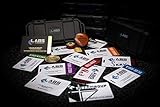
- The product is NOT an in-game items, 1:1 real keycards from escape from tarkov.
- All EFT Labs keycards,TerraGroup Labs access keycard,Black,Blue,Green,Red,Violet,Yellow Keycards. Object 21WSObject 11SR Keycards.
- Blank emfc Chips(no info was written) are integrated in all cards.
- All cards are in a protective plastic holder to prevent from scratches,the plastic holder was to protect the cards,but they might folded,sorry.
- Secure Container Outer Dimension:6.88'(L)x3.22'(W)x1.54'(H)
Product prices and availability are accurate as of the date/time indicated and are subject to change. Any price and availability information displayed on Amazon at the time of purchase will apply.




