To improve Dolphin Emulator’s speed, first identify whether your game is consistently running below full speed or only stuttering briefly while shaders compile. Update to a current official Dolphin release, close demanding background apps, and change one setting at a time so you can tell what helps. The best settings depend on the game, device, operating system, graphics hardware, and drivers.
Start by identifying the slowdown
- Check Dolphin’s version. Get the current build from the official Dolphin download page; the available releases change over time.
- Note the game and device. Record the game, operating system, CPU, GPU, and whether the device is a desktop, laptop, or Android device.
- Separate sustained slowdown from shader stutter. If speed stays low during play, investigate CPU or graphics load. If brief hitches happen as new effects appear, shader compilation may be responsible.
- Close demanding background work. Then test the same game scene after changing only one Dolphin setting at a time.
Dolphin’s FAQ and Configuration Guide stress that game requirements vary, so there is no universally fastest configuration or guaranteed FPS gain.
As an Amazon Associate I earn from qualifying purchases.
Check whether the CPU is limiting performance
Dolphin often depends on strong per-core CPU performance. The FAQ highlights instructions per clock and clock speed; simply having more CPU cores does not automatically make emulation faster. The Configuration Guide says Dolphin already selects its fastest CPU emulation engine by default and advises general users not to change it.
The guide highly recommends four or more CPU cores for desktop systems, but that is a support recommendation—not a promise that adding cores will raise speed. It also recommends at least 2 GB of RAM in the FAQ, while noting that RAM amount and speed generally do not affect emulation speed.
#1 Best Overall

- 【One-Button Wake-up】: This gamecube switch controller support clicking the Home button to wake up the switch system when the game console is in sleep mode. Easy to pair with switch console. This switch controller also syncs up very quickly on PC by a bluetooth dongle.
- 【Full Button Layout with Switch Pro controller】: This wireless Gamecube pro Switch Controller is designed to recall the look and feel of a GameCube controller, but also let players have fun with Super Smash Bros and other switch games.
- 【Auto Turbo & Adjustable Rumble】: The gamecube switch controller has turbo function is available by holding "T" button and pressing any bottons (A/B/X/Y/L/R/ZL/ZR) to come to Turbo version; Do it again to make the button you have chosen to Auto Turbo. 3 adjustable levels (20/s, 12/s, 5/s) will meet different needs of different action shooters.
- 【6 Axis Gyro Motion & High Precision Joysticks】: With the 6-axis gyro sensor, this switch pro gamecube controller will ensure a precise direction control with sensitive and immersize expericence on all sensor motion games.High precision joystick design, make you control the game better and provide you a more fluent and comfortable game playing experience.
- 【600mAh Built-in Battery】:The switch pro controller is built in 600mAh rechargeable battery, you can play game up to 15 hours after 3-4 hours fully charging, providing you with more immersive gaming experience without interruption.
Understand the desktop Dual Core change
In its Release 2509 report, published September 16, 2025, the Dolphin Emulator Project said: “We have finally made the decision to disable Dual Core mode by default on desktop.” Dual Core can be faster, but Dolphin says it can also be unstable and has been associated with crashes. Desktop users can re-enable it if they need the speed, but should treat that as a compatibility trade-off and revert if a game crashes or behaves incorrectly.
Android is different: Dual Core remains enabled by default because weaker hardware, CPU governors, and graphics drivers create a different performance situation. Do not assume the desktop recommendation applies to Android.
Reduce graphics load if the GPU is the bottleneck
Lower internal resolution
Reduce internal resolution temporarily and compare the same scene. This can help integrated graphics and mobile devices, which may slow noticeably even at 2× resolution. The trade-off is a softer image; the benefit depends on the device and its drivers.
Quick wins for a faster PC:
Repair Windows errors before they cause bigger problemsFix Now →Fix the driver behind crashes, sound loss and screen glitchesFind Drivers →Clear out junk files and repair common Windows errorsFree Scan →Rank #2

- Retaining the GameCube layout, Optimized for Switch 1/2 console; GameCube receiver + USB receiver
- The preferred gamepad for Super Smash Bros; Ultimate
- Lag-Free 2.4 GHz wireless, 10m/33ft range, no delay, plug & play
- Octagonal gated analog stick and analog triggers for pinpoint precision
- Built-in rumble vibration for immersive gameplay
Reduce demanding enhancements
Disable or reduce anti-aliasing and other demanding visual enhancements while diagnosing. If speed improves, raise settings gradually until you find a workable balance between performance and image quality.
Choose a video backend for your device
Dolphin’s Configuration Guide notes that video backend choice can greatly affect performance depending on the graphics card. Test only backends available on your operating system, using the same game scene for each comparison; the guide’s recommendations are tendencies, not guarantees.
| Backend | Guide-level tendency | What to keep in mind |
|---|---|---|
| Vulkan | Generally works well on NVIDIA and AMD graphics. | The guide does not recommend it for Intel devices; driver and device differences still matter. |
| D3D11 | Broadly workable on Windows. | Useful as a comparison point if another backend has problems. |
| D3D12 | Can be a little faster on some Intel integrated graphics. | This is not guaranteed across Intel devices or drivers. |
| Metal | Preferred on supported macOS systems. | Availability depends on the operating system and hardware. |
| OpenGL | May be slower, but can be stable or useful on some platforms. | Results depend on platform and drivers. |
After selecting a backend, replay the same section of the game. Keep the choice that gives acceptable speed without rendering problems or instability.
Rank #3
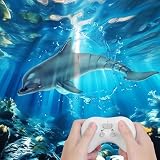
- 【Realistic design】Our remote control dolphin toy features a highly simulated ABS plastic tail, and a double paddle design, which can swing flexibly like the real dolphin, the motion looks very real and it's easy to assemble. Loads of fun for all ages.
- 【Long-time Use】This remote control dolphin can play for 30 mins, so you can alternate, and has no downtime.
- 【Waterproof Remote controller】The remote control is waterproof. We have made a technical upgrade specifically for this, hoping to make children more happy when playing in the water. The valid remote distance is up to 40M/ 131FT.
- 【Premium Quality RC Boat】We've upgraded the motor and propeller for stronger power, making it easy to swim fast. Waterproof cover and rubber sealing ring are added to effectively prevent water from entering the interior. The dolphin has the function of sensing water, and the motor will stop running when the dolphin is removed from the water.
- 【Kids' Favorite Partner】Don't miss it! kids will be very excited when watching the dolphin swimming, they will be in love with it! It's the best gift for children. Our pool water toy also comes with nice-looking packaging, perfect for Christmas, Birthday, or Party Favours.
Address shader stutter without confusing it with low speed
Specialized shaders can cause a brief hitch the first time Dolphin generates them. Cached shaders can be reused later, so a one-time stutter is not necessarily evidence that the game is persistently running too slowly.
- Hybrid Ubershaders can reduce shader-related stutter, but add some performance cost.
- Exclusive Ubershaders demand a powerful desktop GPU and are not a general-purpose speed setting.
- Skip Drawing can omit graphics temporarily; it is a workaround, not a free performance improvement.
Choose a shader option only if the symptom is brief stutter during shader generation, and weigh smoother presentation against added load or omitted graphics.
Independent reader supportYour contribution helps us test, update, and keep practical guides available for everyone.Use CPU clock overrides and graphics hacks only for a specific problem
Changing the emulated CPU clock is not a safe general speed boost. Lowering it can make the game itself lag or break timing-sensitive titles; raising it makes games more demanding. Dolphin generally selects game-specific settings automatically.
Rank #4

- IR replacement remote control as shown
- No batteries or instructions included
- No programming needed
- Easy to Use;Just put in fresh batteries then it will work
Graphics hacks such as skipping EFB access or changing texture-cache behavior can cause missing effects, visual glitches, or games becoming unplayable. Use one only to address a known game-specific issue, change it individually, and keep a way to restore the previous setting if the result is worse.
When settings are not enough
If lowering resolution and testing compatible backends do not help, but performance remains consistently low, the CPU may be the limiting component; Dolphin’s guidance supports prioritizing per-core performance rather than core count alone. Consider a CPU upgrade only after establishing that bottleneck. A GPU upgrade is relevant if graphics load is the constraint or if you want to play at higher internal resolutions. The official guidance does not support buying more RAM as a generic emulation-speed fix.
The Tool Desk
Outbyte PC Repair FREERepair Windows errors before they cause bigger problemsFix Now →Outbyte Driver Updater FREEFix the driver behind crashes, sound loss and screen glitchesFind Drivers →Dolphin’s published minimum and recommended operating-system guidance includes Windows 10 version 1903 or later, Linux, or macOS 11 Big Sur or later. Its mobile guide lists Android 5.0 or later, with Android 9 or later recommended. These are compatibility recommendations, not assurances of full speed in every game.
Quick Recap
Product prices and availability are accurate as of the date/time indicated and are subject to change. Any price and availability information displayed on Amazon at the time of purchase will apply.




