Cuphead supports two-player local co-op: one person plays Cuphead and the other Mugman. Connect or assign a compatible controller for Player 2, launch the game, then use that controller’s join or confirm input. The exact button depends on the platform and controller setup; the available PC instructions are community advice, not a universal official button guide.
What you need for Cuphead co-op
- A copy of Cuphead on a supported platform with local co-op.
- A compatible input for each player. Nintendo explicitly requires one compatible controller per player for multiplayer on Switch; additional controllers may need to be purchased separately.
- Both controllers recognized by the console or computer before Player 2 tries to join.
How to add Player 2
- Connect or pair the second controller. Check that the platform recognizes it and, on PC, that it is assigned as a separate controller if your setup requires that.
- Launch Cuphead and enter the game. The official platform listings confirm local co-op, but they do not specify one join button that applies to every platform.
- Have Player 2 press a button on the second controller. A Steam Community reply posted October 16, 2017, describes this method on PC and gives Xbox A and DualShock X as examples. Those are examples, not guaranteed labels: controller mapping and configuration can change which button confirms or joins.
- Check the assignment if Player 2 does not appear. Verify that the device sees both controllers, review the controller assignment or control options, and try the confirm/join input on Player 2’s controller again.
Platform-specific details
| Platform | Co-op support | What to know about setup |
|---|---|---|
| Steam / PC | Local co-op; Steam also lists Remote Play Together. | A Steam Community reply from October 16, 2017, says to connect two controllers, enter the game, and press a button on Player 2’s controller. Xbox A and DualShock X are examples only; the listing does not establish one universal join input. |
| Nintendo Switch | One to two players on one system. | Nintendo says multiplayer requires one compatible controller per player and lists the Switch Pro Controller as compatible. Its listing does not specify the in-game join button. |
| PlayStation 4 | One to two players; local co-op as Cuphead or Mugman. | PlayStation’s listing marks Remote Play as supported but does not explain how to use it to add a second player remotely or give an in-game join button. |
Can you play Cuphead online with a friend?
The platform information establishes local co-op, not native online matchmaking. Steam lists Remote Play Together, which lets another person join a streamed session of a local co-op game; that feature should not be mistaken for a built-in online co-op mode. PlayStation lists Remote Play support for its PS4 version, but its product page does not document a remote two-player setup.
Quick Recap
Best Value

- The physical edition includes the following exclusive physical items: 6 Comic cards, Membership Card
- Includes “The Delicious Last Course” expansion in the cartridge
- In Cuphead - The Delicious Last Course, Cuphead and Mugman are joined by Ms. Chalice for a DLC add-on adventure on a brand-new island! With new weapons, new charms, and Ms. Chalice's brand-new abilities, take on a new cast of multi-faceted, screen-filling bosses to assist Chef Saltbaker in Cuphead's final challenging quest
- Featuring Ms. Chalice as a brand-new playable character with a modified moveset and new abilities. Once acquired, Ms. Chalice is fully playable through the DLC and the original Cuphead adventure
- Traverse a brand-new Inkwell Isle and wallop the most wacky and monstrous bosses Cuphead has faced yet
Rank #4
![Cuphead - The Delicious Last Course Standard - Nintendo Switch [Digital Code]](https://m.media-amazon.com/images/I/41CuESpkdnL._SL160_.jpg)
- Help Chef Saltbaker on a brand new adventure to uncover the mystery of Legendary Chalice's secret quest!A Nintendo Switch Online membership may be required for online play. Please check the game detail page on Nintendo.com for membership requirements.
- 2022 StudioMDHR Entertainment Inc. All Rights Reserved. Cuphead and StudioMDHR are trademarks and/or registered trademarks of StudioMDHR Entertainment Inc. throughout the world.
Rank #3
![Cuphead - Nintendo Switch [Digital Code]](https://m.media-amazon.com/images/I/51-2M7vtO5L._SL160_.jpg)
- Play as Cuphead or Mugman in single-player or local co-op, as you traverse strange worlds
- Meet a variety of bosses in a single game or local cooperative action
- Acquire new weapons, learn powerful and exciting moves, and reveal hidden secrets
- Defeat your enemies and win boss battles to pay your debt back to the devil!
- The game's completely traditional hand-drawn graphics and watercolor background in a combination with a jazz soundtrack provide a unique gaming experience
Rank #2
![Cuphead & The Delicious Last Course Standard - Nintendo Switch [Digital Code]](https://m.media-amazon.com/images/I/51ilObkY9hL._SL160_.jpg)
- A Nintendo Switch Online membership may be required for online play. Please check the game detail page on Nintendo.com for membership requirements.
- 2022 StudioMDHR Entertainment Inc. All Rights Reserved. Cuphead and StudioMDHR are trademarks and/or registered trademarks of StudioMDHR Entertainment Inc. throughout the world.
#1 Best Overall
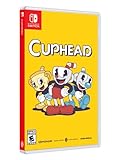
- Experience the classic run and gun action with a pal in 2-player local co-op
- Includes the “Delicious Last Course” expansion filled with new bosses and brand-new character Ms. Chalice
- Includes exclusive “Cuphead Funnies” comic collector cards & vintage-inspired “Cuphead Club Membership”, and a hand-drawn reversible coversheet
| # | Preview | Product | Price | |
|---|---|---|---|---|
| 1 |
|
Cuphead - Nintendo Switch | $31.97 | Buy on Amazon |
| 2 |
|
Cuphead & The Delicious Last Course Standard - Nintendo Switch [Digital Code] | $26.88 | Buy on Amazon |
| 3 |
|
Cuphead - Nintendo Switch [Digital Code] | $19.99 | Buy on Amazon |
| 4 |
|
Cuphead - The Delicious Last Course Standard - Nintendo Switch [Digital Code] | $7.59 | Buy on Amazon |
| 5 |
|
Cuphead - Switch | $49.93 | Buy on Amazon |
Sources
- Cuphead on Steam — local co-op, controller support, and Remote Play Together.
- Nintendo UK: Cuphead Nintendo Switch download software — player count and compatible-controller requirement.
- PlayStation: Cuphead – PS4 Games — player count, local co-op, and Remote Play support.
- Steam Community: “2 controllers support” — PC join advice posted October 16, 2017.
Product prices and availability are accurate as of the date/time indicated and are subject to change. Any price and availability information displayed on Amazon at the time of purchase will apply.




