What’s actually slowing this PC down?
Pick the symptom - the matching free tool is one click away.
The official way to play Android games on Windows 11 is Google Play Games on PC. It lets you install and play a selected catalog of mobile games with keyboard and mouse support, compatible controllers, PC graphics, and—where supported—progress synchronization. It is not the full Google Play Store, so you cannot assume that every Android game or app will be available.
What you need before installing
Windows 11 satisfies Google’s minimum operating-system requirement, which is Windows 10 version 2004 or newer. However, Windows 11 alone does not guarantee compatibility. Your PC must also meet Google’s hardware, account, storage, and virtualization requirements.
As an Amazon Associate I earn from qualifying purchases.
| Requirement | Google’s listed minimum |
|---|---|
| Operating system | Windows 10 version 2004 or newer; Windows 11 is supported within this Windows family |
| Storage | SSD with at least 10 GB of available space |
| Memory | 8 GB RAM |
| Graphics | Intel UHD Graphics 630 or a comparable GPU |
| Processor | Four physical CPU cores |
| Account | Windows administrator account and a personal Google Account |
| Virtualization | Hardware virtualization enabled |
Google lists a gaming-class GPU such as an Nvidia GeForce MX450 and eight logical CPU cores as a better-performance configuration. Even a PC that meets the minimum may perform poorly in demanding games, and individual titles can have additional requirements or performance warnings. See Google’s current requirements and availability guidance.
Account and region requirements
Use a personal Google Account. A work, school, or managed account is not guaranteed to work. Your Google Play country must be in a supported region, and some locations may require age verification. Google lists the United States among supported regions, but availability can change, so check the current official list rather than relying on an old screenshot.
#1 Best Overall
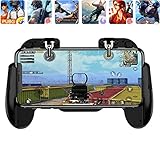
- 【Game Controller Design】Our gamepad have two adjustable triggers on the top, mechanical button made of conductive silicone and zinc alloy that triggers no delay. The handle whole body is made of high quality ABS material, which is sturdy and lightweight.
- 【Improve Your Game Level】Perfect four-finger operation. In the game, the two trigger on the top of the handle is responsible for aiming and shooting. You can quickly open the aiming magnifier and then shoot the enemy while moving and aiming. These four actions can be completed in one instant. You only need to practice a few times to adapt to this mobile game handle, you will find that the shooting game will become so easy, you can also become a game master.
- 【Best Assistant for Shooting Games】Very easy to use and install. You can use it for almost any PvP, FPS type shooter, as long as you can customize the keys icons in the game to fit the trigger. It is especially suitable for PUBG mobile phone shooter games.
- 【Supported Mobile Devices】This mobile game controller is compatible with almost all large screen smartphones. Stretchable handle body, maximum stretch length left and right: 172 MM/6.77 inch. The supported phone size is 4.7-7.0 inch screen, and the supported phone thickness is 10.5 MM/0.41 inch (recommended to remove the phone protection case before installing the controller).
- 【Ideal for Mobile Shooting Games】For PUBG/ Critical Ops/ Rules of Survival/ Knives Out/ CrossFire/ Survivor Royale/ Terminator 2 Judgment Day, etc., as long as the game settings are allowed to customize the position of the button keys.
Virtualization has two parts
Google Play Games may ask Windows to enable Windows Hypervisor Platform. Windows normally requires a restart before the change takes effect. Separately, CPU virtualization must be enabled in your computer’s BIOS or UEFI firmware. Depending on the manufacturer, this may be called Intel VT-x, Intel Virtualization Technology, AMD SVM, or simply Virtualization.
These are separate settings: enabling one does not necessarily enable the other. Google also warns that other Android emulators may not work when Windows Hypervisor Platform is enabled.
How to install Google Play Games on Windows 11
- Open Google’s official Google Play Games on PC download page.
- Select Download.
- Open the downloaded installer.
- Follow the setup prompts. Windows administrator permission may be required.
- If prompted, allow Windows to enable Windows Hypervisor Platform, then restart Windows.
- If the installer reports that hardware virtualization is unavailable, restart the PC and enter BIOS/UEFI settings. Enable the CPU virtualization option, save the change, and restart Windows.
- Open Google Play Games on PC and sign in with your personal Google Account.
The installer can stop when the PC does not meet Google’s minimum requirements. Use Google’s official installation instructions if the prompts differ from these steps.
Quick wins for a faster PC:
Fix the driver behind crashes, sound loss and screen glitchesFind Drivers →Clear out junk files and repair common Windows errorsFree Scan →How to install an Android game
- Open Google Play Games on PC.
- Search for the game by name.
- Open its listing and check whether it is available for PC. Pay attention to any performance warning.
- Select Install.
- Wait for the download and setup process to finish.
- Select Play, or launch the game from its Windows shortcut if one was created.
A game may be absent from search, appear but be unavailable on your PC, require a particular processor, or be restricted in your region. Google Play Games on PC is a curated gaming client, not a general-purpose Windows version of the Google Play Store.
Keyboard, mouse, and controller controls
Keyboard and mouse
Google requires games in its PC catalog to be playable with mouse and keyboard, but the quality of the experience varies. Some games have optimized PC controls; others use compatibility mappings for virtual touchscreen buttons. A game can technically support keyboard and mouse while still feeling less natural than a native Windows release.
Rank #2

- 2500mAh/5000mAh large battery, can and play in the same time, continuous cooling without plug in.
- 2500mAh/5000mAh large battery, can and play in the same time, continuous cooling without plug in.
- Fast heat dissipation, mobile phone does not burn, do not wear and tear mobile phone internals, play happily.
- Install and disassemble at any time, suitable for 4.7-6.5inch phones.
- Ergonomic handlle, comfortable grip, good feel, easy to play.
Google’s developer documentation explains the PC playability and input requirements.
Remap controls
For supported games:
- Start the game.
- Press Shift + Tab to open Game options.
- Select Remap controls.
- Assign keyboard keys to virtual buttons or virtual joystick controls.
- Save the configuration.
Google’s release notes also document an Aim and shoot control for supported first-person-shooter-style games and a Zoom control that simulates pinch-to-zoom with the mouse wheel. These features are game-dependent and do not make every touchscreen game comfortable with a keyboard and mouse. See the Google Play Games release notes.
Controllers
Google lists support for compatible games using Xbox Series X|S, Xbox One, PlayStation 5 DualSense, and PlayStation 4 DualShock controllers. The word compatible matters: the controller may connect successfully, but the game still needs to implement controller support properly.
Useful shortcuts
- F11 or Alt + Enter: enter or leave fullscreen.
- Shift + Tab: open Game options.
- Alt + F4: exit the game.
- Shift + Tab → Exit game: close the game from Game options.
Google documents these shortcuts in its official controls and troubleshooting guide.
How to improve graphics and performance
- Update your Intel, AMD, or Nvidia graphics driver.
- Lower the game’s resolution, quality, effects, or frame-rate settings when available.
- Press Shift + Tab → Visual settings and try a lower refresh-rate or FPS option if the game exposes one.
- Close demanding background applications, particularly browsers with many tabs, video editors, and other games.
- On laptops with integrated and dedicated graphics, confirm that Google Play Games and the game are using the intended GPU.
- Keep more than the required free SSD space available for downloads, updates, and temporary files.
- Check whether the game listing shows a performance warning.
Virtualization is primarily a compatibility requirement; it is not a guarantee of higher FPS. Actual performance depends on the game, processor, graphics hardware, drivers, resolution, background load, and thermal limits. Google’s guidance on requirements and performance troubleshooting should take priority over any universal FPS claim.
Rank #3

- Bluetooth Mobile Game Controller for Nintendo Switch 2 & iOS & Android & Tablets, Wireless Gamepad Grip with Hall Effect Trigger Joystick, Ergonomic Phone Controller for iPhone, iPad Pro, Samsung
- TURBO FUNCTION This MFi wireless controller has a turbo function, you can adjust the turbo button according to your needs and achieve one-click bursts, programming buttons are designed on the behind of the stretched gamepad, support macro programming, customise personalised game. making it easier for you to win in FPS games, and it is a good helper for you to play games.
- Hall effect joystick and linear trigger: mobile controller is with hall effect joystick, high precision, stable performance, faster response speed and long service life. Linear trigger has such high fluidity and response speed that gives you a competitive advantage in any game.
- ERGONOMIC DESIGN: Game accessory controllers are ergonomically designed to ensure flawless control and execution. The shape of the gamepad fits naturally in the hand, so you can better immerse yourself in the fun even during prolonged use. 360° rotating joystick analog sticks and trigger buttons ensure precise accuracy and comfort as well as increased sensitivity so you can better control your gaming remote control.
- Supports controllers up to 11 inch: Scalable design supports most tablets such as 11 inch iPad Pro (M5), 11 inch iPad Air (M3), iPad (A16), iPad mini (A17 Pro), 11 inch iPad Pro (M4), 11 inch iPad Pro 4/3/2/1, for Samsung, Lenovo, Amazon, Huawei tablets etc. (Not compatible with the 12.9-inch iPad Pro and 13-inch iPad Air)
Why a game is unavailable
A missing or unavailable game does not necessarily mean that Google Play Games is broken. Common causes include:
Do these 3 things before closing this tab:
1Scan for outdated or missing drivers - takes under a minute2Repair Windows errors before they cause bigger problems3Fix the driver behind crashes, sound loss and screen glitches- The title is not part of Google’s PC catalog.
- The game supports only certain processors or hardware configurations.
- Your graphics driver is outdated.
- The title is unavailable in your region.
- The developer has not enabled or maintained PC support.
- The game or Google Play Games client needs an update.
Google specifically identifies processor restrictions and outdated graphics drivers as reasons a game may be unavailable or unplayable. If the game has an official Windows, Steam, Epic Games Store, or publisher version, that native PC release may offer better graphics, controls, anti-cheat compatibility, and support.
Do not treat APK sideloading as the normal fix. Google’s developer documentation discusses APK sideloading for the developer emulator, which is a development tool rather than the ordinary consumer application.
Installation and download troubleshooting
| Problem | First actions |
|---|---|
| Installer stops or will not start | Check Windows version, administrator access, SSD space, hardware virtualization, Windows Hypervisor Platform, and minimum hardware. |
| Hypervisor prompt keeps returning | Enable Windows Hypervisor Platform, restart Windows, then confirm CPU virtualization is enabled separately in BIOS/UEFI. |
| Game is stuck at Pending or Setting up | Exit Google Play Games from the taskbar notification area, reopen it, check for updates, restart Windows, and verify internet access and storage. |
| Game remains stuck after the client works | Reinstall the affected game. If client updates fail, reinstall Google Play Games itself. |
| Game is unavailable | Check the catalog, processor restrictions, graphics drivers, region, and game updates. |
| Poor performance | Update drivers, lower graphics or FPS settings, close background programs, and check GPU selection. |
| Controls feel wrong | Open Shift + Tab → Remap controls, try the game’s own settings, or test a compatible controller. |
| Fullscreen or exit problems | Press F11 or Alt + Enter for fullscreen; use Alt + F4 or Shift + Tab → Exit game to quit. |
If Google Play Games will not install or update, Google recommends uninstalling it through Windows Apps & features, downloading the installer again from the official site, and reinstalling it. Avoid downloading old installers from unofficial mirrors. Google’s June 5, 2025 release note said versions released before May 2022 were no longer supported and listed 22.5.464.0 as the minimum supported application version at that time. That was a historical cutoff, not necessarily the current version number; use the latest official installer.
Progress synchronization, purchases, and Play Pass
Google supports progress synchronization between mobile and PC when the game and account setup support it. Sign in with the same Google Account used on your phone or tablet, but do not assume that every title handles saves identically. Some games use their own account systems, cloud-save rules, or login screens.
Rank #4

- WIDE SCREEN COMPATIBILITY — PHONE TO TABLET: X5 Lite is a versatile phone controller that stretches up to 213mm to fit iPhone 15/16, most Android phones, iPad mini 6/7, and compatible Android tablets. Secure Type-C connection keeps gameplay stable and responsive.
- MOBILE, CLOUD & REMOTE GAMING: Play supported mobile games like Zenless Zone Zero, or stream console and PC games through Xbox Game Pass, Steam Link, Moonlight, and remote play. Enjoy physical controls wherever you play.
- HALL EFFECT STICKS — PRECISE CONTROL: GameSir Hall Effect sensing sticks deliver smooth 360° control for accurate aiming, movement, and camera adjustments. Built for fast-paced mobile games and streamed console or PC titles.
- LIGHTWEIGHT & ERGONOMIC — 135.4G: At just 135.4g, X5 Lite stays lightweight during extended gaming. Ergonomic, laser-engraved textured grips provide a secure, comfortable hold at home or on the go.
- CUSHIONED MEMBRANE CONTROLS — COMFORTABLE & QUIETER: Cushioned membrane buttons and triggers provide comfortable feedback for repeated inputs while keeping operation quieter. Ideal for extended sessions or gaming in shared spaces.
Google’s release notes also describe limited cross-device purchase unlocking: select games can be purchased once and unlocked across phone, tablet, and PC. Play Pass subscribers can access select paid, ad-free, fully unlocked mobile games on PC. These are title-dependent features, not a guarantee that every mobile purchase transfers automatically. See Google’s Play Pass page and current release notes for availability.
Independent reader supportYour contribution helps us test, update, and keep practical guides available for everyone.Google Play Games on PC versus BlueStacks
Choose Google Play Games on PC when you want Google’s official Windows client, a focused gaming interface, supported cross-device progress, and a curated catalog without configuring a general emulator.
Consider BlueStacks when you need broader Android-app flexibility, more extensive keymapping, multiple emulator-style settings, or a game that Google’s PC catalog does not cover. BlueStacks advertises broader catalog access and additional customization on its own comparison page; those are the company’s claims, not independent testing. It may also add more overhead and complexity. Start with BlueStacks’ official App Player page if you choose that route.
Before either option, check for a native Windows or publisher client. It is often the better choice when available. Windows Subsystem for Android is not a current default recommendation: Microsoft says Windows Subsystem for Android and the Amazon Appstore have not been available in the Microsoft Store since March 5, 2025.
Free tools Windows power users keep installed
One-click scans. No signup required.
Frequently Asked Questions
Can I install the full Google Play Store on Windows 11?
Not through Google Play Games on PC. Google’s official client provides a selected catalog of Android games, not unrestricted installation of Android apps or APK files.
Best Value
![Newseego for Mobile Game Controller, [Upgrade] Phone Controller Gamepad with 6 Fingers Trigger Sensitive Shoot and Aim Trigger Controller for Android & iOS for PUBG](https://m.media-amazon.com/images/I/41QSu+jTPlL._SL160_.jpg)
- [6 Finger Triggers] This new mobile game controller has two triggers on each side. With this game controller, you can play games with 6 fingers, bid farewell to finger numbness, shoot while moving, quickly improve skills, improve operational response, and reduce embarrassment.
- [Easy Operation] You can use the index finger to push, rotate, aim and shoot at the same time, which eliminates the hassle of using only the thumb for all operations. You can charge your phone while playing mobile games!
- [Alloy Trigger Button] This pair of fire and aiming buttons with a mobile game trigger with a gamepad provides you with a realistic physical joystick to improve the accuracy of touchscreen-based games. Sensitive, not delayed, cannot escape.
- [Perfect Fit Multiple Games] Designed for games on iPhone IOS and Android, such as PUBG, Knives Out, survival rules, survivors, important actions, etc. As long as the game allows custom and drag keys, you can play the best guest mobile game controller.
- [Applicable Models] The handle can be stretched 70-95mm.Support all different models of mobile phones.
Can I play every Android game on Windows 11?
No. Availability depends on Google’s PC catalog, developer support, region, processor, graphics drivers, and other compatibility checks.
Do I need an Android emulator?
Not for games supported by Google Play Games on PC. Use an alternative emulator such as BlueStacks only when you need broader compatibility or more customization.
Does Android progress always sync to PC?
No. Progress can sync when the game and account setup support Google Play’s cross-device behavior. Some games use separate account or cloud-save systems.
Recommended Free Tools
Why does Google ask me to enable virtualization?
Google Play Games relies on virtualization-related Windows and firmware features. Windows Hypervisor Platform and CPU virtualization in BIOS/UEFI are separate settings.
Can I use an Xbox or PlayStation controller?
Google lists compatible Xbox Series X|S, Xbox One, PS5 DualSense, and PS4 DualShock controllers, but the individual game must support controller input.
Is Google Play Games on PC free?
The client is a free download. Individual games may include paid content, and Play Pass is an optional subscription for select included titles.
The Bottom Line
Use Google Play Games on PC first if your Windows 11 computer meets Google’s requirements and your game appears in the supported catalog. Enable both required virtualization layers, install from Google’s official page, and use Shift + Tab for remapping and visual settings. If the game is missing or you need unrestricted Android apps and deeper customization, check for a native PC version or consider an alternative emulator.
Quick Recap
Product prices and availability are accurate as of the date/time indicated and are subject to change. Any price and availability information displayed on Amazon at the time of purchase will apply.




