You can play Psikyo arcade games on Nintendo Switch 2 using the Nintendo Switch editions of Psikyo Shooting Stars Alpha and Psikyo Shooting Stars Bravo. Nintendo lists both collections as supported on Switch 2, with game behavior consistent with Nintendo Switch. Choose between them by the games included: Alpha has the Strikers 1945 titles, while Bravo has the Gunbird games and the Samurai Aces series.
Which Psikyo collection should you choose?
Each collection contains six games, but their lineups are different. Use the table to find the arcade series you want:
| # | Preview | Product | Price | |
|---|---|---|---|---|
| 1 |

|
NAMCO MUSEUM ARCADE PAC (Nintendo Switch) | $31.00 | Buy on Amazon |
| 2 |

|
NAMCO MUSEUM ARCADE PAC - Nintendo Switch | $25.40 | Buy on Amazon |
| 3 |

|
Marvel vs. Capcom Fighting Collection: Arcade Classics - Nintendo Switch | $24.88 | Buy on Amazon |
| 4 |
|
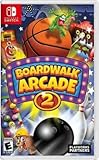
Boardwalk Arcade 2 - For Nintendo Switch | $26.25 | Buy on Amazon |
| 5 |
|
Party Arcade - Nintendo Switch | $19.93 | Buy on Amazon |
| Collection | Included games | Nintendo Switch 2 compatibility |
|---|---|---|
| Psikyo Shooting Stars Alpha | Strikers 1945, Strikers 1945 II, Strikers 1945 III, Sol Divide, Dragon Blaze, Zero Gunner 2 | Supported; Nintendo says game behavior is consistent with Nintendo Switch. |
| Psikyo Shooting Stars Bravo | Samurai Aces Episode I, Samurai Aces Episode II: Tengai, Samurai Aces Episode III: Sengoku Cannon, Gunbarich, Gunbird, Gunbird 2 | Supported; Nintendo says game behavior is consistent with Nintendo Switch. |
See Nintendo’s US listing for Alpha and Canada listing for Bravo for the official game details. Store availability, edition information, and compatibility entries can vary by region, so check the Nintendo store for your account’s region before buying.
How to install and play them on Switch 2
- Choose a collection. Pick Alpha or Bravo based on the included games above; buying one does not provide the other collection’s lineup.
- Get the Nintendo Switch edition. Obtain it through the Nintendo store for your region or a retailer. Nintendo identifies both as Nintendo Switch software and lists them as supported on Switch 2. The official pages cited here do not establish current physical-edition stock.
- Install or insert the game. Download and install the software on Switch 2, or insert a compatible game card if you have a physical copy.
- Choose a play mode. Nintendo lists TV, tabletop, and handheld modes for both collections.
- Try TATE mode for vertical play. Both product descriptions call out vertical TATE mode, which presents the shooters in a portrait-style arcade orientation. Nintendo’s listings do not give a specific menu path or button sequence for enabling it.
Nintendo’s UK listings say multiplayer requires one compatible controller per player and that additional controllers may be needed. The US Alpha and Canada Bravo listings specify one to two players on one system; neither indicates that a special arcade stick is required for ordinary play.
#1 Best Overall
- Save your quarters and bring the arcade home with the ultimate 13 games 'pac', "Namco Museum Arcade Pac".
- Enjoy the nostalgic classics in "Namco Museum" and the flashy maze madness of "Pac-Man Championship Edition 2 Plus" with friends or solo, at home or on the go for exciting arcade fun wherever you are - exclusively for the Nintendo Switch.
- Enjoy Namco classics such as:
- Pac-Man
- Galaga
What Switch 2 compatibility means
Nintendo’s individual listings describe both collections as “Supported – Game behavior is consistent with Nintendo Switch.” That confirms support for the Switch versions; it does not mean either game is a native Switch 2 edition or has been enhanced specifically for the newer console. Nintendo Support notes that some Switch games may not be supported or fully compatible on Switch 2, so check the compatibility entry for the exact game and region you plan to use.
The official pages establish compatibility and the games in each collection, but do not provide Switch 2 measurements for input latency, frame pacing, or image quality. They therefore do not establish that Switch 2 improves input lag or that one collection performs better than the other.
Rank #2
- Namco Museum - Enjoy Namco classics like PAC-MAN, GALAGA, SPLATTERHOUSE, & TOWER OF DRUAGA, or play games such as rolling THUNDER, SKYKID, or TANK FORCE with friends & family on the Nintendo Switch!
- PAC-MAN CHAMPION EDITION 2 PLUS - The highly acclaimed PAC-MAN CHAMPIONSHIP EDITION series has finally come to the Nintendo Switch in PAC-MAN CHAMPIONSHIP EDITION 2 PLUS!
- PAC-MAN CHAMPION EDITION 2 PLUS - Featuring eye-popping high-resolution 3D graphics, the latest version of the classic game takes chomping and chasing through mazes to a whole new level!
- PAC-MAN CHAMPION EDITION 2 PLUS - Play by yourself or with your friends in the all new co-op mode, "PAC-MAN CHAMPION EDITION 2 PLUS 2P" - exclusive only to the Switch!
- PAC-MAN CHAMPION EDITION 2 PLUS - Team up with your friends and family to weave through the mazes and make it to the boss battle together!
Check storage requirements in your region
Download-space figures differ between regional Nintendo listings. Nintendo’s US Alpha listing gives a 640 MB file size; its Australian listing also gives 640 MB. Nintendo Australia lists 1.0 GB of required space for Bravo. These are storefront-specific figures, so check the current listing for your region and edition before downloading. Nintendo Australia notes that Switch 2 uses microSD Express cards for expanded storage, but the cited product pages do not establish that an additional card is necessary for either collection.
Quick Recap
Best Value
- Tournaments: Regular Tournaments with prizes!
- Prize Shop: Unique pieces of equipment
- Multiplayer: 1 to 4 Players local & online
- Challenges: Extra challenges for single player
- Leaderboards: For each game including challenges
Rank #4
- Boardwalk Arcade 2 features a collection of games that will be instantly familiar to anyone who’s been to a carnival or boardwalk.
- The more you play the more tickets you earn towards cosmetic upgrades, figurines, and collectibles!
- Players can win real prizes including a Nintendo Switch giveaway!
- Games included: basketball throw, mini bowling, skee ball, shooting gallery, what a mole, mascot launch, claw machine, pinball, darts (baloon pop) and ring toss.
Rank #3
- Experience your Favorite MARVEL vs. CAPCOM classics All in One – Enjoy 7 of your favorite classic titles that helped shaped the MARVEL vs. CAPCOM universe both single player and online.
- Enjoy Enhanced Features Added to the Classic Collection – To enhance your playability experience, we incorporated the favorite added features from Capcom Fighting Collection including gallery mode, quick save, training mode for all fighting titles, and the high score challenge. Beginners and first timers into the franchise are also welcome to play through adjusted settings and execution of one-button specials!
- Play with Friends Worldwide through Online Compatibility – This collection also includes rollback net code for a smooth and enjoyable experience online. Play casually or competitively through casual, ranked, or custom matches using rules of your choosing!
Product prices and availability are accurate as of the date/time indicated and are subject to change. Any price and availability information displayed on Amazon at the time of purchase will apply.




