
Recommended Free Tools
RuneScape: Dragonwilds can be played cooperatively across PC, PlayStation 5, Xbox Series X|S and Nintendo Switch 2. For a normal session, one player starts a world, enables crossplay when necessary, then shares the invite code shown in the pause menu. Friends enter that code in the world browser. Jagex describes four players as the standard co-op group; its separate dedicated-server documentation supports up to six players.
That distinction matters. A host-run world is the quickest way to play together, but the host needs to start the session. A dedicated server is more work to install and maintain, yet it keeps a persistent world available and is the officially documented option for groups of up to six. The instructions and limits below reflect Jagex information available after the September 15, 2026 full release.

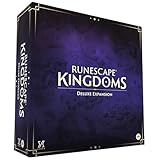
As an Amazon Associate I earn from qualifying purchases.
What multiplayer options does Dragonwilds have?
There are two practical ways to play with friends:
- Standard co-op world: a player hosts a world, shares an invite code and plays with the group while that world is running. Jagex’s development team describes four players as the standard co-op group.
- Dedicated server: a separately running server loads a persistent save and is documented by Jagex for up to six players. You can run it on your own 64-bit Windows or Linux machine or use a hosting provider, but you take on setup, networking, updates and save-management tasks.
Steam lists the game as single-player and online co-op, while Jagex’s launch announcement confirms crossplay across the supported platforms. See the Steam product page, the September 15, 2026 launch announcement and the official FAQ for the platform statements.
Which platforms can play together?
Jagex’s launch announcement says crossplay is supported across platforms. The FAQ names PC, PlayStation 5, Xbox Series X|S and Nintendo Switch 2 among the launch platforms. Therefore, a PC player can join a console friend’s world, or players on different consoles can use the same multiplayer world, provided the host enables crossplay for that world.
#1 Best Overall
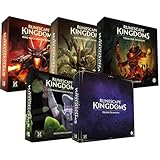
- Immerse yourself in a thrilling tabletop adventure filled with strategy, storytelling, and dynamic character interactions designed to challenge every decision.
- Experience high replayability through immersive roleplay, unpredictable encounters, and evolving tactical choices that keep every session intense and fresh.
- Master your destiny with customizable heroes, intricate quests, and deep world-building that fuel creative expression and competitive gameplay.
- Perfect for RPG enthusiasts seeking complex mechanics, cooperative missions, and richly detailed scenarios that spark imagination and rivalry.
- Premium components, atmospheric artwork, and narrative depth make this board game a must-have centerpiece for any tabletop gaming collection.
Crossplay is controlled by the host rather than being a permanent account-wide switch. In a team response, Jagex says the host can enable it in the world settings each time the world starts. If a host launches a world with crossplay disabled, a friend on another platform should not expect the invite code alone to overcome that setting.
Steam and the Jagex Launcher are separate PC platforms
PC players should also distinguish storefronts. Jagex’s FAQ states that buying the Steam version does not itself grant access through the Jagex Launcher. Treat Steam and the Jagex Launcher as separate PC platforms when deciding where each friend will purchase and launch the game; do not assume that installing one automatically supplies the other.
How to invite friends to a Dragonwilds world
Jagex documents an invite-code flow rather than a platform-specific friend-list procedure. The labels can vary slightly by platform, but the supported sequence is:
Do these 3 things before closing this tab:
1Clear out junk files and repair common Windows errors2Scan for outdated or missing drivers - takes under a minute3Repair Windows errors before they cause bigger problems- Start the world as host. Launch your world and wait until you are in the game.
- Enable crossplay if the group uses different platforms. Open the world settings during startup and turn on crossplay. Jagex says this choice is available each time the world starts, so check it again on a later session.
- Open the in-game pause menu. The host’s current invite code is displayed there.
- Send the code to your friends. Share the code exactly as shown rather than relying on a remembered world name.
- Have each friend open the world browser. Enter the invite code in the browser’s code field and submit it.
- Select the resulting world and join. The server list also displays the host platform, which helps friends confirm that they found the intended session.
JagexDoom, answering for the development team in the official Reddit AMA, described the same flow: “Correct! Server lists will display the host platform and crossplay can be enabled in the world settings each time you start the world. You can now join worlds through invite codes – they can be entered in the world browser screen, and are shown in the in game pause menu.” Read the team AMA response for that clarification.
What the host must do every session
The host needs to be present to start a normal host-run world and, when applicable, enable crossplay again. If the group expects to play at different times, or the usual host cannot reliably be online, a dedicated server is the better fit. A code does not turn a temporary host-run world into a permanently available server.
Four-player co-op versus a six-player dedicated server
The published numbers describe different scopes, not a contradiction. The Jagex team calls four players the standard co-op group and has described increasing that limit as a future goal. Separately, Jagex’s dedicated-server guide documents support for up to six players; its version note says that capacity was supported as of game version 0.11 in March 2026.
| Option | Player-count evidence | Availability and effort | Best use |
|---|---|---|---|
| Standard co-op world | Four is the standard co-op group described by the Jagex team. | Host starts the world, enables crossplay when needed and shares the pause-menu invite code. | A small group playing together while the host is available. |
| Dedicated server | Jagex’s dedicated-server guide documents up to six players. | Requires a separately running server, supported operating system, memory, reachable networking and version maintenance, whether self-hosted or hosted by a provider. | A persistent world or a group larger than the standard four-player co-op group. |
Do not read the six-player figure as a guarantee that every ordinary hosted session accepts six people. It belongs to the dedicated-server documentation. Conversely, choosing a normal co-op world does not require you to build server infrastructure just because a dedicated-server guide exists.
The Tool Desk
Outbyte PC Repair FREEClear out junk files and repair common Windows errorsFree Scan →Outbyte Driver Updater FREEScan for outdated or missing drivers - takes under a minuteDriver Scan →When is a dedicated server worth using?
Choose standard co-op when simplicity matters
A host-run world is usually the right starting point for two to four friends who can coordinate play times. It avoids server installation, port forwarding, operating-system requirements and save-file copying. The host starts the world, confirms crossplay, shares the code and plays.
Rank #3

- Grab your capes and party hats, because we’re going to Gielinor!
- Inspired by the record-breaking online universe that’s captured the imagination of millions worldwide, RuneScape Kingdoms: Shadow of Elvarg is the official cooperative board game for 1-5 players.
Choose a dedicated server for persistence
A dedicated server makes sense when the group wants the world to remain available independently of one player’s game session. It is also the documented route for groups targeting five or six players. The trade-off is ongoing administration: someone must keep the server running, maintain its version, protect backups and make the network reachable.
Check the six-player limit before committing
The guide’s six-player statement is tied to its March 2026 version note. Major game updates can change server behavior or requirements, so consult Jagex’s Dedicated Servers – How-to Guide again after substantial patches.
Self-hosting requirements for a dedicated server
Jagex documents the following baseline requirements and operational details:
Quick wins for a faster PC:
Clear out junk files and repair common Windows errorsFree Scan →Fix the driver behind crashes, sound loss and screen glitchesFind Drivers →Repair Windows errors before they cause bigger problemsFix Now →| Requirement | What Jagex documents | Why it matters |
|---|---|---|
| Operating system | 64-bit Windows or 64-bit Linux. | The dedicated-server software is not documented for 32-bit systems or other operating systems. |
| Memory | 2 GB plus 1 GB per player. The guide gives 4 GB for two players and 8 GB for six. | Reserve memory for the server itself and each connected player; other applications on the machine also need headroom. |
| Network port | Servers start at UDP port 7777. Additional server instances increment the port. | Your firewall, router and possibly ISP must allow traffic to the selected UDP port. |
| Game software | Install the free “RuneScape: Dragonwilds – Dedicated Servers” Steam product, or use the SteamCMD app-update command shown in Jagex’s guide. | The server software must be installed and kept current separately from a player’s game client. |
| Version matching | Clients and server should run matching versions. Updates and hotfixes can make them differ. | A mismatch can prevent a friend from joining until both sides are updated. |
The RAM figures are capacity guidance, not a performance benchmark. A machine running a desktop, backups or other services may need more than the stated minimum to avoid contention.
Rank #4

- Deep in the dangerous wasteland to the north east — the place they call the Wilderness — lies the lair of the King Black Dragon. A fearsome, three-headed beast infamous for dealing burning, freezing, electrifying, poisonous death to unfortunate adventurers. But lucky for you, Bob the Cat is here to lend a helping paw! Still, you may want to say a prayer before taking this quest on…
- The King Black Dragon expansion grows your RuneScape Kingdoms universe with an infamous new boss to face, Bob the Cat to meet, Prayer skill to master, Wilderness location to explore, and a whole new campaign, A Cat’s Tale of Triple Trouble, that will test your dragon-slaying mettle!
- It’s packed with new side quests, vault cards, and events, plus new items to discover, craft, and equip on your path to victory.
- Please note, you’ll need a copy of RuneScape Kingdoms: Shadow of Elvarg to use this expansion.
How to set up a self-hosted dedicated server
Jagex’s guide contains the authoritative files, commands and current paths. The following order keeps the process understandable without inventing platform-specific button names that Jagex does not document exhaustively.
- Pick the host machine. Use a 64-bit Windows or Linux computer that can remain online for the hours your group needs. Allocate at least 2 GB plus 1 GB per intended player; for the guide’s examples, plan on 4 GB for two players or 8 GB for six.
- Install the dedicated-server software. In Steam, install the free “RuneScape: Dragonwilds – Dedicated Servers” product. If you administer the machine with SteamCMD, use the exact app-update command published in Jagex’s server guide rather than substituting a command from another game.
- Choose the server’s world name and settings. Record the exact world name you configure. Friends will use that name in the public server browser, and Jagex specifies that the name is case-sensitive.
- Expose the server’s UDP port. The first instance uses UDP 7777. If you run additional instances, use the incremented port assigned by the server configuration. Create the corresponding firewall rule and forward the port on your router when the machine is behind a home network. Some ISPs use carrier-grade NAT or block inbound traffic; in that situation, ordinary port forwarding may not be sufficient.
- Start the server and confirm its version. Apply game updates and hotfixes to the server before asking friends to connect. Verify that every player’s client is on the matching version.
- Find it from the game client. Open the Worlds screen, select the Public tab and enter the exact, case-sensitive world name. The server must be reachable and running for it to appear or accept the connection.
- Test with one friend first. Confirm that the public listing, port and version work before scheduling the entire group. This isolates network problems from player-count or save-file problems.
Moving an existing local world to a dedicated server
A dedicated server loads the latest save file in its Savegames folder. Jagex explains that you can copy an existing local save into the server’s Savegames folder, then start the server so it loads that world. Make a backup of the original local save before copying or replacing anything; a failed migration or an accidental overwrite is much easier to recover from when an untouched copy exists.
Use a single authoritative save location after migration. If some friends continue playing the old local copy while others use the dedicated server, progress will diverge and there is no safe automatic merge described in Jagex’s documentation. Shut down the relevant game or server before copying files so the save is not being written during the transfer.
How friends find a dedicated server
Unlike a host-run world, a dedicated server is discovered through the world browser’s public list. On the Worlds screen, open the Public tab and enter the server’s exact, case-sensitive world name. Share the spelling and capitalization with the group.
Best Value
The server and every client must be on matching versions. If a hotfix has just released, update the server first and then have everyone update the game client. A server that was visible yesterday can disappear or reject connections after an update if its files were not patched.
Troubleshooting common multiplayer problems
The invite code does not work
- Ask the host to confirm that the world is currently running; a code for a stopped host session is not a permanent server address.
- Have the host reopen the pause menu and send the current code again instead of reusing an older message.
- For players on different platforms, verify that the host enabled crossplay in world settings for this launch.
- Make sure the friend is entering the code in the world browser, which is the location Jagex documents for invite-code joining.
A friend cannot see the dedicated server
- Check that the server is running and that the friend is searching from the Worlds screen’s Public tab.
- Confirm the world name character by character, including capitalization.
- Check the UDP port, firewall rule and router forwarding. Home hosting can also be affected by an ISP that does not provide a directly reachable inbound address.
- Verify that the client and server versions match after the latest update or hotfix.
The group is larger than four
Do not assume that a normal host-run session has the dedicated-server capacity. Jagex describes four as the standard co-op group and documents up to six for dedicated servers. If five or six people need to share one persistent world, plan around the dedicated-server route and its resource and networking requirements.
The Steam and Jagex Launcher installations appear different
That behavior is consistent with the FAQ’s statement that Steam and the Jagex Launcher are separate PC platforms. Confirm where each player owns and launches the game before troubleshooting invitations or crossplay.
Free tools Windows power users keep installed
One-click scans. No signup required.
A practical choice for your group
- Two to four friends, same schedule: start with a host-run world and the invite-code method.
- Friends on different platforms: use the host-run method, but enable crossplay every time the host starts the world.
- Five or six players: use a dedicated server, because that is where Jagex documents up to six-player support.
- Players joining at different times: use a dedicated server so the world is not tied to the host’s active session.
- No one can manage a 64-bit Windows/Linux machine, ports, updates and backups: stay with standard co-op or arrange hosting only after checking the provider’s current terms and technical support. Jagex’s guide names a hosting partner but does not establish current prices, plan limits or availability.
What is confirmed, and what can change?
The crossplay launch claim, invite-code flow, host-controlled crossplay setting, standard four-player co-op description and dedicated-server six-player documentation come from Jagex announcements, support material and a team AMA. The dedicated-server guide’s six-player note is dated to version 0.11 in March 2026, while the full release launched on September 15, 2026. Future patches can alter capacity, menus, networking behavior or installation steps, so use the current official pages when an update changes your results.
Jagex’s primary references are the Dedicated Servers – How-to Guide, the FAQ, the full-release announcement and the team AMA.
Quick Recap
Product prices and availability are accurate as of the date/time indicated and are subject to change. Any price and availability information displayed on Amazon at the time of purchase will apply.

