Yes, but only through cloud gaming. The clearest officially verified option is Xbox Cloud Gaming, which streams The Sims 4 instead of installing the full game on your device. The base game is free, but cloud access is listed as included with Xbox Game Pass Ultimate.
What “without downloading” means
Cloud gaming runs The Sims 4 on a remote server. Your device receives a video stream and sends your controls back over the internet. You avoid downloading the full game, but you still need a compatible browser or app, an internet connection, and enough bandwidth for streaming.
As an Amazon Associate I earn from qualifying purchases.
This is different from downloading the free base game. A normal installation stores the game locally and requires the EA app on Windows or Mac.
Outdated Drivers Are Slowing You Down
One free scan finds every outdated or missing driver and matches the right update for your exact hardware.Free scan · exact hardware matchPC Slower Than It Used to Be?
A free scan shows the junk files, broken settings and background clutter dragging Windows down - then fixes them in one click.Free scan · Windows 10 & 11The easiest method: Xbox Cloud Gaming
The Xbox store currently marks The Sims 4 as “Cloud playable” and identifies Xbox Game Pass Ultimate as the subscription that includes cloud play. Availability can vary by country, account, device, and service catalog, so check the listing for your region before subscribing.
#1 Best Overall

- With broad game support, the Logitech Gamepad F310 works with old standbys to today's biggest titles, so it's easy to set up and use with your favorite games.
- Profiler software allows the gamepad to be programmed to perform keyboard and mouse commands for games without gamepad support.* * Requires software installation.
- A familiar control layout that doesn't require a learning curve to be able to use, with all the same buttons as on an Xbox 360.
- The unique floating D-pad rests on four switches-instead of a single pivot point-making it responsive to quick changes in direction.
- The six-foot cord lets you lean back and play a comfortable distance from your PC monitor.
<
- Sign in to, or create, a Microsoft/Xbox account.
- Confirm that the Xbox listing still shows Cloud playable in your region.
- Get an active Xbox Game Pass Ultimate subscription if required by the listing.
- Open the official The Sims 4 Xbox listing or the official Xbox Cloud Gaming website.
- Choose the cloud-play option, not an install or download option.
- Sign in when prompted and connect a compatible controller or use the input method supported by the session.
- Let the game launch on Microsoft’s servers. The full PC or console installation should not be stored on your device.
Save normally inside the game, then exit through the game or cloud-session controls and allow a moment for synchronization.
Does it work on PC, Mac, Chromebook, phone, or tablet?
| Device | What to expect |
|---|---|
| Windows PC | Cloud play may avoid the EA app and local installation. The normal PC version still requires installation. |
| Mac | Cloud gaming can avoid installing the Mac version, subject to Xbox browser and regional support. |
| Chromebook | Potentially suitable for browser-based cloud play, but compatibility must be checked for the device and country. |
| iPhone, iPad, or Android | Availability depends on the cloud service, browser, region, and supported controls. Do not assume the native EA app provides browser play. |
| Xbox console | You may stream through Xbox Cloud Gaming instead of installing the game, where supported. |
Cloud gaming is useful on a weak laptop because the remote server handles most graphics processing. It does not remove the need for a supported device, responsive controls, and a stable, low-latency connection.
Is The Sims 4 free?
The base game became free to play on October 18, 2022, across PC, Mac, PlayStation, and Xbox, according to EA. However, “free” does not mean that cloud streaming is free.
The Tool Desk
Outbyte Driver Updater FREEFix the driver behind crashes, sound loss and screen glitchesFind Drivers →Outbyte PC Repair FREEClear out junk files and repair common Windows errorsFree Scan →Rank #2

- MODERNIZED DESIGN — Experience the modernized design of the XBOX Wireless Controller with sculpted surfaces and updated geometry that enhances comfort and control during long gaming sessions.
- PRECISION PERFORMANCE — Stay on target with a hybrid D-pad and textured grips on triggers, bumpers, and back case for improved accuracy and handling.
- SHARE BUTTON: Seamlessly capture and share content such as screenshots, recordings, and more with the new Share button.
- VERSATILE CONNECTIVITY — Connect via USB-C for plug-and-play on console and PC, or quickly pair and switch between supported devices with XBOX Wireless and Bluetooth support.
- BUILT-IN AUDIO SUPPORT — Plug in compatible headsets using the 3.5mm audio jack for direct voice chat and immersive in-game sound.
- The base game costs nothing.
- Xbox Cloud Gaming access may require Game Pass Ultimate.
- Expansion packs, kits, and other add-ons are sold separately.
- Cloud availability does not guarantee that every add-on is included.
Do not publish or rely on a subscription price without checking the current Xbox Game Pass page; prices, taxes, plans, and introductory offers change by region.
What you cannot do without installing the game
Play the normal PC version directly through EA.com
EA’s official purchase page provides EA app and store download options for Windows, Mac, PlayStation, Xbox, Steam, and Epic Games. It does not provide a browser-based PC version that launches simply from EA.com.
For the local Windows or Mac version, EA requires the EA app and an EA Account. EA lists at least 25 GB of free storage, plus additional space for saves and custom content; 50 GB is listed as the recommended storage amount. After local installation and activation, the game can be played offline, but that is not a no-download method.
Rank #3

- The Mouse Pad Is Large Enough,It Will Fit Your Desktop Perfectly And Provide Perfect Movement Space,Offers Plenty Of Room For Gaming Or Office Works All While Protecting Your Desk,Applies To All Types Of Mouse Keyboards And More.
- This Large Mouse Pad Is Crafted With A Clever Anti Slip Rubber Base,Dense Slip-Resistant Shading Can Firmly Grip The Desktop To Provide Stable Operation Of The Mouse And Keyboard,It Can Effectively Prevent The Mouse And Keyboard From Sliding And Moving.
- Cloth Is Made Of High-Density Material With High Quality Stitching Around Its Edges,The Silky Smooth Surface And Thick Edge Allows More Accurate And Fast Mouse Movement,Let You Maintain Excellent Speed And Control When Your Gaming Or Working.
- When You Spill A Drink Or Somehow Get Food On It, It’s Easy To Clean And Will Not Delay Your Work Or Game.Due To The Foldable Design,You Can Carry This Mouse Pad With You Everywhere You Go,Easy To Carry,Even In Your Travling.
- Available For All Types Of Mouse, Laser & Optical.
Use the full PC mod ecosystem
Cloud console play is not a replacement for the PC version’s file-based mods, script mods, custom content, reshades, or manual save management. If mods and custom content are essential, install the PC or Mac version instead.
Do these 3 things before closing this tab:
1Fix the driver behind crashes, sound loss and screen glitches2Clear out junk files and repair common Windows errors3Scan for outdated or missing drivers - takes under a minutePlay offline
Cloud gaming requires an active internet connection. For offline play, use a local installation after completing the required activation steps.
Amazon Luna and GeForce NOW
Amazon Luna
EA confirms that supported EA games can stream through Amazon Luna on devices including Windows PCs, Macs, Chromebooks, compatible mobile devices, and supported TVs. EA says EA games require an active Luna Standard or Luna Premium subscription.
Rank #4
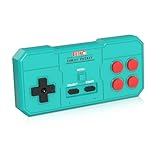
- Plug & Play, Instant Connection Simply install 2 AAA batteries (not included) – no drivers or setup needed. The controller auto-connects to your GV300S console for instant retro gaming.
- 2-Player Fun with Extra Controllers Want to team up with friends? Buy an additional controller for co-op battles! Classic button layout and ultra-responsive controls bring back childhood gaming joy.
- Perfect Replacement for GV300S Designed exclusively for GV300S consoles, this controller matches original specs. Ideal for replacing lost or damaged controllers.
- Retro Buttons, Precise Control Classic D-pad + function buttons deliver lag-free responsiveness, Conquer challenging levels with ease!
- Ready to Use & Complete Package Includes 1 controller and 1 manual – unbox and start gaming instantly!
However, the EA support page does not specifically confirm that The Sims 4 is currently in Luna’s catalog. Check the live Luna catalog before treating it as an alternative. Also note that EA says Luna’s Bring Your Own License system ended on June 3, 2026; do not assume an existing PC EA license can simply be brought to Luna.
GeForce NOW
Do not assume that The Sims 4 works on GeForce NOW because the game is sold through PC stores. NVIDIA’s system-requirements page does not by itself confirm current Sims 4 catalog support. Check NVIDIA’s live supported-games catalog before relying on it.
Cloud play versus local installation
| Choose cloud gaming if you need… | Choose local installation if you need… |
|---|---|
| No full game download | Mods and custom content |
| Minimal local storage use | Offline play after activation |
| Access from a weak computer | Direct control of files and saves |
| Fast access on temporary hardware | The broadest PC DLC and customization workflow |
Cloud gaming’s trade-off is dependence on internet quality, possible input delay, subscription access, service availability, and platform-specific DLC or save behavior. Do not assume that PC-owned expansions or PC saves automatically transfer to an Xbox cloud session.
Best Value

- This is a set of Silicon Rubber Button Replacement for NES Conductive Pads Controller Gamepad
- High quality and long duration.
- Put your NES controlllers pad like new again.
- Package Included: 2Set Silicon Rubber Button Replacement for NES Conductive Pads Controller Gamepad (If the number of products received is incorrect, please contact us . we will refund or give you a replacement).
- We highly appreciate all customers opinions to improve the selling, also if anything you unsatisfied, please contact us for probable best solution.
Troubleshooting
The cloud-play button is missing
- Check that you are using the Microsoft account with the active subscription.
- Open the official Xbox listing directly and confirm it still says Cloud playable.
- Try the supported Xbox Cloud Gaming web experience or app.
- Check regional, browser, device, and controller support.
- If the option remains unavailable, install the free base game locally instead.
The game feels unresponsive
Pause other downloads and video streams, move closer to the router, try Ethernet where possible, disconnect a VPN for testing, and use a wired controller if Bluetooth input feels delayed. Public, school, hotel, and workplace networks may block or restrict game streaming.
Saves or add-ons are missing
Reopen the game using the original account and let saving finish before closing the session. Avoid assuming PC and Xbox saves are interchangeable. For missing expansion packs, verify the Xbox entitlement and edition separately; PC ownership does not automatically guarantee access in the cloud version.
The Bottom Line
Bottom line: Xbox Cloud Gaming is the practical officially verified way to play The Sims 4 without downloading the full game. Use a local EA installation instead if you need mods, custom content, offline play, or maximum control over DLC and saves.
Free tools Windows power users keep installed
One-click scans. No signup required.
Quick Recap
Product prices and availability are accurate as of the date/time indicated and are subject to change. Any price and availability information displayed on Amazon at the time of purchase will apply.




