
Recommended Free Tools
Yes, some Ubisoft games can be played offline, but “offline mode” is not a permanent-access guarantee. Before disconnecting, update Ubisoft Connect PC and the game, sign in to the account that owns it, redeem every key, install the title, launch it once while online, and back up local saves. Then test the exact game with the network disabled. Single-player content may continue working, while multiplayer, news, statistics, challenges, reward redemption, cloud features, and some downloadable content can stop working after a service retirement.
Ubisoft’s terms also allow first-launch DRM checks and permanent online requirements for some games and features. A physical disc can preserve an installer, but it does not automatically bypass Ubisoft Connect, account activation, or title-specific server checks.
As an Amazon Associate I earn from qualifying purchases.
Can you play a Ubisoft game without an internet connection?
Ubisoft Connect PC supports launching in offline mode. That means a locally installed game can start without an active connection when its ownership and required activation checks have already been completed. Offline mode also stops automatic updates, and features that depend on Ubisoft’s servers will not be available.
Whether the game itself works offline is decided by the individual title, platform, edition, and entitlement. A traditional single-player campaign may remain playable, but an always-online game, a title with recurring authentication, a subscription-only entitlement, or a game whose content is delivered from the cloud can fail even when Ubisoft Connect opens successfully.
#1 Best Overall

- Brand video game Ubisoft.
- Color: Multicolor
- Dimensions: 10.5 x 17 x 1.2 cm.
- Reference: S71010221.
- If what you want is quality at the best price do not keep looking!
Do not treat the launcher’s offline capability as proof that every game in your library is permanently playable. Ubisoft’s Terms of Use state that “a high-speed internet connection, an Account and the installation of the Ubisoft Connect client software (http://ubisoftconnect.com) may be required to install, launch, access and unlock all or part of the Content and Services.” The same terms say that some games and features may require a permanent online connection.
What usually works offline
- Locally installed single-player missions that have completed their required activation.
- Local save files stored on the computer or console.
- Previously installed patches and game files.
- Offline menus and gameplay that do not call an online service.
What usually does not work offline
- Online multiplayer, matchmaking, leaderboards, and server-hosted events.
- In-game news, player statistics, and other live-service panels.
- Cloud-save synchronization while the network is unavailable.
- Rewards, challenges, units, and redemption systems that require Ubisoft’s servers.
- Content that was never downloaded or that requires a fresh entitlement check.
These are practical categories, not a promise for every release. Confirm behavior with the exact title and platform before relying on it during travel, an outage, or a future server retirement.
Prepare the game while you are still online
Do this preparation on the Ubisoft account that owns the game. Ubisoft links games and in-game content to the account where they were activated or redeemed; being signed in to a different account is a common reason a purchased title appears to be missing.
- Verify the owning account. Open Ubisoft Connect PC and confirm that the game appears in that account’s library. If it is missing, check other Ubisoft accounts you may have used for redemption. Ubisoft’s support guidance also recommends clearing the Ubisoft Connect cache when a correctly owned game does not appear.
- Install the current Ubisoft Connect PC client. Download the newest client before attempting an offline setup. Ubisoft specifically warns that an outdated client can produce “Service is unavailable” errors, including when an older game is being installed from a disc.
- Redeem keys and confirm platform entitlements. Activate the game key, season pass, and any separately supplied DLC while online. A disc, store receipt, or download file is not by itself proof that every add-on is attached to the account you will use offline.
- Install the complete game. Finish the installation and allow the client to download all required files. If the game has optional language packs, high-resolution textures, or story expansions you may need later, install them now rather than assuming they can be fetched during an outage.
- Update before disconnecting. Let Ubisoft Connect PC and the game finish installing available updates. Offline mode does not install updates automatically, so a pending patch can remain unavailable until you reconnect.
- Launch the game once while online. Ubisoft’s EULA says that an online connection may be required during installation and/or first launch to unlock a product through DRM software. Reach the main menu and, where practical, open the single-player content you intend to use.
- Save and close normally. Create a fresh save after the first successful launch. This confirms that the game can write to its local save location before you remove network access.
- Back up local saves. Ubisoft’s reinstall guidance tells users to back up save files. Copy the relevant local save folder to another drive or protected storage. Cloud synchronization is optional for supported games, and you cannot assume that cloud saves will be reachable during a prolonged outage.
- Test the exact title offline. Disable Wi-Fi or unplug the network, reopen Ubisoft Connect PC, and start the game. Check the menus, campaign, installed DLC, rewards, and save loading. Record anything that fails; this test is more reliable than assuming another game’s behavior will match.
How to use Ubisoft Connect PC offline mode
Ubisoft documents an offline-launch capability for Ubisoft Connect PC, but the exact wording and location of the control can change with client versions. Use the client’s offline-mode command only after completing the online preparation above.
- With the computer still connected, open Ubisoft Connect PC and sign in to the owning account.
- Confirm that the target game is installed, fully patched, and has launched successfully at least once.
- Use Ubisoft Connect PC’s option to switch to offline mode. If the client offers to remember the offline state, accept it only on a computer you control.
- Close and reopen the client while the network is disabled. Start the game from the local library.
- Load a local save and test the specific features you need. Do not sign out, clear the client, or uninstall the game while offline unless you have another way to restore the required files and account authentication.
Offline mode is best understood as a temporary launcher state. It does not remove DRM, convert a subscription into ownership, download missing content, or guarantee that a future client version will retain the same behavior.
Protecting saves and DLC before an outage
Local saves
Keep at least one independently copied save set. A local backup protects against a damaged installation or a reset of the client, but it does not make an unsupported save format portable between platforms. Preserve the original folder structure and note the game version when you make the copy.
Rank #2
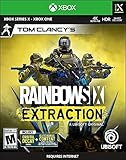
- Includes Buddy Pass: Invite 2 friends to play with you for FREE for 14 days.
- Play alone or with friends from any platform in this 1- to 3-player co-op PvE FPS.
- 69 guns, 25 gadgets, 18 operators with progression levels, 12 large dynamic maps, 13 mutating enemies, and free post-launch content.
- Test your skills with 4 adjustable difficulty levels and a thrilling Endgame ranked mode.
- Tom Clancy's Rainbow Six Siege Players: Get 4 EXCLUSIVE Epic gearsets across both games and instantly unlock all 18 Tom Clancy's Rainbow Six Extraction operators in Tom Clancy's Rainbow Six Siege.
Cloud saves
Cloud saves are useful while Ubisoft’s account services are operating, but they are not an offline preservation method. A subscription or outage can leave you with only the local files that are already on the device. Before disconnecting, load the newest save locally and verify its timestamp rather than relying solely on a synchronization icon.
What’s actually slowing this PC down?
Pick the symptom - the matching free tool is one click away.
Downloadable content and rewards
Install and launch every expansion or bonus you expect to use. A previously redeemed item may still require an entitlement check, and a reward that was never claimed may depend on a service that is later retired. Keep receipts and account details, but understand that proof of purchase cannot recreate a server-side redemption system that no longer exists.
What a Ubisoft server shutdown can remove
Ubisoft’s legacy-service notices generally distinguish between online services and offline game features. For listed games, shutdowns have removed online multiplayer, in-game news, and player statistics while leaving specified offline features available. The exact result varies by title and platform.
| Feature or entitlement | Possible result after retirement | Why it varies |
|---|---|---|
| Online multiplayer | Usually unavailable | Requires Ubisoft or platform servers to authenticate and connect players. |
| In-game news and statistics | Usually removed | These panels read data from retired services. |
| Units and Challenges | Retired | The progression and redemption systems are server-dependent. |
| Unclaimed rewards | May no longer be receivable in-game | Unlocking can depend on a live account service. |
| Maps, skins, and other unlockable content | May no longer be redeemable | The redemption endpoint can be shut down even if the base game remains installed. |
| Previously redeemed unlockable content on PC | Ubisoft says it becomes unavailable for affected titles | PC behavior in the retirement notice differs from console behavior. |
| Previously redeemed unlockable content on console | May remain available | Ubisoft says it can remain unless saved-game files are reset. |
| Offline campaign or other listed offline features | May remain available | Only the features identified for that title and platform are covered. |
The platform distinction is important. The same game can have different post-retirement behavior on PC, PlayStation, Xbox, or Nintendo hardware. Edition, region, installed patches, and whether a reward was already redeemed can also change the outcome.
Examples of title-specific retirement dates
| Game | Platform | Date listed by Ubisoft |
|---|---|---|
| Assassin’s Creed IV Black Flag | Wii U | 8 April 2024 |
| Ghost Recon Future Soldier | PC | 25 January 2024 |
| Captain Laserhawk: The G.A.M.E. | PC | 30 June 2026 |
These dates describe the named platform entries, not a universal shutdown date for every version of a game. Check Ubisoft’s current service-retirement table immediately before buying or reinstalling an older title because the list and feature effects are subject to change.
Free tools Windows power users keep installed
One-click scans. No signup required.
Does owning a physical disc protect you?
A disc can preserve a local installer and may let you install an older version when a digital listing changes. Ubisoft explicitly discusses older games installed from disc and still recommends using the newest Ubisoft Connect PC client for that process.
Rank #3
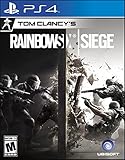
- Jump into the latest expansion, Operation Phantom Sight, and play as the two new operators, Nokk and Warden
- Command an arsenal of gadgets to secure the win: Set traps, fly drones, track footsteps, see through walls, and more
- Lead your teammates to victory in intense, fast paced PVP matches across a wide variety of destructible arenas
- Join a massive online community of over 45 million players as you fight for supremacy
- An ever expanding universe of Operators, gadgets, items, and events updated all year long
The disc does not prove that the game is DRM-free or permanently playable offline. Before buying a used or new disc, verify all of the following for the exact platform and edition:
- Whether the disc contains the complete game or only an installer that downloads additional files.
- Whether a Ubisoft account must redeem or activate the product.
- Whether first launch requires an online DRM check.
- Whether the disc’s product code has already been used by another owner.
- Whether DLC, season passes, and bonus items are separate account-bound entitlements.
- Whether Ubisoft has listed the title or platform in a service-retirement notice.
- Whether the current operating system and Ubisoft Connect PC client still support installation.
A disc is therefore a useful local backup, not an exemption from account ownership or server requirements. A used copy with a consumed activation code can be less useful offline than a correctly activated digital copy that is already installed and tested.
Local installation, disc, Ubisoft+, and cloud gaming compared
The following comparison separates ownership from access convenience. “Offline capability” means only that some locally installed features may run without a connection; it is not a guarantee for every title.
| Access method | Offline capability | First-launch or recurring authentication | Ownership or entitlement | Server dependence | Saves and updates |
|---|---|---|---|---|---|
| Activated local installation | Often possible for supported single-player features | First-launch DRM may require internet; recurring checks are title-specific | Linked to the Ubisoft account that activated the game | Online modes, rewards, news, and cloud features remain dependent | Local saves can work offline; updates must be installed before disconnecting |
| Physical disc installation | Potentially similar to a local installation | May still require Ubisoft Connect and first-launch activation | Disc ownership and account activation are separate questions | Retired services can remove online and redemption features | Disc preserves installer files; patches and extra content may still require downloads |
| Ubisoft+ access | Not a dependable offline-preservation plan | Ubisoft says persistent internet is required for both online and offline play | Subscription access, not permanent ownership; games become unavailable after access ends | Subscription and account services must validate access | Progress is retained only where supported by cloud saves or local files |
| Cloud gaming | None; gameplay is streamed | Connection is required for each session | Store purchase or subscription still does not create a local copy | Depends on the cloud-gaming provider, Ubisoft account, and network | Saves are generally synchronized online; local offline play is not available |
Why Ubisoft+ and cloud gaming cannot solve offline access
Ubisoft+ Free Termed Access states that games become unavailable after access ends. It also says that saved progression is retained only where supported by cloud saves or local files, and that Ubisoft+ requires a persistent internet connection even for offline play. Treat the subscription as a way to access a catalog while the entitlement is active, not as a preservation strategy for a future outage.
Ubisoft documents GeForce NOW access for Ubisoft Store and Epic purchases after accounts are linked; some games require activation in Ubisoft Connect PC first. Cloud gaming still streams the game from a remote machine, so it cannot provide an offline fallback when your connection or the service is unavailable. Ubisoft describes Ubisoft Connect as available across PC, console, cloud-gaming platforms, and the web, but availability across those surfaces does not make the underlying game playable without a network.
Troubleshooting offline access
The game is missing from the library
Sign out and confirm the account that redeemed the key or purchased the game. If the account is correct, clear the Ubisoft Connect cache and restart the client. Do not redeem the same key repeatedly; an already activated key normally belongs to the account that first used it.
Rank #4

- Explore a world of wonder and danger. Experience the epic wonders of the Western Frontier, a never-before-seen continent of Pandora. Journey through beautiful yet unpredictable open world regions, where lowering your guard can lead to deadly mistakes.
- Become Na’vi. Harness your incredible strength and agility while customizing your character; crafting new gear, and upgrading skills and weapons to fit your playstyle.
- Soar the skies. Bond with your own personal banshee that will give you an edge in aerial combat and can be used for traveling across the vast Western Frontier.
- Master multiple combat styles. Fight off the dangers of Pandora as you embrace the precision of traditional Na’vi weapons, including your bow and spear-thrower, or leverage your human training with more destructive weapons, such as an assault rifle or a shotgun.
- CREATION OF A UBISOFT ACCOUNT REQUIRED TO PLAY THIS GAME; INTERNET CONNECTION REQUIRED TO DOWNLOAD PATCHES & LAUNCH THE GAME, ACCESS ONLINE FEATURES AND UNLOCK ADDITIONAL CONTENT. OFFLINE MODE AVAILABLE AFTER MANDATORY DAY 1 PATCH DOWNLOAD.
“Service is unavailable” appears during installation
Install the newest Ubisoft Connect PC client, reconnect to the internet, and retry the installation. This error is particularly relevant to older disc-based installers using an outdated client. Complete activation and the first launch before attempting offline mode.
Do these 3 things before closing this tab:
1Fix the driver behind crashes, sound loss and screen glitches2Repair Windows errors before they cause bigger problems3Scan for outdated or missing drivers - takes under a minuteThe client opens, but the game will not start offline
Reconnect once and launch the game normally. A first-launch DRM check, an incomplete update, an uninstalled DLC package, or a title-specific permanent-online requirement may be responsible. Reach the main menu, close the game cleanly, switch to offline mode again, and retest. If it still fails, the game may not support offline access despite the launcher’s offline capability.
Saves are missing or progress rolled back
Check the local save folder and restore the backup you made before disconnecting. Do not assume the newest cloud save is available during an outage. Avoid resetting saved-game files on consoles when investigating a retired title; Ubisoft says previously redeemed unlockable content may remain on console unless those files are reset.
A reward, map, or skin disappeared after retirement
Separate previously redeemed content from content that was never claimed. Ubisoft’s retirement notices say unredeemed rewards may no longer be receivable and that unlockable content may no longer be redeemable. On PC, Ubisoft says previously redeemed unlockable content becomes unavailable for affected titles; console behavior can differ.
A practical decision checklist before buying or disconnecting
- Title: Identify the exact game, edition, and release platform.
- Account: Confirm which Ubisoft account owns the base game and each DLC entitlement.
- Client: Install and update Ubisoft Connect PC while online.
- Activation: Redeem keys and complete any first-launch DRM process.
- Installation: Download the complete game, patches, and required expansions.
- Save protection: Back up local saves and verify a fresh local save loads.
- Offline test: Disable the network and test the campaign, DLC, menus, rewards, and saves.
- Retirement status: Check Ubisoft’s current service-retirement table for the exact platform.
- Entitlement type: Distinguish a purchased license from Ubisoft+ access or cloud streaming.
- Recovery plan: Keep the installer media, account credentials, save backup, and any required product information together.
If all ten checks pass, you have the strongest practical chance of continuing to use the supported offline portion of that title. You still cannot guarantee future access to a game whose terms require permanent online authentication or whose local files depend on a retired service.
The Tool Desk
Outbyte Driver Updater FREEScan for outdated or missing drivers - takes under a minuteDriver Scan →Outbyte PC Repair FREERepair Windows errors before they cause bigger problemsFix Now →Quick Recap
Product prices and availability are accurate as of the date/time indicated and are subject to change. Any price and availability information displayed on Amazon at the time of purchase will apply.

