In the original Quake II, open the console, enter timedemo 1, then play a demo file—commonly with map demo1.dm2 or demomap demo1.dm2, depending on the engine. When playback finishes, read the reported frame-rate result in or after the console. This benchmarks a recorded demo; it is not a live FPS overlay.
Run a timedemo in original Quake II
- Open the console. Start the Quake II build you want to test and press
~(tilde). The Quake II manual reviewed identifies this key as the console toggle: Quake II manual. - Enable timedemo mode. Type
timedemo 1and press Enter. The original-era instructions use this before starting demo playback. - Play a demo using the command supported by your build. Try
map demo1.dm2ordemomap demo1.dm2for the classic demo file. Which command works depends on the engine; do not assume that one syntax applies to every release. - Wait for playback to finish. The run proceeds quickly rather than at normal interactive playback speed. Check the console output for the resulting frame-rate performance, commonly reported as an average.
The classic game documentation names demo1.dm2 and demo2.dm2. If the command fails, first confirm that the named file exists in the game data expected by your installation.
| # | Preview | Product | Price | |
|---|---|---|---|---|
| 1 |
|
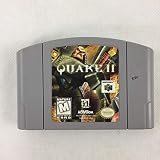
Quake II (Renewed) | $48.81 | Buy on Amazon |
| 2 |

|
Quake 2 | $23.92 | Buy on Amazon |
| 3 |

|
Quake II - Nintendo 64 | $28.91 | Buy on Amazon |
| 4 |

|
Quake II Game Card For Nintendo 64 N64 US Version | $69.95 | Buy on Amazon |
Quake II RTX and other builds use different demo commands
Do not copy the original-game command blindly into Quake II RTX. PCWorld’s walkthrough records command and filename changes across RTX revisions, including demo demo1, demomap demo1.dm2, demomap q2demo1.dm2, and a later update using demo q2demo1.dm2: PCWorld’s Quake II RTX benchmark walkthrough. The appropriate syntax depends on the installed version and the demo file available to it.
For any build, check the actual demo filename and use the playback command documented for that engine version. A missing file and an unsupported command can produce similar-looking failures, so verify both before troubleshooting further.
Do these 3 things before closing this tab:
1Scan for outdated or missing drivers - takes under a minute2Repair Windows errors before they cause bigger problems3Fix the driver behind crashes, sound loss and screen glitches#1 Best Overall
- You get cartidge in mint condition, original box, and instructions, all mint
Make the result useful for comparison
A timedemo result describes performance during a particular recorded demo under the settings used for that run. For a meaningful comparison, hold the following constant:
- Quake II build and renderer
- Demo file
- Resolution and graphics quality
- Sound setting, if you are changing it between runs
PCWorld advises setting resolution and graphics quality before benchmarking. An archival guide attributed to Brian Hook recommends turning sound off for frame-rate testing; treat that as historical advice for controlling test conditions, not a requirement for every current build. If you report a result, include the game version, demo, renderer, resolution, graphics settings, and sound condition so readers know what was measured.
Quick Recap
Rank #3
- You get cartidge in mint condition, original box, and instructions, all mint
Rank #2
- PC CD ROM
- Action / Adventure
- First Person
- Shooter
- Fighting
Product prices and availability are accurate as of the date/time indicated and are subject to change. Any price and availability information displayed on Amazon at the time of purchase will apply.




