Steam games can run on some ARM64 Linux devices, but there is no universal setup or compatibility guarantee. You need an ARM64 Linux host, a graphics driver that supports the game, and a way to run its x86 or x86-64 software. Box64 is one route for x86-64 Linux programs; FEX is used to translate x86 programs to Arm64, including in Valve’s documented Steam Frame path. The right choice depends on your device, distribution, graphics stack, Steam and Proton architectures, and the game you want to play.
What Box64 and FEX do in a Steam setup
ARM processors and x86 processors use different instruction sets. An x86 program does not run natively on an ARM64 system, so a translation layer is needed. For Windows games, Proton handles the Windows-to-Linux compatibility layer, while FEX or another x86 translation layer addresses the CPU architecture difference.
| Option | What it translates | What to know for Steam |
|---|---|---|
| Box64 | x86-64 Linux programs on a compatible 64-bit ARM Linux host. | Box64 uses native host system libraries. Its project README says 32-bit binaries need Box86 or Box32; Box32 is experimental. Box64’s v0.4.0 release notes, dated 2026-01-03, report that Linux Steam runs on Arm64, while warning of possible download crashes and synchronization problems in some games. Box64 project README and Box64 v0.4.0 release notes. |
| FEX | x86 programs to Arm64 instructions. | Valve documents FEX with Proton for Steam Frame. FEX can forward graphics API calls to native host libraries such as OpenGL or Vulkan, but this does not guarantee that a game will launch or run well. Valve’s Steam Frame compatibility documentation. |
These are different implementation paths, not a reliable speed ranking. Box64’s README describes its dynamic recompiler as 5–10× faster than its interpreter alone; that project figure is not a game frame-rate result or a comparison with FEX. Box64 project README.
Check your device before installing anything
There is no single set of installation instructions that applies to every ARM board or laptop. First identify the exact device and software stack; a working CPU translation layer cannot compensate for an unsupported graphics API or unsuitable driver.
#1 Best Overall
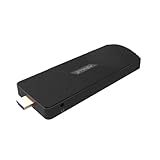
- ULTIMATE PORTABILITY - Experience computing on the go with this compact mini PC stick, weighing only 4.48 oz and easily fitting into any pocket or bag for seamless travel and setup.
- ROBUST PERFORMANCE - Powered by a Rockchip RK3576 2.2GHz Octa-Core processor and 8GB LPDDR4X RAM, ensuring smooth multitasking and efficient handling of demanding applications.
- VERSATILE CONNECTIVITY - Equipped with Wi-Fi 5, Bluetooth 5.0, 1Gbps Ethernet, USB 3.1, USB 2.0, and HDMI 2.1 output for 4K@120fps, offering comprehensive peripheral and display options.
- AMPLE STORAGE - Features 128GB eMMC internal storage, providing sufficient space for your operating system, essential applications, and important files, with a Micro SD slot for expansion.
- OPTIMIZED OPERATING SYSTEM - Comes pre-installed with Linux Ubuntu, offering a secure, stable, and highly customizable open-source environment ideal for development, education, and daily use.
- Host architecture: Confirm you are running 64-bit ARM Linux. Box64 targets x86-64 Linux programs; 32-bit components may require a separate translation path.
- Distribution and kernel: Follow instructions for your specific distribution and check that the packages or root filesystem match its release. The Ubuntu FEX guide notes that available root filesystems can mismatch the host Ubuntu release. Ubuntu’s FEX tutorial.
- GPU and driver: Check OpenGL or Vulkan support for the game and the translation path. Ubuntu’s experimental Steam snap testing reports hardware and graphics-driver limitations, so “ARM64” alone does not establish graphics compatibility. Ubuntu’s Steam snap testing notes.
- Game requirements: Check whether the game relies on a launcher, anti-cheat, DRM, 32-bit components, or a graphics feature your device does not provide. These are separate possible failure points, not one general ARM compatibility issue.
Using FEX on Ubuntu ARM64
Ubuntu’s community tutorial documents one FEX route for Ubuntu ARM64. Treat it as a guide for the described setup, not a universal recipe for other distributions, kernels, or devices. Check the guide for current prerequisites and version-specific steps before installing. Read the Ubuntu FEX tutorial.
- Install and configure FEX according to the Ubuntu tutorial for your host system.
- Set up an x86 root filesystem if needed. The guide describes using
FEXRootFSFetcherto download one where required. Check that the selected root filesystem is compatible with the Ubuntu release on the host. - Install Steam’s architecture-independent launcher package from the Valve mirror as described in the tutorial. The article does not establish a single package URL or command suitable for every setup, so use the guide’s current instructions rather than guessing a download link.
- Launch Steam through FEX with
FEXBash steam, as shown in the guide. - Test a single game and record what happens before changing other components. A successful Steam launch does not prove that a game’s graphics, launcher, anti-cheat, or synchronization requirements will work.
Ubuntu also has an experimental ARM64 Steam snap that bundles x86 Steam with FEX. Ubuntu says it may behave unexpectedly and is not officially supported by Valve; its testing has primarily been developed and performed on NVIDIA DGX Spark. Check the current Ubuntu page for channel instructions and device-specific caveats before trying it. Ubuntu’s ARM64 Steam snap call for testing.
Rank #2

- 🎈【Excellent Performance】 Beelink SER5 equipped with AMD Ryzen 5 5500U (up to 4.0GHz), which adopts an 6-core/12-thread. The base frequency is 2.1GHz / Max turbo frequency can reach 4.0GHz. Ensure seamless multitasking and no-delay switching at work, provide the next generation of multitasking experience, and bring processing speed, energy efficiency, productivity, and all-around performance to new heights.
- 🎈【Capacity Storage】Beelink Mini PC driven by the AMD 7nm Processor and 16GB DDR4 Memory(can upgrade to 64GB, 2 x 32GB), 480GB M.2 2280 NVMe SSD, this High-Performance Mini PC designed by our talented European designers delivers enough power and storage for you to play, create and enjoy all day!
- 🎈【HD Graphics & Dual Display】Beelink 5500U integrates AMD Radeon Graphics 7core 1800 MHz GPU to deliver powerful graphics processing power to easily handle the demands of complex design software, 4K@60Hz UHD video editing, and playback, or light gaming. And it can connect 2 screens efficiently handle your tasks, and meet your specific needs.
- 🎈Multiple Interfaces & Wireless】Mini Desktop PC equipped with a 2.5G LAN (RJ-45, supporting Gigabit file transfer speeds), Dual-band 2.4G 5G WiFi (802.11ac, stronger capacity of resisting disturbance), and built-in Bluetooth, high-speed wireless connection makes you step ahead. And 3*USB3.2 ports, 1*USB2.0 ports, 1*HDMI ports, 1*Type-C port(Data&Video) and 1*Audio Jack (HP&MIC), 1*DC Jack, thus offering the user even greater versatility in use.
- 🎈【Lifetime After-Sales Service】Beelink has been dedicated to R&D Mini PC for many years. All Beelink Mini-PC have passed strict inspections before shipping. If you have any questions, please don’t hesitate to contact US. We are 100% guaranteed to solve your problems. We offer lifetime technical support, a 3 year warranty, and 24/7 after-sales service. All of our products obtained FCC, RoHS, and CE Certifications.
Using Box64 on an ARM64 Linux device
Box64 is an option when the target is an x86-64 Linux program and your host has the required 64-bit libraries. Start with the Box64 project’s current installation and Steam documentation for your distribution; package names and setup steps vary by host, so there is no safe universal command to provide here. Box64 project documentation.
- Verify the host is compatible: use a 64-bit little-endian ARM Linux system and confirm the needed 64-bit host libraries are available.
- Install the distribution-appropriate Box64 build by following the project instructions for that system.
- Check for 32-bit components: Box64 does not itself cover 32-bit binaries. The project identifies Box86 as an option and Box32 as experimental; determine whether the Steam or game path actually needs one before adding it.
- Install and launch Steam using the project’s current guidance for your distribution, then test one game. The v0.4.0 notes report Linux Steam running on Arm64 but also warn about possible download crashes and game synchronization issues. See the release notes.
Keep Steam and Proton architectures matched
For Windows games, Proton and the CPU translation layer have distinct jobs: Proton supplies Windows-to-Linux compatibility, while FEX translates x86 instructions for an ARM64 processor. Their architectures must also fit the Steam client. Valve’s Proton documentation states that ARM64 Proton builds cannot be used with x86 Steam running through FEX. Check the architecture of the Steam client and Proton build rather than assuming that any ARM64 Proton package can be added to any translated Steam installation. Valve Proton documentation.
Recommended Free Tools
Rank #3
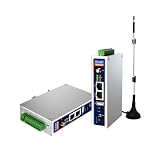
- IPC Based ARM: [email protected], RAM 512M, ROM 8G
- Ubuntu OS: Ubuntu 22.04 environment, original Node-RED
- Edge Computing: WukongEdge engine, multiple fieldbus protocol
- Diverse I/O interface: 2* RS485, 2*CAN FD, 2*Ethernet port, 1*USB
Steam Frame is a specific Valve product path: Valve describes it as using a Snapdragon 8 Gen 3 Arm64 chip and SteamOS, and documents FEX with Proton in that context. That documentation is not a generic installation guide or compatibility promise for Raspberry Pi, Snapdragon laptops, or other ARM Linux boards. Valve’s Steam Frame compatibility documentation.
Diagnose failures one layer at a time
If Steam or a game fails, note the device, distribution, kernel, GPU and driver, Steam client architecture, translation layer, Proton build, graphics API, and exact behavior. That record helps distinguish a CPU translation issue from a graphics or game-specific problem.
Rank #4

- [AMD Ryzen 3 Pro 7330U, which is more powerful than the N150/3500U] - ACEMAGIC Mini PC is powered by Latest Processor AMD Ryzen 7330U(4Cores/8Threads, BASE 2.3GHz, MAX TO 4.3GHz) , delivers more than 28% higher performance than N150(Reference from PassMark). Performance at least +40%, GPU at least +23% compared with the previous CPU - N95/N100/3300U. Remarkably power-efficient at 28W, it outperforms its predecessors, even rivaling some mainstream mobile processors from the past
- [K1 Mini Computer - Meet Your Second PC] - Next-Gen Light Office Mini PC comes pre-installed with the Win11 Pro system, which is intelligent, secure, and efficient. Versatile Connectivity: 10M/100M/1000M RJ45 Gigabit Ethernet Port *1, USB3.2 Type-A Port*6, USB3.2 Gen2 Type-C (10Gbps Data Transfer+DP1.4)×1, HDMI 2.0*1, DP 1.4*1, DC IN ×1, 3.5mm Audio Jack*1. All-New Built-in Power Supply devise Only one cable is needed for power supply, no external adapter is required, keep the desktop neat and clean. Whether it’s for business, family entertainment, school, research, or social media, this mini PC has your needs covered!
- [Large Storage Capacity, Easy Expansion] - Mini Computer K1 is equipped with a 16GB LPDDR4 3200MT/S (non‑expandable memory) and a 256GB M.2 2280 SSD, which allows the small PC to run several high performance operations simultaneously. The LPDDR4 memory delivers faster data transfer speeds for snappier multitasking and responsive performance. The Ryzen micro desktop offers fast data reading, writing, and storage capabilities, ensuring smooth application running. If you want more storage space, you can also add M.2 NVMe PCIe 3.0 SSD or M.2 SATA SSD to expand storage up to 2TB. This means you can easily store and access a large amount of files, media, and data
- [Sleek Chassis & High efficiency cooling system] - The portable mini pc features a Silver-toned Body and can be stored in a bag and carried with you at any time, ideal for business trips. Save space by super mini size(5x5x1.6 inch) and a VESA mount to install it on wall or monitors. Advanced Axial Fan & Internal Cooling Technology are practically silent at light load and even under load, the fans remain fairly quiet. Minimal or inaudible fan noise is perfect for concentrating on the task at hand!
- [WiFi 5&Bluetooth 4.2-Simply Compatible]- ACE Win11 Small PC have reliable and stable wireless connection, opening websites in seconds, watching movies without buffering and downloading files smoothly. Built-in Bluetooth enables you to connect multiple wireless devices such as mice, keyboard, headset, monitoring equipment, printer, monitor, TV and so on. High-speed wireless connection technology, reliable and efficient transmission speed, providing a faster internet experience for browsing and streaming
- Steam does not start: verify the translation layer, host libraries, root filesystem where applicable, and Steam’s architecture. On the Ubuntu FEX route, confirm that the root filesystem fits the host release.
- Steam starts but downloads fail: Box64 v0.4.0 specifically warns of possible download crashes. Check the release notes and project guidance before treating this as a game-level failure. Box64 v0.4.0 notes.
- A game launches but has rendering errors or will not launch: investigate the GPU driver and OpenGL or Vulkan support, then check the game’s own requirements. Ubuntu’s snap testing cautions that results vary with hardware and graphics drivers. Ubuntu testing notes.
- A game fails after launching or behaves inconsistently: check for 32-bit dependencies, synchronization issues, launcher requirements, anti-cheat, and DRM. Box64’s v0.4.0 notes call out synchronization problems in some games; neither translation layer guarantees every title will work. Box64 v0.4.0 notes.
- Performance is poor: separate translation overhead from limits imposed by the device’s CPU, GPU, driver, and the game’s workload. The Box64 dynamic-recompiler comparison with its interpreter is not a game benchmark and cannot predict frame rates on your hardware. Box64 project README.
Will Raspberry Pi or another ARM board work?
A Raspberry Pi 5 is mentioned as an experimentation device in Box64 materials and Ubuntu’s ARM64 Steam testing, but that is not evidence that it can run every game acceptably. Ubuntu’s test notes identify graphics-driver and settings constraints. The same caution applies to Snapdragon laptops and other boards: results depend on the exact Linux distribution, kernel, graphics stack, and title. Box64 project README and Ubuntu testing notes.
For any device, begin with a game whose requirements fit the hardware and test it individually. Record the software stack and outcome so that a failure can be traced to the relevant layer rather than generalized to all ARM Linux gaming.
Quick Recap
Best Value

- AMD Ryzen 5 Mini PC for Work and Home – Powered by AMD Ryzen 5 3501U processor with 4 cores and 8 threads up to 3.7GHz. BOSGAME E2 Air Mini PC handles office work, web browsing, Microsoft Office, Excel, QuickBooks, Zoom meetings, online classes, streaming, and multitasking. Integrated Radeon Vega 8 Graphics delivers smooth everyday performance for home office, business, and entertainment.
- Upgrade-Friendly Memory and Fast SSD Storage –The E2 Air comes equipped with 8GB DDR4 memory and a 256GB SSD for fast startup and smooth daily computing. Dual SODIMM slots support memory expansion up to 32GB, providing flexibility for future upgrades and heavier workloads. Ideal for students, home users, and small business environments.
- Triple Display Support for Better Productivity – Dual HDMI 2.0 ports support 4K UHD output at 60Hz, while the USB-C display port supports an additional monitor. Connect up to three displays simultaneously for spreadsheets, accounting, remote meetings, content management, stock monitoring, and multitasking workflows.
- Reliable Connectivity for Home and Business – Built-in WiFi 5, Bluetooth 5.0, and Gigabit Ethernet provide stable networking for work and entertainment. Multiple USB ports make it easy to connect monitors, printers, storage devices, keyboards, speakers, projectors, and other peripherals.
- Compact Design with OS Pre-in – Designed to save valuable desk space while delivering the functionality of a traditional desktop PC. Supports Windows 11 Pro and Ubuntu, making it suitable for home offices, classrooms, reception desks, retail POS systems, conference rooms, and digital signage applications.
Product prices and availability are accurate as of the date/time indicated and are subject to change. Any price and availability information displayed on Amazon at the time of purchase will apply.




