WooCommerce core does not provide true weight-based rate bands. To charge different prices for different cart weights, install a weight-shipping extension or table-rate plugin, then make sure every product and variation has an accurate weight. The official Weight Based Shipping extension creates weight-range rates; Simple Weight Based Shipping only shows or hides a shipping method according to weight.
Antihost offers managed WordPress hosting with free migration, one-click staging and a 14-day free trial.
This guide explains which approach fits your store, the current setup paths, how to handle units and variations, and how to test boundary weights before customers see the rates.
As an Amazon Associate I earn from qualifying purchases.
What weight-based shipping does in WooCommerce
A weight-based rule calculates eligibility or price from the combined weight of the items in the cart. You define ranges such as a lower and upper weight, then assign a fee or make a method available when the cart falls inside that range. A cart containing several products is therefore evaluated as a shipment, not just as one product at a time, unless your chosen extension documents a different behavior.
Standard WooCommerce does not include a native weight-band pricing table. Its built-in Flat Rate method can accept some cost placeholders, but that is not the same as a confirmed weight-range table. Treat placeholder-based Flat Rate formulas as a limited workaround rather than a substitute for a dedicated weight extension.
#1 Best Overall

- Accurate to 0.1oz: High precision for postage, packaging, or food preparation.
- Solid design with high weight limit: 50Lbs
- Smart Tare & Hold Functions: Effortlessly subtract container weight or lock readings for larger boxes.
- Clear LCD Display: Large, backlit screen makes weights easy to read, even in dim rooms.
- Multi-measuring units: Kg, lb/oz, oz
There are three practical routes:
| Route | What it can do | Where it is configured | Best fit |
|---|---|---|---|
| Official Weight Based Shipping extension | Creates custom methods, conditions and fees for minimum and maximum weight ranges; can also add weight conditions and rates to an existing method. | WooCommerce menu, then Shipping by Weight after activation. | Stores that need genuine weight-based price bands and control over new or existing methods. |
| Simple Weight Based Shipping | Uses minimum and maximum weight as a visibility filter. It does not provide a price table. | WooCommerce → Settings → Shipping, by editing a method inside a shipping zone. | Stores that only need a method to appear or disappear at a weight threshold. |
| Third-party table-rate plugin | Usually provides rows with lower weight, upper weight and price. Implementations differ by plugin. | Plugin-specific settings, commonly inside a shipping method or zone. | Stores that want a table editor or additional rules not available in the official options. |
Choose the route before entering numbers. A visibility filter cannot produce a graduated price schedule by itself, while a full table-rate tool may add settings your store does not need.
Prepare WooCommerce before adding rules
Set one store weight unit
Open WooCommerce → Settings → Products and confirm the store’s weight unit. The exact label can vary with WooCommerce releases, so verify the setting in your installation rather than assuming kilograms, grams, pounds or ounces. Every range you create must use that same unit.
The Tool Desk
Outbyte PC Repair FREERepair Windows errors before they cause bigger problemsFix Now →Outbyte Driver Updater FREEFix the driver behind crashes, sound loss and screen glitchesFind Drivers →Do not mix values such as pounds on one product and kilograms on another without converting them first. A range of 0–1 is interpreted in the store’s configured unit; it is not automatically understood as “one kilogram” or “one pound.” Record the unit next to your shipping worksheet so future edits remain consistent.
Enter a non-zero weight for every shippable product
Edit each physical product and enter its weight. Check variable products at the variation level as well: a parent product can look complete while an individual variation still has no weight. A product with no weight can be treated as zero by third-party weight-table plugins, which may place it in the cheapest band or cause an unintended method to match.
Use the packed shipping weight if your business charges for the parcel rather than the bare item. If packaging varies by product or order size, decide how that packaging is represented before building the ranges. The extension can only evaluate the weights WooCommerce has available; it cannot correct an inaccurate catalog.
Rank #2

- Digital tabletop postal scale for quickly and precisely weighing items
- Includes a shipping postal scale and AC adapter; made of durable black ABS, aluminum, and iron
- 65 pound (30kg) capacity reads to 0.1 ounce (1g) in 0.1 ounce increments; minimum load weight is 0.2 ounces (5g)
- Extra large LCD display for easy viewing; measuring units in ounces, pounds, g, and kg
- Tare function for resetting the scale to zero after setting a container on the platform; great for net weights
Audit the catalog
- Export or review products and variations and identify blank, zero or obviously mis-scaled weights.
- Check products with multiple quantity options; multiplying a correct unit weight by quantity should produce the intended cart total.
- Confirm that any bundled or composite product is assigned a weight according to the way your installed extension calculates bundles.
- Keep a short list of test products covering the lightest, heaviest and most frequently purchased items.
Set up the official Weight Based Shipping extension
The official extension is the most direct option when the requirement is a real weight-to-price table. After activation, its documented menu is WooCommerce → Shipping by Weight. Menu names can change between releases, so if that item is absent, check the extension’s current documentation and activation status before changing other settings.
Do these 3 things before closing this tab:
1Fix the driver behind crashes, sound loss and screen glitches2Repair Windows errors before they cause bigger problems3Scan for outdated or missing drivers - takes under a minute- Install and activate the extension. Complete activation in the same WordPress site that runs WooCommerce, then reload the administration menu.
- Open the shipping-by-weight screen. Go to WooCommerce → Shipping by Weight. The screen is where you create a dedicated shipping method or add weight conditions and rates to an existing method.
- Choose a method structure. Create a new weight-based method when the customer should see a distinct option. Add conditions and rates to an existing method when weight should alter a method already used in a zone.
- Add the first weight band. Enter a minimum weight and a maximum weight. Keep both values in the store’s configured unit. Enter the fee that should apply when the cart weight falls in that interval.
- Add every remaining band. Repeat the minimum, maximum and fee fields for the other ranges. Arrange the bands so every intended weight is covered once; overlapping ranges can expose more than one result, while gaps can leave a cart without the expected rate.
- Save the method and its rates. Use the screen’s save control, then open the resulting method again to verify that the values persisted.
- Test each boundary. Place a cart exactly at the lower and upper edge of every band, then one smallest practical increment above and below each edge. This confirms how the extension treats inclusive boundaries instead of relying on an assumption.
The extension’s documented model is range-based: a rate applies when the product or cart weight falls within its minimum and maximum values. Because the exact boundary convention is not stated in the available documentation, test equality at both ends and record the observed result for your store.
New method versus an existing method
A dedicated method is easier to explain to customers when its label describes the service, such as “Ground shipping by weight.” Modifying an existing method can be preferable when your checkout already has a carefully configured method and you only want its availability or fee to depend on weight. In either case, check the shipping zone and customer geography in a real checkout; a correctly matched weight rule is still irrelevant if the method is outside the shopper’s zone.
Use Simple Weight Based Shipping when you only need a filter
Simple Weight Based Shipping follows a different model. Go to WooCommerce → Settings → Shipping, open the relevant shipping zone, and edit a method in that zone, such as a flat-rate method. The method exposes Min Weight and Max Weight fields.
Those fields determine whether the method is visible for the total cart weight. They are not a price table and do not create several fees for successive weight bands. For example, you could make one method visible from 0 to 5 units and another visible above 5 units, then assign each method’s normal WooCommerce cost separately. That is a two-method visibility design, not a single method that calculates a fee for every weight interval.
Outdated Drivers Are Slowing You Down
One free scan finds every outdated or missing driver and matches the right update for your exact hardware.Free scan · exact hardware matchWindows Errors? Fix Them Before They Spread
Repair common Windows errors and clear accumulated junk for a smoother, more stable PC - no reinstall needed.Free scan · no reinstallRank #3

- Lightweight Postal Scale - Max. Capacity: 440lb/200kg, Min. Readability: 40g, Display Resolution: 10g. Features a Carbon Fiber platform paired with a durable ABS housing. Lightweight + sturdy, easy to clean, move, and store.
- Digital Shipping Scale - 3 weighing Modes: kg/lb/lb:oz. Separate large back-lit LCD display with adjustable/disable Auto-off. Easy to handhold or wall-mount with the included drywall anchors and screws.
- User Friendly Design - Ships pre-calibrated and can also be easily calibrated. Dual powered by 2 x AAA batteries or AC adapter (both included).
- Hold & Tare Function - Locks readings and removes container weight for multiple weighing needs. Ideal for post offices, warehouses, commercial and home use.
- Fuzion Support - We offer 2-Year Warranty and Lifetime Support for this digital scale. Full day service by our support team. We are always glad to help with all your questions or concerns.
The extension also documents a single maximum item-size control. Use it when an individual item must be excluded even if the combined cart weight is acceptable. Confirm the interaction between the maximum-item setting and the cart-weight limits with a test product before publishing the method.
Build a table with a third-party weight-rate plugin
Weight Based Shipping for WooCommerce
This type of plugin presents a starter table that you replace with your own figures. The important setup work is still the same: select the unit, define non-overlapping ranges, enter the fee for each range and save the method in the appropriate shipping zone. A product without a weight is counted as zero, so missing catalog data must be corrected before relying on the table.
Flexible Shipping-style tables
A table-oriented implementation commonly uses three columns: Weight: from, Weight: to and Price. Enter one row for each interval, check how the plugin handles an empty upper limit for the final row, and test the exact endpoints. Do not assume that a table editor uses the same inclusive or exclusive boundary logic as the official extension.
Questions to answer before choosing a third-party plugin
- Does the table use total cart weight, per-item weight or both?
- Can it attach rules to an existing method, or does it create a separate method?
- What happens when a product or variation has no weight?
- Can it restrict rules by shipping zone, class or destination?
- Is the plugin compatible with your PHP, WordPress and WooCommerce versions?
- Does its documentation state how overlapping ranges, gaps and exact boundaries are resolved?
Current pricing, maintainer details and compatibility for individual third-party options are not established here. Check the plugin’s own listing and changelog at the time you install it.
Recommended Free Tools
Design weight bands that do not fail at the edges
Start with your carrier’s billed-weight logic and your own packing process, then translate that schedule into the store unit. If the carrier rounds parcels up to a billing increment, decide whether your WooCommerce weights will already include that rounding or whether the plugin must model it. Do not silently mix actual and billed weight in the same table.
Rank #4

- Digital shipping postal scale for weighing items; heavy duty yet lightweight, portable design
- Includes a postal scale and an AC adapter; black ABS with an aluminum anti-skid platform
- 660 pound (300kg) capacity reads to 0.11 pound/50g/2 ounce in 0.1 ounce increments; minimum load weight is 6 ounces (150g)
- Measuring units in kg, ounces, and pounds
- Additional separated large back-lit LCD display allows for reading the weighing data from a distance of up to 2m
Use a worksheet with these columns before entering values:
| Band | Minimum | Maximum | Fee | Boundary test |
|---|---|---|---|---|
| Light parcel | your lower limit | your upper limit | your business rate | exact maximum and next increment |
| Medium parcel | the next covered value | your upper limit | your business rate | exact minimum and exact maximum |
| Heavy parcel | the next covered value | your upper limit or documented open end | your business rate | largest normal cart and over-limit cart |
The values in this worksheet are placeholders for your carrier contract and packaging policy, not universal shipping prices. The useful check is continuity: every valid cart should match exactly one intended row, and every cart above your service limit should receive a deliberate fallback or an unavailable method rather than an accidental low fee.
Test before customers use the rates
Save changes in a staging site when possible, then repeat the checks in production after deployment. Use products with known weights and vary quantity so you can distinguish a product-weight problem from a rule problem.
- Single-item check: add one product whose weight is clearly inside a band and confirm the expected method or fee appears.
- Exact lower edge: adjust quantity or use a test variation to reach the first value of a band.
- Exact upper edge: repeat at the final value of that band.
- Just outside each edge: test a slightly lighter and heavier cart to reveal overlaps or gaps.
- Mixed-cart check: combine two products whose individual weights are in different bands and verify the result follows total-cart behavior.
- Missing-weight check: temporarily test a product with no weight only in a safe environment; confirm the plugin’s documented fallback, then restore the correct value.
- Variation check: choose each relevant variation, because variation-level weights can differ.
- Zone check: test a destination inside the intended shipping zone and another destination outside it.
- Maximum-item check: if using Simple Weight Based Shipping, test an item that exceeds the single-item limit while the total cart remains under the weight limit.
Record the cart contents, displayed weight if the plugin exposes it, matched method and fee. A screenshot or checkout note makes future troubleshooting much faster after a plugin or WooCommerce update.
Independent reader supportYour contribution helps us test, update, and keep practical guides available for everyone.Troubleshoot common failures
No weight-based method appears
- Confirm the plugin is active and that you are editing the correct shipping zone.
- Check the destination address used in checkout; methods are zone-dependent.
- For the official extension, look for Shipping by Weight under the WooCommerce menu and verify that the method was saved.
- For Simple Weight Based Shipping, make sure the cart total is between its configured minimum and maximum.
The wrong fee appears
- Recheck the store weight unit and convert every product consistently.
- Inspect each selected variation, not only the parent product.
- Look for overlapping rows or a gap that causes a fallback row to match.
- Re-test the exact boundary; the plugin may treat an endpoint differently from your assumption.
A product is charged as zero weight
Enter a weight greater than zero on the product or variation. Third-party weight-table plugins can count an unweighted product as zero, which may match the first row. Do not solve this by making the first row artificially expensive; correct the catalog data.
Best Value
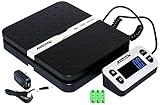
- Solid structure & Sleek/Modern Design – ACCUTECK postal scale is designed with durable plastic platform, user-friendly buttons, backlit extended display and two way 90 degree-opened lid.
- Enhanced capacity with higher precision- This new postal scale can hold a max weigh up to 110 lbs in 0.1 oz graduation. It can meet all your needs from a first-class package to parcel packages. Start weight: 10g.
- Multi Measuring Units with extra Large LCD display. Measure in oz, g, lb/oz. The extra large back-lit LCD display allows you to work under any environment.
- Convenient Tare/Hold Function and the shipping postal scale features are tare function which allows you to zero out the number for multi-packages purpose. Hold function allows you to lock the number after you take the package off the platform.
- Power supply: Batteries, USB cable Charger, AC adapter (All Included). When using on Battering, it will turn off automatically after 90 seconds. When using Ac adapter for power supply, it won't turn off automatically.
Changes do not seem to take effect
Save the method, clear any page or checkout cache used by your site, and test in a fresh session. Then verify the installed plugin version and its compatibility requirements. If a shipping extension was updated, repeat the boundary matrix rather than assuming previous behavior is unchanged.
Compatibility and release checks
A WooCommerce Marketplace listing for the official Weight Based Shipping extension shows PHP 7.4, testing with WordPress 6.9.4 and WooCommerce 10.7.0, and requirements of WordPress 6.5 or newer and WooCommerce 4.0 or newer. The listing date and a 2026 changelog were not established, so treat those figures as listing information that must be checked against the current product page and your installed versions.
What’s actually slowing this PC down?
Pick the symptom - the matching free tool is one click away.
Compatibility claims for Simple Weight Based Shipping and the named third-party table plugins are not established here. Before activation, compare the plugin’s current “tested up to” information, PHP requirement and changelog with your hosting environment. Keep a backup and test checkout in staging when the store processes significant order volume.
Which route should you choose?
- Choose the official Weight Based Shipping extension when you need true minimum/maximum ranges with a fee for each range, or when weight rules must be added to an existing method.
- Choose Simple Weight Based Shipping when you already have separate methods and only need each one to appear for a defined total-weight interval, plus an optional single-item limit.
- Choose a third-party table-rate plugin when its documented columns and conditions match your carrier schedule and you need a table editor or rules the official options do not provide.
Whichever route you use, the reliable sequence is the same: set one unit, populate every product and variation with an accurate non-zero weight, create non-overlapping ranges, save the method in the correct zone, and test exact boundaries plus mixed carts. Re-run that checklist after WooCommerce or shipping-plugin updates because menu labels and compatibility can change.
Quick Recap
Product prices and availability are accurate as of the date/time indicated and are subject to change. Any price and availability information displayed on Amazon at the time of purchase will apply.




