Free tools Windows power users keep installed
One-click scans. No signup required.
Fallout 76 has two separate ways to capture images: use Photo Mode for ordinary screenshots, and the ProSnap Deluxe Camera for quests and challenges that ask you to take a camera picture. Photo Mode does not necessarily count for a camera-picture objective.
Photo Mode or ProSnap: which one should you use?
| What you want to do | Use | How it works |
|---|---|---|
| Capture a composed general screenshot | Photo Mode | Open it with your platform’s shortcut. On PC, Bethesda documents screenshots in the Fallout 76 Photos folder. Bethesda Support |
| Complete a task asking for a camera picture, such as photographing a Bee Swarm | ProSnap Deluxe Camera | Equip the in-game camera, aim through its lens, and press Attack. It uses Film. Bethesda Support |
| Photograph locations for Bucket List | ProSnap Deluxe Camera | Visit each location listed in the quest and take its picture with the camera. Bucket List quest help |
How to open Photo Mode
Bethesda’s documented default shortcuts are:
- PC: Press Esc, then T.
- Xbox: Press Menu, then Y.
- PlayStation: Press Options, then Triangle.
These are default controls; remapped bindings or game updates may change what you need to press.

How to find the ProSnap Deluxe Camera and start Bucket List
The ProSnap starts as a broken camera carried by a tourist. Loot the broken camera, then craft it and at least one roll of Film at a Tinker’s Workbench to start the Bucket List quest. Bethesda says the Personal Terminal has an entry that can lead you to the tourist’s current location. Camera instructions · Bucket List quest help
Tourists may be found in these areas listed by Bethesda:
#1 Best Overall
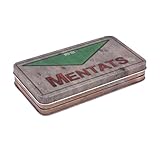
- POWER UP YOUR FUTURE: Help pick up the pieces of the past with this exclusive Mentats Storage Tin Replica inspired by Fallout. This faithful recreation captures the look of the in-game packaging for Med-Tek's chem.
- AUTHENTICALLY CRAFTED: Straight from Med-Tek Laboratories to your Vault, this realistically weathered container appears like it's from the wasteland. Gear up for the future with this storage tin in your collection.
- KEEP YOUR VAULT TIDY: Organize all your small wasteland essentials with some help from Med-Tek. This keepsake's compact design makes it ideal for storing a variety of trinkets, including Nuka-Cola caps, jewelry, or other precious items.
- QUALITY YOU CAN DEPEND ON: Don't let a few rads ruin your day. This trinket dish's metal construction is designed to come in handy when things are looking bleak. Makes for the perfect finishing touch to any Fallout cosplay or gaming display.
- OFFICIAL FALLOUT COLLECTIBLE: Immerse yourself in the post-apocalyptic world of Fallout with this officially licensed Mentats Storage Tin Replica. When you need a boost to get through your wasteland journey, Med-Tek has you covered.
- Beckley Workshop
- Camden Park
- Colonel Kelly Monument
- Giant Teapot
- Kanawha Nuka Cola Plant Lobby
- Landview Lighthouse
- Miner’s Monument
- Ohio River Adventures Dock
- Palace of the Winding Path
- Phillipi Graveyard
- Point Pleasant
- Point Pleasant Mothman Museum
- Tyler County Fairgrounds
- Uncanny Caverns
- Wavy Willard’s Waterpark
Craft the camera at a Tinker’s Workbench, where you can also make more Film and apply camera mods such as lenses. If you dropped or destroyed your camera, Bethesda’s guidance is to loot another broken one. Its support page also records a past issue affecting some players who had completed Bucket List and deleted the camera; that is historical context, not confirmation of a current problem. Bethesda Support
How to take a picture with the ProSnap
- At a Tinker’s Workbench, craft the ProSnap Deluxe Camera and at least one roll of Film.
- Equip or favorite the camera as you would a weapon.
- Use Aim to look through the camera lens. The viewfinder identifies recognized nearby locations and creatures.
- Press Attack to take the picture. The camera uses Film.
- For Bucket List, photograph each location named in the quest using the camera.
Those camera controls and the Film requirement are described in Bethesda’s camera instructions; Bucket List’s location-photo requirement is outlined in its quest help.
Rank #2
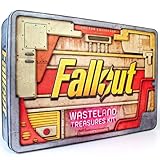
- AUTHENTIC FALLOUT WORLD ARTIFACTS: Includes 17 highly detailed replica items inspired by in-game props, factions, and symbols from across the Fallout universe, giving fans a tangible connection to the wasteland’s rich lore.
- PREMIUM COLLECTOR-GRADE REPLICAS: From Cooper Howard’s Sheriff Badge to the Pip-Boy metal sign, each licensed piece is crafted with exceptional detail to capture the look and feel of genuine relics from Fallout’s world.
- IMMERSIVE LORE-DRIVEN EXPERIENCE: Every item tells part of the Fallout story, creating a rich narrative journey through pre-war and post-war America. Highlighting stories, factions, and history within the Fallout universe.
- DISPLAY-READY LICENSED SET: Packed with flags, postcards, blueprints, signage, and documents designed for eye-catching presentation, making it ideal for shelves, themed rooms, gaming spaces, or personalized Fallout displays.
- UNIQUE GIFT FOR FALLOUT FANS: Perfect for gamers, collectors, and cosplayers, this kit offers an assortment of lore-rich memorabilia that enhances any Fallout-themed environment and celebrates the franchise’s iconic world.
Where Fallout 76 Photo Mode screenshots are saved on PC
Bethesda documents this Photo Mode screenshot directory:
C:Usersuser.nameDocumentsMy GamesFallout 76Photos
Replace user.name with your Windows account folder name. If screenshots do not save, Bethesda notes that antivirus or firewall software can block them. Adding Fallout 76 and Steam to the relevant security exceptions typically resolves the issue; the exact steps depend on your security program. Bethesda Support: Photo Mode
The Tool Desk
Outbyte Driver Updater FREEScan for outdated or missing drivers - takes under a minuteDriver Scan →Outbyte PC Repair FREERepair Windows errors before they cause bigger problemsFix Now →Quick Recap
Best Value
Rank #4

- FALLOUT FANDOM: Access all areas! Get vault door authorisation with your own officially licensed Security Keycard, as seen in Fallout 4.
- AUTHENTIC DESIGN: Finished with an intricate enamel design. Measuring 11 x 6.2cm, this collectible metal replica is also supplied with a display stand within the presentation box.
- LIMITED EDITION: With an edition size limited to 5,000 worldwide, each collectible keycard is individually numbered.
- GREAT GIFT IDEA: Add this replica to your personal collection or gift it to the Fallout fan in your life!
Rank #3

- Card Stock: (S33) Superior Smooth Dimensions: 2.32"×3.58" (58.9×90.9mm) Double Sided
Product prices and availability are accurate as of the date/time indicated and are subject to change. Any price and availability information displayed on Amazon at the time of purchase will apply.




