In Minecraft, north is the direction in which your Z coordinate decreases: north is negative Z, and south is positive Z. Java Edition can show your facing direction on the debug screen; in Bedrock Edition, turn on coordinates and watch Z as you move. A map is north-up, but the in-game compass points to world spawn—not north.
Find north by checking your Z coordinate
Minecraft uses three coordinates: X runs west and east, Y is height, and Z runs north and south. As you travel north, Z gets smaller; as you travel south, it gets larger. X increases toward the east and decreases toward the west. Minecraft’s coordinate guide explains the axes and their directions.
If you can display coordinates, move a few blocks in a straight line and compare the Z value before and after. A lower value means you moved north; a higher one means you moved south. Y changing only tells you that your height changed.
See which way you are facing in Java Edition
Press F3 to open the Java debug screen and look for the facing direction. The screen also displays coordinates, so you can verify the direction by checking whether Z decreases as you move. Keyboard shortcuts and coordinate controls may vary with your setup. The Minecraft Wiki’s navigation tutorial describes the facing readout.
#1 Best Overall

- NOSTALGIC PIXEL ART DESIGN: Features a retro LED display mimicking vintage gadgets, serving as a unique compass for collectors and gamers.
- DECORATIVE & PLAYFUL DISPLAY: Red and blue LED pixels create a charming effect, functioning as a stylish pixel keychain or desk ornament.
- NOT A PRECISION TOOL: Embrace the whimsy of this novelty item, designed purely for fun and decorative display rather than accurate navigation.
- USB CONVENIENCE: the LED pixels glowing, making this game items compass always ready for display.
- ULTIMATE GEEK COLLECTIBLE: A must-have for retro game fans, serving as a quirky mine hanging compass trinket that adds playful charm to any space.
Find north in Bedrock Edition
- Pause the game and open Settings.
- Choose Game, then find World Options.
- Enable Show coordinates.
- Return to the world, note your Z value, and walk a few blocks in a straight line. If Z falls, you walked north; if it rises, you walked south.
Minecraft’s coordinate instructions describe enabling coordinates in Bedrock. Menu labels can shift between versions or platforms, so look for the coordinate option in the world’s game settings if the wording differs.
Use a map as a north-up reference
Hold a map with its normal top edge at the top of your screen: the top is north, the right edge east, the bottom south, and the left edge west. Java maps automatically show the player’s location. In Bedrock, you need a locator map for that feature. The Minecraft Wiki’s map guide covers map orientation and player markers.
Rank #2
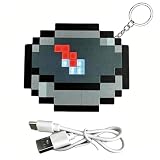
- Experience Retro Charm – Showcase your love for classic gaming with this pixel art LED compass, blending nostalgic visuals into a playful design that appeals to collectors and gamers alike.
- Enhance Your Style – Bright red and blue LED pixels form a captivating directional display, making it a unique keychain charm, bag accessory, or desk ornament that adds personality to your everyday gear.
- Enjoy Whimsical Fun – Embrace this novelty gadget as a conversation starter and decorative piece, offering amusement and style without relying on precise navigation.
- Benefit from USB-Rechargeable Convenience – Easily recharge the built-in eco-friendly battery with the included USB data cable, ensuring your LED pixels shine brightly wherever you go.
- Own a Must-Have Geek Collectible – Perfect for retro game enthusiasts and outdoor gadget lovers, this compass keychain combines playful pixel art with practical portability, enriching your Sports & Outdoors gear collection.
Why the compass does not show north
The red needle on a Minecraft compass is not a north indicator. In the Overworld, it points toward world spawn, so its direction may differ from north. Minecraft’s official compass guide also notes that compasses do not behave the same way in other dimensions.
Quick Recap
Best Value

- Experience Retro Charm – Showcase your love for classic gaming with this pixel art LED compass, blending nostalgic visuals into a playful design that appeals to collectors and gamers alike.
- Enhance Your Style – Bright red and blue LED pixels form a captivating directional display, making it a unique keychain charm, bag accessory, or desk ornament that adds personality to your everyday gear.
- Enjoy Whimsical Fun – Embrace this novelty gadget as a conversation starter and decorative piece, offering amusement and style without relying on precise navigation.
- Benefit from USB-Rechargeable Convenience – Easily recharge the built-in eco-friendly battery with the included USB data cable, ensuring your LED pixels shine brightly wherever you go.
- Own a Must-Have Geek Collectible – Perfect for retro game enthusiasts and outdoor gadget lovers, this compass keychain combines playful pixel art with practical portability, enriching your Sports & Outdoors gear collection.
Rank #4

- 🎮 Role-Play Adventure Prop - Designed for immersive tabletop RPGs, this tactile compass sparks imaginative quests. Not for real navigation.
- ✨ Vibrant LED Pixel Display - USB-rechargeable lights create nostalgic block-art glow. Ideal as desk decor or backpack charm.
- 🛡️ Teen-Safe Construction - Durable ABS with smooth edges (0.1mm precision etching). Contains small parts - not under 14.
- 🎁 Collector-Ready Gift - Premium packaged for gamers. Unbox and instantly stage as display or story prop.
- ⚠️ Non-Functional Design - Artistic pointer deviations enhance pretend-play charm. Never for directional use. If the compass drifts from electromagnetic interference, perform three aerial figure-8 motions away from electronic devices (e.g., phones, computers) to recalibrate.
Rank #3

- 🎮 Role-Play Adventure Prop - Designed for immersive tabletop RPGs, this tactile compass sparks imaginative quests. Not for real navigation.
- ✨ Vibrant LED Pixel Display - USB-rechargeable lights create nostalgic block-art glow. Ideal as desk decor or backpack charm.
- 🛡️ Teen-Safe Construction - Durable ABS with smooth edges (0.1mm precision etching). Contains small parts - not under 14.
- 🎁 Collector-Ready Gift - Premium packaged for gamers. Unbox and instantly stage as display or story prop.
- ⚠️ Non-Functional Design - Artistic pointer deviations enhance pretend-play charm. Never for directional use. If the compass drifts from electromagnetic interference, perform three aerial figure-8 motions away from electronic devices (e.g., phones, computers) to recalibrate.
Product prices and availability are accurate as of the date/time indicated and are subject to change. Any price and availability information displayed on Amazon at the time of purchase will apply.
Recommended Free Tools



