Quick wins for a faster PC:
Fix the driver behind crashes, sound loss and screen glitchesFind Drivers →Clear out junk files and repair common Windows errorsFree Scan →To trade in Manor Lords, build a Trading Post for ordinary goods or a Livestock Trading Post for animals, then set a Trade Rule for each item you want to buy or sell. Posts do not automatically trade every good: each item begins at “No Trade.” Some goods also require a matching trade route, and imports and exports use Regional Wealth—not Treasury.
Choose the right trading building
- Trading Post: for ordinary goods. Its construction cost is four timber, according to the Trading Post entry. Consider its location: workers travel during trade operations.
- Livestock Trading Post: for animal trading.
Both buildings support trade in exchange for Regional Wealth. The game is in Early Access, and its official wiki warns that information and mechanics may change; check your active game version and menu for current details.


Set a Trade Rule for each item
- Open the relevant trading post’s trade menu.
- Find the good or animal you want to trade and change its individual dropdown from “No Trade” to the desired rule.
- Set the item’s stockpile target. The target is the amount the post works toward; the selected rule determines whether it imports, exports, or trades in both directions to maintain that amount.
- Make sure the region has enough Regional Wealth for imports.
Repeat this for every item you want the post to handle. The official Manor Lords FAQ calls the item-level setting a “Trade Rule.”
Know when a trade route is required
Some goods can be traded without opening a route, while major trades require one. The official Trade page says all major trades need a route; the FAQ gives Tools and Weapons as examples of goods that require their corresponding route before they can be imported or exported.
The Tool Desk
Outbyte Driver Updater FREEScan for outdated or missing drivers - takes under a minuteDriver Scan →Outbyte PC Repair FREEClear out junk files and repair common Windows errorsFree Scan →Buying a route costs Regional Wealth and brings a dedicated merchant for that good at regular intervals. Route costs have changed between updates, so use the cost shown on the route button in your current game rather than relying on an older figure. The 0.7.972 patch notes documented route-cost changes, while later beta patch notes cover versions 0.8.104–0.8.110.
Check market supply before choosing what to trade
Import and export prices respond to global market supply. When a good is oversupplied, exporting it brings a lower return and importing it costs less; undersupply pushes the price relationship the other way. Use the supply indicator beside the item in the trade menu, and avoid assuming that a listed price will remain fixed: large exports can saturate the market.
The 0.7.972 patch notes specified price multipliers of 0.75× for oversupplied goods and 0.5× for critically oversupplied goods. Those are version-specific patch values, not a guarantee of the current price system.
Understand Regional Wealth versus Treasury
Regional Wealth pays for imports, livestock, and trade routes. It can come from trading and higher-level Burgage Plots. Treasury is a separate pool used for lord-level costs such as mercenaries, the retinue, annual royal tax, and establishing settlements in other regions. Having funds in one pool does not mean the other has the money needed for a trade or expense.
Recommended Free Tools
Rank #3

- In The Lord of the Rings: The Battle for Middle-earth, fight on the side of Aragorn, Gandolf, Gimli, Legolas and other companions against the armies of Mordor. To defeat your enemies, you must form fellowships of companions and send them to battle.
- While building your fellowships, the Eye of Sauron is always vigilant, so you must beware of a counterattack.
- The player that defeats the most powerful hordes from Mordor wins the game!
- Contents include: 43 ring cards, 21 enemy cards, 4 guide cards, gameboard and instructions
- For 2-4 players ages 8+, 15 minute playing time
Use local-only trade for exchange between your regions
The 0.7.972 update notes document a “local only” setting for exchanging a good between your own regions while ignoring free merchants. This requires a Trading Post in each region. Employed traders prioritize the location with the best prices, and the exchange still needs Regional Wealth.
This behavior is documented for that patch; newer beta updates are available, so check the current menu and your game branch if the setting or behavior differs.
Quick Recap
Rank #4
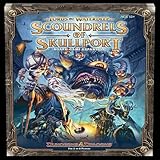
- For 2-6 players
- 60 minute playing time
- Scoundrels of skull port adds brand new content for owners of the Lords Of water deep. It is not one, but two, complete expansions, the sprawling dungeon of under Mountain and the criminal Haven of skull port.
- Adds a 6th player to the game.
A practical setup checklist
- Use a Trading Post for ordinary goods and a Livestock Trading Post for animals.
- Set a rule and stockpile target separately for each item; verify it is not still set to “No Trade.”
- Open a matching route when the item requires one, and check its current Regional Wealth cost in the interface.
- Keep enough Regional Wealth available for purchases and routes.
- Check the market supply indicator before committing to large exports or imports.
- For internal exchange, use the local-only option only if it is present in your active version and establish a post in each region.
Product prices and availability are accurate as of the date/time indicated and are subject to change. Any price and availability information displayed on Amazon at the time of purchase will apply.



