Quick wins for a faster PC:
Clear out junk files and repair common Windows errorsFree Scan →Scan for outdated or missing drivers - takes under a minuteDriver Scan →You cannot temper the Ebony Blade at a grindstone in The Elder Scrolls V: Skyrim. Its Absorb Health effect grows through qualifying kills. A community reference describes a PC console workaround that changes an NPC’s relationship rank so the NPC can count toward that progression, but it is unofficial and not confirmed as reliable for every edition or setup.
What “upgrade” means for the Ebony Blade
The Blade’s special enchantment—not its smithing quality—is what improves. The item-specific reference lists the weapon as not upgradeable through smithing, so the Arcane Blacksmith perk does not make it temperable at a grindstone. Its base damage is listed as 11. ESO-UI’s Ebony Blade entry
The reference pages describe the Absorb Health effect as starting at 10 points and reaching 30. Each two qualifying victims add four points, with ten victims needed for the maximum. Only allies who trust the player count, according to the item entry. ESO-UI and the Skyrim Fandom reference give this progression.
Using the reported console workaround
A community-maintained Elder Scrolls reference describes this PC tactic: use player.setrelationshiprank <refID> 4 on an unnamed enemy NPC, then kill that NPC with the Ebony Blade. The source does not identify a target reference ID or establish that the method works in every Skyrim edition, so do not treat it as a guaranteed command. UESP’s Ebony Blade reference
#1 Best Overall

- ENTER THE WORLD OF SKYRIM: Experience the legendary open-world RPG as a tabletop adventure, exploring Tamriel through branching quests, iconic factions, and rich Elder Scrolls lore.
- COOPERATIVE OR SOLO PLAY: Designed for 1–4 players, allowing you to adventure solo or team up to face dragons, uncover conspiracies, and shape the fate of Skyrim together.
- OPEN-ENDED QUEST SYSTEM: Choose how you approach each mission—diplomacy, stealth, or combat—as your decisions permanently impact the story and the world around you.
- DEEP CHARACTER PROGRESSION: Build unique heroes with evolving skills, gear, and abilities inspired by the video game’s iconic progression systems.
- HIGH REPLAYABILITY: Modular scenarios, multiple quest paths, and varied character builds ensure every campaign feels fresh and every journey through Skyrim is different.
- Make a separate save before experimenting.
- Open the PC console and enter
player.setrelationshiprank <refID> 4, replacing<refID>with the target NPC’s reference ID. The angle-bracketed text is a placeholder, not literal command input. - Close the console and kill the target with the Ebony Blade. The reported tactic relies on the target being counted as a qualifying friendly victim.
- Check whether the Blade’s Absorb Health effect has advanced. If it has not, reload the save rather than assuming the command changed the weapon.
What console commands do not establish
The cited material does not verify a direct command that sets the Ebony Blade’s enchantment strength or kill counter. Generic commands to add an item or modify an enchantment are not established here as ways to upgrade the existing Blade.
The references also conflict on the Blade’s item identifier: ESO-UI lists 000EA29C, while another Skyrim reference lists 0004A38F. They do not explain the discrepancy. Avoid relying on a single ID as universal; verify it for your edition and load order before using any command that requires an item ID.
Quick Recap
Rank #4
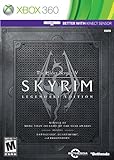
- Live Another Life, In Another World: Play any type of character you can imagine, and do whatever you want; the freedom of choice, storytelling, and adventure of The Elder Scrolls comes to life in one legendary experience from all three official add-ons.
- Dawnguard: The Vampire Lord Harkon has returned to power. By using the Elder Scrolls, he seeks to do the unthinkable - to end the sun itself. Will you join the ancient order of the Dawnguard and stop him? Or will you become a Vampire Lord?
- Hearthfire: Purchase land and build your own home from the ground up - from a simple one-room cottage to a sprawling compound complete with an armory, alchemy laboratory, and more.
- Dragonborn: Journey off the coast of Morrowind, to the vast island of Solstheim. Traverse the ash wastes and glacial valleys of this new land as you become more powerful with shouts that bend the will of your enemies and even tame dragons.
Rank #3

- Winner of more than 200 Game of the Year Awards, Skyrim Special Edition brings the epic fantasy to life in stunning detail.
- The Special Edition includes the critically acclaimed game and add-ons with all-new features.
- All-new features include remastered art and effects, volumetric god rays, dynamic depth of field, screen-space reflections, and more.
- Entertainment Software Rating Board (ESRB) Content Description: Blood and gore, intense violence, sexual themes, use of alcohol
Rank #2

- EPIC FANTASY REBORN - Skyrim reimagines and revolutionizes the open-world fantasy epic, bringing to life a complete virtual world open for you to explore any way you choose.
- LIVE ANOTHER LIFE, IN ANOTHER WORLD - Play any type of character you can imagine, and do whatever you want; the legendary freedom of choice, storytelling, and adventure of The Elder Scrolls is realized like never before.
- YOU ARE WHAT YOU PLAY - Choose from hundreds of weapons, spells, and abilities. The new character system allows you to play any way you want and define yourself through your actions.
- BATTLE DRAGONS - Battle ancient dragons like you’ve never seen. As Dragonborn, learn their secrets and harness their power for yourself.
- INCLUDED CONTENT - The Anniversary Edition includes the core game, pre-existing and new Creation Club content, plus all three official add-ons: Dawnguard, Hearthfire, and Dragonborn.
Product prices and availability are accurate as of the date/time indicated and are subject to change. Any price and availability information displayed on Amazon at the time of purchase will apply.




