
Open Arsenal, choose Mods (or reach the mod screen from an item’s Upgrade page), select a rankable mod, and choose Fusion or Upgrade. Select the Legendary Core as the fusion material, check that the preview sets the mod to maximum rank and replaces the normal Endo and Credit cost, then confirm. The core is consumed in the transaction.
What a Legendary Core does
A Legendary Core is a one-use fusion item that takes one selected mod directly to its maximum rank. It substitutes for the Endo and Credits normally required to rank that mod. The upgrade affects the mod itself, not a particular Warframe, weapon, companion or build, so the completed mod can be used wherever that mod is valid.
As an Amazon Associate I earn from qualifying purchases.
Ordinary mod fusion uses Endo—the resource Digital Extremes describes as the raw resource that powers mod upgrades—and raises a mod through whole ranks. A Legendary Core bypasses that normal progression for the mod you select. It is therefore best understood as a scarce upgrade shortcut rather than a general account-wide resource or a permanent discount on future fusions.
Free tools Windows power users keep installed
One-click scans. No signup required.
The core does not create a new copy of a mod. You must already own the mod you want to improve, and that mod must support ranks. Once the confirmation is accepted, the selected mod is at maximum rank and the Legendary Core is gone.
#1 Best Overall
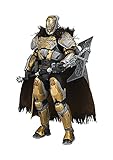
- Articulated 10-inch scale deluxe figure
- Figure includes alternate helmet less head and features a detailed cloth cape
- Figure comes with a 9-inch Relic axel and jolder's hammer machine gun
- Figure is featured in Destiny themed window box packaging
Check these conditions before opening the fusion screen
Make sure the item is a Legendary Core
Warframe has several fusion-related items. Read the item name and description in your inventory or trade interface before selecting it. An Ancient Core is not an interchangeable substitute: Digital Extremes forum staff explicitly stated in 2016, “Unlike Legendary Cores, Ancient Cores do NOT have the ability to maximize the rank of a mod.” If the item is Ancient, the Legendary Core option will not provide the result described in this guide.
Choose a mod that can be ranked
The Legendary Core option is intended for a mod with upgrade ranks. If you select a non-rankable item, the option may not appear. If the control is missing, return to the mod list and verify both the mod’s rank information and the core’s exact item name.
Decide whether immediate power is worth the core
A core is consumed only once, so do not spend it automatically on the first mod that is below maximum rank. Compare the normal Endo and Credit burden with how often you will reuse the finished mod. A high-cost mod that appears in many of your builds usually provides a more durable benefit than a cheap or temporary upgrade.
Outdated Drivers Are Slowing You Down
One free scan finds every outdated or missing driver and matches the right update for your exact hardware.Free scan · exact hardware matchWindows Errors? Fix Them Before They Spread
Repair common Windows errors and clear accumulated junk for a smoother, more stable PC - no reinstall needed.Free scan · no reinstallStep-by-step: use a Legendary Core to max a mod
- Enter the Arsenal. From the Orbiter, open the Arsenal interface.
- Open Mods. Choose Mods in the Arsenal. You can also open the mod screen from an item’s Upgrade page; either route leads to the relevant fusion controls.
- Select the mod. Pick the specific mod you want to rank. Confirm that it has a current rank and a maximum rank rather than being a non-rankable item.
- Open the upgrade control. Choose Fusion or Upgrade. The wording can differ by platform or after a later interface update, but you are looking for the screen that normally spends Endo and Credits to increase the mod’s rank.
- Choose the fusion material. In the available material choices, select Legendary Core. Do not select an Ancient Core or another item simply because its icon looks similar.
- Read the preview. The result should show the selected mod at its maximum rank. The ordinary Endo and Credit requirement should be replaced by the Legendary Core as the material being consumed.
- Confirm only after checking the target. Verify the mod name, the displayed maximum rank and the material name. This is the final opportunity to cancel without consuming the core.
- Finish the transaction. Accept the confirmation. The core is consumed and the mod remains at maximum rank.
If any part of the preview still shows a normal Endo-and-Credit fusion, stop and recheck the selected material. A Legendary Core should be visibly identified as the payment for the maximum-rank result.
How to choose the best mod for your core
There is no developer rule that designates one correct target. The useful question is how much ordinary upgrading you avoid and how long the completed mod will continue to matter in your account.
Rank #2

- PREMIUM 6-INCH ATREUS FIGURE: Atreus is meticulously detailed with an intricate archer survival garb and a fierce resolve in his eyes, featuring 130 unique finishes
- 33 POINTS OF ARTICULATION: Craft dynamic scenes with Atreus, equipped with 33 points of articulation. Perfect for creating lifelike poses that capture the essence of his agile combat style in the PS5 games
- 4 ACCESSORIES: Atreus is equipped for any challenge with his trusty bow, an arrow for precise shots, and 2 handsets for various gripping and combat poses, ready to take on any foe alongside Kratos
- OPEN DISPLAY BOX: Showcase Atreus and additional PlayStation action figures (sold separately) like from The Last of Us and Ghost of Tsushima in this box design, an official licensed product of PlayStation
- TOYS & GAMES FOR ALL: Presented by Spin Master, the creators of kids toys for boys & toys for girls who love collectibles, toy figures & playsets. Ideal Christmas gift, or birthday gifts for all ages
Prioritize expensive, reusable mods
Primed, Galvanized and Archon mods are practical examples of the kind of high-cost target players commonly consider. Their value comes from the combination of a substantial normal upgrade burden and repeated use across equipment. A core used on a mod that appears in many loadouts can save repeated rebuilding decisions over time.
Consider the full cost you are avoiding
Look at the mod’s remaining ranks and the Endo and Credit requirement shown by the normal fusion screen. The core replaces that requirement for the selected transaction. A mod that is only one inexpensive rank from completion generally offers less resource savings than a mod with a long, costly path to maximum rank.
Recommended Free Tools
Separate permanent value from short-term experimentation
Do not use the core merely to test a mod, finish a temporary event setup or complete a build you expect to abandon. Ordinary Endo and Credits are easier to replace than a Legendary Core. If you are still deciding whether a mod belongs in your long-term builds, keep the core until that decision is settled.
Account for how often you will reuse the mod
Ask yourself whether the mod belongs on one item or on many. A frequently reused mod gives the upgrade value across multiple loadouts without needing duplicate maxed copies for every experiment. A narrowly useful mod can still be a valid target if its normal fusion cost is unusually high, but it should beat a more broadly useful alternative on your own account.
Use the core now or trade it?
Using the core converts it into immediate build progress. Keeping or trading it preserves flexibility. There is no stable numeric market value or current drop-rate figure established here, so a decision should not be based on an invented price or a supposed guaranteed supply.
Rank #3

- STAR WARS: THE MANDALORIAN: This action figure is inspired by Paz Vizsla’s appearance in the Star Wars: The Mandalorian live-action series on Disney+
- DELUXE DESIGN AND ARTICULATION: Star Wars fans and collectors can display this 6 inch action figure (15 cm) -- featuring premium series-accurate deco and design, plus 29 points of articulation -- in their collections
- UNIQUE ACCESSORY: Paz Vizsla comes with a jetpack with an attached blaster that can be removed and used as a separate accessory
- A CONSTELLATION OF COLLECTIBLES: Look for more Black Series Star Wars action figures to build a galaxy on your shelf! (Each sold separately. Subject to availability)
- WINDOW BOX PACKAGING: Display Star Wars fandom on your shelf with window box packaging featuring sleek character design
| Decision factor | Use the Legendary Core | Keep or trade the Legendary Core |
|---|---|---|
| Immediate upgrade power | The selected mod reaches maximum rank in one transaction. | No immediate mod upgrade occurs. |
| Endo and Credit savings | The normal fusion requirement for that mod is replaced by the core. | You retain the option to pay normal fusion costs later or leave the mod unranked. |
| Target-mod quality | Most sensible when the target is expensive and repeatedly used. | Preferable when your best target is cheap, temporary or still undecided. |
| Build progress | Best for a player who wants a finished build now. | Best for a player who values a future upgrade or trade opportunity more than immediate power. |
| Risk of regret | The core is consumed and cannot be recovered from that transaction. | The core remains available for a better target or a supported trade. |
A simple rule is to wait until you can name the expensive mod you expect to use for a long time. If you cannot, holding the core is the safer choice. If you can, compare the normal fusion cost and the mod’s place in your regular builds before confirming.
The Tool Desk
Outbyte PC Repair FREEClear out junk files and repair common Windows errorsFree Scan →Outbyte Driver Updater FREEScan for outdated or missing drivers - takes under a minuteDriver Scan →Can you trade a Legendary Core?
Yes. Digital Extremes’ official trading guidance says, “All Mods (Warframe, Weapon, Companion, Augment, etc.) in your inventory are eligible for trade including Legendary Cores.” That makes a Legendary Core tradeable through Warframe’s supported in-game Trade interface.
Use only the in-game Trade interface
Open the game’s supported trading flow and add the Legendary Core from your inventory. Before accepting, inspect the item description and confirm that the offered item is actually a Legendary Core. Read the full trade summary on your side as well as the other player’s offer.
Avoid cash or service arrangements
Digital Extremes warns that trades for cash or services outside the Trade UI are unsupported and can lead to account penalties. Do not move the transaction to an external payment, an informal promise of help, or a service arrangement. If the trade cannot be completed through the game’s interface, do not treat it as an official exchange.
Compare trade value with upgrade value on your account
Trading is not automatically better than using the core. A trade may be sensible when you have no expensive, reusable target and would rather obtain another item through the supported system. Using it is sensible when the Endo and Credit burden of a specific long-term mod is the obstacle holding back your builds. Because stable market-price and drop-rate figures are not established here, make the choice from your own needs rather than a quoted number.
Rank #4

- Incredibly detailed 7” scale figure based on The Witcher 3: Wild Hunt
- Eredin is featured in his black steel armor and helm
- Designed with Ultra Articulation with up to 22 moving parts for full range of posing and play
- Includes Eredin’s sword and base
- Figure is showcased in Witcher-themed window box packaging
Legendary Core versus Ancient Core
The names are similar, but their defining upgrade behavior is different. The comparison below focuses on what matters when you are standing in the fusion screen.
| Property | Legendary Core | Ancient Core |
|---|---|---|
| Can maximize a mod’s rank | Yes | No |
| Replaces the normal Endo and Credit requirement for a maximum-rank result | Yes, when selected for a rankable mod | Not for the Legendary Core result described here |
| Can be traded through the supported Trade interface | Yes | The quoted Digital Extremes guidance distinguishes it from Legendary Cores but does not establish the same trade statement for Ancient Cores here |
| What to do if selected by mistake | Cancel before confirmation if the target or material is wrong | Do not expect it to max the mod |
If you are unsure which item you own, leave the fusion screen and inspect the inventory or trade description. The item name—not a similar appearance—is the reliable check.
Independent reader supportYour contribution helps us test, update, and keep practical guides available for everyone.Troubleshooting when the Legendary Core option is missing
The selected mod is not rankable
Return to the mod details and look for a current rank and a maximum rank. A non-rankable item cannot receive the maximum-rank fusion behavior, so select a different mod.
You opened the wrong upgrade screen
Use Arsenal > Mods, or open the mod screen from an item’s Upgrade page. If you are viewing an equipment screen without the mod’s fusion controls, navigate into the mod itself before looking for materials.
Do these 3 things before closing this tab:
1Repair Windows errors before they cause bigger problems2Fix the driver behind crashes, sound loss and screen glitches3Clear out junk files and repair common Windows errorsThe item is an Ancient Core or another fusion material
Check the exact inventory label. Ancient Cores cannot maximize a mod, and another fusion item will not necessarily provide the Legendary Core result. Cancel the operation if the material name is not exactly the one you intended.
Best Value
- Lex Prime Warframe
- No moving parts
The interface labels changed
Button wording can vary by platform or later UI updates. Look for the control that normally begins mod fusion or upgrading, then verify the preview rather than relying on a memorized button name. The decisive checks are the maximum-rank result and the Legendary Core listed as the consumed material.
The preview still lists Endo and Credits
Do not confirm that transaction. Return to the material choices and explicitly select Legendary Core. If the preview does not change, exit and reopen the mod screen, then verify the core in your inventory before trying again.
Common mistakes to avoid
- Spending it on a cheap mod: ordinary Endo and Credits are usually easier to obtain than a Legendary Core, so reserve the shortcut for a costly target when possible.
- Choosing a temporary build: a mod used only for a short experiment may not justify consuming a scarce item.
- Confusing Ancient and Legendary: similar names do not mean identical behavior; Ancient Cores cannot maximize a mod.
- Skipping the preview: verify the mod name, maximum rank and material before accepting.
- Assuming the core creates a duplicate: it upgrades the mod you selected; it does not add another copy to your inventory.
- Trading outside the game: cash or service trades outside the supported Trade UI are unsupported and may expose your account to penalties.
- Relying on an unverified price: no stable market-price or drop-rate figure is established here, so do not treat a random number as a guaranteed value.
A practical decision checklist
Use this checklist immediately before committing the item:
- Is the item in your inventory named Legendary Core, not Ancient Core?
- Is the selected mod rankable and not already at maximum rank?
- Will you use this mod across several builds or for a long period?
- Is its normal Endo and Credit requirement large enough to justify a scarce shortcut?
- Have you compared using it with keeping it for a future target or a supported trade?
- Does the final preview show the correct mod at maximum rank with the Legendary Core as the material?
If any answer is no, cancel and reassess. If every answer supports the upgrade, confirm the fusion and the mod will remain at maximum rank after the core is consumed.
What to remember
A Legendary Core is a targeted, one-use way to finish one rankable mod. The correct path is Arsenal, Mods (or the mod screen from Upgrade), the mod’s Fusion or Upgrade control, Legendary Core as the material, preview verification, and confirmation. Its strongest practical use is an expensive mod you expect to reuse; its strongest alternative is preserving it for a better target or trading it through Warframe’s own interface. Ancient Cores do not provide the same maximum-rank function.
Quick Recap
Product prices and availability are accurate as of the date/time indicated and are subject to change. Any price and availability information displayed on Amazon at the time of purchase will apply.

