Recommended Free Tools
If by “Wii ROMs” you mean commercial game images, this guide does not explain how to load or play them. The supported SD-card setup described here is for homebrew applications: user-created or community-developed software loaded through the Homebrew Channel. Nintendo identifies unauthorized ROM use and circumvention products as piracy concerns; the rules for personal copies can vary by location.
Can you play Wii ROMs from an SD card?
The Homebrew Channel is an application loader, not a library of commercial games. Its documentation says it can load homebrew applications from an SD or SDHC card. That establishes a way to run compatible homebrew apps; it does not establish that arbitrary commercial Wii game images can be played from an SD card. WiiBrew’s Homebrew Channel documentation

Nintendo states, “Video game piracy is illegal,” and warns about unauthorized ROM files and products that circumvent security measures. WiiBrew likewise says its community does not support downloading pirated games or playing backups. These statements describe Nintendo’s position and the community’s policy, not a universal ruling on every personal-copy situation. Check the law where you live if that is your question. Nintendo’s Intellectual Property & Piracy FAQ WiiBrew FAQ
Check your Wii Menu version before choosing a card
Nintendo’s compatibility guidance ties card capacity to the Wii Menu version. Check the version shown in your console’s system settings, then use this table to choose an SD-card class. Nintendo Support: What SD Cards are Compatible with Wii?
#1 Best Overall
| Wii Menu version | Card type and capacity supported by Nintendo’s guidance | Practical note |
|---|---|---|
| Below 4.0 | SD cards of 2 GB or less | Do not assume an SDHC card is supported on this menu version. |
| 4.0 or later | SDHC cards up to 32 GB | A 32 GB SDHC card fits this capacity guidance. |
Nintendo warns that slower cards can load slowly or fail. Capacity and speed are separate checks: meeting the stated size limit does not guarantee that every card or app will work. Do not assume an SDXC card or a particular brand is compatible based on this guidance.
Prepare an SD card for homebrew apps
WiiBrew’s general setup guidance says most cards formatted as FAT16 or FAT32 should work for its homebrew setup. The console’s supported capacity still depends on the Wii Menu version above. WiiBrew FAQ
Rank #2

- Class 4 Standard SD flash memory card (Secure Digital Card). Compatible with mainstream SD card readers
- SLC high speed read/write technology. Excellent work for Class 4 standard SD card devices, such as specific older digital cameras / 3D printers / GPS / MP3 / CNC / PDA / industrial machine, etc.
- SD Card Made in Japan. Assembled in China
- 2GB storage capacity. The actual allowable capacity is 1.83GB / 1.87GB
- 1 year manufacturer's limited service.Compatible with trail camera, old digital camera, DSLR cameras and dash cams.
- Format the card as FAT16 or FAT32. Use a computer’s card-formatting utility and select a format supported by your operating system. Formatting erases existing files, so copy anything you want to keep elsewhere first.
- Create an
appsfolder at the card’s root. The root is the top level of the card, not a folder inside another folder. - Make a folder for each homebrew application. Put the application’s files inside its own folder under
apps. - Place the application executable in that folder. The Homebrew Channel documentation describes the executable as
boot.dolorboot.elf. A typical path is/apps/<app-folder>/boot.dol.
The Homebrew Channel itself must already be installed through a compatible homebrew setup method. Its installer documentation directs users to read the installer disclaimer; installation steps can depend on the particular Wii and method, so do not treat old exploit-specific notes as current universal directions. WiiBrew’s Homebrew Channel documentation
Load an app from the card
- Insert the prepared SD card into the Wii’s SD slot.
- Open the Homebrew Channel from the Wii Menu.
- Select a listed homebrew app and launch it, following that app’s own instructions.
If an app does not appear, check that the card is in a supported capacity class, that the folder is under /apps/, and that its executable is named boot.dol or boot.elf. Also check the app’s own compatibility guidance. A correct folder layout does not guarantee that a particular app will run.
Rank #3

- Great choice for compact to mid-range point-and-shoot cameras
- Quick transfer speeds up to 140MB/s (Up to 140MB/s read speed engineered with proprietary technology to reach speeds beyond UHS-I 104MB/s, requires compatible devices capable of reaching such speeds. Based on internal testing; performance may be lower depending on host device, interface, usage conditions and other factors. 1MB=1,000,000 bytes.)
- Up to 128GB to store tons of pictures (1GB=1,000,000,000 bytes. Actual user storage less.)
- Exceptional video recording performance with UHS Speed Class 1 (U1) Class 10 rating for Full HD video (1080p) (UHS Speed Class 1 (U1) designates a performance option designed to support real time video recording with UHS enabled host devices. See consumers speed page on SanDisk site. Full HD (1920x1080) video support may vary based upon host device, file attributes, and other factors. Visit the SanDisk Video Knowledge Base for more information.)
- Compatible with SanDisk SD UHS-I card reader (sold separately)
Troubleshoot card or app problems
- The Wii does not recognize the card: Recheck the Wii Menu version and capacity limit, then verify the card’s format. For a menu below 4.0, Nintendo’s guidance is limited to SD cards of 2 GB or less.
- The card is recognized but an app is missing: Verify the
appsdirectory is at the card root, the app has its own subfolder, and its executable has the expected filename. - An app loads slowly or fails: Nintendo warns that slow cards can cause slow loading or failure. Try a card that meets the capacity guidance and has suitable performance; the available guidance does not identify a guaranteed brand or speed rating.
- You are trying to run a commercial game image: This homebrew app layout and Nintendo’s SD-card compatibility guidance do not establish a supported method for that purpose. Do not treat owning a disc as resolving the legal question of making or using a digital copy; check local law.
Understand the risks and limits
Homebrew is not automatically risk-free. WiiBrew warns users to consider installation risks and read the installer disclaimer. Nintendo says damage caused by unauthorized products that circumvent security measures is not covered by its warranty. These sources do not establish that every homebrew app damages a console, nor that every installation causes damage. WiiBrew’s Homebrew Channel documentation Nintendo’s Intellectual Property & Piracy FAQ
Quick Recap
Best Value

- Great choice for compact to mid-range point-and-shoot cameras
- Quick transfer speeds up to 140MB/s (Up to 140MB/s read speed engineered with proprietary technology to reach speeds beyond UHS-I 104MB/s, requires compatible devices capable of reaching such speeds. Based on internal testing; performance may be lower depending on host device, interface, usage conditions and other factors. 1MB=1,000,000 bytes.)
- Up to 64GB to store tons of pictures (1GB=1,000,000,000 bytes. Actual user storage less.)
- Exceptional video recording performance with UHS Speed Class 1 (U1) Class 10 rating for Full HD video (1080p) (UHS Speed Class 1 (U1) designates a performance option designed to support real time video recording with UHS enabled host devices. See consumers speed page on SanDisk site. Full HD (1920x1080) video support may vary based upon host device, file attributes, and other factors. Visit the SanDisk Video Knowledge Base for more information.)
- Compatible with SanDisk SD UHS-I card reader (sold separately)
Rank #4
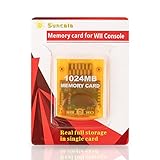
- High speed: Upgraded innovation chip that processes and saves the games 20% faster than older versions, game is smooth and steady without any interruptions.
- Compatibility: Fully compatible with Gamecube and Wii Consoles (Model number RVL-001)
- Storage System: 8 improved storage sections that can save up to 16344 blocks. To change storage sections, press the switch button.
- Newly designed package, fresh and elegant look. Sleek package allows you to easily insert and remove memory card.
- 60 months worry-free warranty. Friendly and supportive customer service is always there to answer all your questions within hours.
Product prices and availability are accurate as of the date/time indicated and are subject to change. Any price and availability information displayed on Amazon at the time of purchase will apply.



