To install a Skyrim modpack with Wabbajack, choose a compatible modlist, read its README, prepare separate folders for Wabbajack, Skyrim, and the list, then run the installer and complete the list’s post-install steps. The README is essential: it specifies supported game versions and stores, required downloads, and any setup to do after installation.
Before you install: check the modlist’s requirements
Wabbajack calls its collections modlists. They are not interchangeable: each has its own game compatibility and setup instructions. Before downloading or buying a Skyrim edition, open the chosen list’s README and confirm the details below. Wabbajack’s Installing a Modlist guide says each list has its own README with the instructions needed to install it correctly.
- Store and game version: the installed game typically needs to come from the same store as the one used by the list author. Check the list documentation for the supported store and executable version; Skyrim Special Edition versions can differ.
- Required DLC: verify that you own every DLC the list requires.
- External files and accounts: some lists require files from third-party sources before Wabbajack can finish. Follow the README’s instructions for obtaining them.
- Storage and hardware: requirements depend on the list. The official guide does not set one free-space or hardware minimum for all lists, so use the list’s own stated requirements.
- Installation style and final setup: check that the list suits the kind of overhaul you want and note any steps its author requires after installation.
Wabbajack’s Supported Games documentation explains Skyrim version distinctions and directs users to list authors’ documentation for list-specific compatibility. If store, version, or DLC support is unclear, resolve that before starting the install.
Prepare separate folders
Keep the Wabbajack application, Skyrim, and each modlist installation in separate folders. A modlist cannot be installed into Wabbajack’s folder, the game folder, or another modlist’s folder; separate lists cannot be merged. The official guide also recommends avoiding Windows-managed locations such as Program Files, Downloads, and Desktop.
Windows Errors? Fix Them Before They Spread
Repair common Windows errors and clear accumulated junk for a smoother, more stable PC - no reinstall needed.Free scan · no reinstallOutdated Drivers Are Slowing You Down
One free scan finds every outdated or missing driver and matches the right update for your exact hardware.Free scan · exact hardware match#1 Best Overall

- Winner of more than 200 Game of the Year Awards, Skyrim Special Edition brings the epic fantasy to life in stunning detail.
- The Special Edition includes the critically acclaimed game and add-ons with all-new features.
- All-new features include remastered art and effects, volumetric god rays, dynamic depth of field, screen-space reflections, and more.
- Entertainment Software Rating Board (ESRB) Content Description: Blood and gore, intense violence, sexual themes, use of alcohol
You can use one download folder for multiple lists to avoid downloading the same archives more than once. However, list creators may need separate download folders to keep their archives distinct, so follow the chosen list’s instructions if it specifies a layout.
Install a modlist from the Gallery
- Open Wabbajack and go to Gallery.
- Choose the Skyrim modlist you want and download its
.wabbajackfile. - When the download finishes, select the play button for that list.
- Open the list-specific README and read it before proceeding.
- Download any external files the README requires.
- Choose the installation folder and download folder, keeping the installation folder separate from the Wabbajack application, Skyrim, and other modlists.
- Start the installation and let Wabbajack complete its work.
- Return to the README and perform the list’s final setup steps.
The exact prerequisites and post-install tasks vary by list, so do not skip the README even if the Gallery starts the installer for you.
Rank #2

- EPIC FANTASY REBORN - Skyrim reimagines and revolutionizes the open-world fantasy epic, bringing to life a complete virtual world open for you to explore any way you choose.
- LIVE ANOTHER LIFE, IN ANOTHER WORLD - Play any type of character you can imagine, and do whatever you want; the legendary freedom of choice, storytelling, and adventure of The Elder Scrolls is realized like never before.
- YOU ARE WHAT YOU PLAY - Choose from hundreds of weapons, spells, and abilities. The new character system allows you to play any way you want and define yourself through your actions.
- BATTLE DRAGONS - Battle ancient dragons like you’ve never seen. As Dragonborn, learn their secrets and harness their power for yourself.
- INCLUDED CONTENT - The Anniversary Edition includes the core game, pre-existing and new Creation Club content, plus all three official add-ons: Dawnguard, Hearthfire, and Dragonborn.
Install a downloaded .wabbajack file
- Open Wabbajack and select Install from Disk.
- Select the downloaded
.wabbajackfile as the target modlist. - Open and read that modlist’s README before continuing.
- Obtain any required third-party files specified in the README.
- Choose separate installation and download paths, following the folder rules above.
- Run the installer, then follow the README’s final instructions.
What to expect while Wabbajack runs
An installation can take anywhere from minutes to hours, depending on the list’s size, your internet connection, and your hardware. There is no universal time estimate or free-space figure in the official guide. If installation cannot proceed because a file or requirement is missing, check the list README and its stated prerequisites rather than assuming every mod file is included with Wabbajack.
Wabbajack describes itself as an automated modlist installer that reproduces a modding setup without bundling assets or redistributing mods. The selected list’s manifest, README, and source downloads determine which files are available and what you must obtain separately; see the pre-compilation documentation.
Rank #3

- ANNIVERSARY EDITION CONTENT — Includes the base game, Dawnguard, Hearthfire, Dragonborn, and hundreds of Creation Club items such as quests, weapons, armor, spells, and dungeons.
- SWITCH 2 ENHANCEMENTS — Explore Skyrim with updated visuals, improved load times, and optimized performance for Nintendo Switch 2.
- SHAPE YOUR ADVENTURE — Choose your character and decide how to play in an open world that responds to your actions.
- BUILD YOUR CHARACTER — Choose from hundreds of weapons, spells, and abilities to define your play style.
- BATTLE DRAGONS — Face ancient dragons as the Dragonborn, learn their secrets, and harness their power.
Mod manager and operating system support
Wabbajack’s supported-games documentation names Mod Organizer 2 as its only officially supported mod manager. Follow the individual modlist README for any additional setup it requires.
The Wabbajack site lists Windows 10/11 Home or Pro as supported and links to community-maintained Linux guidance through Proton. Linux is therefore a community-guided route, not a reason to assume the Windows installation steps work unchanged. Use the current Linux guide together with the chosen list’s instructions. See Wabbajack.
Rank #4

- Winner of more than 200 game of the year awards, Skyrim special edition brings the epic fantasy to life in stunning detail
- The special edition includes the critically acclaimed game and add-ons with all-new features
- All-new features include remastered art and effects, volumetric god rays, dynamic depth of field, screen-space reflections, and more
- Entertainment Software Rating Board (ESRB) Content Description: Blood and gore, intense violence, sexual themes, use of alcohol
Choose a modlist by compatibility, not by a universal ranking
There is no single Skyrim game edition or DLC bundle that fits every Wabbajack list. Compare each candidate using its own documentation:
- Supported store and Skyrim executable version
- Required DLC
- External downloads or accounts needed
- Installation size and available disk space
- Hardware requirements
- Overhaul style and the list author’s post-install steps
Because these requirements are list-specific, confirm compatibility before purchasing a game version or investing time in an installation.
Quick Recap
Best Value
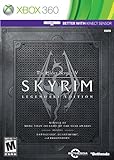
- Live Another Life, In Another World: Play any type of character you can imagine, and do whatever you want; the freedom of choice, storytelling, and adventure of The Elder Scrolls comes to life in one legendary experience from all three official add-ons.
- Dawnguard: The Vampire Lord Harkon has returned to power. By using the Elder Scrolls, he seeks to do the unthinkable - to end the sun itself. Will you join the ancient order of the Dawnguard and stop him? Or will you become a Vampire Lord?
- Hearthfire: Purchase land and build your own home from the ground up - from a simple one-room cottage to a sprawling compound complete with an armory, alchemy laboratory, and more.
- Dragonborn: Journey off the coast of Morrowind, to the vast island of Solstheim. Traverse the ash wastes and glacial valleys of this new land as you become more powerful with shouts that bend the will of your enemies and even tame dragons.
Product prices and availability are accurate as of the date/time indicated and are subject to change. Any price and availability information displayed on Amazon at the time of purchase will apply.




