When you’re outside your team’s local broadcast territory, MLB.TV is the official place to check for live or on-demand out-of-market video. It does not guarantee every game will be available live: your physical location, the game’s broadcast rights and national exclusivities can all affect access. Check the specific game for the place you’ll be watching before subscribing or planning around a stream.
Choose the service based on where you’ll be watching
MLB’s out-of-market package is intended for games unavailable in the viewer’s local market. MLB says MLB.TV provides live and on-demand out-of-market games through MLB or ESPN in the U.S. package description, subject to blackouts. A club’s local streaming service serves a different purpose: it may carry that club’s games within its home territory, where the out-of-market package can be restricted.
| # | Preview | Product | Price | |
|---|---|---|---|---|
| 1 |

|
iHip MLF10169ATL MLB Atlanta Braves Printed Ear Buds, Blue/Red | $18.90 | Buy on Amazon |
| 2 |
|
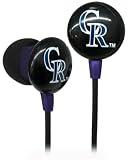
iHip MLF10169COL MLB Colorado Rockies Printed Ear Buds, Purple | $13.99 | Buy on Amazon |
| Your situation | First option to check | What to keep in mind |
|---|---|---|
| You’re outside your team’s home territory | MLB.TV out-of-market package | A national exclusive or another listed restriction may still prevent live streaming. |
| You’re inside your team’s home territory | The club’s local streaming service, if offered | Availability and eligible territory vary by club. |
| Live video isn’t available | MLB.TV archive or live audio | MLB says an unavailable live game’s archive may appear about 90 minutes after it ends; check current package terms for audio access. |
| You’re outside the United States | MLB’s international package information and restriction checker | International availability and blackout terms differ from U.S. terms; some U.S. clubs’ home-territory restrictions may extend beyond the country. |
For 2026, MLB’s March 10 guide said 22 of 30 clubs had local, in-market streaming subscriptions without local blackouts. That is a guide-published count, not a promise that a service is available for every club or every viewer. Check the specific team’s service and territory terms.
Check the exact game and location before you rely on a stream
- Identify where you’ll be physically watching. A hotel, friend’s home or other stop may fall under different broadcast restrictions than your usual home.
- Use MLB’s restriction checker. Enter the ZIP code and select the game on MLB’s package page. MLB says it can use factors such as IP address to determine location, so the place you watch from matters.
- Check the game’s rights, not just the team’s. National exclusivities can block a game even when it would otherwise be out of market. Review the game-specific availability and MLB’s current restrictions before game time.
- Confirm the package and device. MLB says MLB.TV and Club.TV subscribers can stream through the MLB app. The official materials do not establish a complete current list of supported tablet models or operating-system versions, so check the app store listing and MLB support information for your device.
- Test access before first pitch. Sign in and confirm the stream works on your device and connection. A tablet can provide a larger viewing screen, but it does not change blackout eligibility or guarantee that a hotel connection will be reliable.
MLB says location may be inferred from multiple factors. Do not assume that changing the device, account or network will make a restricted game available, and do not use location-spoofing tools to evade broadcast rights.
The Tool Desk
Outbyte Driver Updater FREEFix the driver behind crashes, sound loss and screen glitchesFind Drivers →Outbyte PC Repair FREEClear out junk files and repair common Windows errorsFree Scan →#1 Best Overall
- Sleek and lightweight
- Noise isolating
- High quality sound.
Why a game can be blacked out while you’re traveling
Your current location can put you in the home television territory
MLB says blackout restrictions are based on physical location, which can be determined using factors such as your IP address. A team’s home-territory blackout can apply whether that team is playing at home or on the road. So, if you travel into your club’s home territory, the fact that the game is an away game does not automatically make it available through MLB.TV.
National rights can override an otherwise out-of-market game
Some games are subject to national exclusivity. That means an out-of-market package alone may not carry a particular game live. Check MLB’s current list of restrictions and the availability result for that game rather than treating “out of market” as a guarantee.
International rules can differ
MLB’s international package and territory terms are not interchangeable with its U.S. package terms. The league says some U.S. clubs’ home-territory restrictions may extend outside the United States. If you’re abroad, check the international package details and the specific game’s restrictions for your destination.
Independent reader supportYour contribution helps us test, update, and keep practical guides available for everyone.What to do when live video is unavailable
Watch the archive after the game
MLB says an archive for a game unavailable live may become available about 90 minutes after the game ends. This is delayed viewing, not a way to watch the live broadcast, and the timing is approximate.
Do these 3 things before closing this tab:
1Fix the driver behind crashes, sound loss and screen glitches2Clear out junk files and repair common Windows errors3Scan for outdated or missing drivers - takes under a minuteRank #2
- Sleek and lightweight
- Noise isolating
- High quality sound.
Use audio as a live fallback
MLB describes live audio for unavailable games as included with MLB.TV, while MLB+ offers live audio for all 30 teams without blackouts. Check the current product page for the package’s audio terms and availability before relying on it.
Prices and offers change; verify the checkout page
MLB’s package page surfaced MLB.TV at $69.99 per season and MLB+ at $59.99 per year. These are page-displayed 2026 offers, not guaranteed current prices: another official page variation showed a promotional $29.99 seasonal MLB.TV offer, while MLB’s March 10, 2026 guide listed full-season MLB.TV at $99.99 or $19.99 monthly for non-RSN teams. Check the current offer, eligibility and terms at checkout.
The same March 2026 guide listed a $199.99 season or $39.99 monthly bundle combining a club local service with MLB.TV, described as 20% savings off individual pricing. Treat those as guide-published figures, not guaranteed prices; verify the club’s service page and checkout.
Quick Recap
Use official MLB pages for the final check
- MLB.TV and MLB+ package details and restriction checker
- MLB’s 2026 streaming guide, including local club services
Product prices and availability are accurate as of the date/time indicated and are subject to change. Any price and availability information displayed on Amazon at the time of purchase will apply.



