iDOS 3 is available for iPhone and iPad through Apple’s App Store. The DOS emulator arrived in August 2024 after Apple revised its App Store rules for emulator apps. The current U.S. listing costs $4.99 and requires iOS or iPadOS 15 or later—but it does not include a library of commercial DOS games. You must provide software you own or are otherwise licensed to use.
What happened to iDOS 3?
iDOS 3 is the latest App Store release in the iDOS line, which provides a DOS environment for Apple devices. Earlier iDOS releases had faced App Store removal or approval problems. The developer submitted iDOS 3 under a new listing after Apple changed the rules governing emulator apps.
| # | Preview | Product | Price | |
|---|---|---|---|---|
| 1 |

|
Mattel Games DOS Second Edition Family Card Game in Storage Tin with Updated Rules for Kids and... | $14.99 | Buy on Amazon |
| 2 |
|
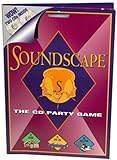
Soundscape - CD Party Game | $39.99 | Buy on Amazon |
| 3 |

|
'Take Me Out To A Cubs Game' Music CD | $11.00 | Buy on Amazon |
| 4 |

|
Play It By Ear Volume 2 the First Cd Game | $39.96 | Buy on Amazon |
As an Amazon Associate I earn from qualifying purchases.
Apple’s App Store version history records version 3.0 on August 10, 2024, while contemporary reporting about its availability was published on August 12. The timing closely followed Apple’s policy changes, so it is reasonable to connect the return of iDOS with the new rules. However, Apple has not publicly stated that it approved iDOS 3 specifically because of those changes.
The Tool Desk
Outbyte PC Repair FREEClear out junk files and repair common Windows errorsFree Scan →Outbyte Driver Updater FREEFix the driver behind crashes, sound loss and screen glitchesFind Drivers →See the contemporary launch report from 9to5Mac.
What Apple changed
Apple revised Guideline 4.7 in stages during 2024:
- April 5, 2024: Apple updated its guidelines to permit games distributed through retro-console emulator apps.
- August 1, 2024: Apple clarified that PC emulator apps could give users the ability to download games.
Apple’s current Guideline 4.7 allows retro-console and PC emulator apps to offer software that is not embedded in the app binary, including downloadable games. That permission is conditional, not a blanket approval for every emulator or every piece of software.
#1 Best Overall
- DOS Second Edition card game updates the cards and rules to deal out the action on game night and a storage tin to take it on the go!
- In the race to get rid of their cards, players can discard into either of TWO Discard Piles -or even both!
- All "2" number cards are "Wild DOS" cards and can be played as any color "2" the player wants.
- The "Wild Play Two Card" forces the next player to discard at least 2 cards on their turn, and if they can't, they must draw 2 cards.
- If a player plays 2 Action Cards on the same turn, the next player must take BOTH actions!
Emulator developers remain responsible for software offered through their apps and must follow Apple’s requirements covering content, privacy, payments, age ratings, indexing and applicable law. Downloaded software also cannot expose native platform APIs or technologies without Apple’s permission, and privacy permissions cannot be shared with downloaded software without explicit user consent.
The changes arrived amid wider regulatory scrutiny, including pressure associated with the European Union’s Digital Markets Act. Apple’s announcements confirm the policy changes, but they do not say that the DMA forced Apple to approve iDOS 3.
What iDOS 3 actually does
iDOS 3 emulates a DOS-compatible PC environment. According to its App Store listing, it can be used for:
Free tools Windows power users keep installed
One-click scans. No signup required.
- Classic DOS games
- DOS productivity software and word processors
- Casual programming
- A PC-compatible on-screen keyboard
- Bluetooth keyboards on supported iOS versions
- MT-32 audio and MIDI sound fonts
- Cue-sheet CD images with compressed OGG, MP3 or FLAC audio tracks
The listing also identifies support for Boxer packages, iDOS game packages and a Documentation folder inside a game package. The project is open source and links to the developer’s support documentation and source repository.
Does iDOS 3 include DOS games?
No—do not buy iDOS 3 expecting a built-in catalog of commercial games. The $4.99 purchase provides the emulator and its DOS environment, not automatic rights to every game that can run in it.
Rank #2
- Think you've got a keen ear for everyday sounds? Guess the sounds from CDs packed with noise tracks.
- No waiting your turn - everyone plays every round!
- A fun party game, unlimited players! A great game to take on car trips and on vacation too!
- Includes 2 CDs with over 200 sounds, game pad and instruction sheet.
- For 1 of more players. Ages 8 to Adult.
You should use public-domain software, legally distributed freeware or shareware, games you own, or software covered by a valid license. Copyright and software-license rules differ by country and by title, so owning physical media does not automatically answer every legal question about making or using a disk-image copy.
Apple’s rule allows PC emulator apps to offer downloads, but it does not make arbitrary copyrighted games legal to obtain or use.
Current price and compatibility
The following details reflect the U.S. App Store listing checked on August 18, 2026. Prices and availability can vary by storefront and may change.
| Detail | Current information |
|---|---|
| Price | $4.99 in the U.S. |
| Developer | Chaoji Li |
| Devices | iPhone and iPad |
| Minimum operating system | iOS 15.0 or iPadOS 15.0 |
| Listed version | 3.3 |
| Version 3.3 release date | August 6, 2025 |
| Category | Utilities |
| Language | English |
| Age rating | 4+ |
Older reports described a launch price of $0.99 and an iOS 12 requirement. Those were launch-era details and should not be treated as current specifications.
What about Mac and Apple Vision?
The listing is internally ambiguous. It says iDOS 3 is designed for iPad and “not verified for macOS,” while its compatibility metadata separately lists Apple-silicon Macs running macOS 12 or later and Apple Vision devices.
If you specifically need a Mac-native emulator, treat Mac support as unverified rather than assuming the iPad app offers a fully supported Mac experience.
What changed after launch?
iDOS 3 has received several updates since its 2024 release:
- Version 3.0 — August 10, 2024: Added speed adjustment through the cycles window, Documentation-folder support in game packages and minor fixes.
- Version 3.1 — September 9, 2024: Listed as a release without detailed change notes in the visible App Store history.
- Version 3.2 — October 22, 2024: Updated DOSBox-SVN to r4484, fixed MIDI and CoreAudio sound-font issues, added Boxer package support and addressed an iPad mini 6 interface issue.
- Version 3.3 — August 6, 2025: Added cue-sheet CD images with compressed audio, DOS audio-background mode, direct-touch fixes and Command-comma mapping for Escape on external keyboards.
How the basic workflow works
iDOS 3 is closer to a DOS environment than a console-style launcher. A typical setup looks like this:
- Install iDOS 3 from the App Store.
- Obtain a DOS game or application that you are legally allowed to use.
- Import its files through iOS or iPadOS file-sharing and document workflows.
- Open the package or mount the relevant disk image.
- Use DOS commands such as
DIRto list files,CDto change directories andD:to switch to a mounted CD-image drive. - Run the title’s executable, commonly an
.EXE,.COMor.BATfile. - Adjust controls, sound, cycles, keyboard behavior and other settings for the individual title.
Interface labels and import steps can change, so consult the developer’s current support documentation for exact menu paths.
Independent reader supportYour contribution helps us test, update, and keep practical guides available for everyone.Compatibility and common friction points
iDOS 3 can run many DOS-era programs, but compatibility is title-specific. Older software may expect a particular sound card, memory layout, display mode, drive letter, CPU speed or physical input device. Some applications simply do not behave well with touch controls.
A Bluetooth keyboard can make text-heavy applications and keyboard-driven games much more practical. Mouse-heavy software and strategy games may still be awkward on a phone or tablet screen.
App Store reviews also describe confusion around ISO mounting, landscape-mode limitations when selecting disks, “illegal command” errors and difficulties swapping floppy images during multi-disk installers. These are user reports rather than guarantees of a particular failure, but they illustrate why iDOS 3 is not always plug and play.
The app supports cue-sheet CD images, compressed CD audio and several package formats, but that does not mean every ISO, IMG, FLP or multi-disk installer will work smoothly. Be prepared to follow the original program’s installation instructions and manage drives or disk images manually.
Who should buy iDOS 3?
iDOS 3 is a good fit if you:
- Want DOS games or applications on an iPhone or iPad.
- Already have compatible, legally usable software.
- Are comfortable with basic DOS commands and file management.
- Prefer a native App Store installation over sideloading.
- Want DOSBox-derived features, CD-image support, Boxer packages, MIDI options or external-keyboard support.
It may be a poor fit if you:
- Expect commercial games to be included.
- Want to run modern Windows software.
- Need a polished launcher with automatic game setup.
- Want multi-floppy installers to work without manual intervention.
- Rely on mouse-heavy software and dislike touch controls.
- Use an iPhone or iPad that cannot run iOS or iPadOS 15.
- Need confirmed Mac-native support.
Alternatives
UTM SE is worth considering if you want broader PC virtualization or emulation and are willing to accept more configuration. It is not a direct replacement for iDOS 3’s DOS-focused interface.
Windows Errors? Fix Them Before They Spread
Repair common Windows errors and clear accumulated junk for a smoother, more stable PC - no reinstall needed.Free scan · no reinstallCrashes, No Sound, or Screen Glitches?
Random freezes, missing sound and display glitches usually trace back to one bad driver. Find and replace yours safely.Free scan · under a minuteFor retro-console games, apps such as Delta address a different category of hardware and software. Delta is not a DOS emulator, but the distinction helps explain Apple’s two-stage policy change: retro-console emulator games were explicitly added in April, while PC-emulator game downloads were clarified in August.
Verdict
iDOS 3’s App Store arrival is real and significant, but the headline needs a qualification. Apple’s 2024 policy changes made PC emulators permissible under specific conditions; they did not turn the App Store into a universal source of DOS games.
At the current U.S. price of $4.99, iDOS 3 makes sense for iPhone and iPad owners who already have legally usable DOS software and are comfortable with manual file management. It is less suitable for anyone seeking an instant, curated game library or a modern Windows emulator.
Quick Recap
Product prices and availability are accurate as of the date/time indicated and are subject to change. Any price and availability information displayed on Amazon at the time of purchase will apply.
Do these 3 things before closing this tab:
1Clear out junk files and repair common Windows errors2Scan for outdated or missing drivers - takes under a minute3Repair Windows errors before they cause bigger problems



