Do these 3 things before closing this tab:
1Clear out junk files and repair common Windows errors2Scan for outdated or missing drivers - takes under a minute3Repair Windows errors before they cause bigger problemsIf Indiana Jones and the Great Circle shows a black screen on PC, start with the checks Bethesda recommends: confirm your PC meets the minimum requirements, update the graphics driver, and—if you play on Steam—verify the game files. These steps are a troubleshooting sequence, not a guaranteed fix; the right next check depends on when the screen goes black, whether sound continues, and your PC’s graphics setup.
First, identify when the screen goes black
Note whether the black screen appears on launch, after the opening logos, or during gameplay, and whether audio continues. Also note whether you launch through Steam or the Xbox app, your GPU model and driver version, and whether the PC is a laptop or has more than one graphics processor. This information helps narrow the problem, but Bethesda does not prescribe a separate fix for each symptom or storefront.
Follow Bethesda’s black-screen checks
- Check the minimum system requirements. Compare your PC’s processor, memory, and graphics hardware with the game’s listed requirements. Steam’s technical-support listing names an NVIDIA GeForce RTX 2060 SUPER 8 GB or AMD Radeon RX 6600 8 GB among the minimum graphics options. That is a compatibility check, not evidence that buying either card will resolve a black screen. Bethesda’s black-screen troubleshooting page and Steam’s technical-support listing provide the relevant details.
- Update the graphics driver that applies to your PC. Use the driver source for your graphics hardware. Bethesda links to separate instructions for NVIDIA and AMD. On a laptop or another system with switchable graphics, follow the computer manufacturer’s support guidance; installing a driver for a GPU you do not have is not appropriate. Bethesda’s laptop instructions describe updating Intel graphics, restarting, then updating NVIDIA graphics and restarting for applicable systems.
- On Steam, verify the game files. In the Steam Library, right-click Indiana Jones and the Great Circle, open Properties, choose Installed Files, then select Verify integrity of game files. Let Steam complete the check before launching again. Bethesda’s checklist specifically names Steam verification; do not apply these menu steps to a different storefront.
- Install available Windows updates. Open Windows Update in Settings, check for updates, and install what is available. Restart if Windows requests it.
- Make sure DirectX is up to date. Bethesda includes this in its black-screen checklist. Use Windows Update and Microsoft’s supported DirectX installation guidance rather than downloading DirectX files from an unofficial site.
Check graphics selection and storage when relevant
Laptop or multi-GPU PC
If the computer has integrated and discrete graphics, confirm that the game is assigned to the intended high-performance GPU. Bethesda’s general PC performance guidance specifically says to make sure TheGreatCircle.exe uses the primary GPU. The exact selection controls vary by PC and graphics driver, so use the manufacturer’s instructions. This is a relevant configuration check, not a guaranteed black-screen fix. Bethesda’s PC performance guidance
Game installed on a hard drive
Bethesda recommends installing the game on an SSD rather than a hard disk drive in its general performance article. Treat this as a performance recommendation to consider if your installation is on an HDD, not as a confirmed remedy for every black screen. Do not buy hardware as a first troubleshooting step unless your PC also fails the game’s requirements.
PC Slower Than It Used to Be?
A free scan shows the junk files, broken settings and background clutter dragging Windows down - then fixes them in one click.Free scan · Windows 10 & 11Crashes, No Sound, or Screen Glitches?
Random freezes, missing sound and display glitches usually trace back to one bad driver. Find and replace yours safely.Free scan · under a minute#1 Best Overall
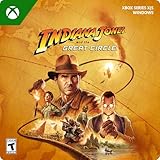
- STANDARD EDITION CONTENT — Includes the Indiana Jones and the Great Circle base game.
- BECOME INDIANA JONES — Play as the famed archaeologist in a first-person, single-player adventure set in 1937, between Raiders of the Lost Ark and The Last Crusade.
- A WORLD OF MYSTERY — Travel from Marshall College to the Vatican, Egypt, and Sukhothai as you investigate an ancient power, meet intriguing characters, and solve riddles.
- WHIP-CRACKING ACTION — Use Indy’s trademark whip to distract, disarm, and attack enemies, swing over patrols, and scale walls. Combine stealth, melee combat, and gunplay to face the enemy threat.
- THE SPIRIT OF DISCOVERY — Move between linear, narrative-driven gameplay and open-area maps as you uncover secrets, avoid deadly traps, and solve fiendish puzzles.
Keep renderer errors separate from a black screen
If the game displays a specific VK_KHR or renderer setup error, Bethesda says those errors typically relate to a PC that does not meet minimum requirements or to a faulty graphics driver, and recommends checking requirements and updating or reinstalling the driver. That guidance is for those named errors; it does not establish the cause of a black screen without such an error. Bethesda’s renderer-error guidance
Independent reader supportYour contribution helps us test, update, and keep practical guides available for everyone.If the screen is still black
If the checks do not resolve the issue, contact Bethesda Support and include the requested diagnostic files, DxDiag and MsInfo. Describe when the screen goes black, whether sound continues, which storefront you use, and your graphics hardware and driver details so support has context for troubleshooting. Bethesda’s black-screen page is the cited escalation route; the available guidance does not identify one universal cause or fix.
Quick Recap
Rank #4

- INSPIRED BY THE INDIANA JONES MOVIES: This Monopoly: Indiana Jones Edition board game celebrates Indy with artwork, game pieces, locations, and themes inspired by the original Indiana Jones trilogy
- A GLOBE-TROTTING ADVENTURE: Players can imagine reliving Indiana Jones’s adventures, as they collect locations from the movie, search for artifacts, encounter traps, and overcome rival fortune hunters
- 6 INDY-THEMED ZINC TOKENS: Choose from 6 playable zinc tokens representing iconic Indiana Jones items, including his lasso, hat, and motorbike
- 4 GOLDEN ZINC ARTIFACT TOKENS: Discover The Golden Idol, The Holy Grail, and other artifact tokens on the board. Then use that artifact’s “special power,” or advantage, such as collect more rent
- FORTUNE & GLORY, TRAPS & CHASES: Fortune & Glory cards assist a player in their quest. But watch out for booby traps and chases in the Traps & Chases cards! Both decks include quotes from the movies
Rank #3
![Indiana Jones and the Great Circle: Collector's Edition – Xbox Series X|S and Windows PC [Digital Code]](https://m.media-amazon.com/images/I/41cp3UHI6tL._SL160_.jpg)
- The Collector’s Edition includes the Allmaker relic replica with game code (base game), The Great Circle 11” Globe with hidden storage, New Adventure journal, jumbo SteelBook, up to 3-day early access*, Indiana Jones and the Great Circle: The Order of Giants Story DLC (upon release), digital artbook, and the Temple of Doom Outfit.
- Uncover one of history’s greatest mysteries in Indiana Jones and the Great Circle, a first-person, single-player adventure set between the events of Raiders of the Lost Ark and The Last Crusade.
- Live the adventure as Indy in a thrilling story full of exploration, immersive action, and intriguing puzzles.
- Travel from the halls of Marshall College to the heart of the Vatican, the pyramids of Egypt, the sunken temples of Sukhothai, and beyond.
- Indiana’s trademark whip remains at the heart of his gear and can be used to distract, disarm, and attack enemies.
Rank #2

- PREMIUM EDITION CONTENT — Includes the base game, The Order of Giants Story DLC, a digital artbook, and the Temple of Doom Outfit.
- BECOME INDIANA JONES — Play as the famed archaeologist in a first-person, single-player adventure set in 1937, between Raiders of the Lost Ark and The Last Crusade.
- A WORLD OF MYSTERY — Travel from Marshall College to the Vatican, Egypt, and Sukhothai as you investigate an ancient power, meet intriguing characters, and solve riddles.
- WHIP-CRACKING ACTION — Use Indy’s trademark whip to distract, disarm, and attack enemies, swing over patrols, and scale walls. Combine stealth, melee combat, and gunplay to face the enemy threat.
- THE SPIRIT OF DISCOVERY — Move between linear, narrative-driven gameplay and open-area maps as you uncover secrets, avoid deadly traps, and solve fiendish puzzles.
Product prices and availability are accurate as of the date/time indicated and are subject to change. Any price and availability information displayed on Amazon at the time of purchase will apply.




